My Cloud editor is throwing 500 errors (again)

This seems to happen every few months...when I try to access the Editor from the main project dashboard (with the project cards), I get a 500 error:
Oops! An Error Occurred
The server returned a "500 Internal Server Error".
-

Hello Benjy,
I checked a few of your projects. All projects appear accessible at my end. Please see my test at https://jmp.sh/1fjzVGUq If you continue to face the issue, please let us know the exact steps to reproduce the error.
0 -
Thanks for the quick response...
Sorry, I should have been more specific. It's the "baxtr marketing" project in the "baxtr" workspace: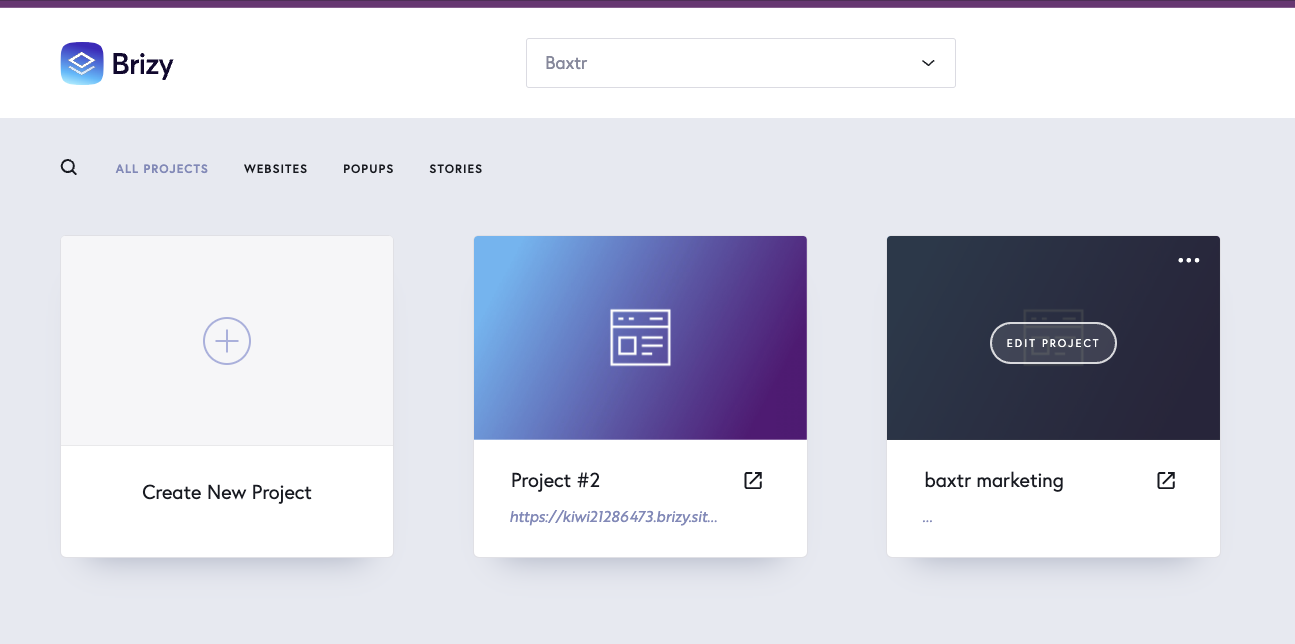 0
0 -
Hello Benjy,
I checked both projects in the Baxtr workspace. Both opened at my end without the Internal Server Error. Kindly see https://jmp.sh/lSse4e22 Do we need to do something specific to see the error?
0 -
Interesting...here's my video: https://jmp.sh/MBOSCNU8
0 -
Hello Benjy,
Can you check if the error can be reproduced while accessing your Brizy Cloud dashboard on your computer using a different browser? Additionally, please see if you can reproduce the error on another computer.
0 -
OK, I logged in on an incognito window, and it worked.
Was there a reason you can identify as to why I was seeing that error?
0 -
Hello Benjy,
When cached images and files build up significantly in a browser, you may find that certain websites are slow to load or only partially load, will not open, return an error message, or otherwise don't respond as they should. Clearing the browser cache once in a few months helps to maintain optimal performance for your browser.
Kindly follow the procedure at https://its.uiowa.edu/services/how-clear-cache-and-cookies-your-web-browser to clear cached images and files in your browser. Clearing cookies is not necessary. Once you do this, check if the "500 Internal Server Error" persists in your preferred browser
0
Please sign in to leave a comment.
Comments
7 comments