Woocommerce setup

Hi, I'm trying to create a store, but when I look for the elements, I cannot see many(see attached) 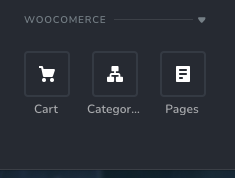 am I missing something? I have also looked for anything under 'Product' but I don't have 'Product' available. I am using Brizy Pro.
Do you have anything in the way of a tutorial?
Any help is appreciated.
Thanks in advance
-

Hi Dom,
It looks like the Product element may not be enabled in your Brizy settings. Please click on the Eye icon in the Sidebar to reveal all available elements. From there, you should be able to find the missing Product element and enable it.
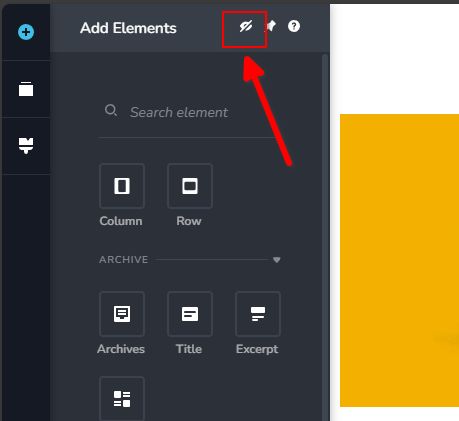
Please try this and let me know how it goes.
Best regards,
Ariel H.0 -
Hi, I've checked and I don't see it available. See attached
All of them are checked.
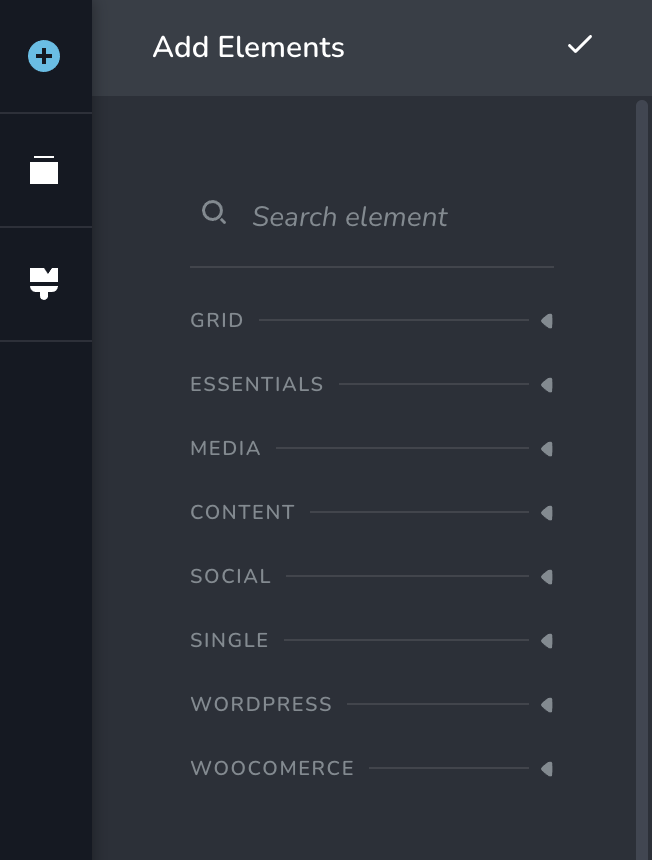 0
0 -
Hi Dom,
Thank you for the update.
Please ensure that you have the latest versions installed.

If the issue persists, please provide us with temporary access to your WP Admin Dashboard so we can take a closer look. Kindly add us as an Admin user to your WordPress Dashboard and send the following details to communitysupport@brizy.io:
Community Post link: https://support.brizy.io/hc/en-us/community/posts/24867750697362
WordPress Admin URL:
Username:
Password:Please make a full backup of your site as a precaution.
Best regards,
Ariel H.0 -
Hi, I still have the issue. I have emailed the details as requested.
Site backed up.
Thanks
0 -
Hi Dom,
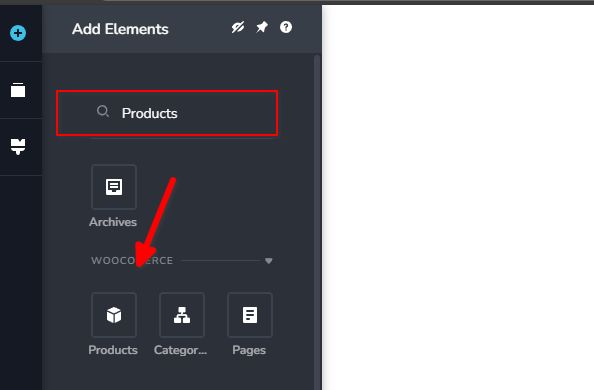
Thank you for your cooperation. I’ve checked your site, and the Products element appears in the sidebar. Could you try viewing it in a different browser or on another computer to see if the issue persists?
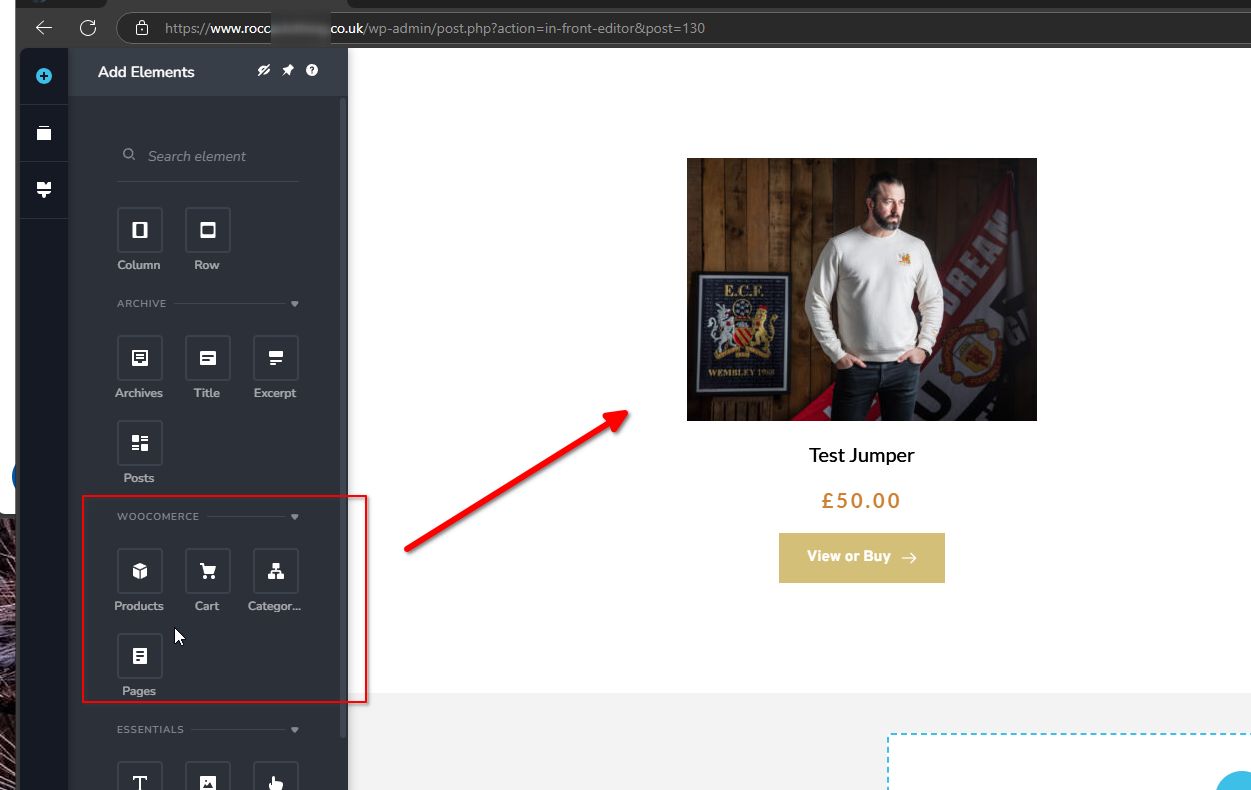
Additionally, please try searching for the element as shown below.
Best regards,
Ariel H.0
Please sign in to leave a comment.
Comments
5 comments