Display error

Hi,
In the back office I have this image that's displayed on the top of my pages
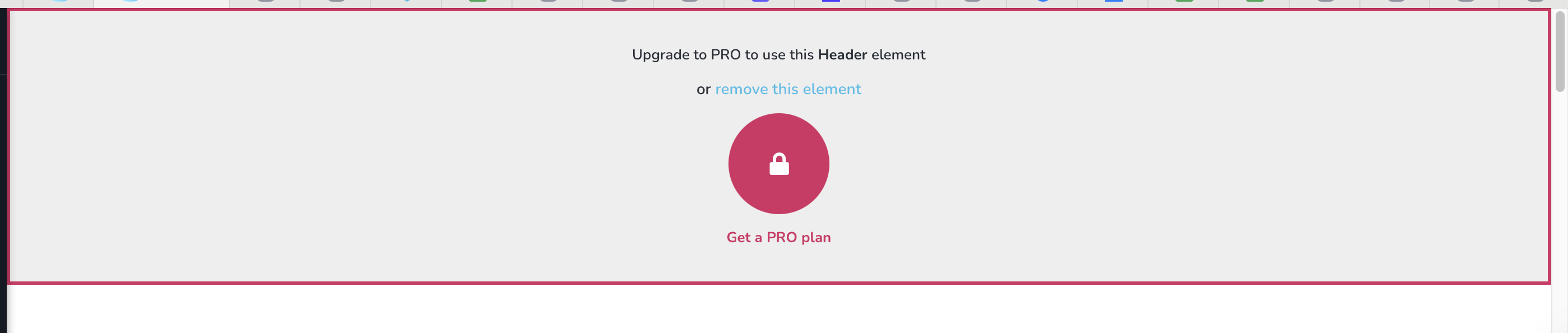
I've checked my subscription and it's up to date
Could you fix it
Thanks
Olivier
-

Hello Olivier,
We apologize for the inconvenience. We have fixed the above errors. Kindly check.
0 -
Hi George
Forgot to thank you. And indeed the problem was fixed
But today the problem came back
thanks for the help
All the best
Olivier
0 -
Hello Olivier,
Our license management system has bug which is causing this issue after every renewal. Please be patient while we work to resolve this issue. Until a fix is rolled out, we will manually fix this issue.
We have fixed the above issue in your dashboard.
0 -
The same problem is back again for the third time---
Thanks for fixing it ASAP, I need to update my website
Question if I update while this appear, this will destroy our menu?
0 -
Hello Olivier,
We apologize for the delay in fixing this ongoing issue. We have fixed the issue in your dashboard.
0 -
Same issue coming back again at random
I updated 2 or 3 times the same page and when I changed page, bam came back
thanks for fixing
0 -
Please note that each time I'm 100% blocked cause I don't date saving and f... all my website
If we could synchronise and I could check if saving affects the website that would be of great help
I leave you my whatsapp if you'd like to sync, from there we can do a zoom or anything
thanks
Olivier
+44 7 418 376 807
0 -
Hello Olivier,
We have manually fixed the issue once more.
Could you clarify what you mean when you say, "If we could synchronize and I could check if saving affects the website that would be of great help"? What actions do you want us to take what should we confirm?
0 -
Let me break down my answr in different part
1) Thanks for the fixing
2) When I get this bug, if I "update" a page, will it make the menu disappear in the front-end
3) Regarding the "draft" not saving information. let me do a separate ticket and I'll make further test before opening it.
0 -
Hello Olivier,
When you see the error "Upgrade to Pro to use this element", you can make changes to other parts of your page and save your work and the changes will update in the frontend and your global header an footer will be unaffected. For a more detailed explanation of what happens to an account if PRO features are inactive, have a look at https://support.brizy.io/hc/en-us/articles/13578563168785
0 -
Hi George
The bug is back from vacation :-)
thanks for fixing it
Olivier
0 -
Hi
Is anyone available to fix that
It's a recurring bug and it's really annoying since I'm paying monthly to get the pro features!
0 -
Hello Olivier,
We regret that we did not respond to you sooner. This problem has been resolved in your dashboard. We have put a patch in place, so hopefully you won't experience this problem from the next renewal.
0 -
and... the bug is back
0 -

Hi Olivier,
We’ve fixed the issue, could you please try editing your pages again and let us know if everything works as expected?
Best regards,
Ariel H.0 -
Hi Ariel
Sorry did not saw your answer, but did witness it was corrected
and now... you guessed it, the bug is back
thanks for fixing it ASAP
0 -
Hello Olivier,
It appears that the bug has not been resolved by the patch we created for it. We have manually fixed the issue in your dasboard. Please verify if you have to access PRO features.
0
Please sign in to leave a comment.
Comments
17 comments