Question about tag and category URL structure

Hello, team.
In Brizy Cloud, I notice it's not possible for me to use the / symbol in creating categories such as sitename.com/category/category-name and tags such as sitename.com/tag/tag-name? Why does Brizy Cloud not allow this use of creating better breadcrumbs for SEO indexing purposes? I suppose my only option is to use sitename.com/category-category-name and sitename.com/tag-tag-name to give search engines a heads-up that category-name and tag-name are connected to categories and tags. (Brizy itself uses blog-category-name such as here: https://www.brizy.io/blog-cloud.) I worry about how this will negatively impact SEO.
On a related note, why are categories and tags not clickable in Brizy blog posts? Brizy seems to disregard tags entirely in the CMS, referring to them only as categories. In this blog post (https://www.brizy.io/brizy-cloud-blogging), it's not possible to click on Dimi, Blog, Cloud, FREE and Updates—all of which would be clickable on a WordPress blog. This means that I would have to build this information manually for each blog post because there is tremendous value in having people click on these category and tag pages for SEO reasons.
I come from WordPress, where I built 10 websites since 2013, relying on Elementor lots in recent years. I got tired out by maintenance, fixes and the time investment in building new websites. I am new to Brizy Cloud and have high praise for many, many things. But some of these little but important things are a detriment to all customers on the platform. I hope the team can please strongly consider making the author, category and tags (add tags to the CMS) clickable and to allow better breadcrumbs via use of the / symbol to better separate information.
Thank you kindly and enjoy a super day!
-

Hello Brian,
Even though Brizy Cloud does not support tags and author name for blog posts, you can add these as custom taxonomies to your blog posts if you like.
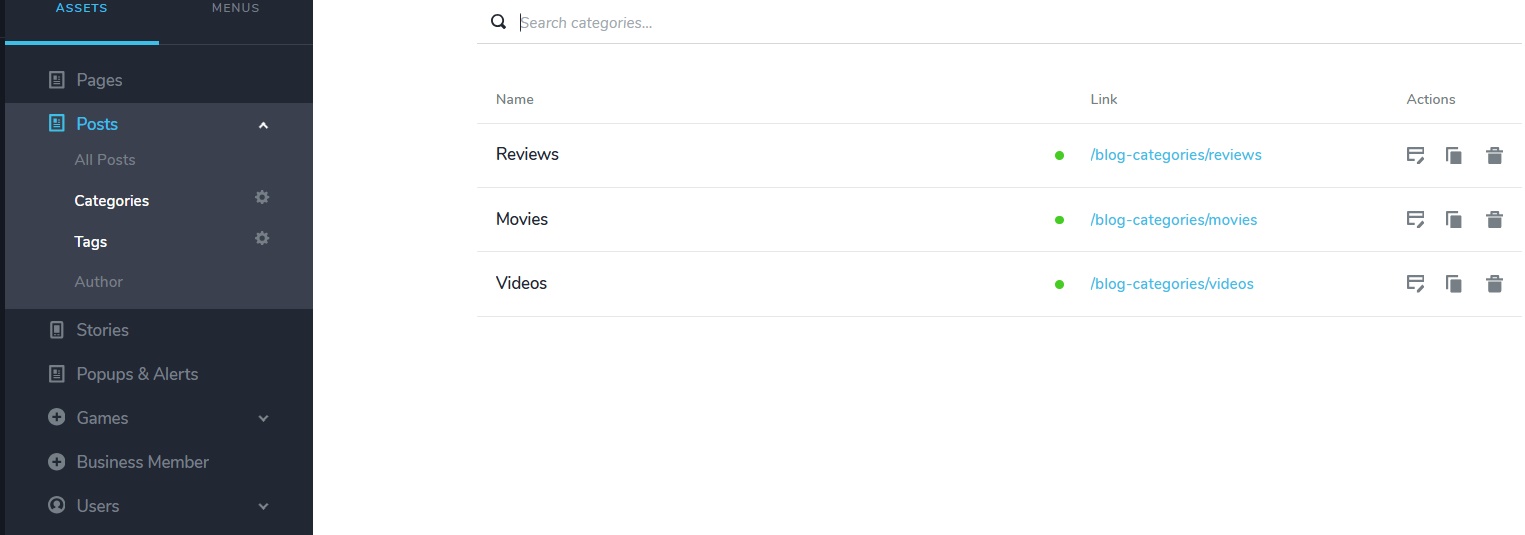
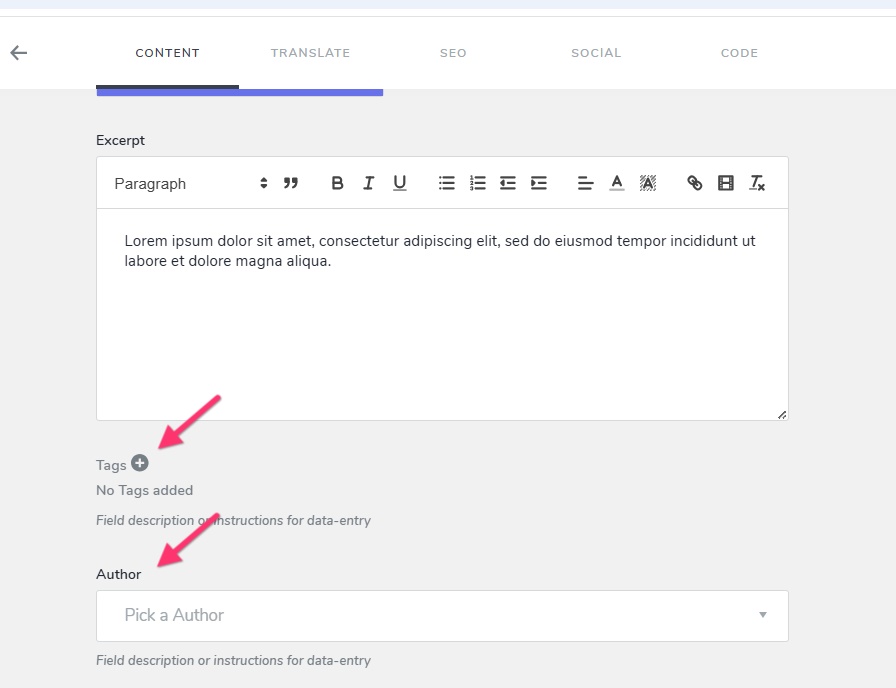
You can then create a master list of tags and assign appropriate tags to different blog posts. Similarly you can add a list of authors and assign appropriate author to each blog post.
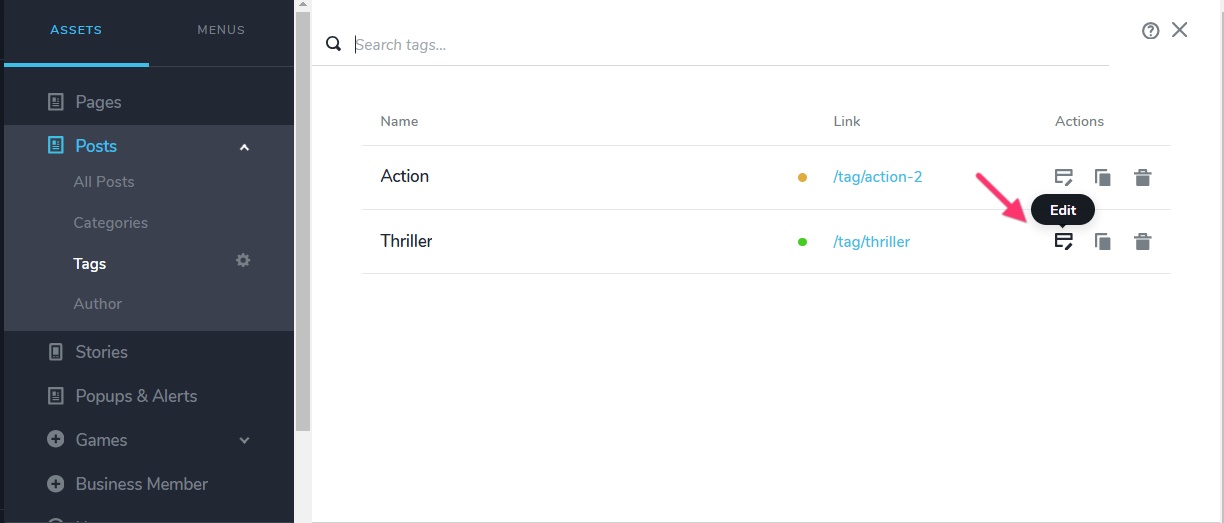
You can also create category archive pages, tag archive pages and author archive pages by clicking on the "Edit" option next to each category, tag or author.
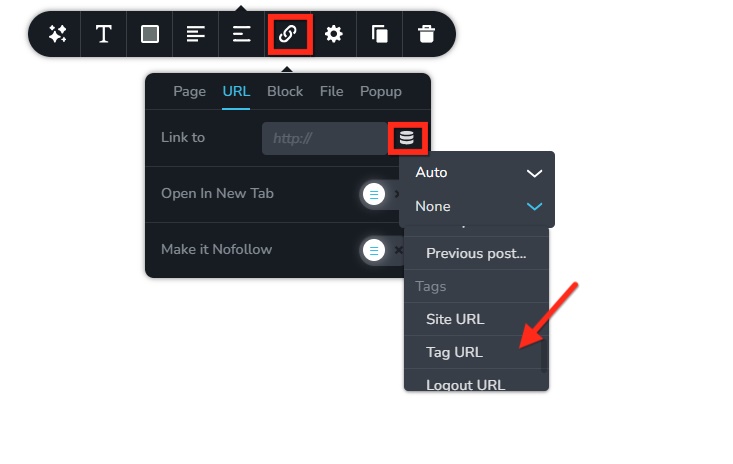
Once you add these archive pages, you can also link author to the author archive page, tag to its tag archive page etc.
 1
1 -
Thank you for sharing this information and these screenshots, K C.
I will work on adding these and follow up here in case I have additional questions.
Enjoy a super day!
0
Please sign in to leave a comment.
Comments
2 comments