Cannot save changes.

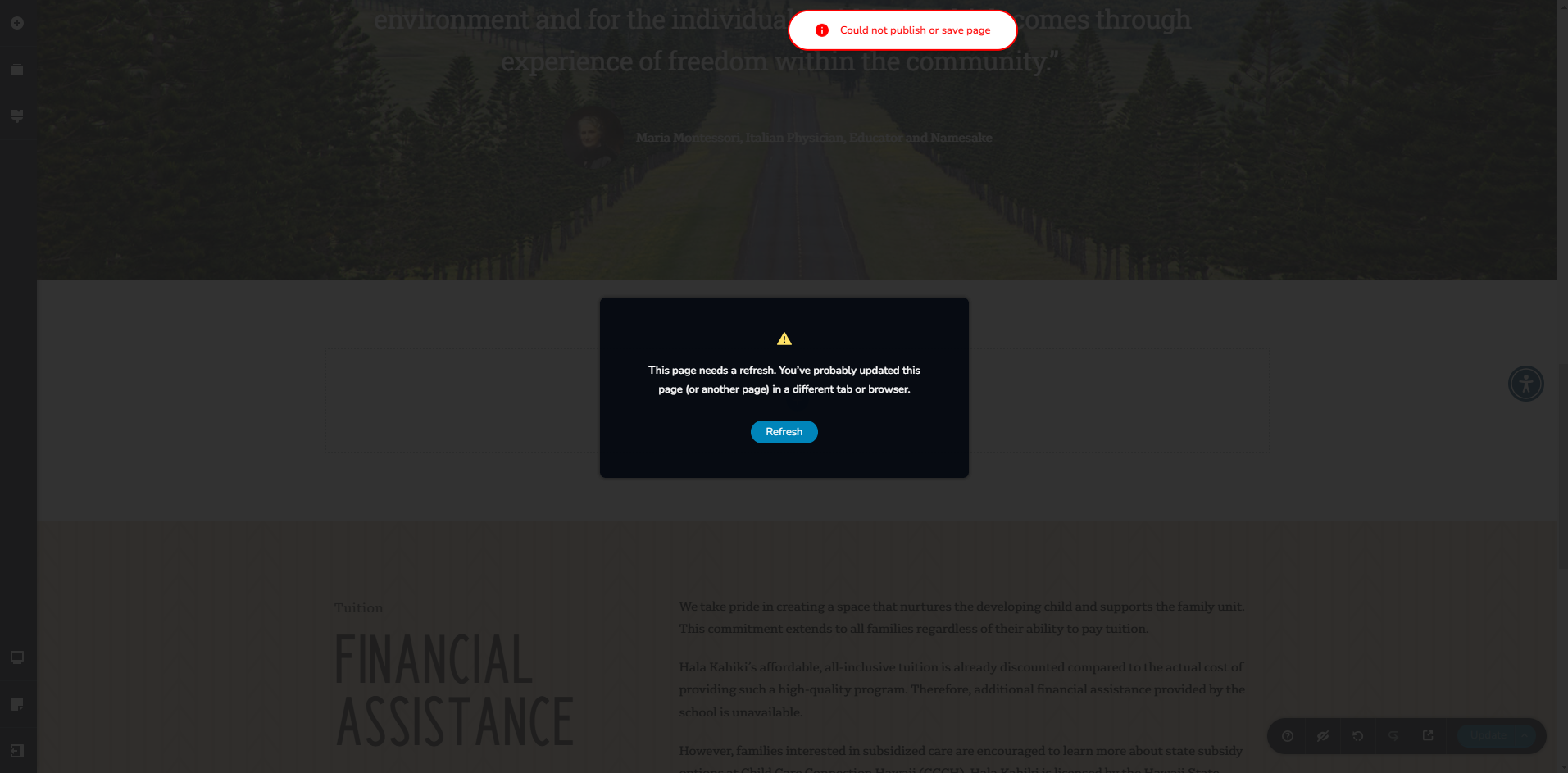
I cannot save changes to pages on site. When clicking on Update, it takes a long time to process then displays a refresh message. I've refreshed the page and keep getting this message.
Things I've tried:
- Disabled all plugins except for Brizy & Brizy Pro
- I've changed the server settings to the following:
* max_execution_time: 300
* max_input_vars: 300
* memory_limit: 512M (or higher)
* post_max_size: 128M
* upload_max_filesize: 32M
- I deleted revision history using WP Optimize.
Hosting Details:
Wordpress site hosted on GoDaddy.
https://halakahiki.xplor.education/
-

Hi Franklin,
We're sorry to hear you're having this issue with Brizy.
Please provide us with temporary access to your WP Admin page so we can take a look. Please add us as an Admin user to your WordPress Dashboard and send the following details to communitysupport@brizy.io.
Community Post link: https://support.brizy.io/hc/en-us/community/posts/24742910305042
WordPress Admin URL:
Username:
Password:Additionally, we will also need temporary access to FTP/cPanel:
FTP / cPanel host address:
Username:
Password:Best regards,
Ariel H.0 -
Hi Franklin,
Thank you for your cooperation.
It looks like the issue is related to ModSecurity. Could you check with your hosting provider to see if they can temporarily disable it for troubleshooting?
Let me know how it goes.
Best regards,
Ariel H.0 -
Hi Ariel,
I disabled the firewall, however, I am still getting the same error when attempting to save changes.
0 -
Hi Franklin,
Thanks for the update. I've asked a colleague to take a look at this issue, I'll get back to you as soon as I have more information.
Apologies for the inconvenience.
Best regards,
Ariel H.0 -
Hi Franklin,
Thank you for your patience. I checked with my colleague, and it looks like your site is hosted with GoDaddy. From experience, GoDaddy doesn’t allow disabling ModSecurity, which is often the cause of this issue. Some users have resolved it by asking GoDaddy to increase certain ModSecurity limits related to request and response sizes, as well as rule processing.
I recommend reaching out to their support and asking if they can adjust these limits to allow page editing. They may also be able to check their error logs to identify any specific rules that need to be adjusted.
If you have any further questions, please let us know.Best regards,
Ariel H.0 -
Hi Ariel,
I contacted GoDaddy support and they asked for more specification on the requested changes, such as values.
I forgot to ask for error logs, but would the cPanel error logs suffice?
0 -

Hello Franklin,
The default SecRequestBodyLimit in ModSecurity could be set to 0.125 MB. This limit needs to be increased to 4MB in order to ensure error-free Brizy editing. Kindly request GoDaddy support to update the ModSecurity configuration file with these configuration directives.
SecRequestBodyLimit 4194304 # Limit request bodies to 4 MB
SecRequestBodyNoFilesLimit 2097152 # Limit non-file request bodies to 2 MB
0 -
Hi K C,
I asked GoDaddy support if they could update those configurations and they said that it could only be changed on a virtual dedicated server (We currently using a shared server). Did everyone who also had this problem need to change to a dedicated server as well? Switching is expensive and will cause interruptions with all the sites that I would need to migrate so I would like to avoid it if possible.
0 -
Hi Franklin,
Could you provide us temporary access to cPanel so we can check if there’s anything we can do to resolve the issue?
Looking forward to your response.
Best regards,
Ariel H.0 -
Hi Ariel,
I sent an invite for delegate access for GoDaddy to communitysupport@brizy.io. The account is under Greg Marick
0 -
Hi Franklin,
Thank you for your cooperation.
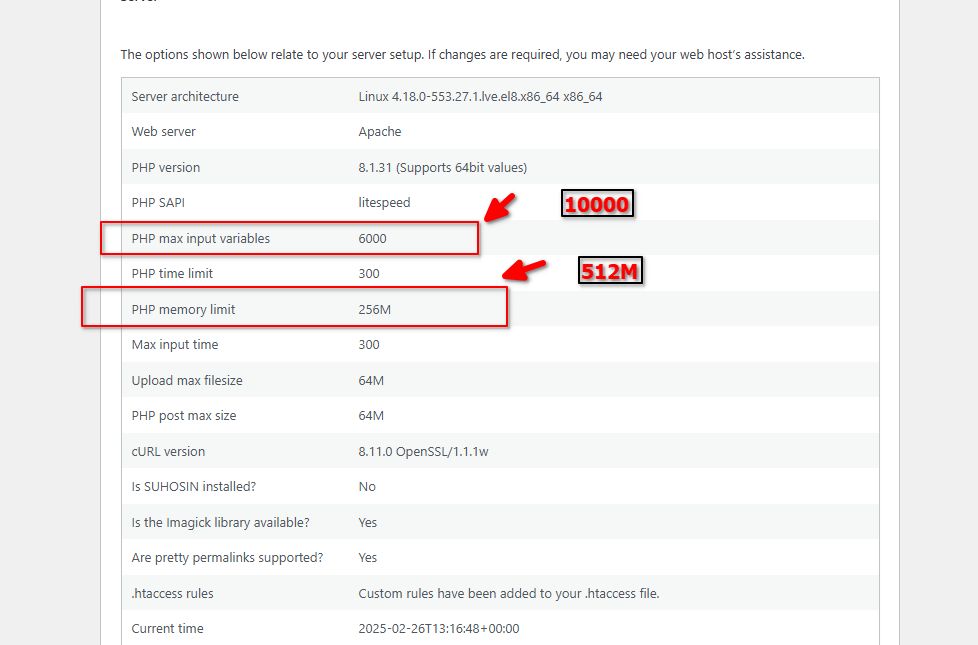
Could you please check with GoDaddy if they can increase the following settings? We accessed cPanel and tried adjusting them through Select PHP Versions, but the changes are not reflecting on your site.
Best regards,
Ariel H.0 -
Hi Ariel,
GoDaddy support says it might be hard limits on the shared server.
Do you know if downgrading the Brizy plugin version would lower the request sizes? We were able to build the site using Brizy with no big problems before, the only difference I can think of now are the plugin updates.
0 -
Hi Franklin,
Thank you for the update. I can check which version works on your site and install it for you. If you have other sites running on the same server, I can also send you the link for reference.
Best regards,
Ariel H.0 -
Hi Ariel,
Sounds good. Yes, please send the link for my other sites.
0 -
Hi Franklin,
Thank you for the update.
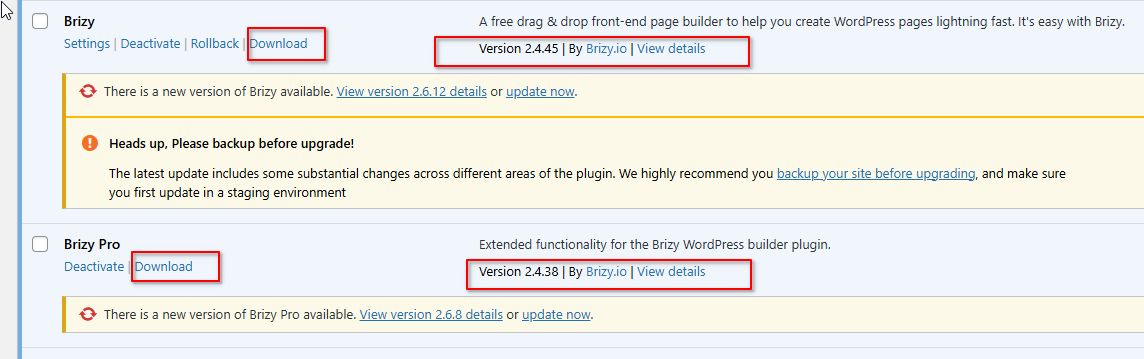
These versions are working on your site. I've installed the Download Plugin, which will allow you to download them and use it on your other sites within the same server.
Best regards,
Ariel H.0 -
Hi Ariel,
I am able to verify that I can save changes again. I will make sure to use these plugin versions for the other sites too. Thank you so much!
0
Please sign in to leave a comment.
Comments
16 comments