I can´t upgrade Brizy Pro Wordpress

I saw your tutorial on "how to upgrade", but I don't see the license field
This is your tutorial: 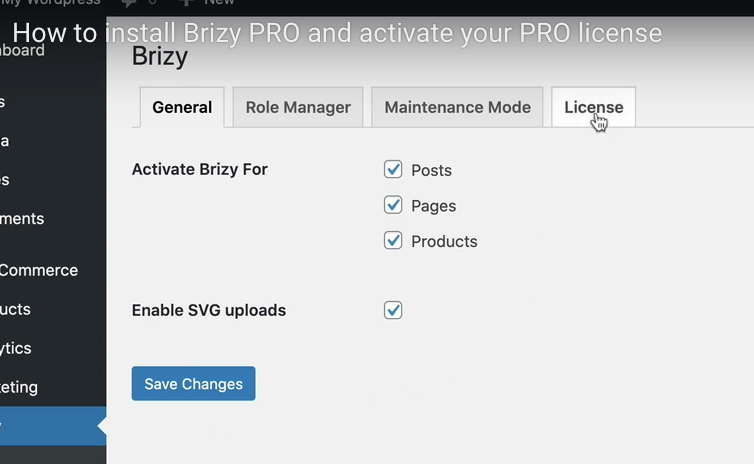
This is my Wordpress Dashboard:
- Saying I should upgrade
- Not showing the license field 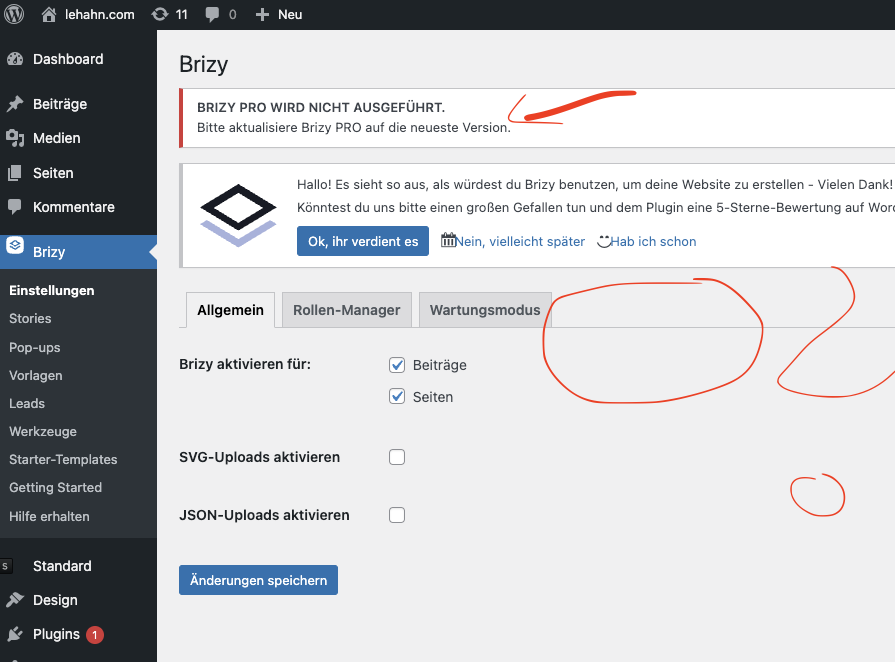
I have installed Brizy Pro on other Wordpress Sites and I had no problems.
Please help me out.
Thanks,
Andreas
-

Hi Andreas,
Thank you for contacting us.
This issue is usually caused by a version mismatch. To resolve it, please delete both Brizy and Brizy Pro.
You can reinstall the free version by going to the Plugins area, searching for Brizy, and installing it like any other plugin.
For Brizy Pro, log in to your account dashboard, download the latest version, then upload and install it on your site.
Deleting both plugins won’t affect your site’s content—only the front-end display. Once reinstalled correctly, everything should return to normal.
After that, please check the license status in Brizy settings.
Give this a try and let me know how it goes.
Best regards,
Ariel H.0
Please sign in to leave a comment.
Comments
1 comment