Top navigation bar changes after editing page

I saw this problem few times already (different websites). After editing page (just page content) and saving it, header part (top navigation) gets resized somehow. In this example, text on the button is not visible, other website phone number was partially hidden. No one was touching/editing that !
Here is url: https://www.eqhomeimprovementllc.com/ - we fixed it already, but maybe you will be able to track this bug, because as i said we had it on few websites now. Some white label, some no.

found few more examples - sites NOT edited and button changed
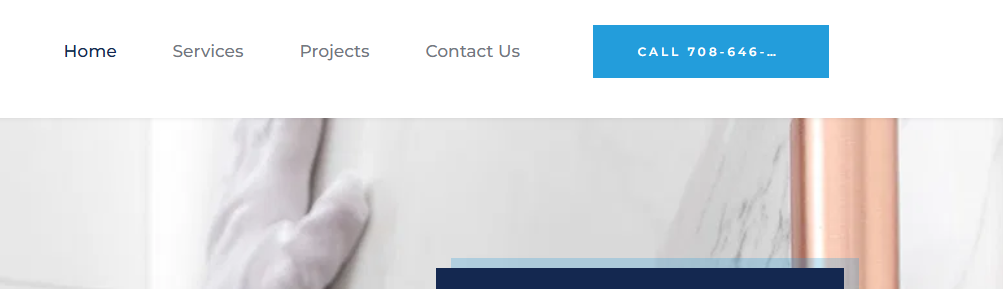
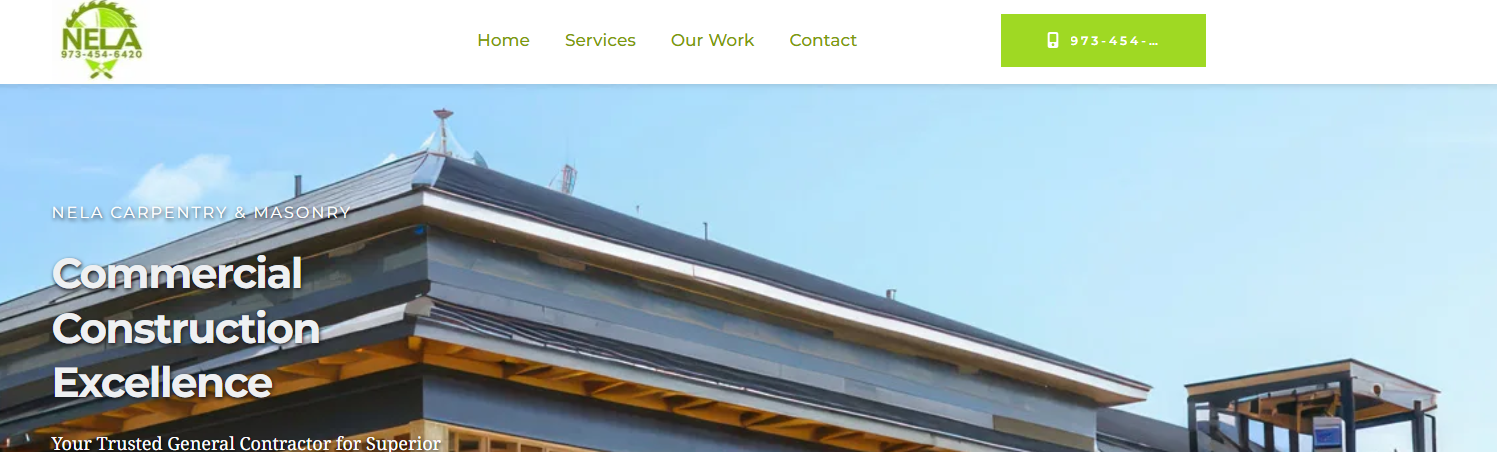
-

Hi Tom,
Thank you for contacting us. We are already aware of this issue, and it is currently ongoing. Our team is working on a fix, which should be available in one of the upcoming updates. We sincerely apologize for the inconvenience.
If you have any further questions, please let us know.
Best regards,
Ariel H.0 -
Any update, because today i found another site with the same problem
0 -
Hi Tom,
Thank you for reaching out.
Unfortunately, this issue is still ongoing. In the meantime, you can use the following CSS as a temporary workaround until a fix is available.
/* Desktop */
.brz .brz-css-15vb86p.brz-btn {
    width: 250px;
}

/* Tablet */
@media (max-width: 1024px) {
    .brz .brz-css-15vb86p.brz-btn {
        transform: scale(0.9);
    }
}

/* Mobile */
@media (max-width: 767px) {
    .brz .brz-css-15vb86p.brz-btn {
        transform: scale(0.8);
    }
}
In Brizy Cloud, you can add this CSS by going to CMS -> Project Settings -> Code -> Custom CSS.
Additionally, could you provide the other site where you're experiencing this issue? We'd be happy to inspect it and see if we can suggest a similar CSS solution.
Bes regards,
Ariel H.0
Please sign in to leave a comment.
Comments
3 comments