Blog post header and spacing

So, I'm working on first blog post and you can see there is a ton of white space in below the menu and also more whitespace than I want between paragraph text and H2. Is this something controled in the theme (Blocksy) or something I need to set in Brizy?
https://norzer-demo.com/demo/jason/secure-your-future-why-a-power-of-attorney-is-essential-in-ohio/
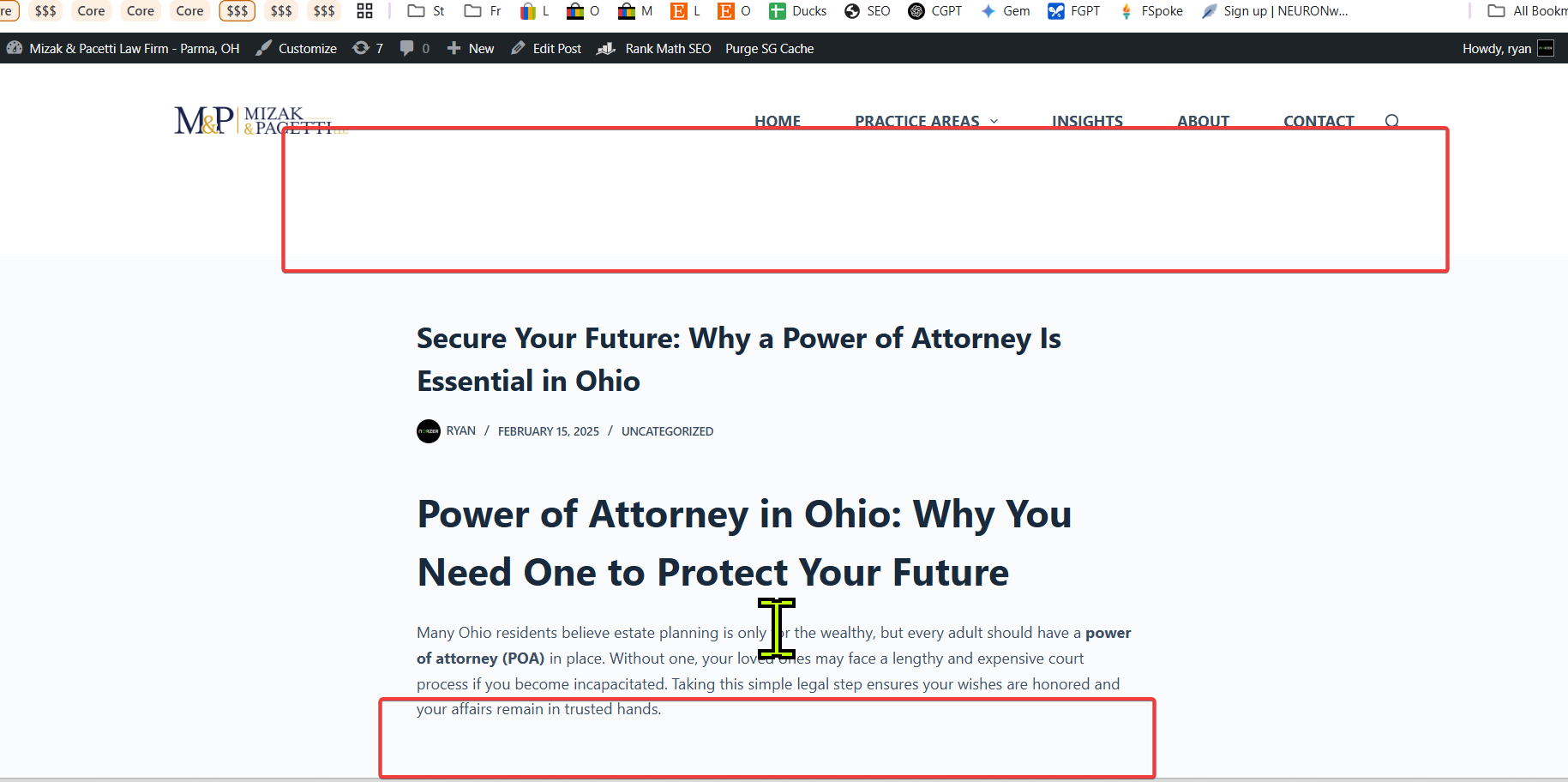
-

Hi Ryan,
Thank you for contacting us.
It looks like this page wasn’t built with Brizy, but you can try the following CSS to adjust the gap between the headings:
h2.wp-block-heading {
    padding-top: 5px;
    margin-top: 0;
}
You can add the above CSS in Appearance → Customize → Additional CSS.
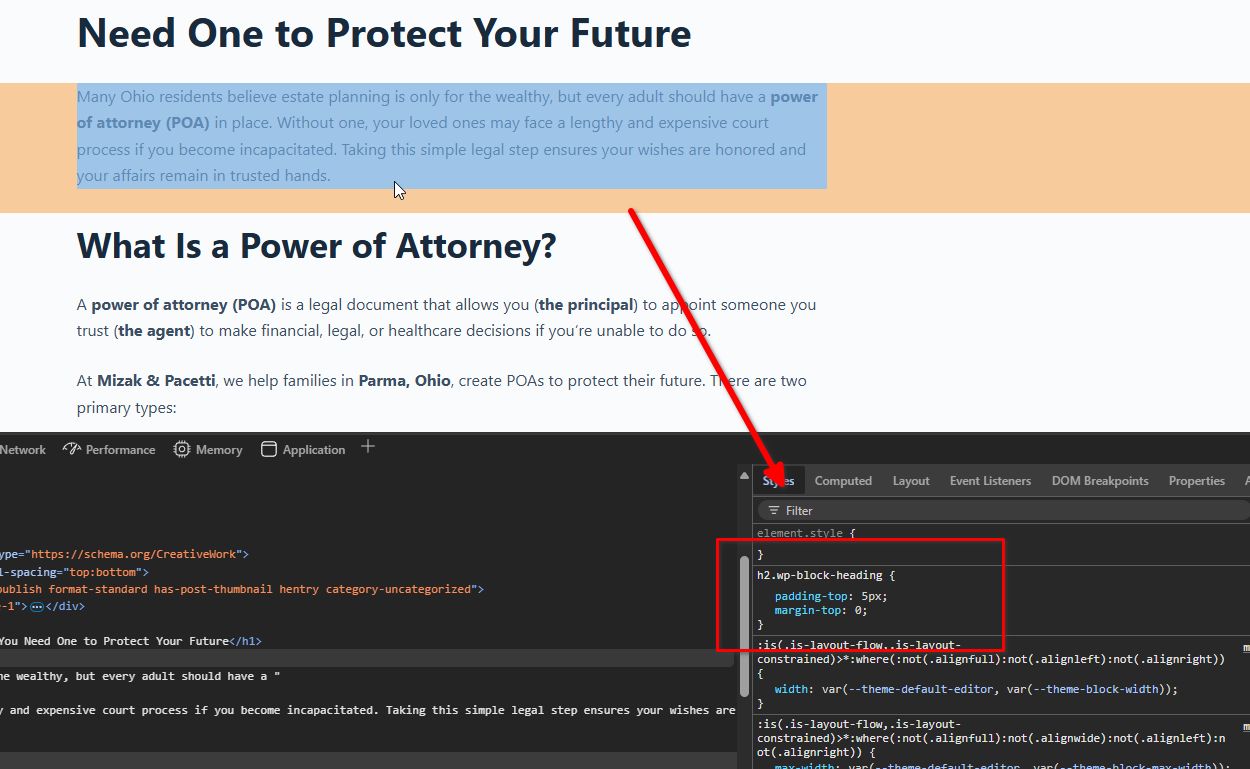
You may adjust the padding-top value as needed.
Best regards,
Ariel H.0 -
Can I create this in Brizy? Are these settings coming from the theme?
0 -
Hi Ryan,
Thank you for the update.
The settings you’re seeing are controlled by your current theme. If you're using a Block-based theme, you might want to try the Blocksy theme, which offers better control over spacing in blog posts. Alternatively, you can use Brizy to create a custom single post template to adjust the layout as needed – here’s a helpful tutorial: - https://www.youtube.com/watch?v=lkiSk6IE7tA
If you have any further questions, please let us know.
Best regards,
Ariel H.0 -
thanks
0
Please sign in to leave a comment.
Comments
4 comments