switch the language

I'm using the paid version of Brizy Cloud and have created a website in Korean.
Now, I need to make the entire website switch to English when a foreign visitor clicks a button.
I already have the English text prepared.
Should I create separate Korean and English pages and link them together? Or is there a way to switch the language instantly within the same page?
-

Hello Yong,
Brizy Cloud supports multilingual websites. In the Brizy Editor under CMS > Project Settings > Translate, set the original language as Korean and add the "English" translation.
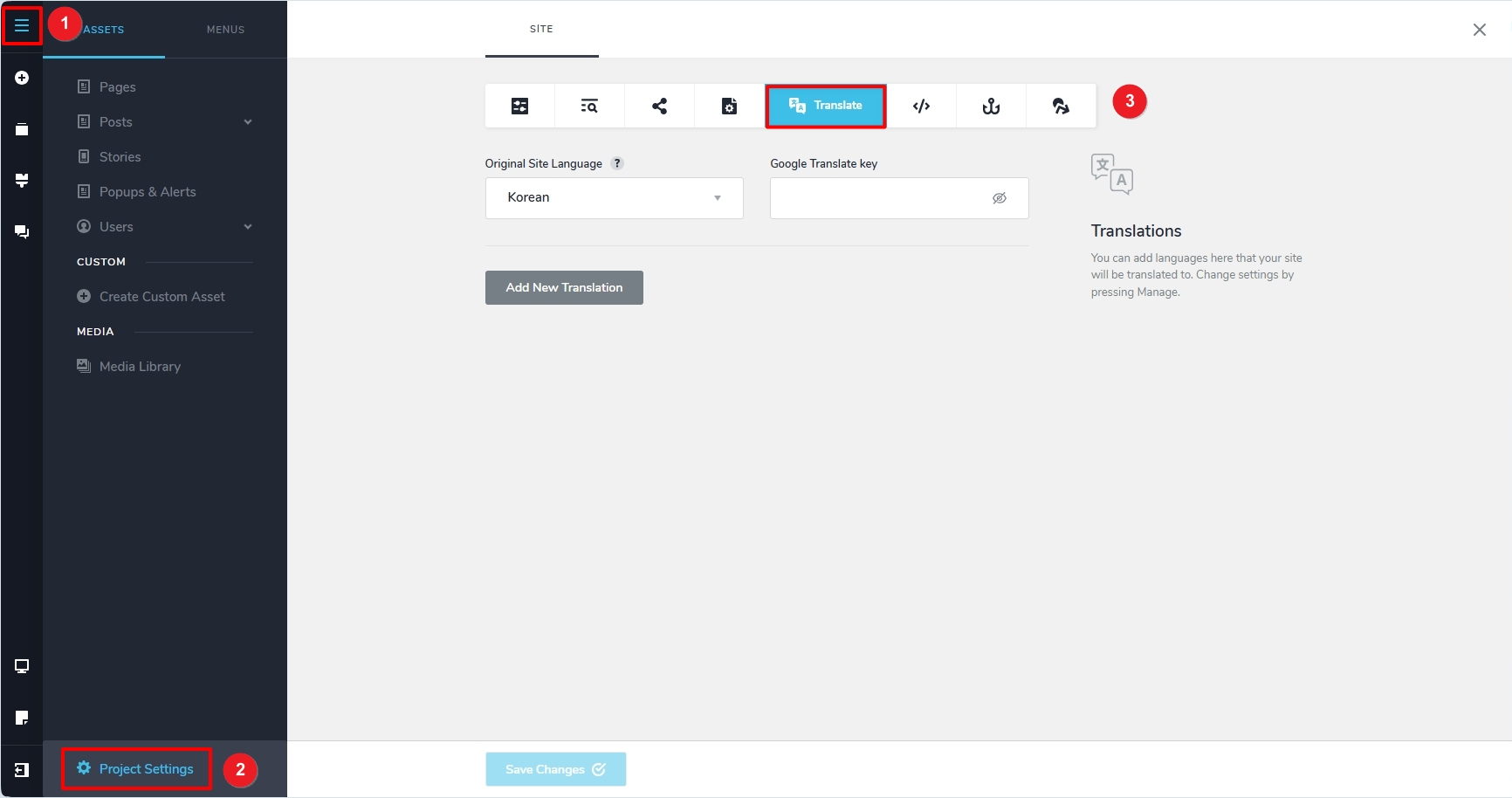
You have two options to translate the website. You can use Google to automatically translate Korean to English by adding a Google Translate API key following the procedure at https://support.brizy.io/hc/en-us/articles/22465707546386. You can also add English translations to your Korean text strings for your pages. Have a look at this tutorial for the procedure. https://youtu.be/tDFEVOCSyvU?si=-6QCZ8x2iV7hQ8By
If you have more questions, kindly get back to us.
0
Please sign in to leave a comment.
Comments
1 comment