Pasted Blog Content Not Following Format Rules

My associate posted content from 2 different sources into the WP Blog Body (which is then run through a Brizy Template). What comes out the other end is bizarre. From the first source (a MS Word document where he did the initial composition), everything marked up in WP as Heading 2 and Heading 3 is coming out a p<strong>. That which he posted from the second source (at the bottom of the page) is formatting just fine.
The post may be found at https://denverdecon.com/is-chlorine-dioxide-safe-for-odor-removal/
-

Hi Michael,
Thank you for contacting us.
Based on my observation, when using a dynamic template, Brizy does not recognize the <strong> tag applied to an <h2> heading.
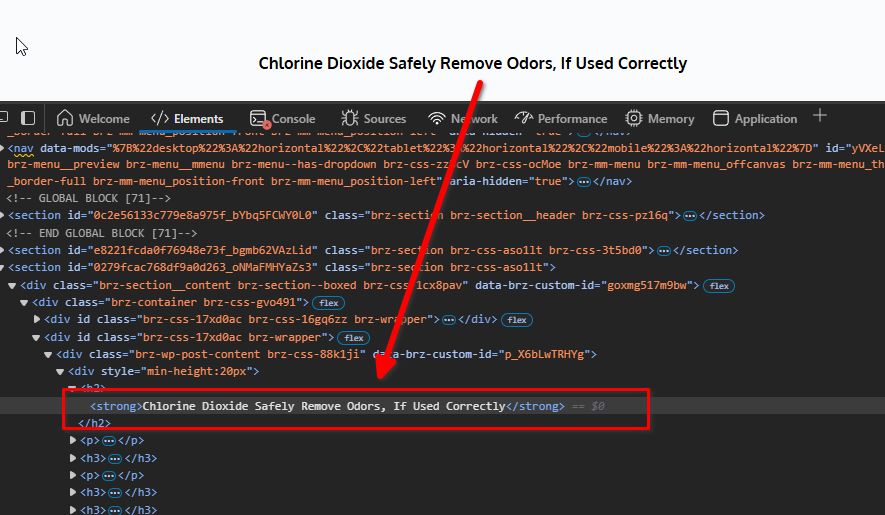
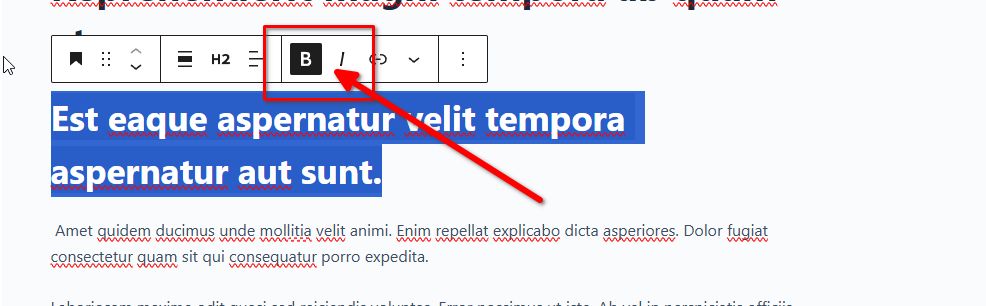
To resolve this, please avoid setting your Heading 2 to bold or any other heading text in Gutenberg editor.
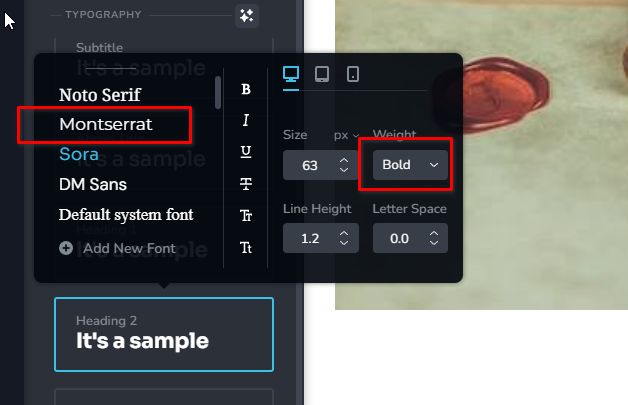
Instead, you can manage text formatting through Brizy's global settings.
Give this a try and let me know how it goes.
Best regards,
Ariel H.0 -
Once he sent me the MS Word document, I immediately discovered that (for some reason) he had changed the font colors for the various headings to blue. Once reset to Automatic, the text inserted perfectly. Sorry to have disturbed you, but hopefully it will provide simple assistance to someone else in the future. Color confuses Wordpress.
0
Please sign in to leave a comment.
Comments
2 comments