After the update, the global blocks have shifted

Hello
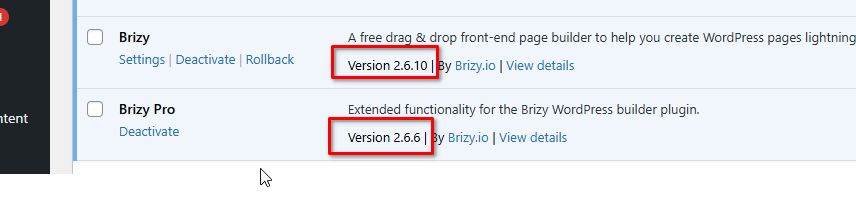
I have encountered a problem. After updating from Brizy version 2.6.3 > 2.6.9 Brizy Pro 2.6.0 > 2.6.6 all my global blocks on all pages have changed their position up or down by one block. Global header and footer blocks remained in place. Only the blocks between the header and footer of the site have moved. Also, the buttons with a pop-up window stopped working. I created a global pop-up block, and then for the button I selected a pop-up global block, after the update I click on the button with PopUP nothing happens. On my site 500+ pages on all pages this error. I restored the database of my site to return my site and installed previous versions of Brizy plugins.
You can fix this error so that when updating to a new version there are no such errors. Thank you.
-

Hi Timur,
I’m sorry for the inconvenience this has caused.
We understand how important it is to keep your site running smoothly, especially with 500+ pages affected. Could you check if the latest update resolves the issue? If not, please let us know so we can further investigate.
We appreciate your patience and feedback.
Best regards,
Ariel H.0 -
Hello
I tried to update the site to the latest version of Brizy and Brizy Pro. After the update, the blocks changed their place on the page.
Do I need to change the location manually on each page or will you release an update that fixes this?
Brizy 2.6.3 > 2.6.13
Brizy Pro 2.6.0 > 2.6.8Page before the change:
https://almazsites.uz/wordpress-themes/fotograf-shablon-sajta-i-tema-wordpress-2/Page after the update:
https://almazsites.ru/wordpress-themes/fotograf-shablon-sajta-i-tema-wordpress-2/0 -
Hi Timur,
Thank you for the update.
It's possible that the changes in block positioning and pop-up functionality are being affected by caching or a conflict with another plugin.
To help rule out any conflicts, we recommend disabling all other plugins except Brizy and Brizy Pro before updating to the latest version. This will allow the update to process without any external interference. Additionally, clearing your website’s cache, including any server-side, browser, or plugin-based caching, may help resolve display inconsistencies after updating.
If the issue persists after updating with only Brizy and Brizy Pro active, please let us know, and we’d be happy to investigate further.
Best regards,
Ariel H.0 -
blocks on the page after the update have a different position. follow the links before and after the update. you will see the difference.
i tried to disable all plugins except breezy. it did not help.
0 -
Hi Timur,,
Could you please provide temporary access the second website so we can take a closer look? Kindly add us as an Admin user in your WordPress Dashboard and send the details to communitysupport@brizy.io:
Community Post link: https://support.brizy.io/hc/en-us/community/posts/24557964610706
WordPress Admin URL:
Username:
Password:Best regards,
Ariel H.0 -
Hello
I can't give access to WP.
I tried different options to fix the location of the blocks.
When viewing the site, the blocks are mixed up. And when viewing the blocks in the Brizy constructor, the blocks are in their places. If you click the save page button immediately after opening the page in the constructor, the blocks are still in the wrong place when viewing the site.
I tried to make changes to the global block that is next to the block that is not located in the right place. I went to the conditions and saved it, but it did not help to fix all my pages.
I tried to make a small change to the block that is displayed in the wrong place, and then saved the page. It helped. Now the block on the edited page is located correctly when viewing in the editor and when opening the page in the browser.
To fix all the pages, I have to open each page, make a change to the block that is displayed in the wrong place.
https://cloud.mail.ru/public/NNeF/ueW1ugw7M
You can make it so that in the next update each page does not need to be opened in the editor and saved.
0 -
Hi Timur,
Thank you for the details and for testing different solutions.
Since you’re unable to provide access to your site, we’ll try to simulate the issue on our end. If we can reproduce it, we’ll escalate it to our team for further investigation.
We understand that manually updating each page is not ideal, and we’ll check if this can be improved in a future update. In the meantime, if we find any alternative solutions, we’ll let you know.
Best regards,
Ariel H.0
Please sign in to leave a comment.
Comments
7 comments