Google Translate API stuck not translating certain languages

Hi, I have chosen to translate my website into multiple languages. However, the process has not complete and I wonder if there is an error.
In the below screenshot, you will see Tagalog and Korean. Despite the Korean saying 502 Translated Words, it actually translated the whole site which is many more words than 502.
In fact, all languages except Tagalog and Spanish were translated.
Both Tagalog and Spanish say 72 Words Translated, and that may be accurate. They have stopped translating for some reason...
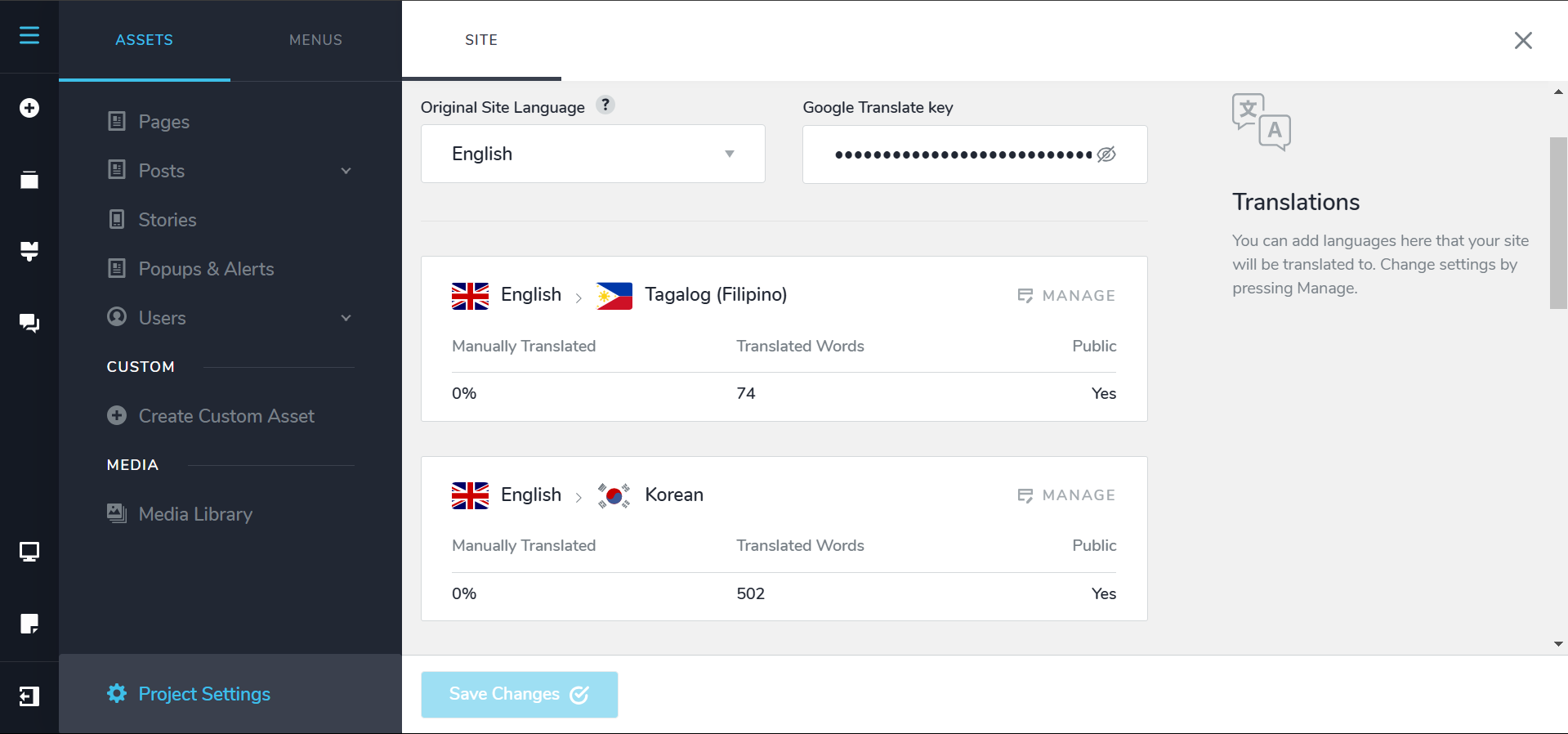
I started this translation process 12 hours ago, and it only took a few moments for the translations to happen.
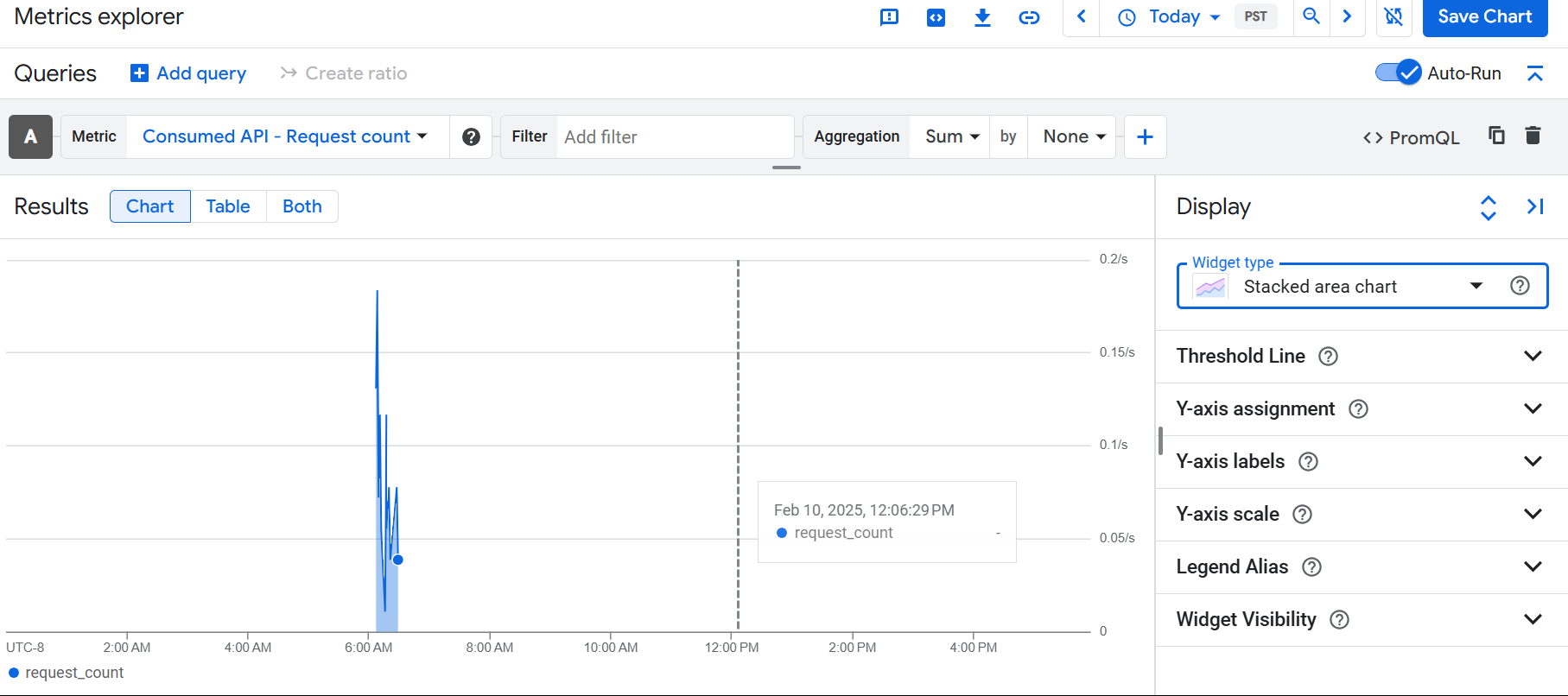
Review this Google Cloud API graph, and notice all API calls for translation happened in a short window 12 hours ago, and nothing since.
Therefore, the Tagalog and Spanish translations seem to be aborted and will not continue?
WHAT IS THE SOLUTION?
1. Do I delete the Tagalog and Spanish translations and run them again?
2. Do I edit some page and it auto initiates a Google Translate scan for new content?
3. Something else?
Would appreciate some help, thanks.
-
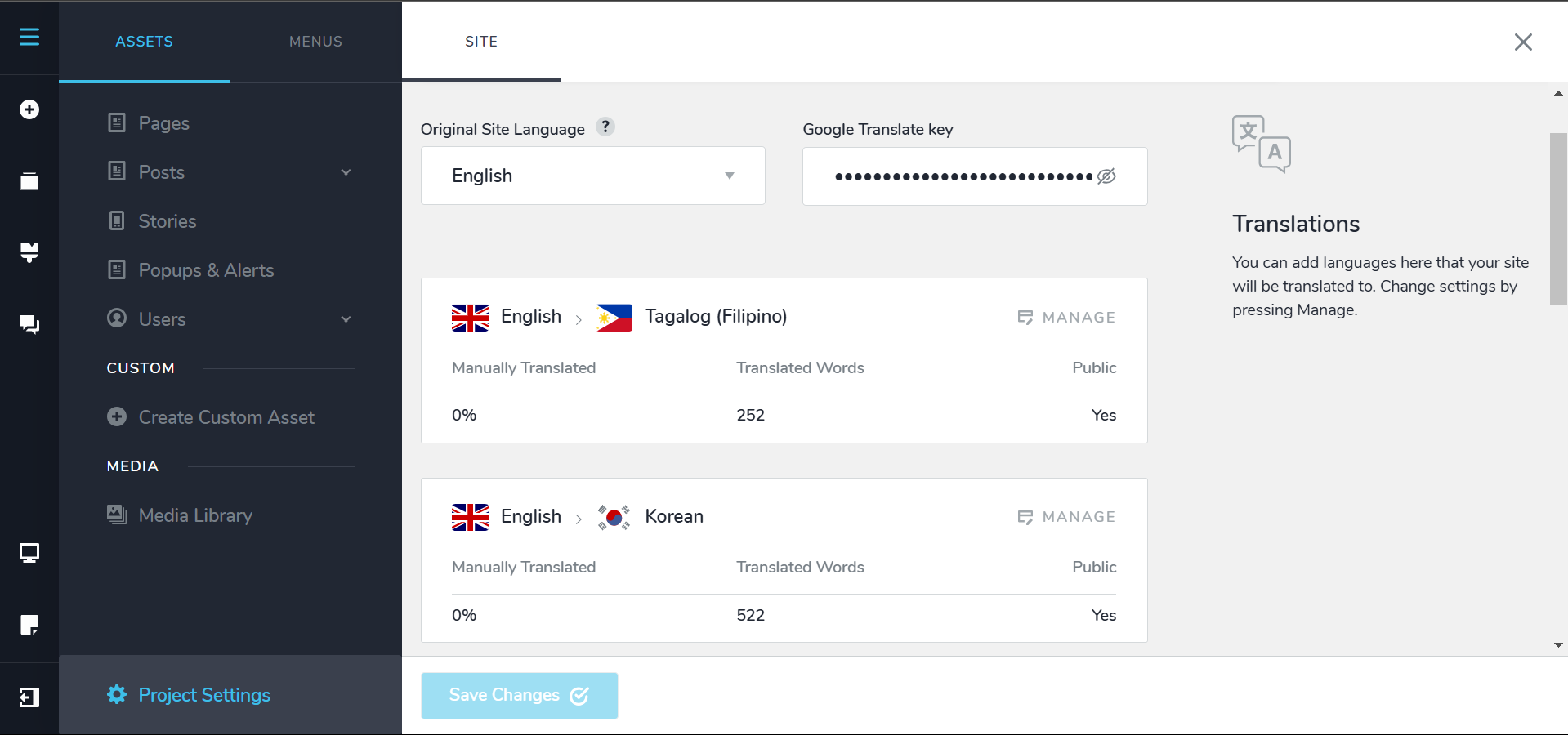
I have made a few changes to my website, and I see that their is progression happening...
 0
0 -

Hello
The automatic translations from Google are triggered every time you make an update to the page. Hence updating the page helps to trigger more translations.
Automatic translations are also triggered when adding the Google Translation API key. Remove the API key, save your project, and then add it again to force the auto translation of the missing translation strings.
0 -
Yes thank you!
Removing the API key and adding it back as you suggest triggered the remaining translations.
0
Please sign in to leave a comment.
Comments
3 comments