Error Returns Time and Again

I keep getting this error message when attempting to edit a page with Brizy. I have deleted and reinstalled the theme, deleted and reinstalled the Brizy, checked the pages and posts (as was suggested to someone who had a similar issue in 2023) and I got it working for a moment, then it came right back.

-
I have also cleared the static server cache a few times in the process.
0 -
To provide more information (relative to other discussions I have read on the Support Form):
1) I am using the Blocksy Theme;
2) I do not have a static blog page and have never sought to set one.
3) I did accidentally send all of my pages into the Trash and had to restore them, then change them from Draft to Published.
0 -

Hi Michael,
Thank you for contacting us.
Could you please provide temporary access to your WP Admin so we can take a closer look at your site? Kindly add us as an Admin user in your WordPress Dashboard and send the details to communitysupport@brizy.io:
Community Post link: https://support.brizy.io/hc/en-us/community/posts/24525245795602
WordPress Admin URL:
Username:
Password:Best regards,
Ariel H.0 -
Hi Michael,
Thanks for your cooperation.
We’ve tried to replicate the issue on our end, but so far, we haven’t been able to. Because of this, we don’t have a specific solution at the moment - https://youtu.be/oDyHDOVn8Mo
However, if you encounter the issue again, please reach out to us immediately so we can check it in real time and gather more details.
Best regards,
Ariel H.0 -
Thank you, Ariel, but not 5 minutes after attempting to returning to editing and updating pages, the issue returned. I even deactivated the last plugin that had been added to see if there was a conflict, to no avail.
Here is the video.
https://pilgrimsrestfarm.com/wp-content/uploads/2025/02/Brizy-Error.mp4
0 -
I just installed a DB Cleaner, ran it through that twice and the problem cleared.
0 -
Hi Michael,
Thank you for the update and for sharing your solution. This will help other users who encounter the same issue.
Cheers!
0 -
I am sorry, but it has again returned.
0 -
Hi Michael,
It looks like the issue is caused by the SmartCrawl Pro plugin. When disabled, the problem no longer occurs. I recommend reporting this to the plugin’s developers so they’re aware and can potentially provide a fix.
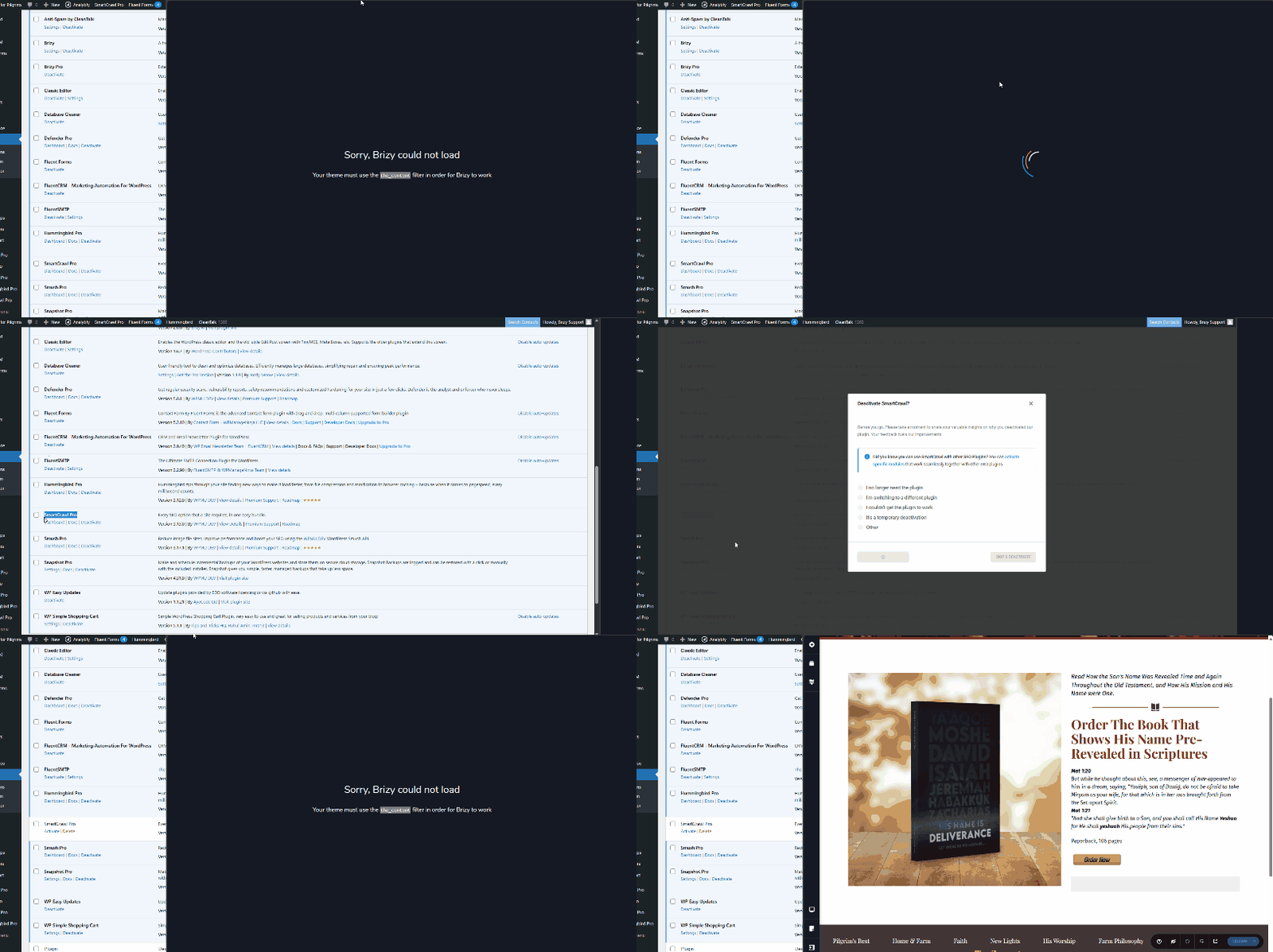
In the meantime, you can disable the plugin while editing your pages and re-enable it after publishing your changes.
Best regards,
Ariel H.0
Please sign in to leave a comment.
Comments
9 comments