Problem with Site

Hi:
Am having a problem with www.georginafoundation.ca.
Since installing Brizy Pro 2.66 receiving an Error ...
"Elements say ... Error has happened while trying to open display element."
If you look at the site you will see what is happening and also see the problem with the top menu as you go from page to page.
Thanks,
Jim
-

Hi Jim,
Thanks for reaching out.
This issue is often caused by a version mismatch. Please check that you have the following versions installed to resolve the problem.

Give it a try and let me know how it goes.
Best regards,
Ariel H.0 -
Hi Ariel:
Thanks for the response.
I took a look and started with this.

I then tried to update to version 2.6.9 and now I see this:

Not sure what is going on and how to fix it.
Thanks,
Jim0 -
Hi Jim,
Sorry for the delay.
Here’s how you can fix the issue:
1. Deactivate and delete Brizy Pro Version 2.5.10.
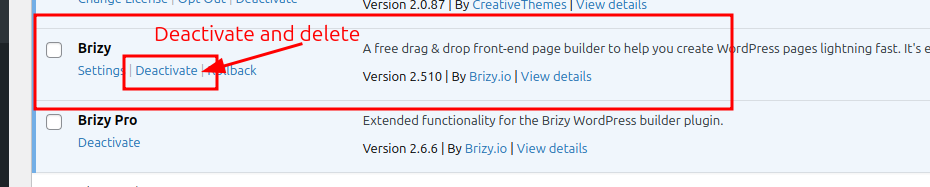
2. Log in to your account dashboard and download Brizy Version 2.6.9.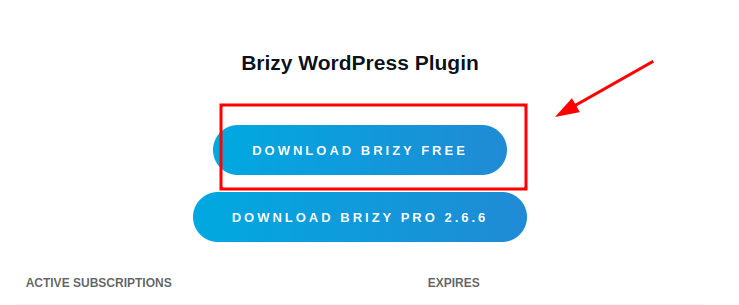
3. In your WordPress dashboard, go to Plugins > Add New > Upload Plugin, then upload Brizy Version 2.6.9.Give it a try, and let me know if you have any questions.
Best regards,
Ariel H.0 -
Hi Ariel:
I have tried what you suggested ... deactivating and then deleting Brizy a couple of times now and it keeps coming backshowingthatIhaveversion2.6.9 but that there is a new version...2.5.10.
Would you like me to send you credentials so that you can see what is happening?
Thanks, Jim
 0
0 -

Hello Jim,
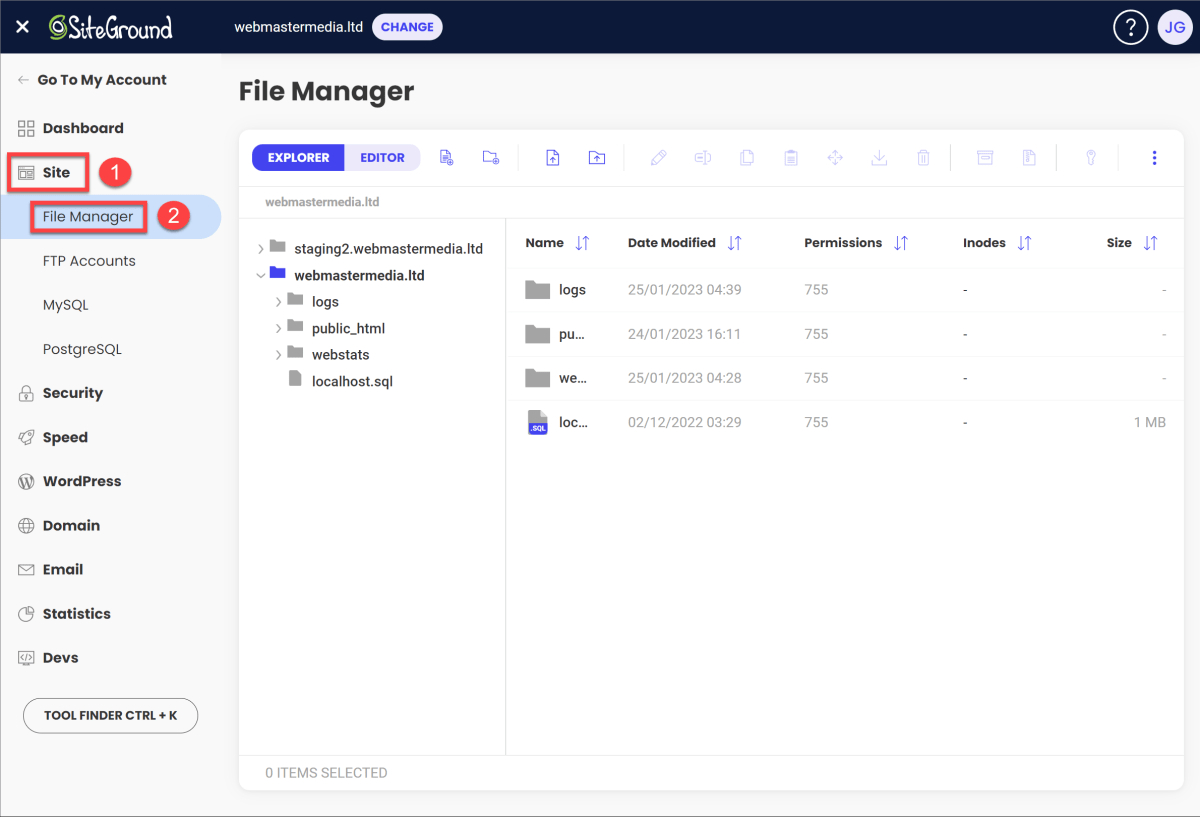
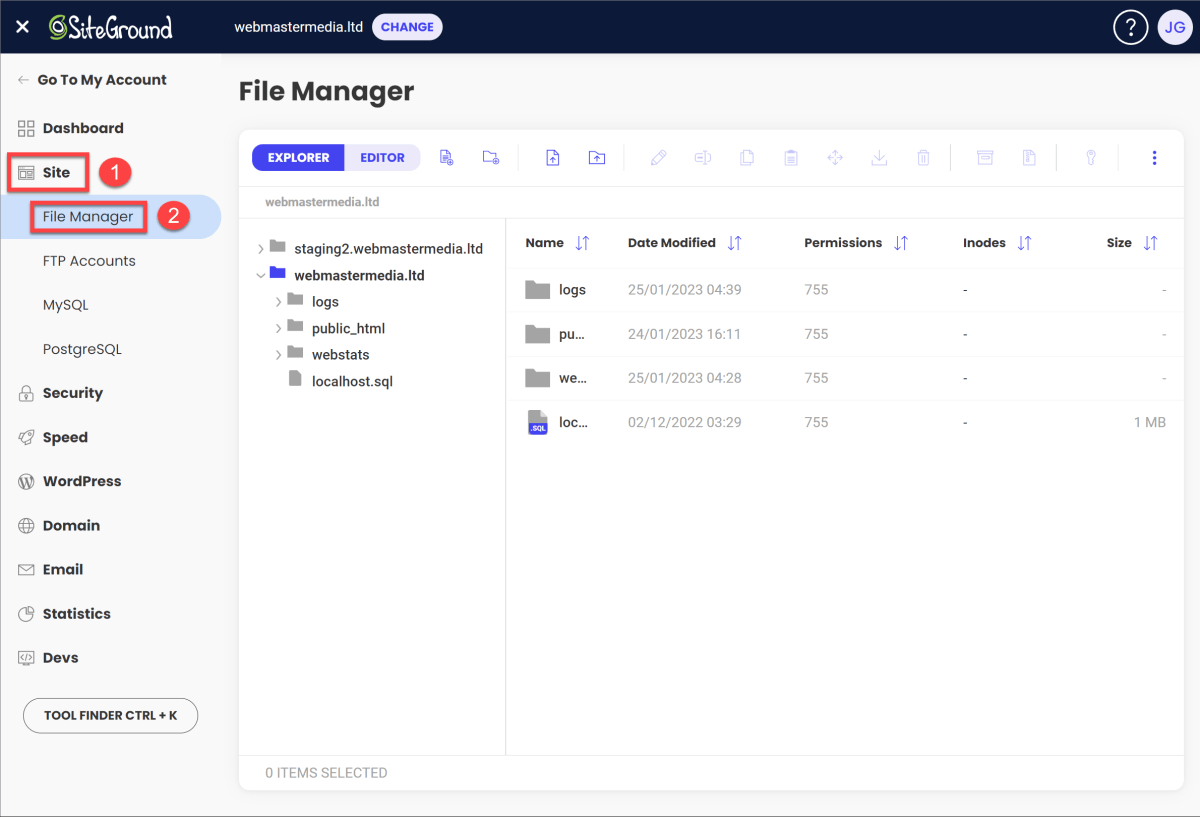
Please try using the File Manager to delete the Brizy plugin folder, then reinstall Brizy to see if it resolves the issue with the incorrect update notification. If you are hosting with SiteGround, kindly log into your SiteGround hosting account, go to Site > File Manager, choose your website from the list on the right, and then remove the Brizy folder from the public_html > wp-content > plugins folder.
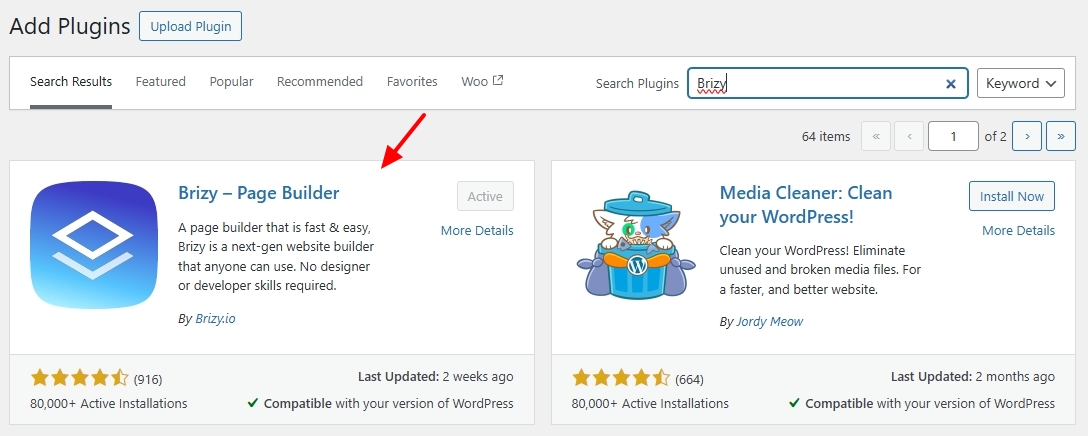
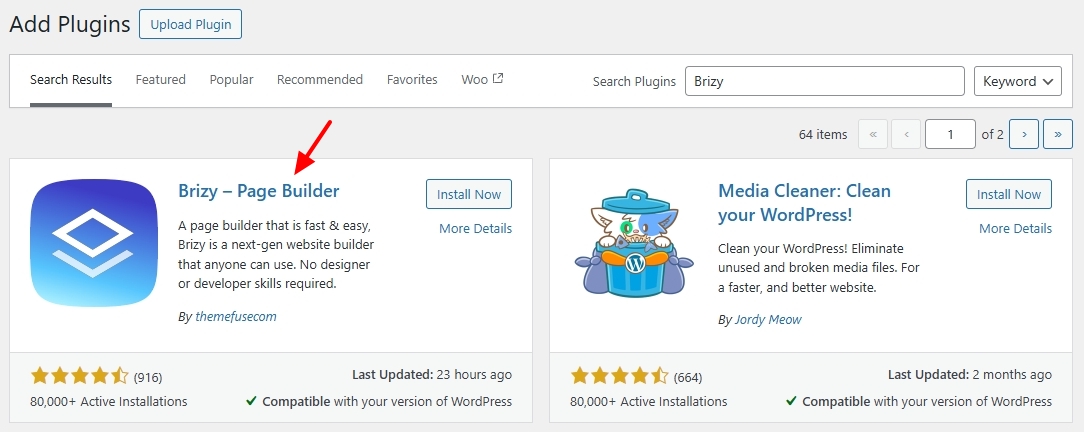
Then, in your WordPress Dashboard, under Plugins > Add New > reinstall the Brizy plugin from the WordPress plugin repository.
 0
0 -
Hi KC:
I did as you suggested and have Version 2.5.10 installed.
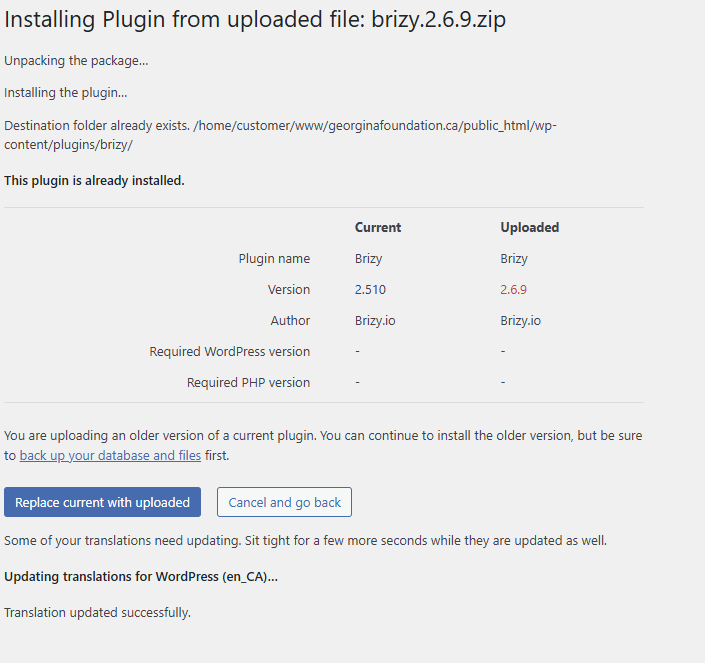
However, when I try to update to what I believe to be the newest ... 2.6.9, I get the following:
Not sure what to do next.
Thanks!
Jim
0 -
Hello Jim,
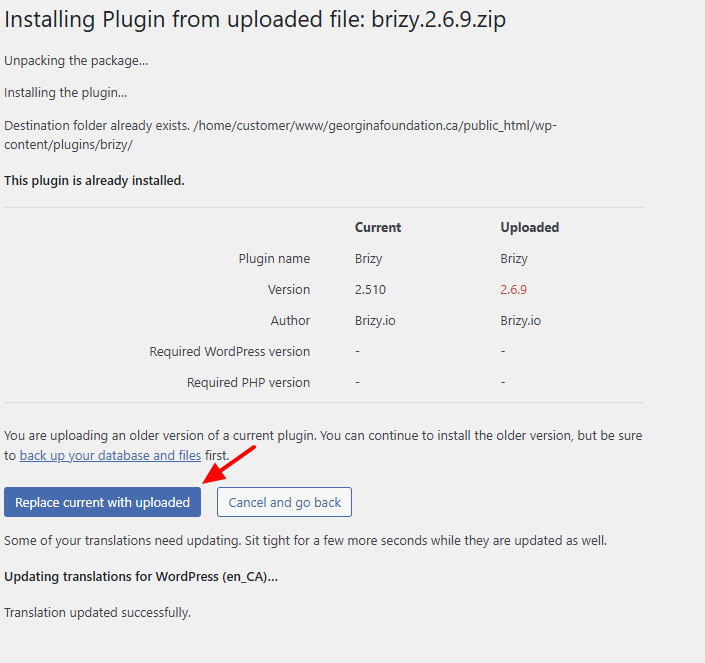
The above screen indicates that you have an active Brizy 2.5.10 installation at /home/customer/www/georginafoundation.ca/public_html/wp- content/plugins/brizy/ Your attempt to delete the Brizy folder using the File Manager did not work. There are two ways you can proceed
- Delete the Brizy folder at /home/customer/www/georginafoundation.ca/public_html/wp- content/plugins/ using the File Manager and reinstall the Brizy plugin from the WordPress plugin repository. You will not encounter the above screen
- Reupload the Brizy 2.6.9 ZIP file and at the below screen, select the "Replace current with uploaded" button
0 - Delete the Brizy folder at /home/customer/www/georginafoundation.ca/public_html/wp- content/plugins/ using the File Manager and reinstall the Brizy plugin from the WordPress plugin repository. You will not encounter the above screen
-
Hi KC:
You suggest that I ...
Delete the Brizy folder at /home/customer/www/georginafoundation.ca/public_html/wp- content/plugins/ using the File Manager and reinstall the Brizy plugin from the WordPress plugin repository. You will not encounter the above screenHow do I get to at /home/customer/www/georginafoundation.ca/public_html/wp- content/plugins/
Thanks, Jim
0 -
HI KC:
Further to the above message, I understand that I need to have version 2.6.9 BUT I seem unable to get anything newer than Version 2.5.10.
Every time I try to update to 2.6.9, I get that message that there is a new version which is pointing to 2.5.10 which is older.
Please help.
Thanks,
Jim
0 -
Hello Jim,
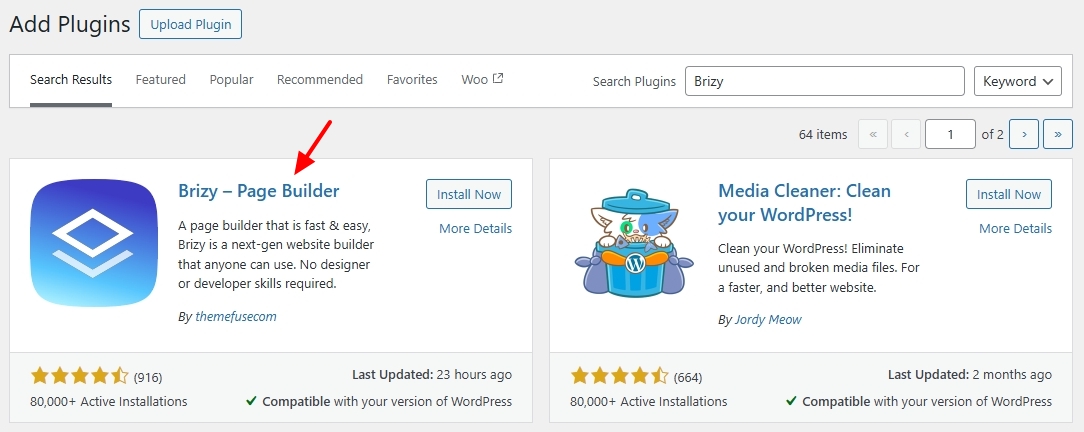
To delete the Brizy folder under /home/customer/www/georginafoundation.ca/public_html/wp- content/plugins/ you must sign in to your hosting account and access the "File Manager". For example, if you are hosting with SiteGround, kindly sign in to your hosting control panel at https://login.siteground.com/ Then under Site > File Manager, choose your website from the list on the right, and then delete the Brizy folder from the public_html > wp-content > plugins folder.
Then reinstall the Brizy plugin from the WordPress plugin repository in your WordPress Dashboard under Plugins > Add New Plugin
 0
0 -
KC:
I thought that was how it was to be done and have done that a number of times now.
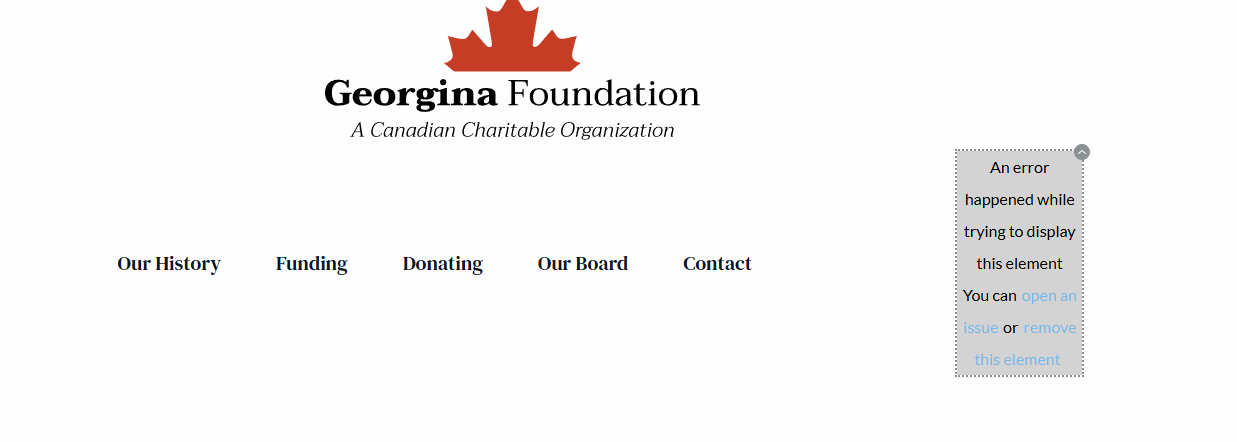
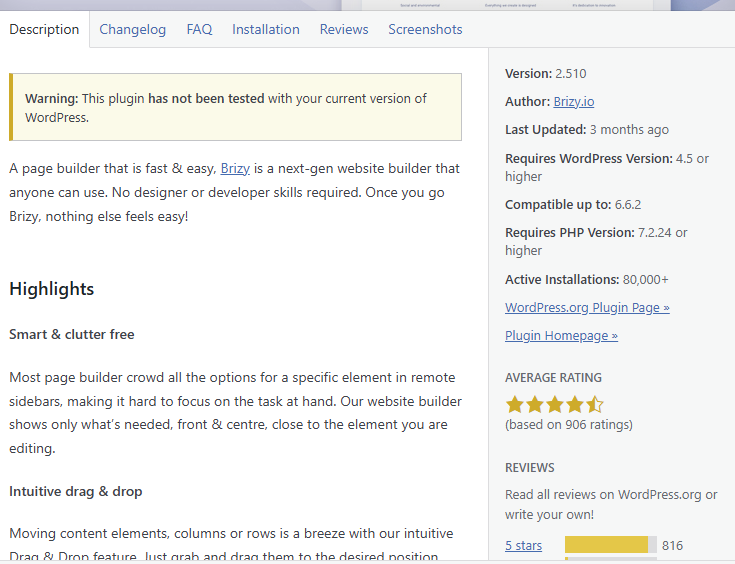
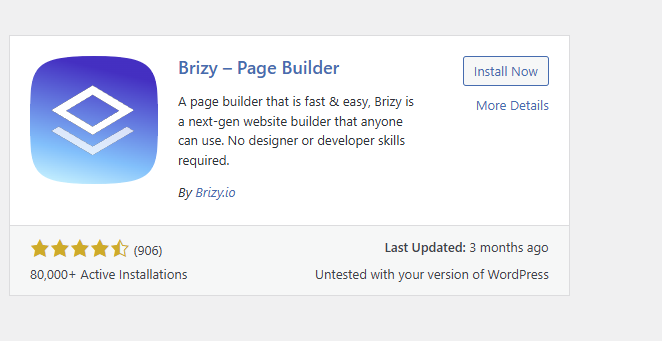
When I then reinstall the Brizy Plugin for the WP Repository, I end up with Version 2.5.10. It seems I am not able to update to the newest version which I was told at the start of this hiccup (see above) was the problem ... that I needed the newest version.
AI am including a few screen shots so that you can see what I mean. The key problem is that part of the menu has been impacted as you will see.
Your guidance and help is much appreciated.
Thanks,
Jim

 0
0 -
Hello Jim,
If you visit the Brizy plugin page at https://wordpress.org/plugins/brizy/ you can see that Version 2.6.10 is the current version
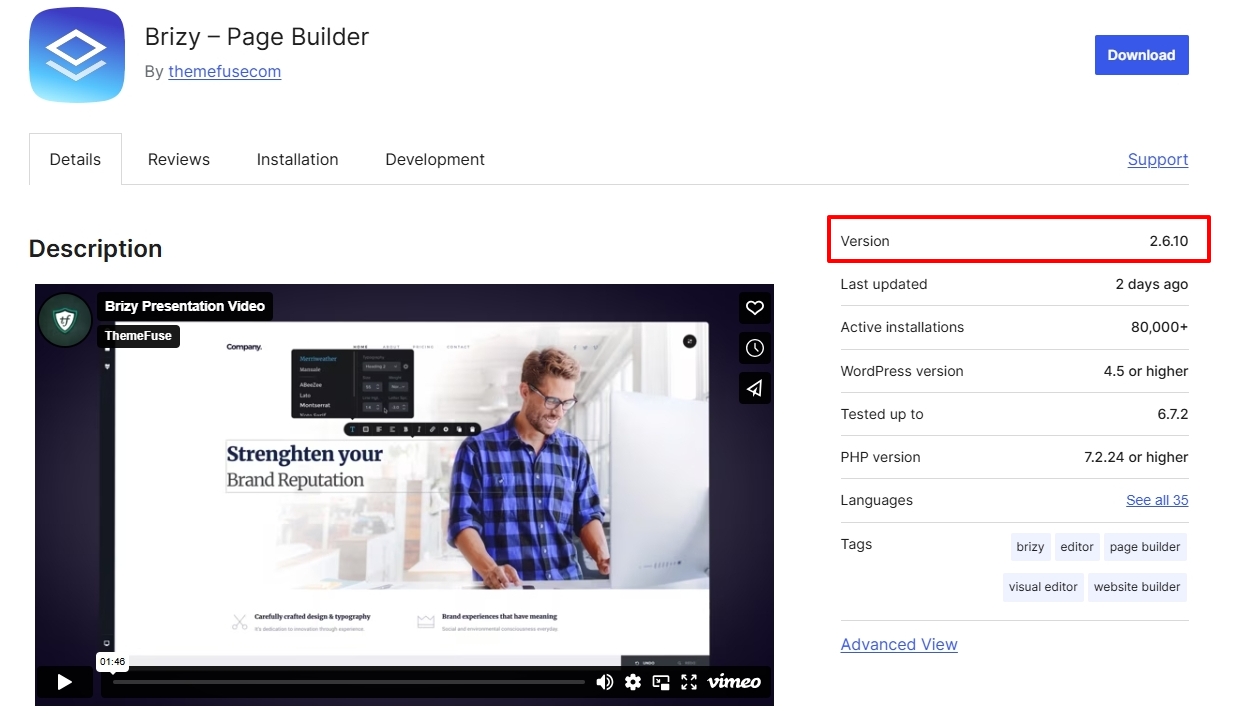
Can you take the help of your hosting provider to install the current version of the plugin from the plugin repository? If they are unable to help, kindly give us access to your WordPress Dashboard and we will take a look. Please add a new user to your WordPress Dashboard and send the following details to our email: communitysupport@brizy.io
- Support Forum link:
- WordPress Admin URL:
- Username
- Password
Please let us know in this forum when you send us the email.
0 -
Hi K C:
Log in information has been sent.
Thanks,
Jim
0 -
Hello Jim,
The below error does not appear on your pages now that I have updated the plugins to its most recent versions.
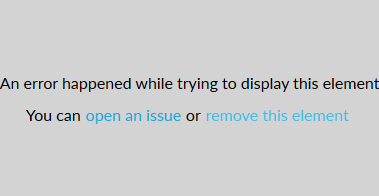
We are working on removing the Brizy version 2.510 from the WordPress plugin repository. Kindly ignore the update notification until we are able to complete this activity.
0 -
HI K C:
Thanks for looking into that for me.
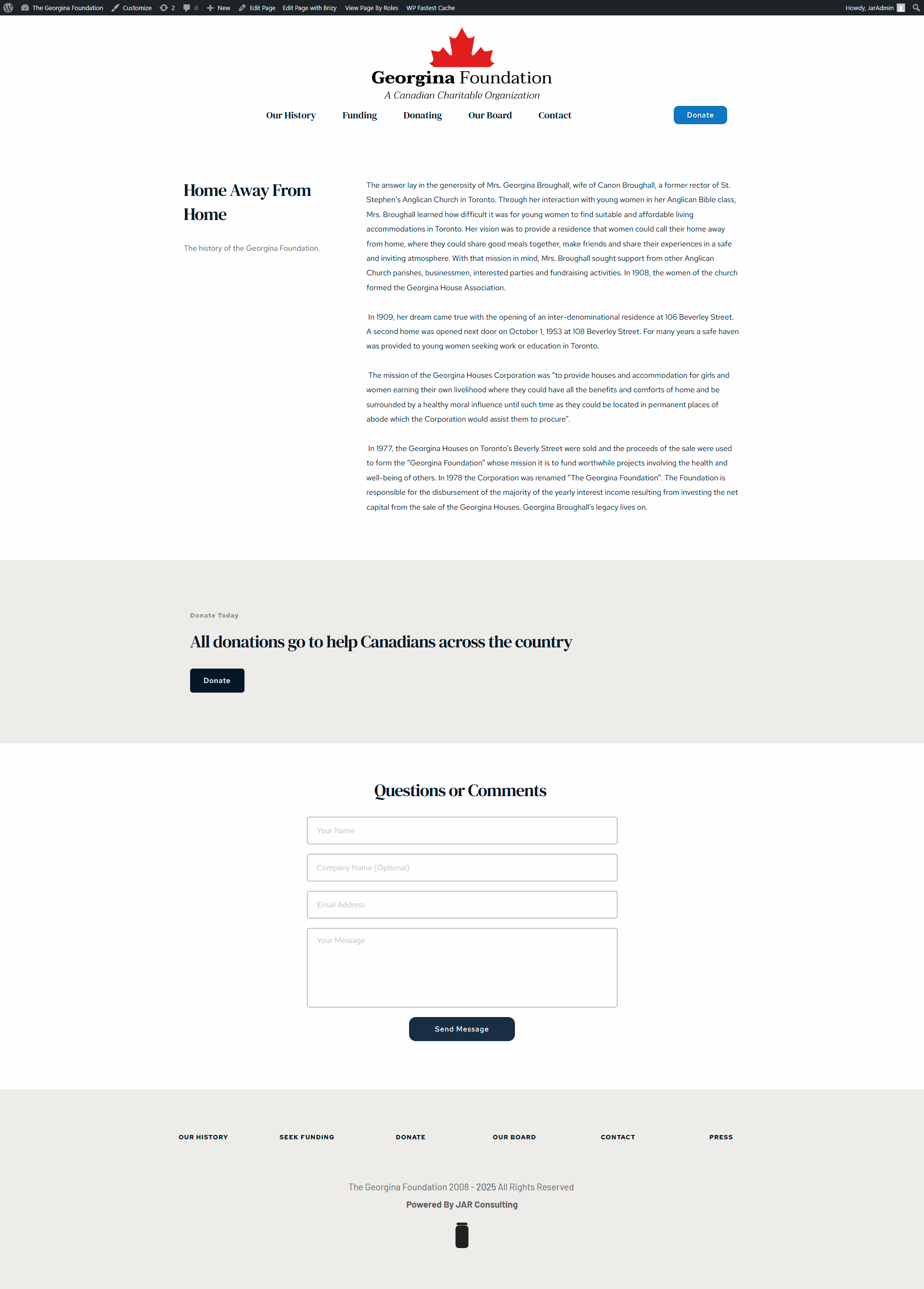
Can you also have a look at the site again please? As you will see in the 2 images attached, the backend renders properly but the front end does not. The back end shows the Donate link and the contact form but does not appear when the site is visited even though it has been updated and should.
Thanks,
Jim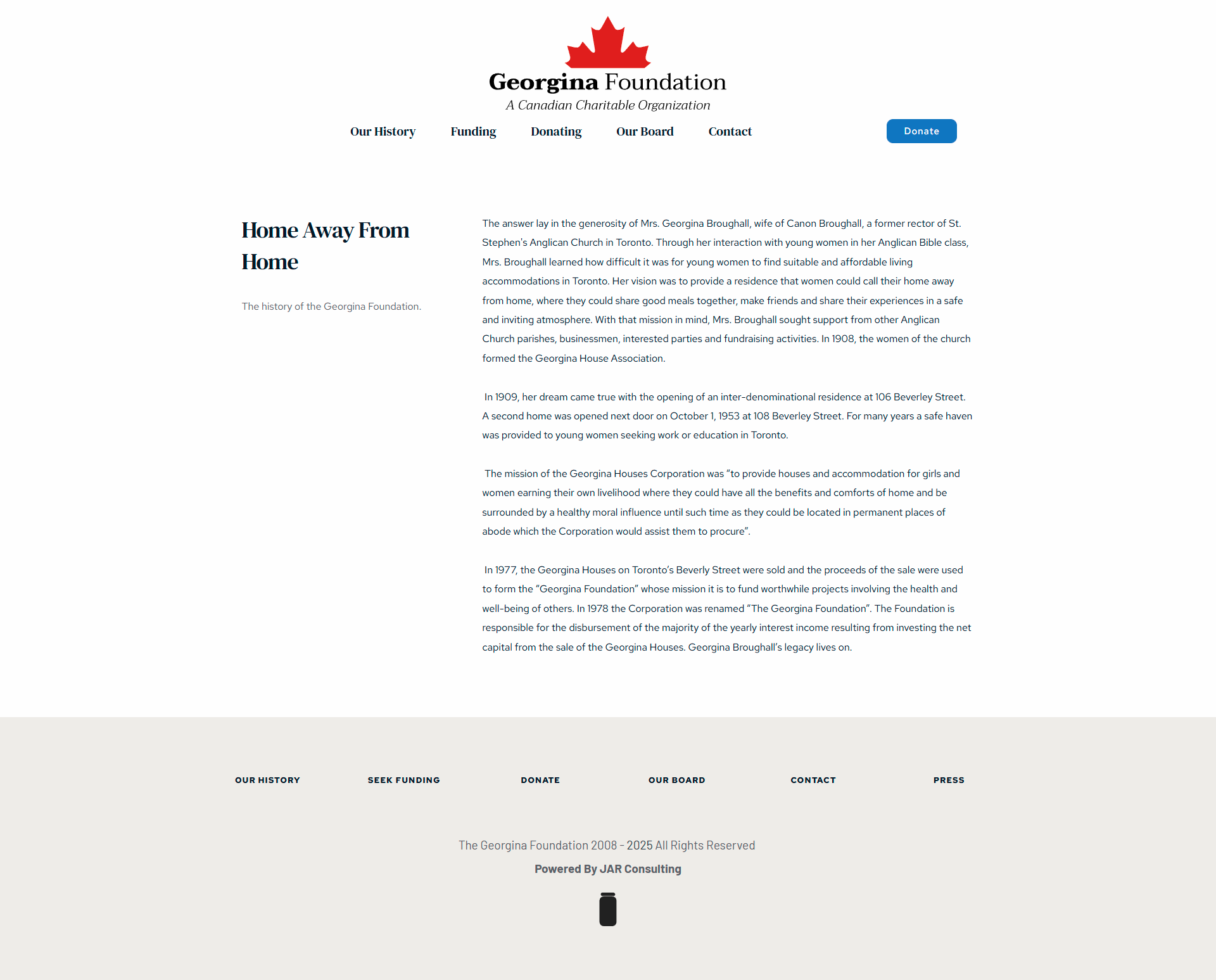
 0
0 -
Hello Jim,
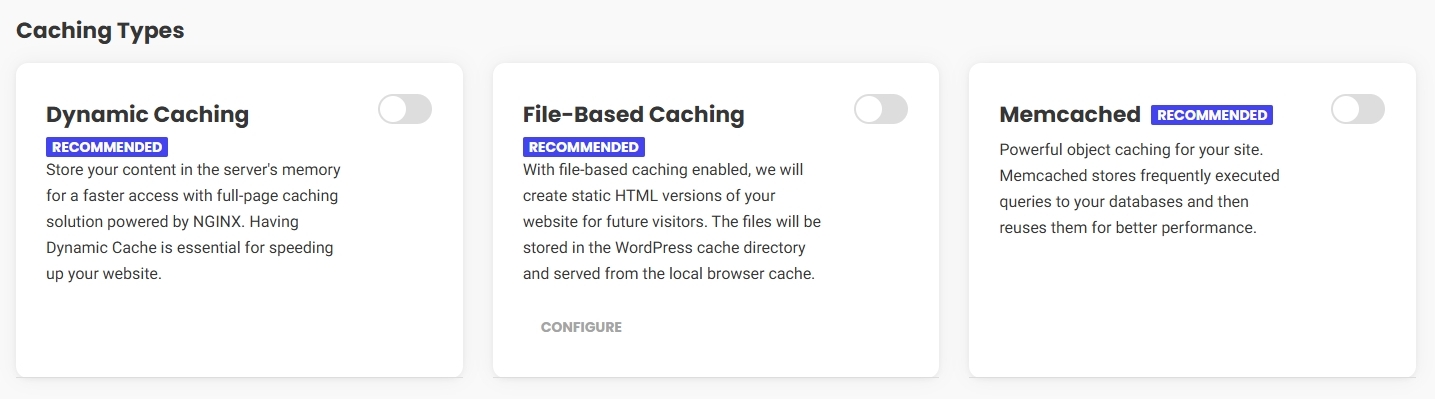
The difference in the Brizy editor and in the frontend was due to a caching issue. Dynamic caching was enabled in the SiteGround Optimizer plugin. I have fixed the above issue by purging the SiteGround Optimizer cache. I have also disabled the "Dynamic Caching" in the SiteGround optimizer plugin since you are using WP Fastest Cache plugin.
SiteGround's caching system is primarily managed on the server level, not entirely within the WordPress plugin. The SiteGround Optimizer plugin acts like a control panel to configure the cache settings on the server through your WordPress dashboard. When you enable one of the three caching options in the plugin, it enables the corresponding caching systems in the backend server. If one of the three caching options is enabled in the plugin, even if you deactivate the plugin, the caching option will continue to remain active in the backend server.
 0
0 -
Hi K C:
Thanks for looking after this and the explanation.
Very much appreciated.
Jim
0
Please sign in to leave a comment.
Comments
17 comments