Image size in woocommerce

Need some help please as can not work out the image sizes for the gallery under the main image on my signle product page. Also I have put the upsell on the same page lower down but I can not change the images sizes there too. I have put arrows to them in this image. What I want to do is make the image longer.
Thanks Danhttps://drtyfox.com/product/3d-printed-tarp-guide-rope-kit/ 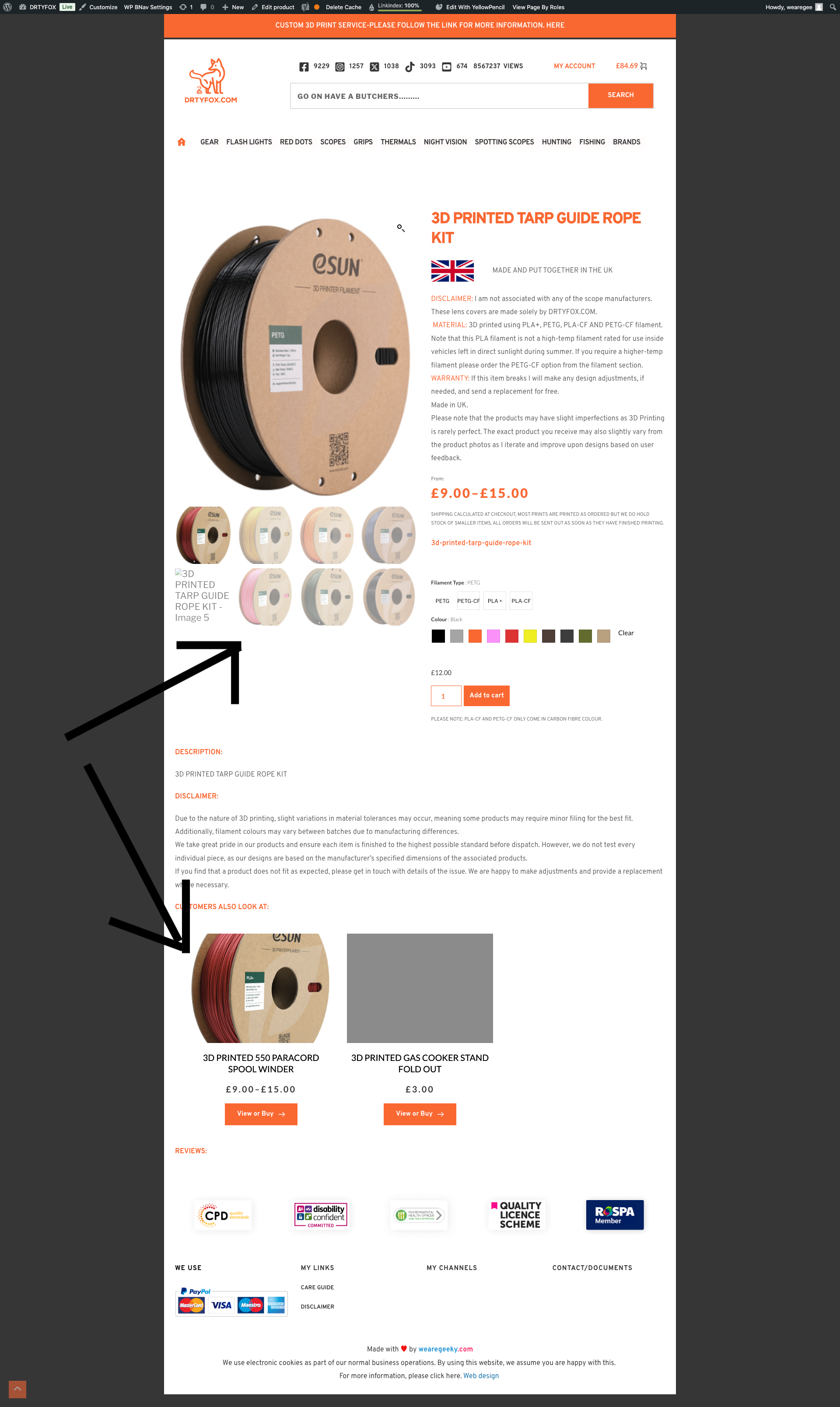
-

Hi Dan,
Thank you for reaching out, and I apologize for the delay. We're currently experiencing a higher-than-usual volume of tickets.
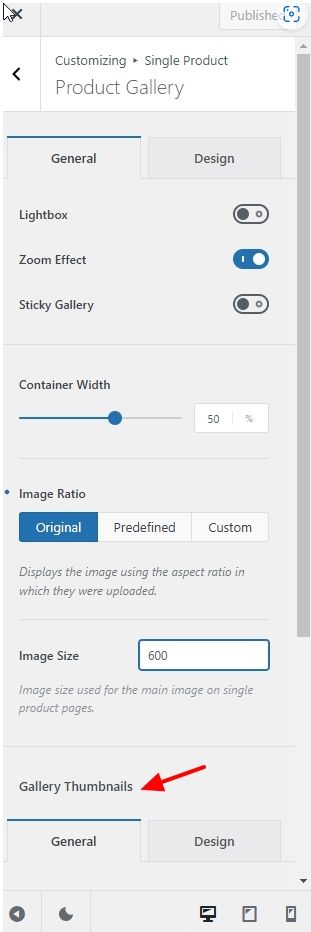
To adjust the product gallery image sizes under the main product image, this setting is controlled by your theme. You'll need a theme that supports such customizations. For example, in Blocksy, you can adjust this under: Customizer > Single Product > Product Gallery > Gallery Thumbnails
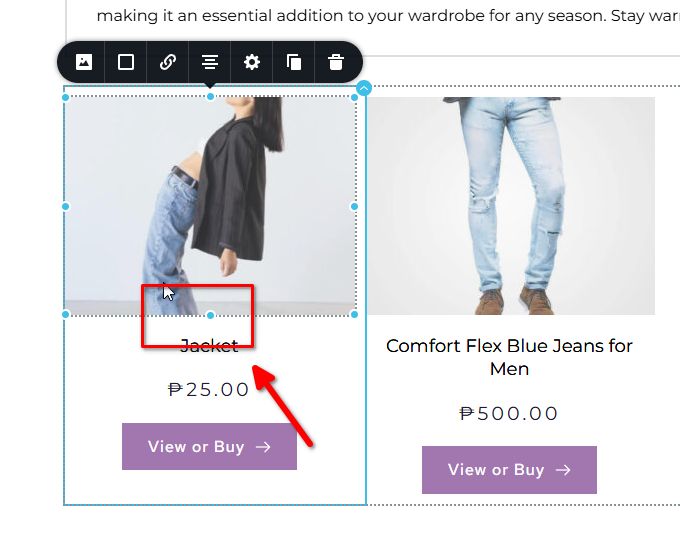
For the Brizy Upsell element, try dragging the product image dots at the top, bottom, and sides to stretch the images vertically. This should help you achieve the longer image effect you're looking for.
If you have any further questions, please let us know.
Best regards,
Ariel H.0
Please sign in to leave a comment.
Comments
1 comment