Carousel in Frontend

Hello!
When I place a carousel in the backend, the carousel is visible. But when I look in the frontend the carousel is not more there. What can I do, to resolve this problem?
-

Hi,
Thank you for contacting us.
Sorry to hear you're experiencing this issue with Brizy. Please ensure that you have the following versions installed.
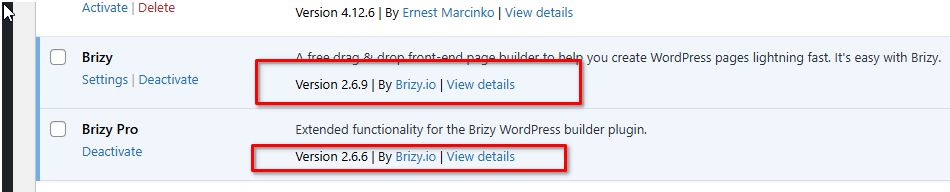
If the issue persists, try editing the affected block that contains your carousel by adding 1px padding on all sides, then save your changes and preview the page. This step forces Brizy to recompile the page, which may resolve the issue. You can revert the change afterward.
Please give this a try and let me know how it goes.
Best regards,
Ariel H.0 -
Hello Ariel,
Thank you very much for your answer! I had the latest versions installed.
Unfortunately it does not work. Do you have any other idea that can help?0 -
Hi,
Thank you for the update and sorry about that.
Could you please provide temporary access to your WP Admin so we can take a closer look at your site? Kindly add us as an Admin user in your WordPress Dashboard and send the details to communitysupport@brizy.io:
Community Post link: https://support.brizy.io/hc/en-us/community/posts/24440044491794
WordPress Admin URL:
Username:
Password:Please make a full backup of your site as a precaution before providing us access.
Best regards,
Ariel H.0 -
Hi,
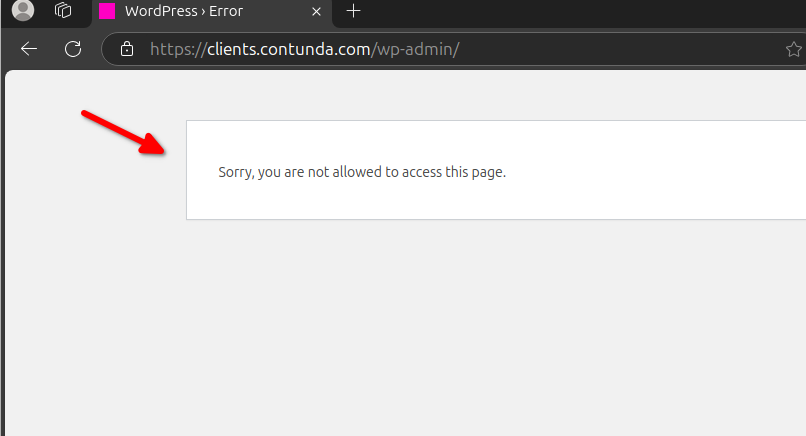
Thank you for your cooperation. Unfortunately, we are unable to access your WP Admin dashboard, likely due to a security plugin blocking certain IPs. Please try temporarily disabling it so we can investigate the issue further.
In the meantime, try making a small change to the block containing the carousel—such as adding 1px padding on all sides—then save and preview the page. If this resolves the issue, you can revert the change and update the page again. This forces Brizy to recompile the affected page.
Please try this and let me know how it goes.
Best regards,
Ariel H.0 -
Hello Ariel,
we didn't installed a plugin or anything for secure. We changed something in the Server now. Please try it again.0 -
The problem isn't solved after changing all to 1px.
It is on this page: https://clients.contunda.com/unternehmen/0 -
Hi,
Thank you for the update. Unfortunately, we still can't access your WP Admin page- https://youtu.be/xcUblSCvrW8
Please allow access from India, the Philippines, and Moldova.
Looking forward to your response.
Best regards,
Ariel H.0 -
Hey,
what is your IP? Maybe we can set you on the whitelist. But we don't have something installed for secure or anything, what block people from these countries.0 -

Hello Burkhard,
I am able to sign in into your website from India. However, I don't have access to your Dashboard. Kindly check the "Roles" assigned to the "Brizy" user in your WordPress Dashboard > Users.
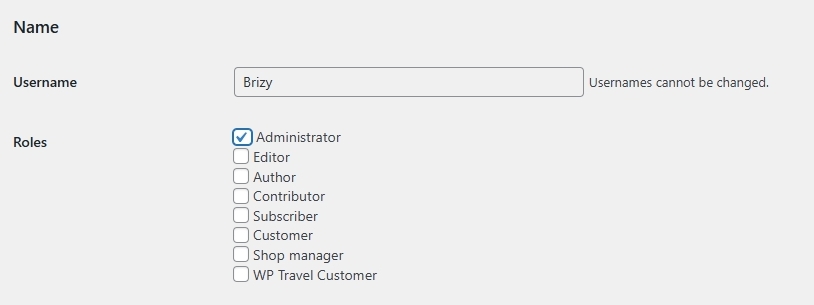
The administrator role is ideal for troubleshooting.
0 -
Ah sorry, you got Administrator now.
0 -
Hello Burkhard,
The issue is due to embedded headings for the carousels at https://clients.contunda.com/unternehmen/

I have recreated the page at https://clients.contunda.com/unternehmen-2/. On this page, I have replaced the embedded carousel headings with regular texts and the carousels started workig. If the carousel headings look right on this page, kindly copy paste the design from this page to https://clients.contunda.com/unternehmen/
0
Please sign in to leave a comment.
Comments
11 comments