Issue with adding Phots

Hi, we just started having an issue with one of our sites today. We are getting an error message when trying to add a new photo. This is happening in multiple spots on the page. The website is https://kcexteriorpros.com/
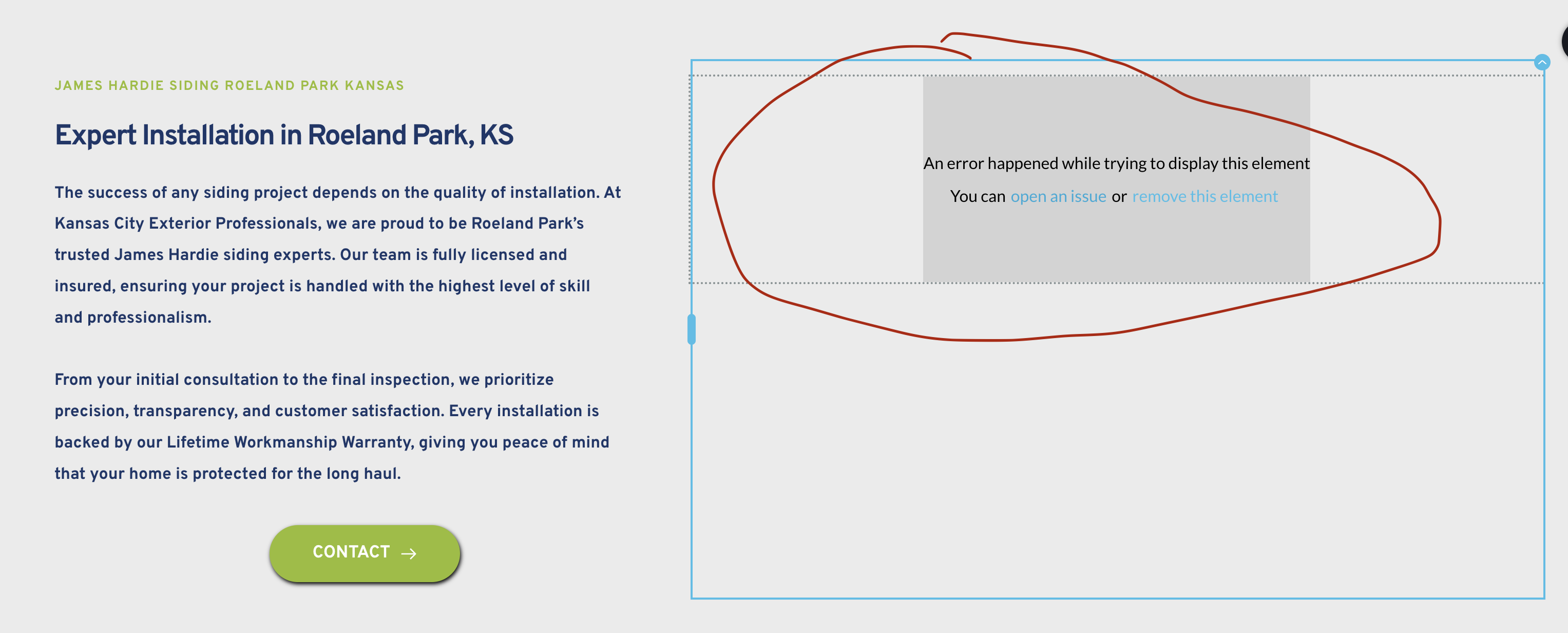
-

Hi,
Thank you for contacting us.
This issue often occurs due to a version mismatch. Please confirm that you have the following versions installed:
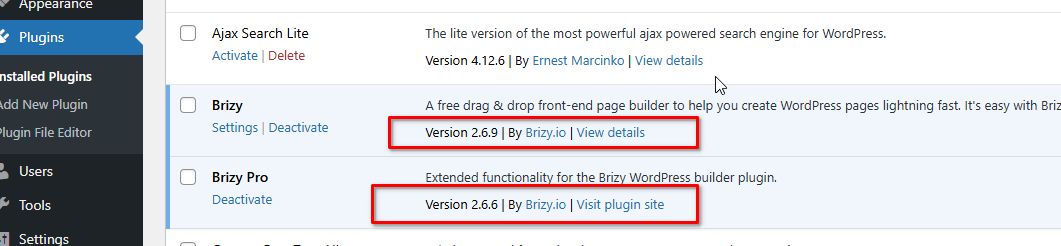
Otherwise, please provide temporary access to your WP Admin so we can take a closer look at your site? Kindly add us as an Admin user in your WordPress Dashboard and send the details to communitysupport@brizy.io:
Community Post link: https://support.brizy.io/hc/en-us/community/posts/24398942348434
WordPress Admin URL:
Username:
Password:Best regards,
Ariel H.0 -
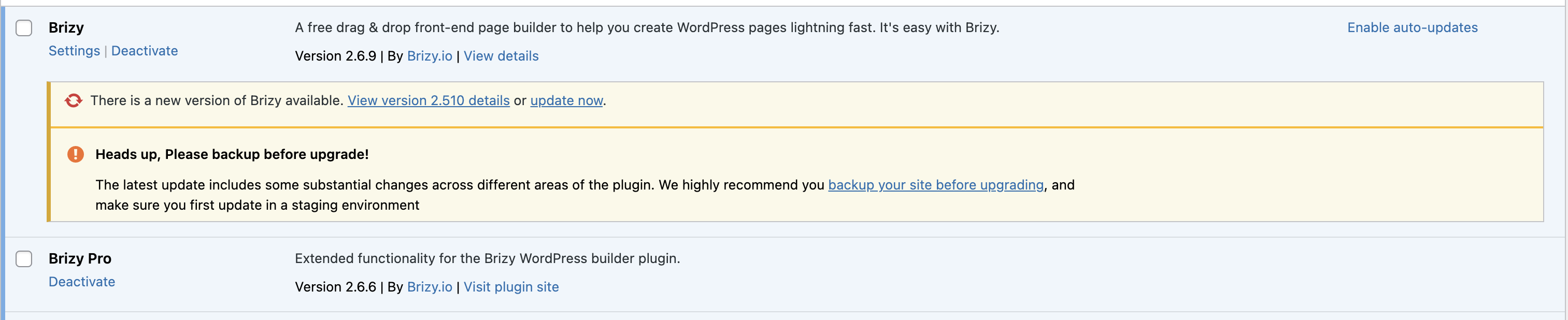
that worked. but why am I getting prompted to update again?
 0
0 -

Hello Cari,
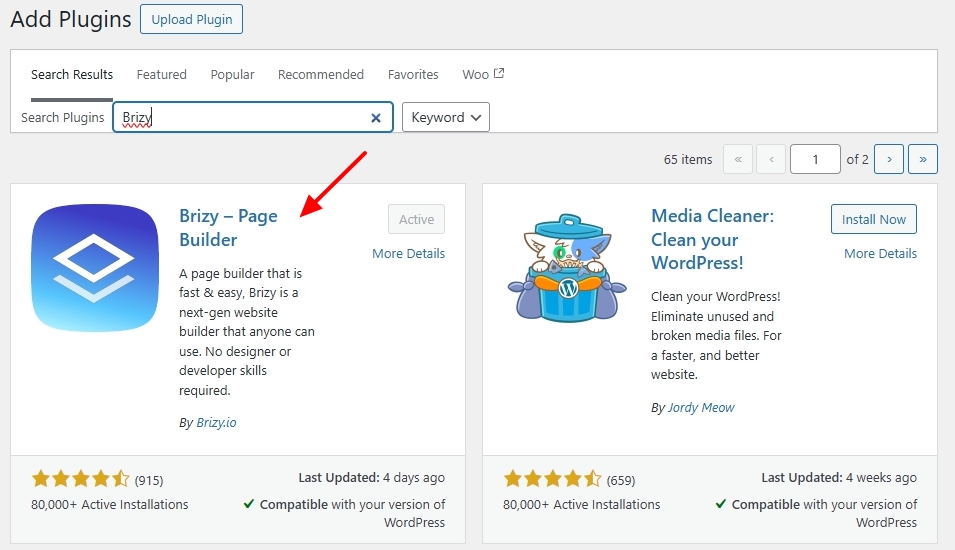
Kindly try deleting the Brizy plugin and reinstalling it from the WordPress plugin repository to get rid of the update prompt.
 0
0 -
When I do it from the install plugin button it is the 2.510 version that is causing the error. the newer 2.6.9 is not what is available on Wordpress for a plugin install. But with the 2.6.9 that I downloaded from brizy directly, it still says it needs to be updated to the 2.510. I am assuming the 2.6.9 is the newest version?
0 -
Hi Cari,
Thank you for the update.
It’s possible that automatic updates are disabled for this version of Brizy, which is why you're seeing version 2.510 instead of the latest one.
To resolve this, please follow these steps:
1. Delete Brizy version 2.510 from your WordPress plugin list.
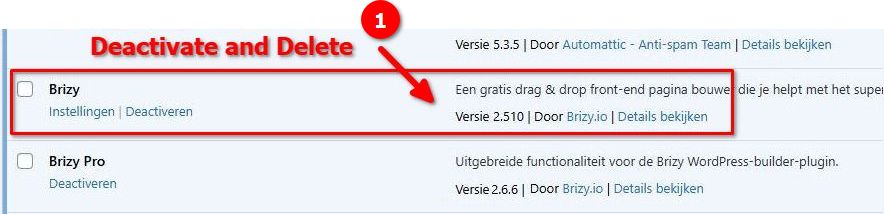
2. Go to your Brizy account dashboard and download the latest version (Brizy v2.6.9).
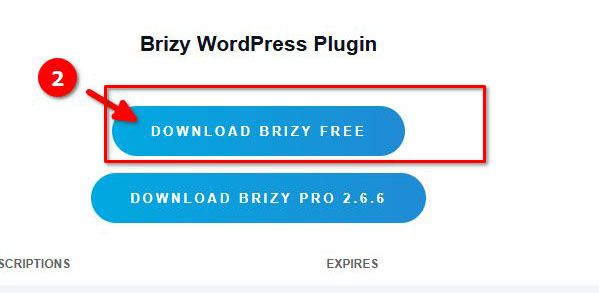
3. Install the updated version manually from the downloaded file.Once you have Brizy v2.6.9 installed, the update notification should no longer appear.
If you have any further questions, please let us know.
Best regards,
Ariel H.0
Please sign in to leave a comment.
Comments
5 comments