The site is still having problems

I really need your help; the site https://firebrick-beaver-300451.hostingersite.com/ (temp domain) is reformatting pages indescriminantly.
I created templates for archive and single post, they keep on referring back to the Kadence theme even though all the other pages do not. This is been happening a few times, you had me revert back to an older plugin, which I thought fixed the issue and it did not.
Additionally, I had SlimSEO installed and it disappeared my footer menu, so I disabled that. So now my SEO is suffering. So I need to have both issues resolved.
My client is breathing down my neck to get this published, I really need your help quite quickly.
The video below shows an example of the problem. I have created a user called Brizy with the login of support@brizy.io. Thanks for your help.
https://vento.so/view/b0a93088-f712-4da5-be9d-a258e4cefaeb?utm_medium=share
-

Hello Michael,
We have fixed the issue with your blog at https://firebrick-beaver-300451.hostingersite.com/blog/ We made the following changes
- The "Display Conditions" for your blog was not added. We have added it.
- You have created the blog listing using the "Posts" element. We have now recreated the blog listing using the Brizy "Archive" element. You now have two blog listings; the first listing using the Brizy "Archive" element and the second using the Brizy "Posts" element. If both designs look exactly the same, kindly delete the second listing (created using the Posts element)
- We deleted the blog page and recreated it. The blog page disappeared from your menu after deleting the page. Kindly add the blog page to your menu if everything looks good
- After making the above changes, the Brizy blog design did not take effect with the Kedence theme. We changed the theme to Blocksy and the design now shows in the blog page.
Kindly check with Kadence support if you need to do something else to make the Brizy Blog template take effect.
0 -
Thank you, the only remaining issue is when I am on the blog and I hit the next page in the pagination (on the home blog screen not when I'm in an individual blog) it goes to the home page. It should go to the next set of blog postings.
The new URL is https://completepestsolution-com.preview-domain.com/ but it will be rolling over to the final resting place tonight. That will be https://completepestsolution.com
I switched over to Blocksy from Kadence as this better solution for Brizy I think. But it has not solved this specific problem.
0 -
Hello Michael,
Your URLs are not accessible from India. Please see my test at https://jmp.sh/3pJjDnGG Hence could not see the problem you are facing.
0 -
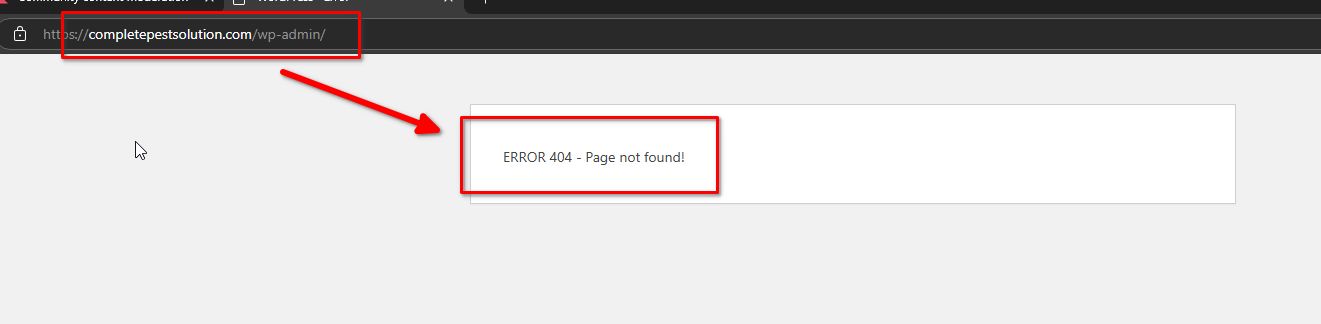
I just opened up the firewall to allow for you to look. The website is now up and running at https://completepestsolution.com/wp-admin
Thanks!
Mike
0 -

Hi Mike,
Thank you for the update, It looks like your WP Admin page is showing a "404 - Page Not Found" error. Could you double-check if it's accessible on your end? Let us know once it's working, and we'll give it another try.
Best regards,
Ariel H.0 -
Actually rather than wp-admin, try /sparkler
I forgot I reset it.
0 -
Any update on this? Now the blog is going back to the default Blocksy theme!!!
This is a live site, what is happening?
Mike
0 -
Hi Mike,
Apologies for the delay. We previously had access to your staging domain and assumed the credentials you provided were still valid, but it looks like they no longer work. Could you please add communitysupport@brizy.io as an Administrator and let us know once it’s done? This will allow us to inspect your site and investigate the root cause of the issue.
Best regards,
Ariel H.0 -
Ariel,
I set it up. THe login is your email the password is ------
0 -
Hi Mike,
Thank you for your patience.
It looks like there’s a compatibility issue between Brizy and the Slim SEO plugin. When Slim SEO is disabled, the blog page layout and pagination work as expected. I’d recommend reaching out to the Slim SEO developers, as they might already be aware of this issue and have a solution.
If the problem persists, you may want to consider using a different SEO plugin as an alternative.
Sorry for the trouble and let me know if you need further assistance.
Best regards,
Ariel H.0 -
Appreciate it. I have a license for Rankmath so I will try that.
0
Please sign in to leave a comment.
Comments
11 comments