Popup form, date picker dropdown, two down arrows.

Hi there,
we've set up a nice popup for an event with a little form for reservation.
The guest should pick a given date from a dropdown menu.
In the editor everything looks fine, but in the frontend, there are two dropdown arrows and it looks like two elements are nested into each other.
We cant figure out how to get rid of the second arrow.
Please checkout: https://www.seehotel.at/restaurant/
and give us a solution.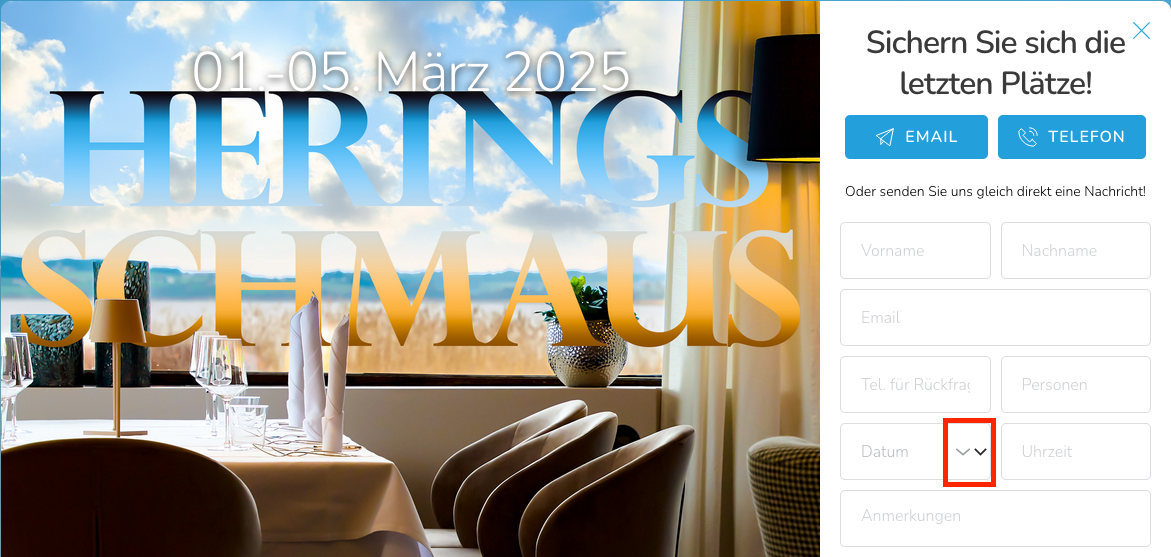
-

Hi Stefan,
Thank you for reaching out.
There could be other factors contributing to the issue, and I’ve observed errors appearing randomly when refreshing the homepage.
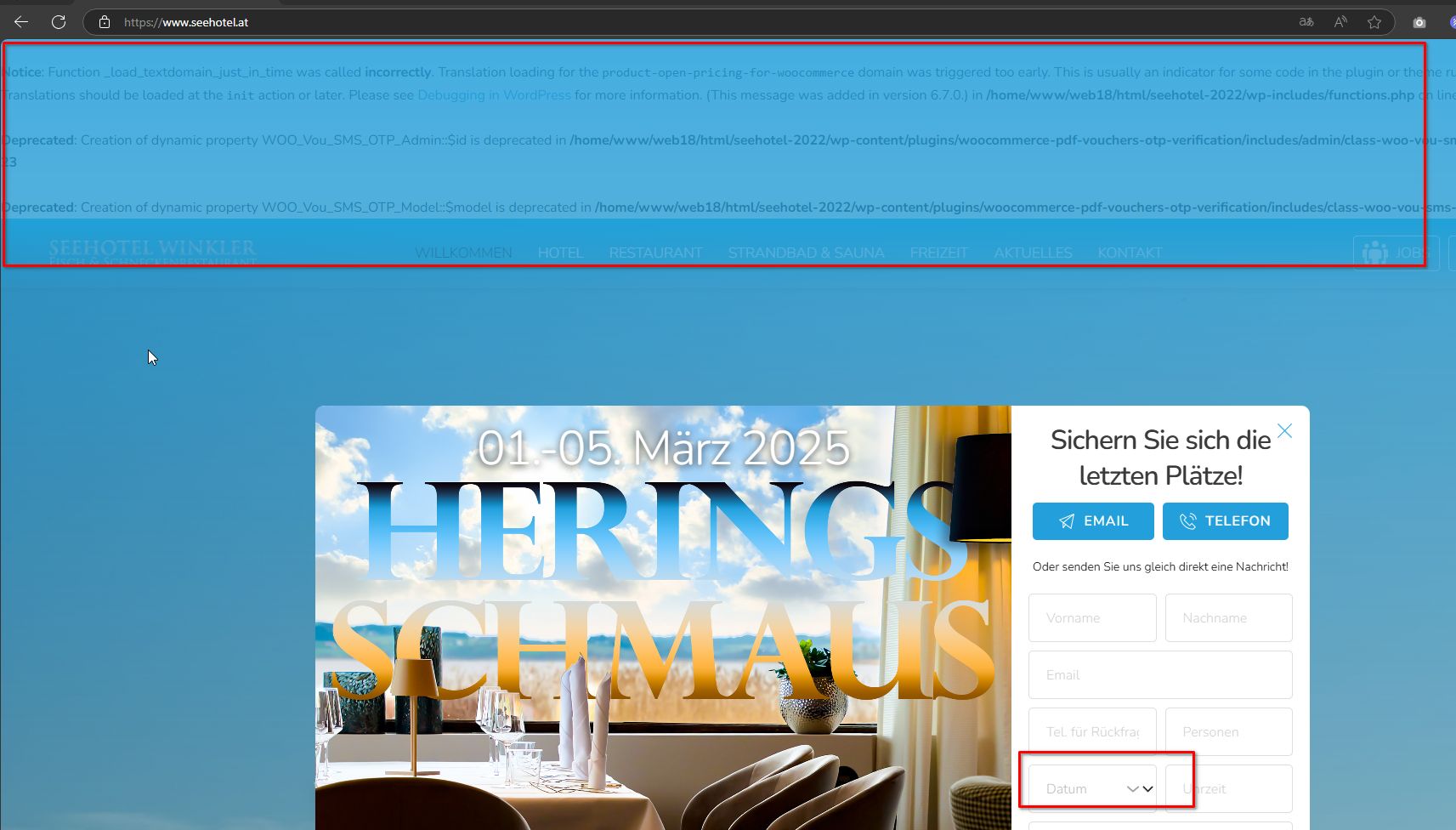
Could you please try replicating the issue with all plugins disabled except for Brizy and Brizy Pro to see if that makes a difference? Also, try temporarily switching to a different theme to check if that resolves the issue.
Please give this a try and let me know how it goes.
Best regards,
Ariel H.0 -
Hi Ariel,
thanks for the quick response.
I think If you actually read the error (of my other bugfixing I am doing right now) you will realize, that its impossible that this has anything to do with the problem in the popup.
But just for fun I deactivated these plugins and there are still two drop down arrows were only should be one.
Best Regards Leonhard0 -
Hi Leonhard,
Could you please provide temporary access to your WP Admin so we can take a closer look at your site? Kindly add us as an Admin user in your WordPress Dashboard and send the details to communitysupport@brizy.io:
Community Post link: https://support.brizy.io/hc/en-us/community/posts/24388552193554
WordPress Admin URL:
Username:
Password:Best regards,
Ariel H.0 -
Hi Leonhard,
Thank you for your cooperation.
We're hesitant to troubleshoot your website directly because of the large number of third-party plugins on your website (42 plugins). We wouldn't want to accidentally break anything.
So, here's what I suggest:
1. Try isolating the problem, see if you can replicate the issue by disabling all plugins except Brizy and Brizy Pro. If that fixes it, start enabling other plugins one at a time and see if the problem comes back. This can help find any conflicting plugins.
2. If disabling plugins doesn't make a difference, try switching to a different theme temporarily and see if this helps.
It's best to try these steps when your website has less traffic.
If the problem persists, I recommend creating a staging site where the issue can be replicated and provide the credentials. This can help us troubleshoot without affecting your live website. You can find instructions on creating a staging site here:
https://www.wpbeginner.com/wp-tutorials/how-to-create-staging-environment-for-a-wordpress-site/Please try these steps and let me know how it goes.
Best regards,
Ariel H.0 -
Hi Leonhard,
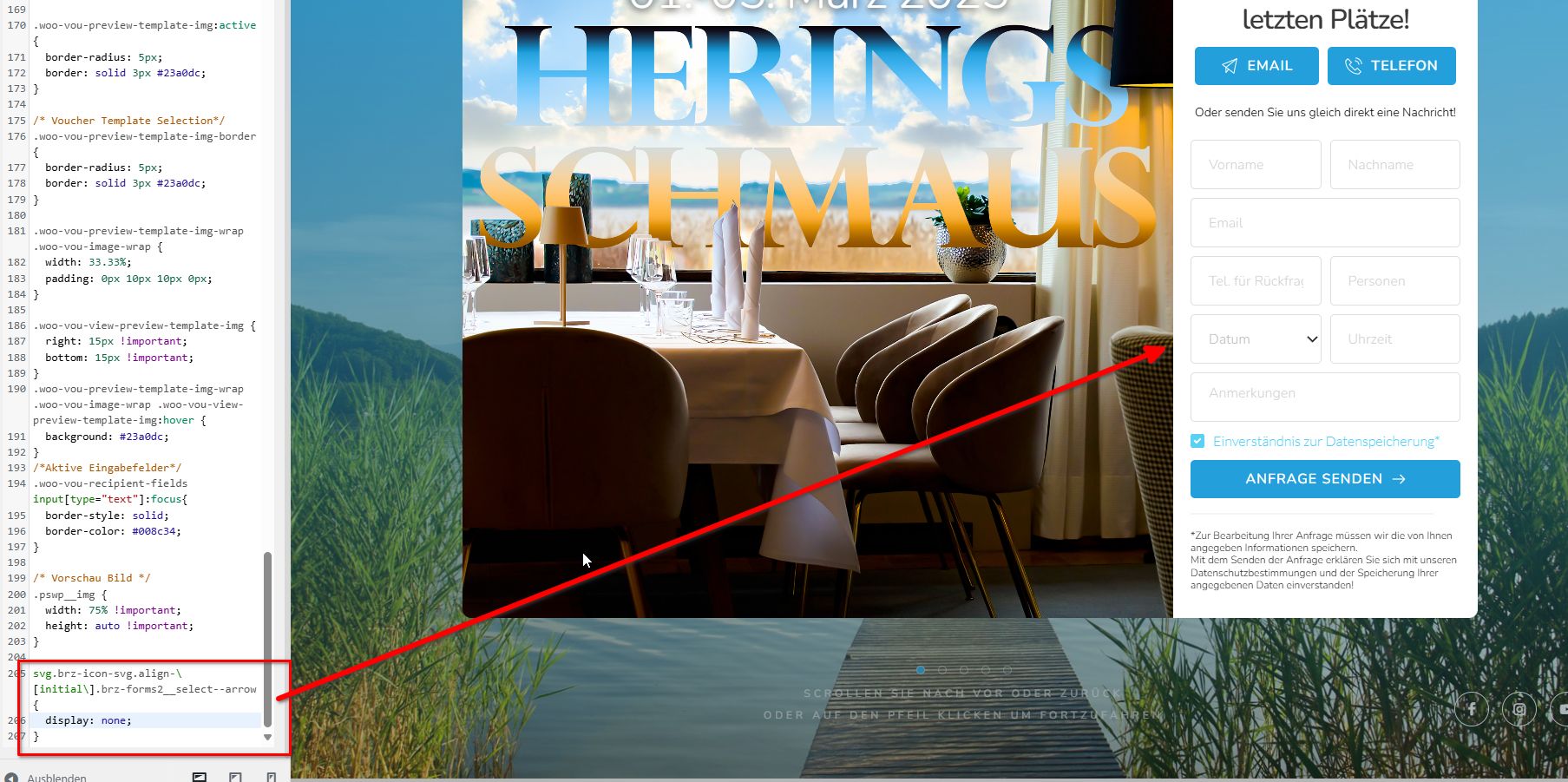
We temporarily added the following CSS to fix it.
 0
0 -
Hi Ariel,
As mentioned, I already deactivated all templates and switched the theme - no effect.
Thank you for your temporary fix!I installed a staging Site for you to investigate the error without risk. I've sent the information to communitysupport@brizy.io
0 -
Hi Leonhard,
Thank you for your cooperation.
I was working on the staging site, but I lost access, possibly due to some security settings on your server that blocked me.
Could you please try opening the popup, selecting the form element, and adding 1px padding on all sides, then saving your changes? You can revert this later. Afterward, preview your site on the front end and check if the issue is resolved. This stpe will force Brizy to recompile the popup, which may fix the issue. Also, don't forget to comment out or remove the CSS we added in the customizer.
Please try this and let me know how it goes.
Best regards,
Ariel H.0
Please sign in to leave a comment.
Comments
7 comments