Global Blocks Not Showing on Blog Post Pages

Dear Brizy Support Team,
I am experiencing an issue where my global header and footer blocks are not appearing on blog post pages when using Brizy.
Issue Details:
- The global blocks are set to "Display on: Entire Website" (Apply to All Pages).
- However, they do not appear on individual blog posts.
- I have tried setting up a Single Post Template in Brizy, but it does not seem to work.
- I have also checked the template conditions and confirmed that it is assigned to "All Blog Posts."
Could you please help me resolve this issue?
I appreciate your support and look forward to your response.
Best regards,
hirotomo
my page
https://kashiwamochi-photo.com/
example post
https://kashiwamochi-photo.com/0218-2/
-

Hello Hirotomoq,
Your blog posts are following the theme design and the Brizy Blog post templates has not taken effect. Kindly check if you see the "Delete" option next to your Display Condition. In case you see the "Add" button instead of the "Delete" option, it means you have not added your Display Condition. Kindly click on the "Add" button to add the Display Condition and check if the issue resolves.
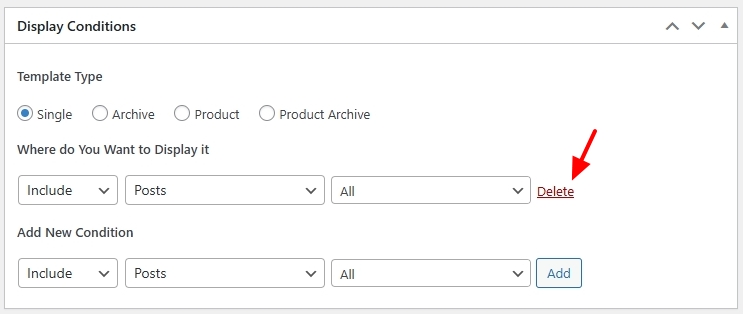
If this does not help, we would like to take a look at your WordPress Dashboard to troubleshoot this issue for you. Please add a new user to your WordPress Dashboard and send the following details to our email: communitysupport@brizy.io
- Support Forum link:
- WordPress Admin URL:
- Username
- Password
Please let us know in this forum when you send us the email.
0 -
I sent you an email. Thank you for your support.
0 -

Hi Hirotomoq,
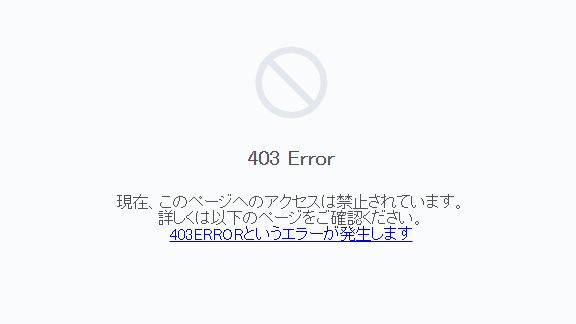
Thank you for the update. We tried to access your login page, but it’s returning a 403 error. It seems we might be blocked from your site. Could you please temporarily disable your firewall so we can access your WP Admin dashboard?
I look forward to your response.
Best regards,
Ariel H.0 -
Thank you.
The ban on overseas access to the server has been lifted.
Please try again.
Thank you in advance.0 -
Hi Hirotomoq,
Thank you for your cooperation.
To resolve the issue, please create a single post template and set the display conditions to Post → All Categories and Posts → All to ensure it applies correctly.
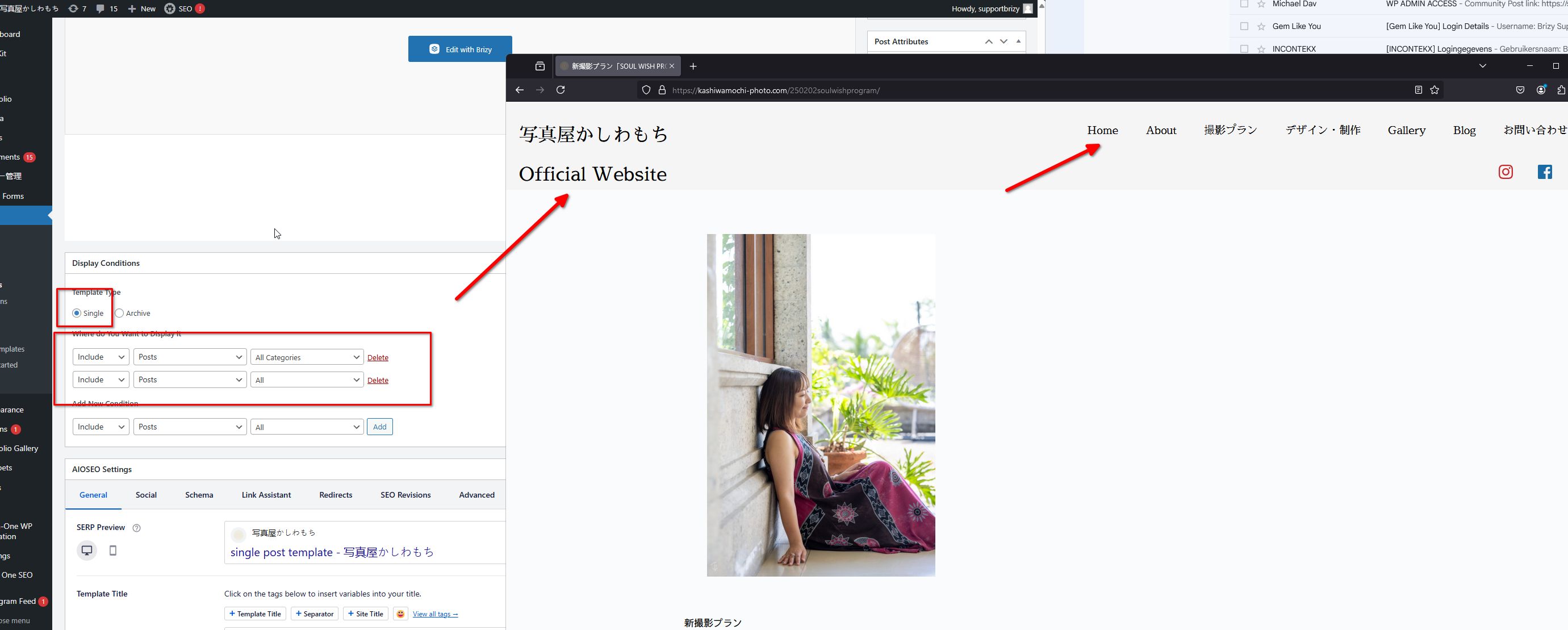
I created a new user to switch the language to English for troubleshooting. Additionally, I made a backup of your site as a precaution in case any changes need to be reverted. Feel free to delete the new user account and the backup if needed.
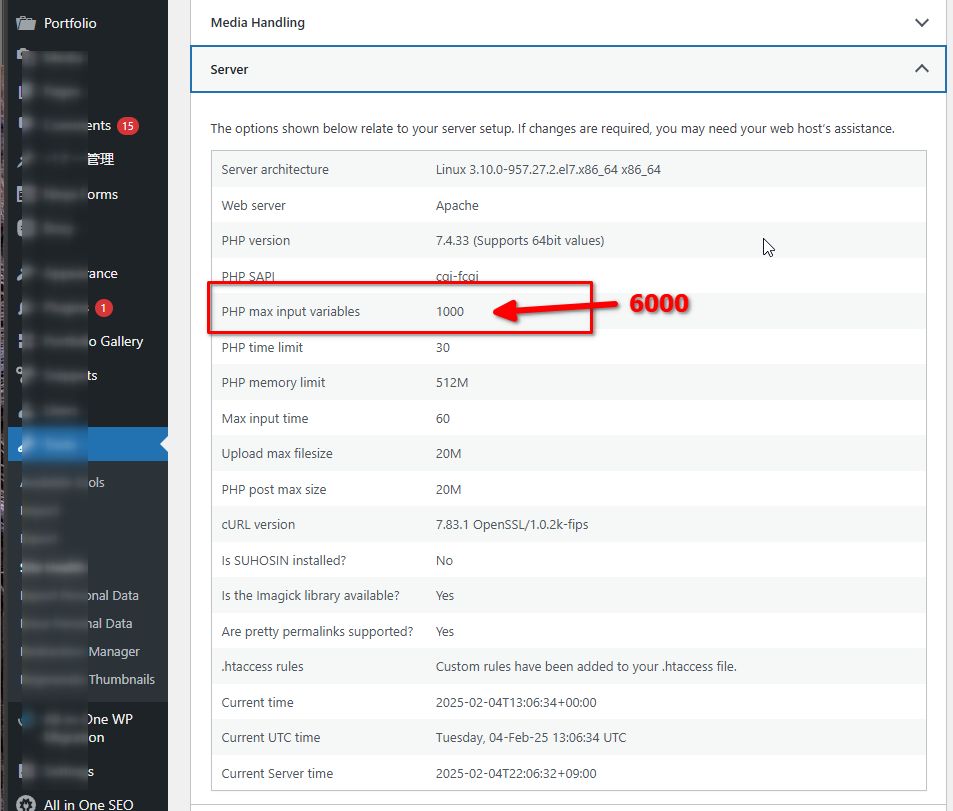
I also noticed that your site is running a bit slow. To improve performance, I recommend increasing the PHP max input variables to 6000 on your server. This will help when editing or working on large or complex pages in Brizy. Please reach out to your hosting provider to have this adjusted.
Let me know if you need any further assistance!
Best regards,
Ariel H.0 -
Thank you for your wonderful support. Solved.
The PHP advice was also helpful.
thank you!!0
Please sign in to leave a comment.
Comments
6 comments