Table "H1" columns issue

There is a very tricky error im coping with:
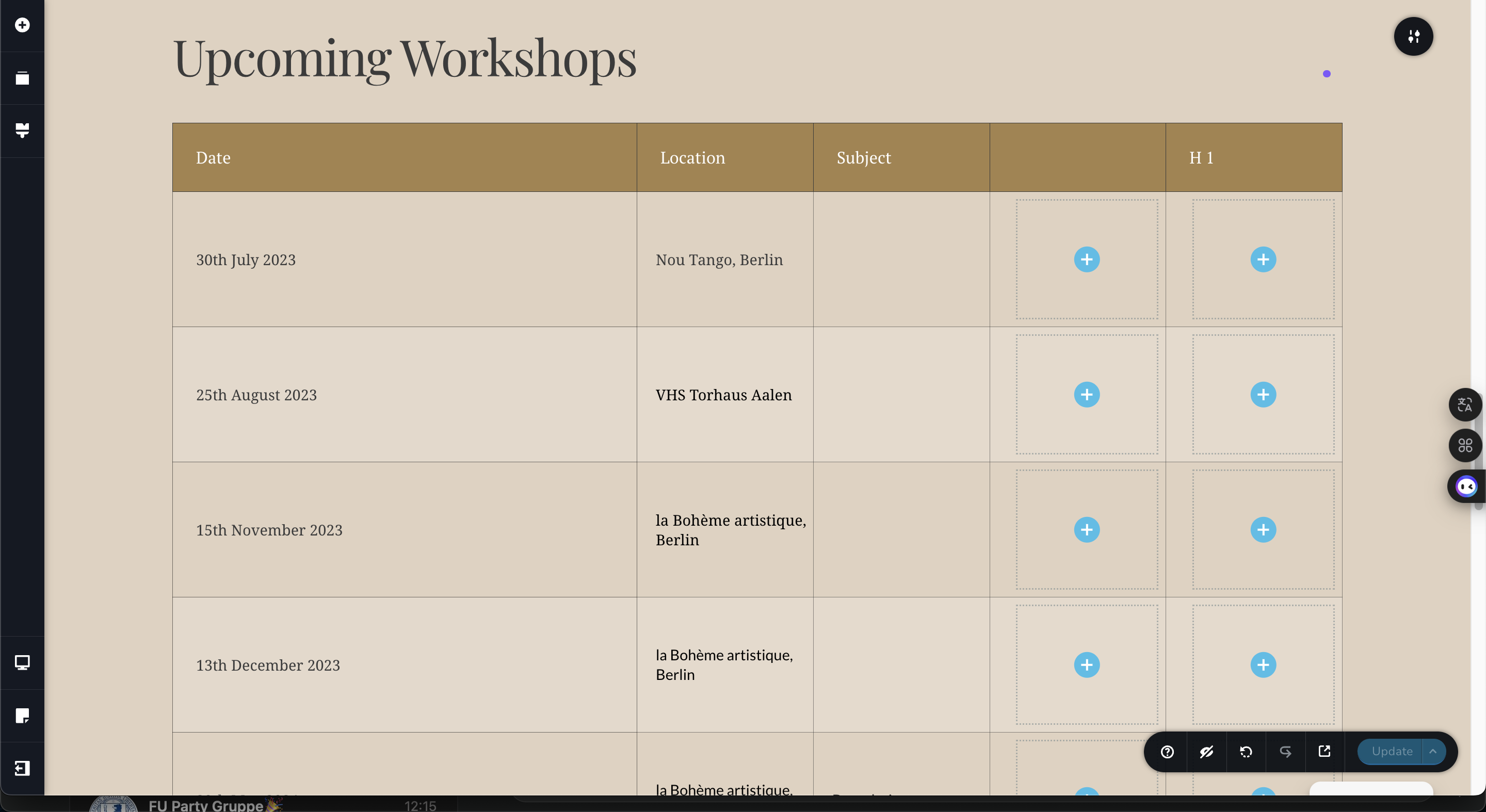
Whenever I open a specific page with a few tables on it, they are shown up different than on the live site and add two or three columns with nothing than "H1" in the first row.
When I update, they are live. When I delete them, they are gone until I open up the page again in Brizy. I really get frustrated with this. Support is really welcome.
-

Hello Yann,
We apologize for the annoying bug. When adding a new column to a table, I see that Brizy adds the heading H1 automatically once. However after deleting it, H1 heading does not return when I reopen the page in the editor, at my end. I will report this bug and we will work on fixing it.
To temporarily fix this issue in your project, try replacing the H1 text with 1-2 spaces as the heading for the blank columns and check if the issue persists.
0
Please sign in to leave a comment.
Comments
1 comment