homepage formatting is broken on some devices

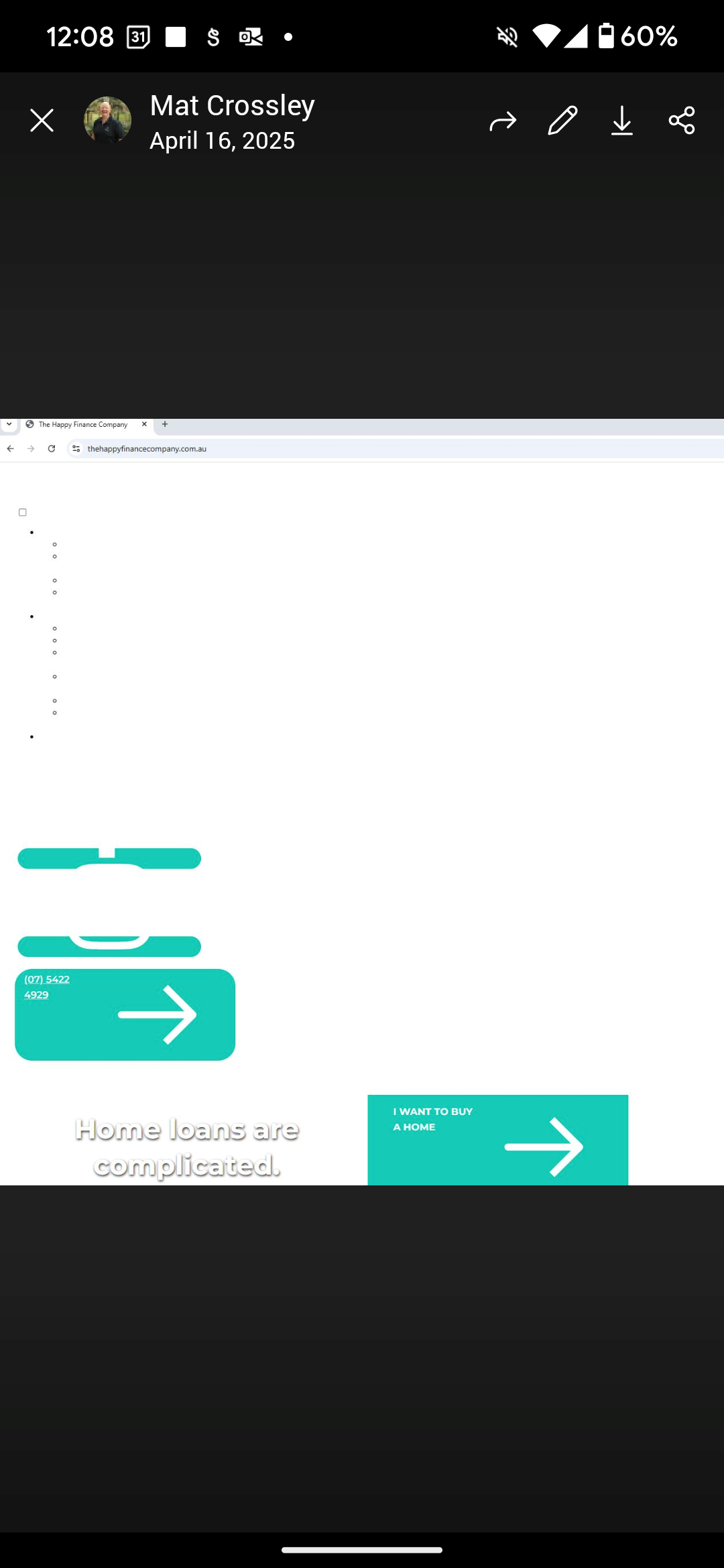
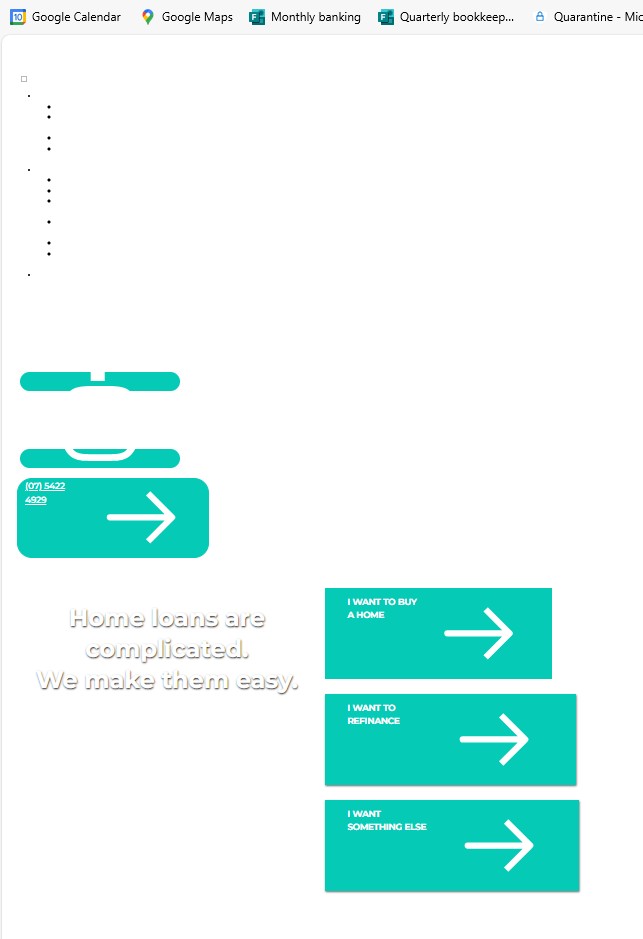
Hi Brizy, we had a drama with our hosting not getting renewed and we almost lost the site. Luckily godaddy was able to rectify their mistake and get it back, but now our website homepage formatting is all wonky - like it's not using the Brizy template. I can send screenshot but no option here to upload it. I have cleared my cache and opened it in another browser but it looks the same. My husband's view on his device looks fine though. What do you see when you go to www.thehappyfinancecompany.com.au? How do I fix it?
thanks, Sally
-

Hello Sally,
Have a look at how the page loads at my end https://jmp.sh/4LEzQqXI It looks good. If the page looks different on a specific computer, it could be because you are seeing a cached copy of the website. Kindly click the "Reload" button in the browser's address bar to see the live version of the website.
0 -
Hi KC, Aware this job is probably closed, but we are continuing to have issues with the appearance of our website. I've reached out before about the layout on some devices looking dreadful- the brizy template not working at all. You said to clear the cache and see if that helps. Mine never improved after clearing my cache, but everyone around me seemed to have normal formatting when they looked at the website on their device. So I dropped the support request. But I'm consistently having people contact me telling me the formatting is all spastic on the website. After they clear the catch and go back to it, it appears fine again. So it appears to be something with repeat visitors going back to the website and then the formatting does something strange. Can you help?
I have a screenshot to show you but I can't upload it here. I did send an email to brizy support with the screenshot and this message on 17th April but I haven't had a reply yet
0 -
Hello Sally,
We haven't received the email you sent us on 17th April . Can you please share the screenshot by selecting the image icon here?

You could also upload the screenshot to an online drive like https://jumpshare.com/ or Google drive at https://drive.google.com/ and share its URL with us.
0 -
sorry for delay. 2 images uploaded from 2 different people's devices.
 0
0 -
Hello Sally,
When I visit your website, I see multiple "Mixed Content" errors in the browser console. See the screenshot at https://jmp.sh/b0PNyDm0 When a website that was first accessed securely via HTTPS tries to load resources (such as images, scripts, or styles) over an unsecure HTTP connection, it generates a mixed content error.
You can read more about this error at https://www.godaddy.com/en-in/help/fix-mixed-content-errors-in-wordpress-27218 Kindly follow the suggestions in this article to fix the issue. Please also take the help of your hosting support to fix the "Mixed Content" errors.
If none of it helps, kindly get back to us. We will fix this error for you.
0 -
Hi KC,
Again, I cannot fault your support. Thank you for the detailed yet simple steps. It's fixed for me - I'm reaching out to others who have given feedback and asked them to check their views.
I wish all of the systems we use had this kind of support!
Sally
0
Please sign in to leave a comment.
Comments
6 comments