main menu links not showing in destkop version after update.

updated to most recent install
global menu link not showing on desktop although they show up on tablet and mobile, hae tried updateing a few different ways but they dont show .
-

Hi Edgar,
Thank you for reaching out. Unfortunately, we currently don’t have administrative access to the site. Could you please update the user account to Administrator so we can also access the Plugins area?
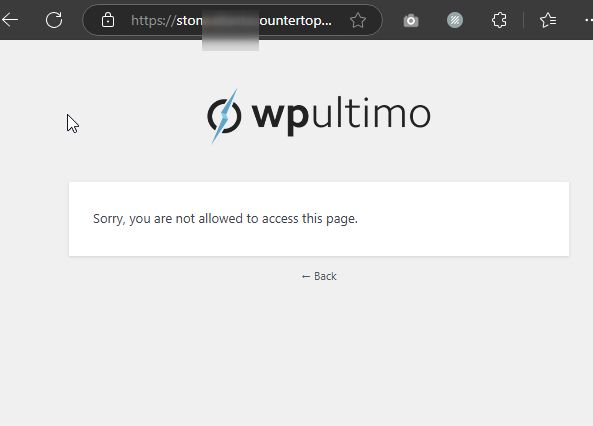
In the meantime, please revert to the following versions to resolve the issue until we can release a fix.
Brizy 2.6.4 : https://jmp.sh/hTF2g1V8
Brizy Pro 2.6.3 : https://jmp.sh/3FPsswmyFollow the below procedure to roll back.
1. Deactivate and delete Brizy Pro
2. Deactivate and delete Brizy
3. In your WordPress Dashboard under Plugins - Add New - Upload Plugin, upload Brizy 2.6.4
4. In your WordPress Dashboard under Plugins - Add New - Upload Plugin, upload Brizy Pro 2.6.3Best regards,
Ariel H.0 -
thank you. you should have full access now
rolling back help out with the navigation. I was unable to save anything on page while having slider rev plugin active. not sure if has anything to do with that. I'm still having an issue where some of the block on homepage are showing not when live (the prodcuts sections). I am still unbale to update the page it just load forevers. my other sites are network are doing fine, just this site i cant udate ven with slider rev deactivated . thanks agin
0 -
Hi Edgar,
Thank you for the update.
I attempted to make changes to the page, but it doesn’t save. Could you kindly try increasing the PHP max input variables to 6000 and see if this resolves the issue?
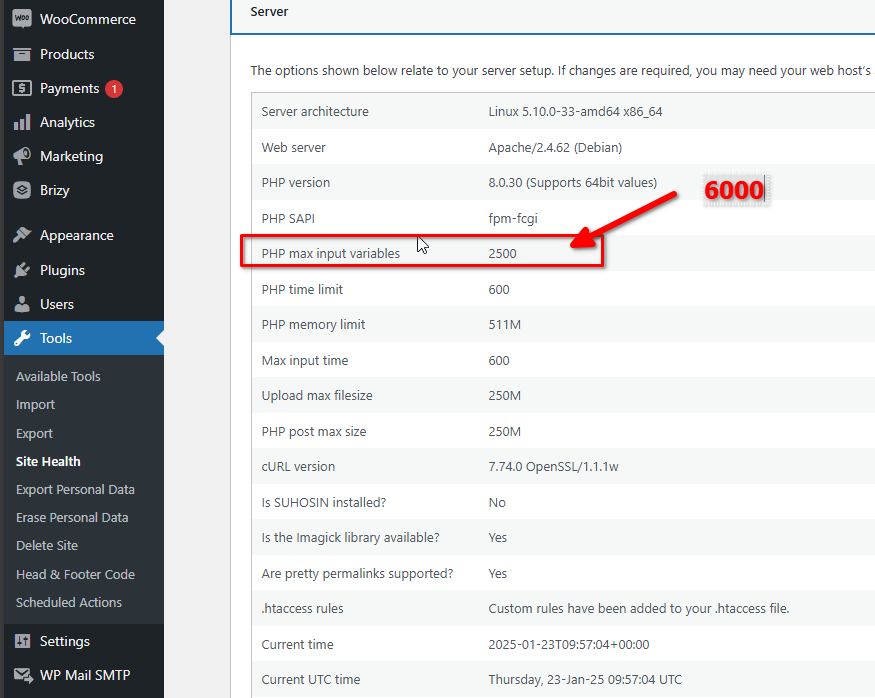
You can refer to this guide for assistance:
https://support.cpanel.net/hc/en-us/articles/360050736453-You-need-to-increase-PHP-variable-max-input-vars-to-higher-valuePlease try this and let me know how it goes.
Best regards,
Ariel H.0 -
Hi Ariel, i have changed the php limit to the 6000, i had cloudways to check to see if any issue as well. Im still not able to update the page or make changes.
on the homepage the gallery light box isnt workgin and the product photos scetion arent showing on live. but they do show on editing, weird stuff happening on image had white boraders aded, some icons image arent showing a section near bottom.
thank again for any insight
0 -
Hi Edgar,
Thank you for your cooperation. I requested those settings to be updated in an attempt to resolve the "page needs refresh" error, but unfortunately, it didn’t make a difference. Minor modifications to the blocks containing the carousel and icons should help fix the issue, but due to this error, changes are not being saved.
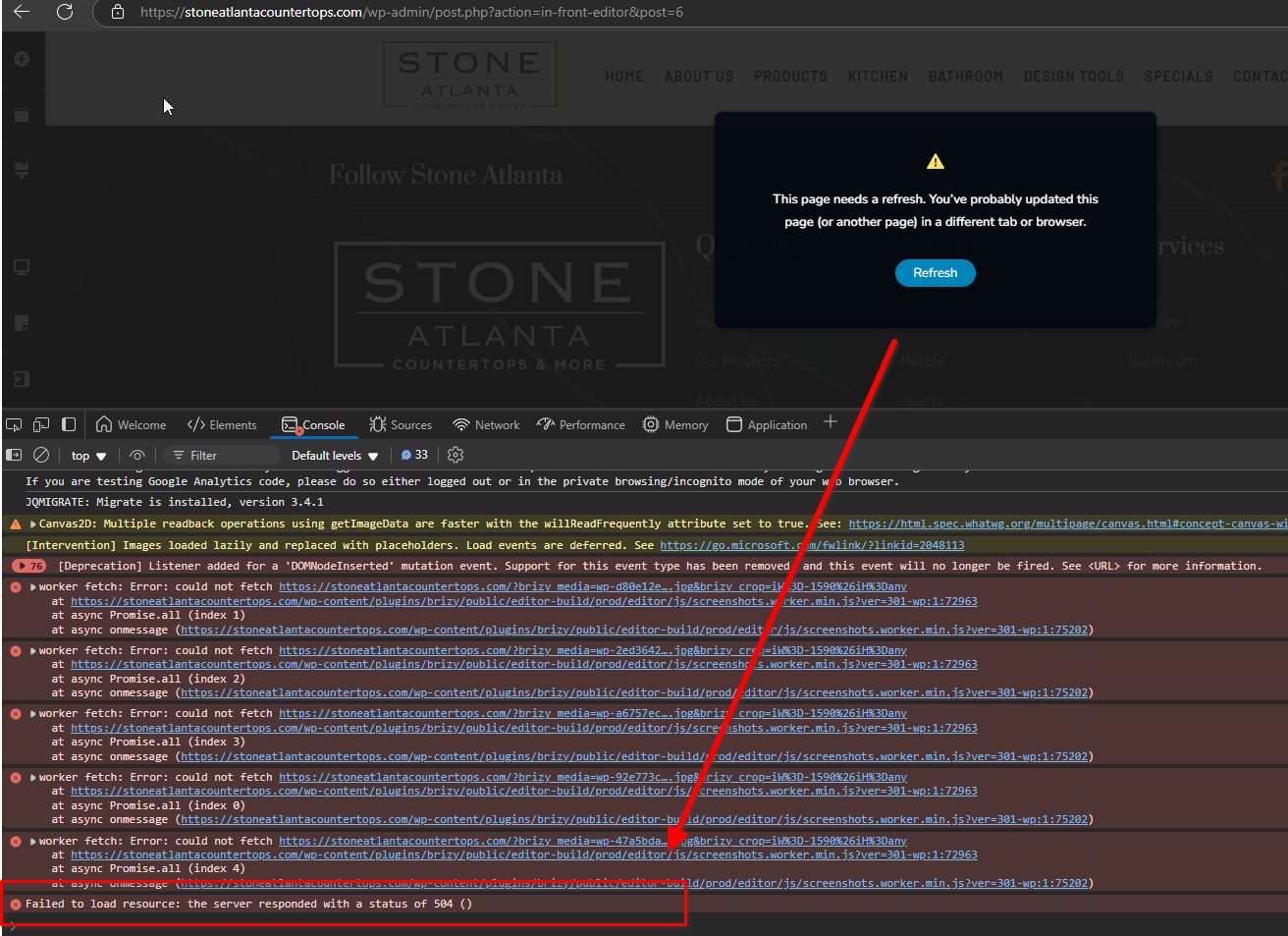
Could you also check if temporarily disabling ModSecurity on your server helps resolve the issue? If disabling ModSecurity isn’t an option, please try adding the following directive to your nginx.conf file:
client_max_body_size 4M;
Please let me know once this is done so we could check it again.
Best regards,
Ariel H.0 -
thanks. We have disabled mod proxy as suggested and also increase PHP max execution time. fingers crossed.
0 -
Hi Edgar,
Thank you for your patience. Unfortunately, the previous attempt did not resolve the issue.
Could you please try the following steps instead?
1. Download and install these versions, then network activate them: https://drive.google.com/drive/folders/1i-HcSLch4ED2HfMznXIgDOT7TAXXsVsG?usp=sharing
- Check if this allows you to make changes and resolves the issue on the front end.2. Once the issue is resolved with the older version, update Brizy and Brizy Pro to the latest versions.
- After updating, please check if the pages are working properly and if you're able to make changes.Please give this a try and let me know how it goes.
Best regards,
Ariel H.0 -
thanks, i installed the versions you sent over , and was able to updates but when I put the new latest version the main menu navigation breaks/disappers . please have a look and let mw know what you think is the next best step (also with older version I am able to update the page, but the revslider doesn't show). thanks agin
0 -
Just FYI, I have another site on its own install not m part of multisite, when i update today the navigation menu was also missing, so I had install backup.
0 -

Hello Edgar,
The recent Brizy versions have a bug with the Sticky header. If you temporarily switch the header to "Fixed" or "Static", it will start working again. Until we are able to release a fix for the "Sticky" header, kindly use one of these options.
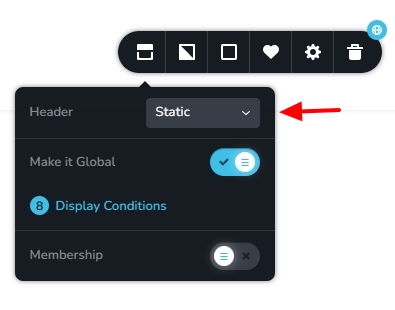 0
0 -
thank you! I've set both sites to static. I understand you have a lot on your plate, but do you have any updates on when that bug might be fixed or an estimated timeline? No worries if not—I’m just trying to decide whether it’s something I should keep an eye on.
0 -
Hello Edgar,
Fixing of this bug is currently underway. We hope to release the fix along with a future update. Predicting a date for the update is difficult.
0 -
curious to know if this was updated.
0 -
Hi Edgar,
The latest versions of Brizy and Brizy Pro should have resolved this issue. If you're still experiencing it, please let us know.
Best regards,
Ariel H.0
Please sign in to leave a comment.
Comments
14 comments