Two questions

-
Specifically look at the uk and USA sites on my website - Manchester, Liverpool etc. it took a while, and I don’t know why it did it but works for Middle East and Australia now. Please help and tell me why it doesn’t work. Thanks
0 -

Hello Sach,
We need more details about the issues you have reported above. If it's easier to record a screen capture, kindly do that.
- Please specify the Project Name and the Preview URL of the UK and USA sites, Manchester, Liverpool, Middle East and Australia websites
- Kindly mention which project the pages "Smithfield, twenty two talent; are located.
- My webhooks seem to be lost on my accounts? What are the steps we must follow to see the issue with webhooks in your account? Kindly name the projects and share the page URLs and let us know the exact steps we must follow to reproduce the problem.
- When I try and move a block up, it keeps dropping down: We need the Project Name and the name of the page where you are experiencing this issue.
0 -
Do you have a contact number?
Please find videos attached. If we can resolve the issues asap please - focus on the layout first if possible as we are about to launch.
Video to view issue: https://drive.google.com/drive/folders/1LY6NzaD-wfpjrfm8RzEAkZUVfKBege0v?usp=sharing
UK Cities
Leciester
Nottingham
Milton Keynes
Leeds
Liverpool
Ipswich
Birmingham
Manchester
USA/Canada
Portland
Miami
New York
Los Angeles (LA)
Toronto
Seattle
All my accounts can be found within my account under the contact pages of these webpages
TwentyTwo Talent
ON+OFF Creative
Klasix
Smithfield Partners
Smyle Studio
Boulevard Dental
0 -
Hello Sach,
I have moved the global to the top of the page at https://www.fanpark.co.uk/new-york-fanzone Kindly place the global blocks towards the top and the bottom of a page and the regular blocks can be in between the (top and bottom) global blocks.
Kindly use the "Connect a new account" option at the bottom if you need to resolve the webhooks issue right away. Since it is already past the end of business hours, I will escalate this issue to our developers, and we will investigate it tomorrow.
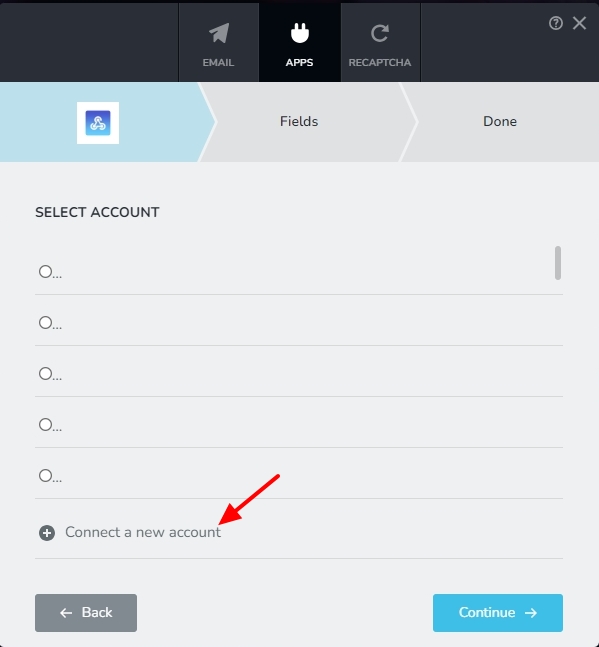 0
0 -
Can you check the other UK and USA/Canada pages please?
How did you fix the issue so i know for next time?
What does this part mean? "Kindly place the global blocks towards the top and the bottom of a page"?
0 -
Hello Sach,
I have escalated the issue with reordering blocks to our developers and we are looking into it. We will get back to you soon about this.
0 -
I really need to launch this - all the blocks have been reordered. Please help
0 -
Please help. I've just shared a new video here - click on the NEW one.
https://drive.google.com/drive/folders/1LY6NzaD-wfpjrfm8RzEAkZUVfKBege0v?usp=drive_link0 -
Hello Sach,
We apologize for the delay in getting back to you. Please check the UK Cities and US/Canada Cities you have listed above. We have fixed the reordering issues in those pages.
We followed these steps in each page to fix the issue
- Save the entire layout of a page as a Saved Layout by clicking on the "Save Layout" option at the bottom right corner
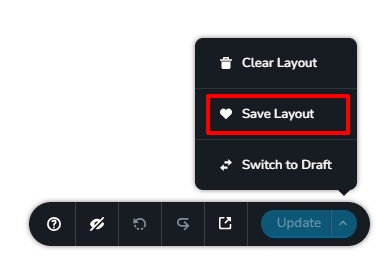
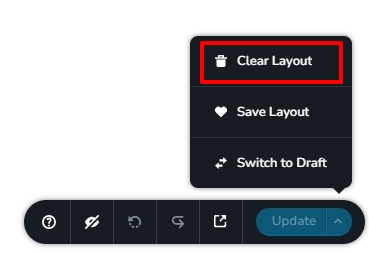
- Click on the "Clear Layout" option to remove all content of the page and "Update" the project
- Click on the "Plus" sign in the middle of the blank page and import the saved layout you had saved in Step1.
- Now reorder the blocks the way you need.
- All blocks will be regular blocks. If you want to use global blocks for the hero section and the footer, delete both the blocks and add it from the Global Blocks.
0 - Save the entire layout of a page as a Saved Layout by clicking on the "Save Layout" option at the bottom right corner
-
Will it still be connected to the global block?
Where can i find the saved layout? I can't see it under layout or saved?
0 -
I've found where it's located (under saved), but it reformats and removed the global nature of the block? Surely i should just be able to move it?
0 -
Hello Sach,
If a page is missing the global block, you can delete the regular block and reimport the global block from the Global Blocks Library. In pages which are reimported from the saved layout, reordering should work fine.
0 -
I had to redo all the pages as it woulnd't work.
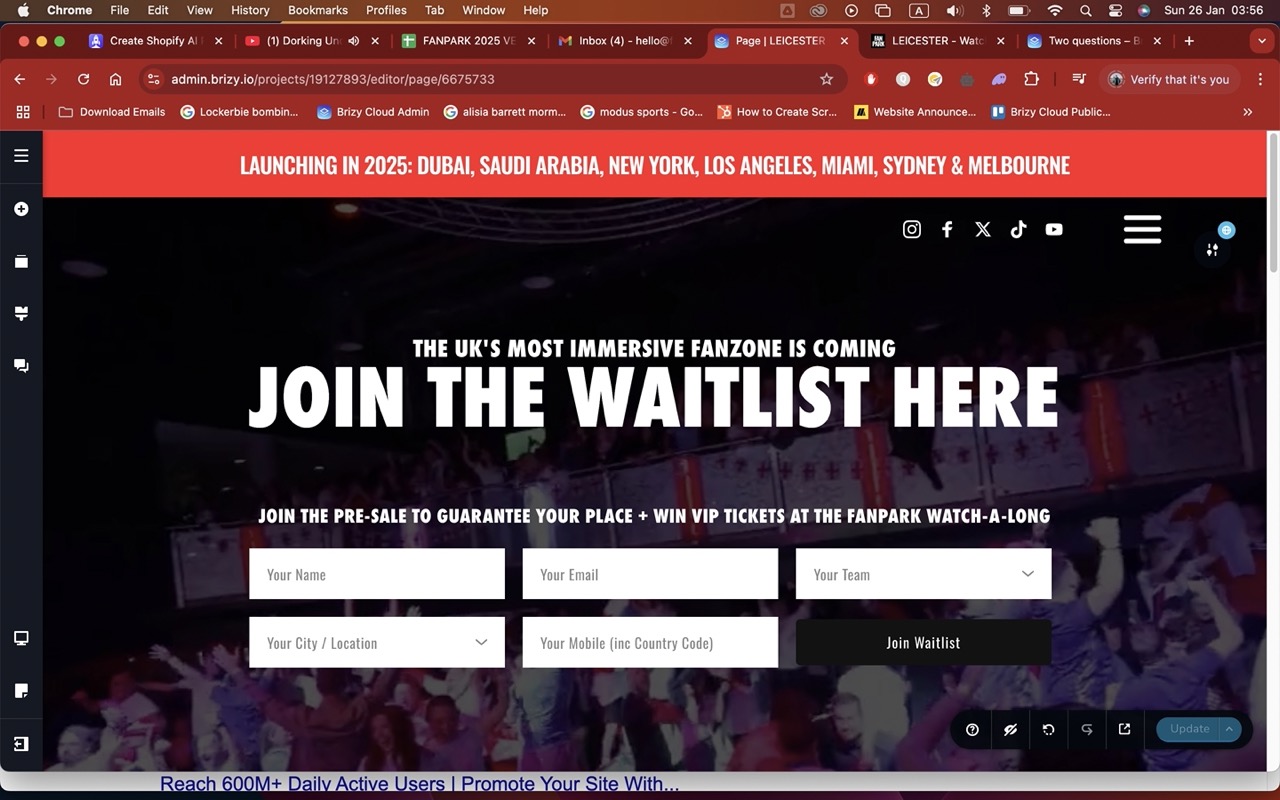
Now i have a different problem - for instance, on fanpark.co.uk/leciester it shows up on the block when it's on editor, but when you go to the website, it foesn't. This is the same on other pages too. What's going on?! Please fix all my pages.
Both images (on editor and the website) are below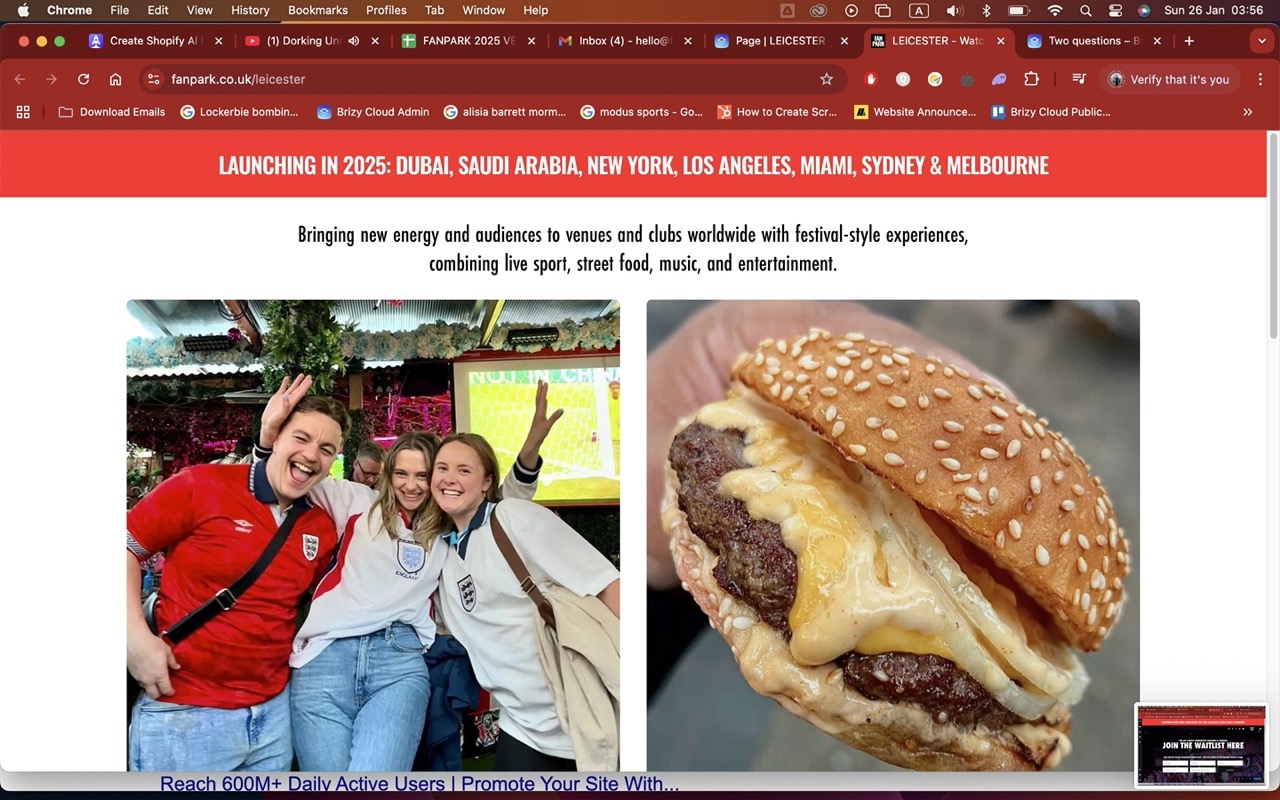
 0
0 -
Hello Sach,
Please check now if the global block display well on all pages now. The Display Conditions for your global blocks look complicated. If you simplify Display Conditions setting Pages - All instead of setting individual pages, it would work better.
0
Please sign in to leave a comment.
Comments
14 comments