elements not showing

Hi
I have set a Brizy template to show this:
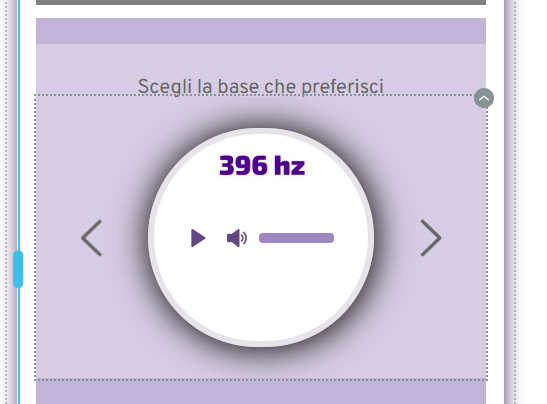
but it doesnt show in the frontend:
https://mytabi.me/mindfulness-a-piu-fasi/
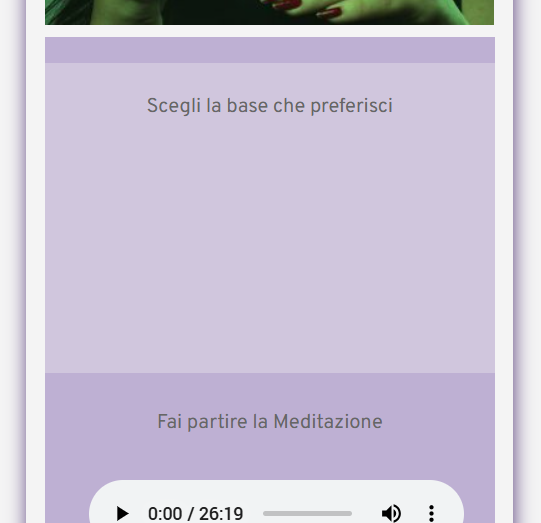
please can you help? thanks
PS in this case it is this element, but during the past days the same thing happended with other elements
thanks
-

Hi Gianpietro,
Thank you for reaching out.
The issue was resolved by adjusting the element's padding by 1px, saving the changes, then reverting and saving again.
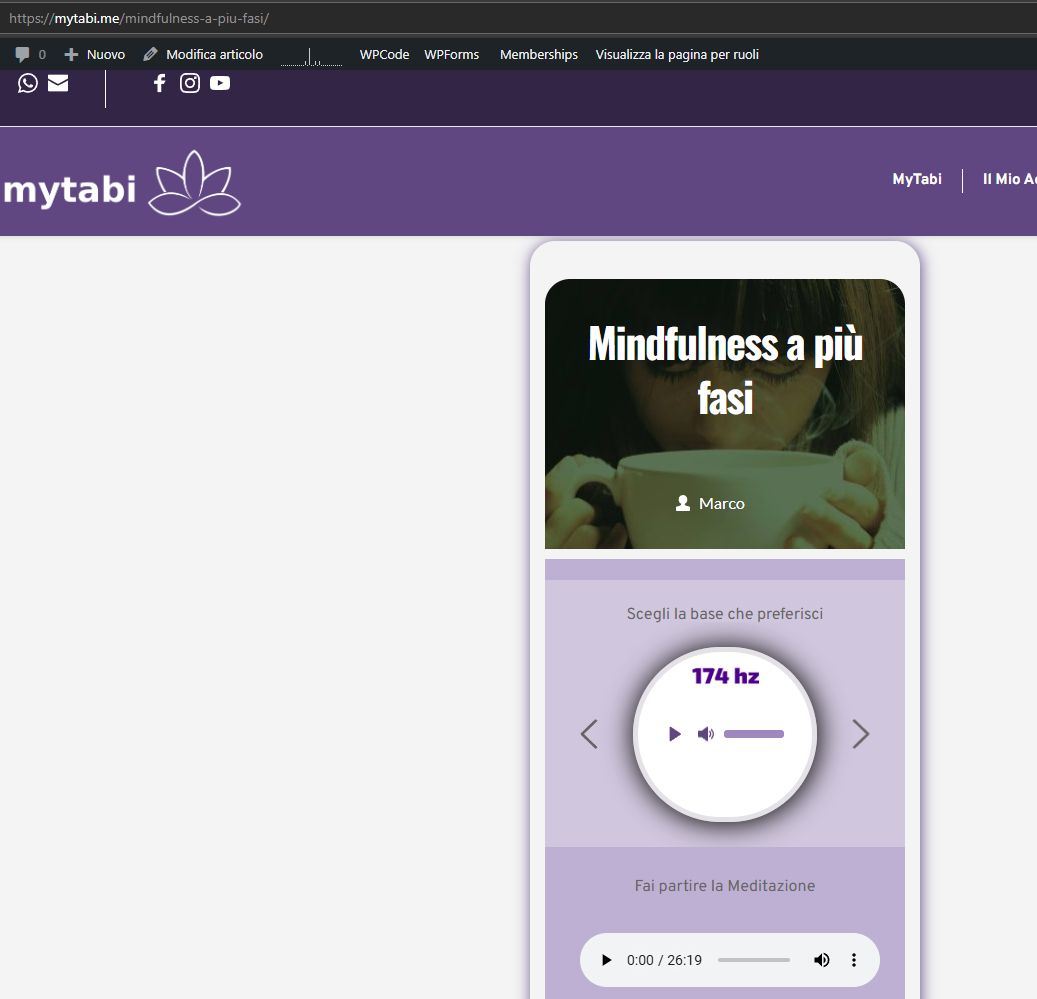
Please check on your end to confirm if the issue is resolved.
Best regards,
Ariel H.0 -
Hi Ariel,
yes, it's working now, thanks.
Just a question in these pages:
I have images with dynamyc text on them. The Images link to Article URL, and so the text and the area I have marked in red:
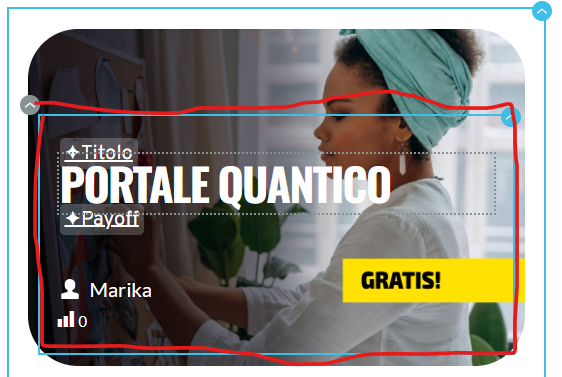
but, if you go online and pass your mouse over the area, the image works fine, the text works fine, but the area not. It's as if the link is not active. I have tried to modify Z index, but didn't work.
I would like the entire area (over the image) to work as Artivle URL link to relative post. Is it possible? Thanks
0 -
Hi Gianpietro,
Thank you for the update.
Unfortunately, this isn’t possible at the moment. The hover effect only applies to the column, and since the column and the text are linked to the same URL, I recommend removing the link from the text.
Best regards,
Ariel H.0 -
Hi Ariel
thanks for your reply.
I removed the link from the text as you suggested, but now I am in the situation where only this area responds to a link;

you can see to yourself: https://mytabi.me/corsi/
this entire area is not active:

eventhough I have set the URL to the area:
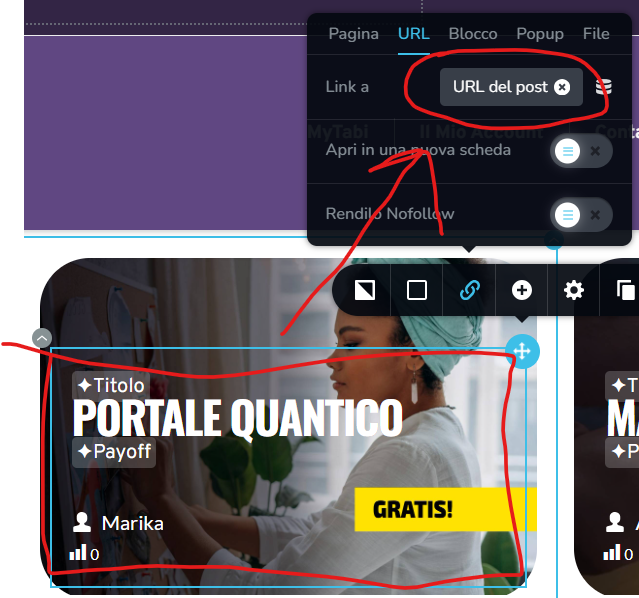
but I need the entire area (or if you prefer, the entire image) to respond to URL link.
Is that not possible?
0 -
Hi Gianpietro,
Thank you for keeping in touch.
It seems that your site credentials are no longer working. Could you please provide us access to your site again so I can take a closer look?
Kind regards,
Ariel H.0 -
Hi Ariel
yes
user: ****
pass:*******
thanks
0 -
Hi Gianpietro, thank you for your cooperation, this is how you fix it. You'll need to link the column instead.
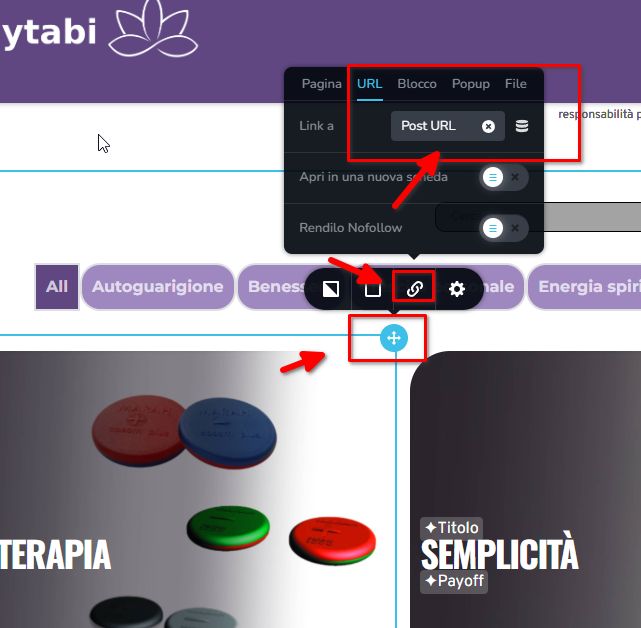
Kind regards,
Ariel H.0 -
Hi Ariel
thanks for your reply
unfortunately I have tried that, but it doesnt seem to work, whey you pass your mouse over the column, area:
the mouse link just deactivates
please let me know
thanks
0 -
Hi Gianpietro,
Could you kindly provide temporary access to your site again so we can take another look?
Best regards,
Ariel H.0 -
Hi Gianpietro,
Thank you for your cooperation.
After reviewing, it seems the text was positioned on top of the image using negative margins. To address this, you’ll need to adjust your column layout. Instead of using the image element, set the featured image as the column’s background. This will remove the need for negative margins to position the text. To create a gap within the column, you can use a spacer element above the text.
I’ve created an example for you at the bottom of this page. In this setup, the featured image is used as the column’s background. To create gaps between columns, I increased the margins. The same hover effect was applied to the entire column, so when you hover anywhere on it, the border effect is triggered. Feel free to refine the example I made and delete the previous posts element if you find this approach suitable.
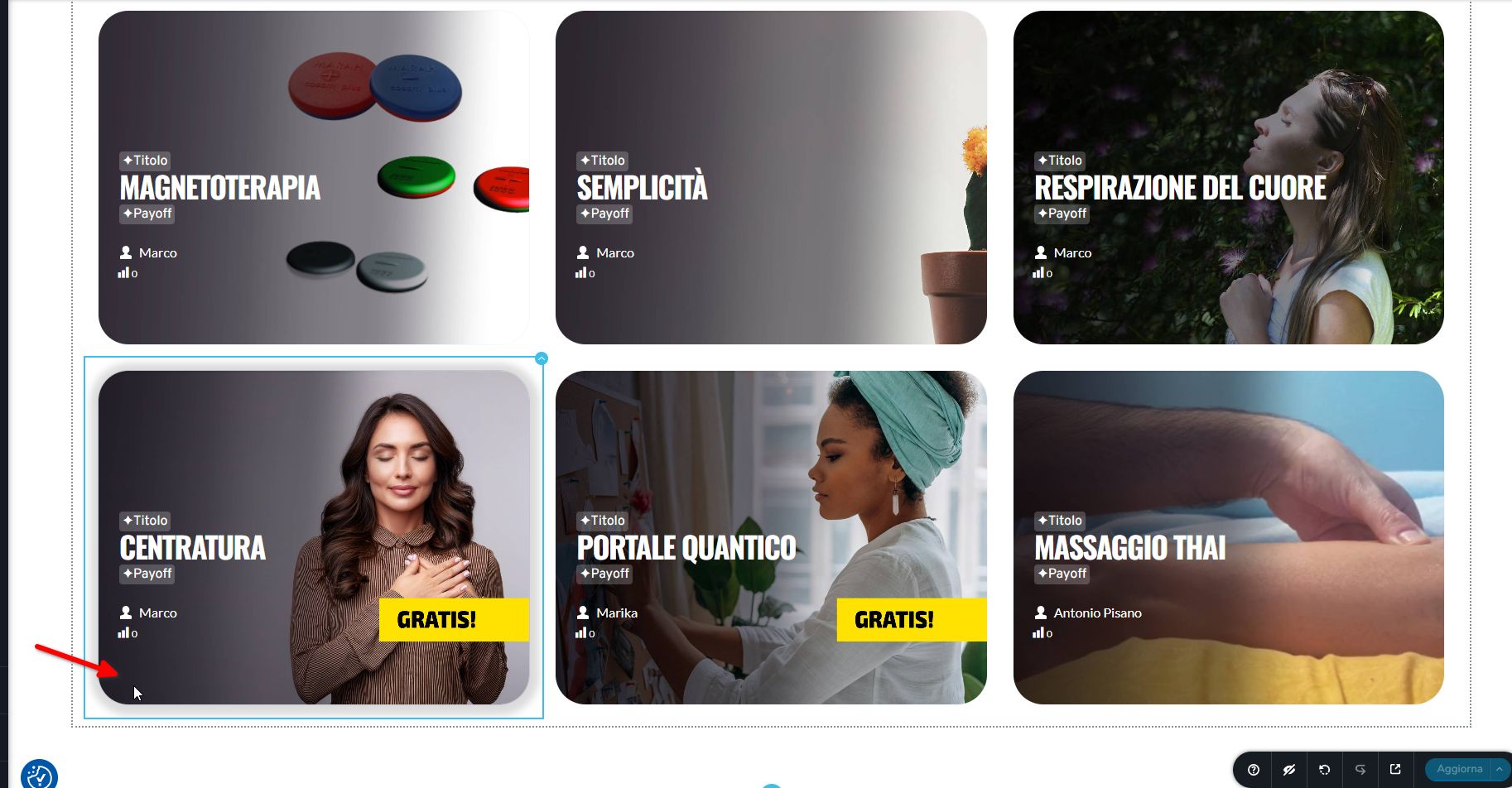
If you have any further questions, feel free to reach out.
Best regards,
Ariel H.0 -
Hi Ariel
thank you for your reply.
I must admit I am missing something here. From what I understand, in your solution I still have the problem concerning the column not reacting to mouse hover, even if the Post URL has been applied to it:
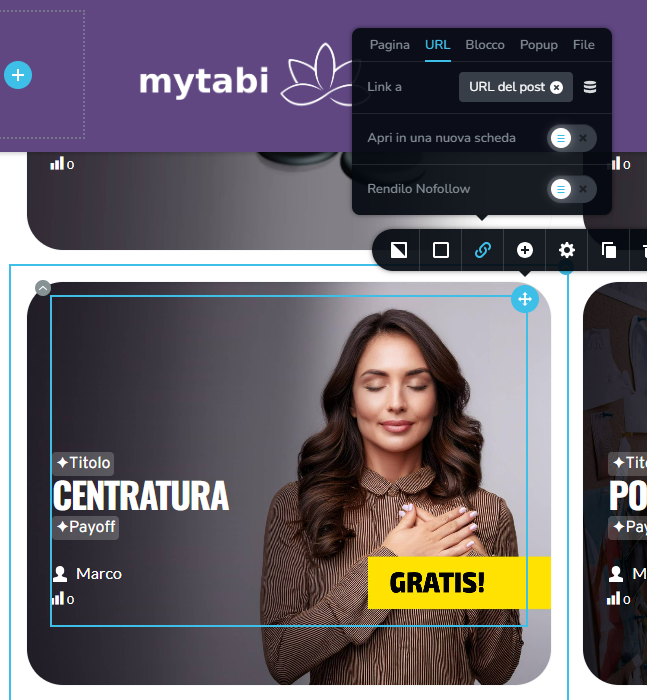
resulting in not being able to click on the column area in the front end. The graphic hover effect is active and working, but not the link to the article.
Thanks
0 -
Hi Gianpietro,
Thanks for the update! You're on the right track, but it seems like you're linking the post URL to an element inside the column instead of the column itself.
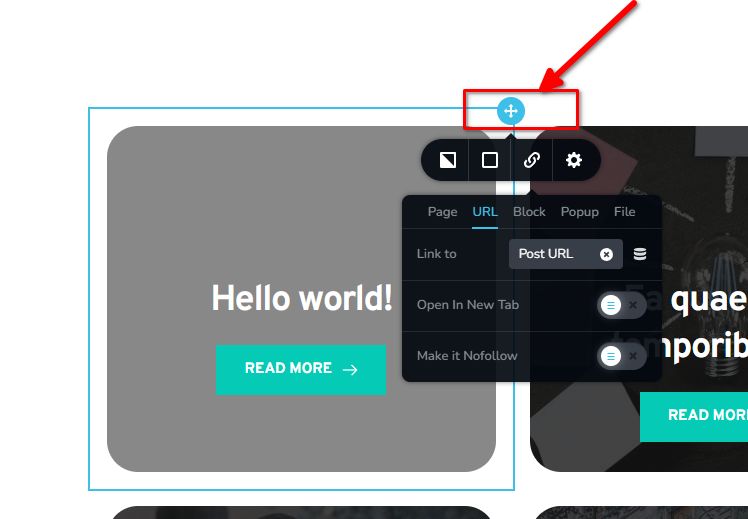
Kindly update this and let me know how it goes.
Best regards,
Ariel H.0 -
Hi Ariel
I'm sorry, but I've tried that solution too and it just doesn't seem to work.
I have now linked the actual text to the post URL, I'm really not happy with the solution as it is absolutely not what I want, but I can't seem to find another way to do it, and I'm certainly not going to remake the entire site with another Builder.
0 -
Hi Gianpietro,
Thank you for the update, this is the exact solution I used on this test environment - https://brizywp.pro-site.cloud/demo01/test-2/
Could you give me access again to your site so I could check why it doesn't work?
Best regards,
Ariel H.0 -
Hi Ariel,
here it is: [credentials removed ]
0 -
Hi Gianpietro,
Thanks for the update. I've fixed the layout—now the columns should apply the hover effect and link to the blog posts.
For sending your site’s credentials, we recommend using communitysupport@brizy.io for better privacy.
Best regards,
Ariel H.0 -
THanks a lot Ariel
0 -

"The issue was resolved by adjusting the element's padding by 1px, saving the changes, then reverting and saving again. "
Hey Ariel, can you explain whats the issue in the first place? I have this same problem.What is causing certain elements to not display on a page? Is this a caching issue?
0 -
Hi Winston,
Thank you for the update.
The issue happens when the page doesn’t recompile properly after an update. Making a small change, like adjusting the padding by 1px and saving, forces the page to recompile, which brings back any missing elements.
Best regards,
Ariel H.0
Please sign in to leave a comment.
Comments
19 comments