画像が表示されなくなったり、アップロードが出来なくなります。

こんにちは
Brizyで作成したホームページが大変壊れやすく困っています。
このホームページは、多くの管理者で運営します。
誰かが更新すると必ず何か問題が起こります。
・プレビュー画面で画像が表示されなくなる。
・編集画面で画像が表示されなくなる。
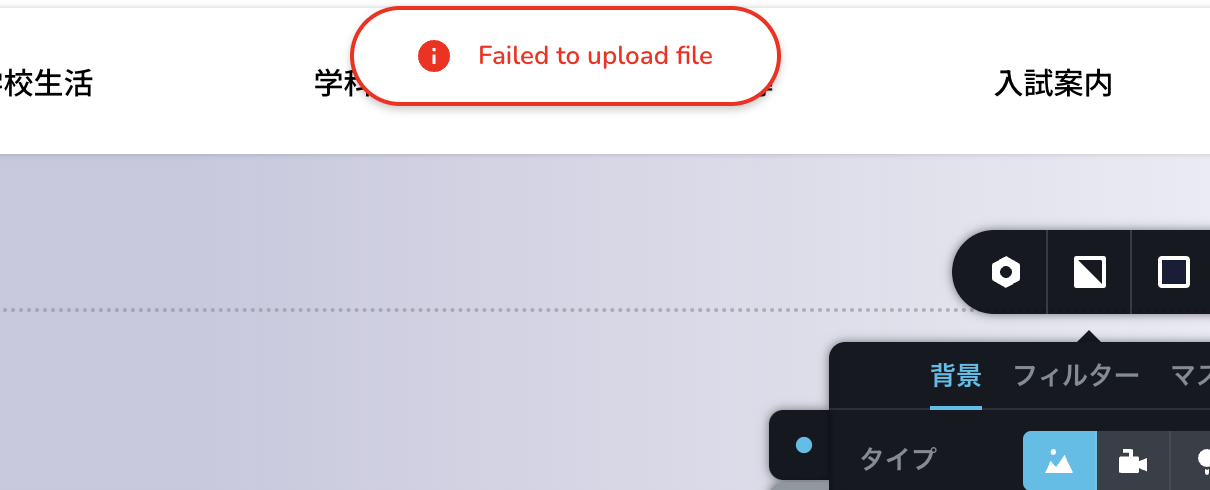
・画像がアップロードされなくなる。
・編集画面にプレビュー画面と違う余計な情報が入ってくる
これらの問題の根本的な原因がわかりません。
サイトの正常化を行いたいのですがサポートしていただけますか?
takai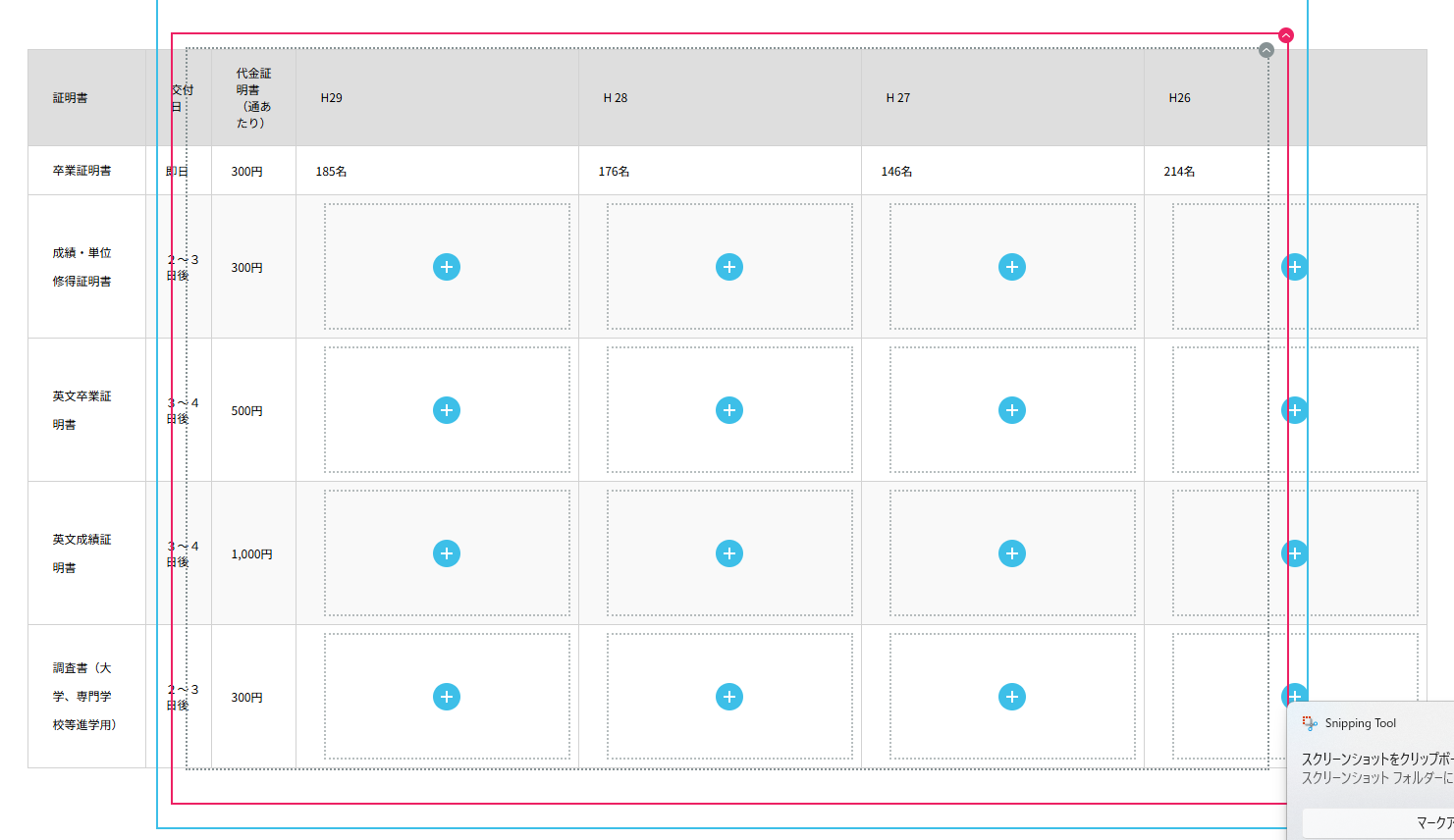

-

Hi Suzuki,
Thank you for contacting us.
To address this issue, please contact your hosting provide and adjust the following settings in your server and see if this will help fix the issue.
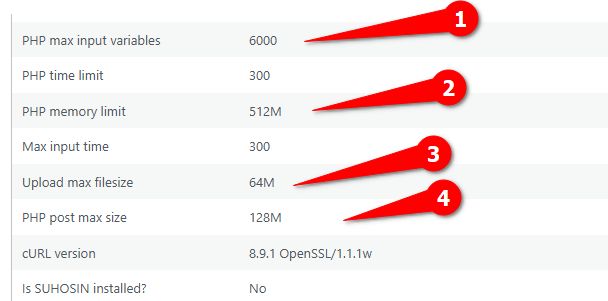
If the issue persists, try these steps:
1. Deactivate all other plugins except Brizy and Brizy Pro. If the problem goes away, reactivate plugins one by one to find the conflicting plugin.
2. Also, try switching to a default WordPress theme to see if that resolves the issue.If neither deactivating other plugins nor switching themes resolves the issue, we may need to investigate further by accessing your WordPress admin area. To ensure your website's security, please create a temporary admin user account specifically for our support team. Once created, please send the following information to communitysupport@brizy.io:
Community Post link: https://support.brizy.io/hc/en-us/community/posts/23992447098002
WordPress Admin URL:
Username:
Password:Before granting us access, we strongly recommend creating a full backup of your website as a precaution.
Best regards,
Ariel H.0 -
更新できませんでした。プラグインをアップデートしてから調子が悪くなったかもしれません。前のバージョンをダウンロードすることは可能でしょうか。
0 -
Hi Suzuki,
Apologies for the inconvenience. Please roll back to these versions until we have a fix to the issues you mentioned.
Brizy 2.6.4 : https://jmp.sh/hTF2g1V8
Brizy Pro 2.6.3 : https://jmp.sh/3FPsswmyFollow the below procedure to roll back.
1. Deactivate and delete Brizy Pro
2. Deactivate and delete Brizy
3. In your WordPress Dashboard under Plugins - Add New - Upload Plugin, upload Brizy 2.6.4
4. In your WordPress Dashboard under Plugins - Add New - Upload Plugin, upload Brizy Pro 2.6.3If you encounter any issues during this process, feel free to reach out for further assistance.
Best regards,
Ariel H.0 -
ロールバックして、戻したら直りました。
原因は新しいバージョンになったからなのでしょうか。
今後もトラブル使えなくなる事業が起きないか不安です。
0 -

Hello Suzuki,
We apologize for the inconvenience. We have released Brizy 2.6.8 with a fix for issues with these Brizy elements
- Contact form
- The Map element
- Hamburger menu
- Icons
- Login element
- Carousel element
Feel free to update to these Brizy versions to fix the above issues. If you have a staging website, kindly update to these versions first in staging and later you can update in the live site.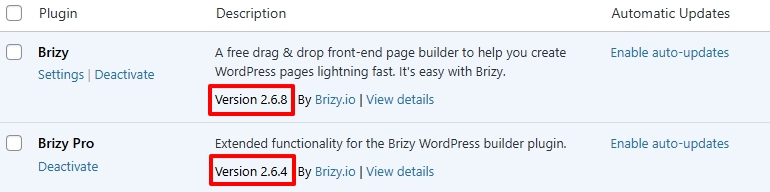 0
0 -
バージョンのご連絡をありがとうございます。
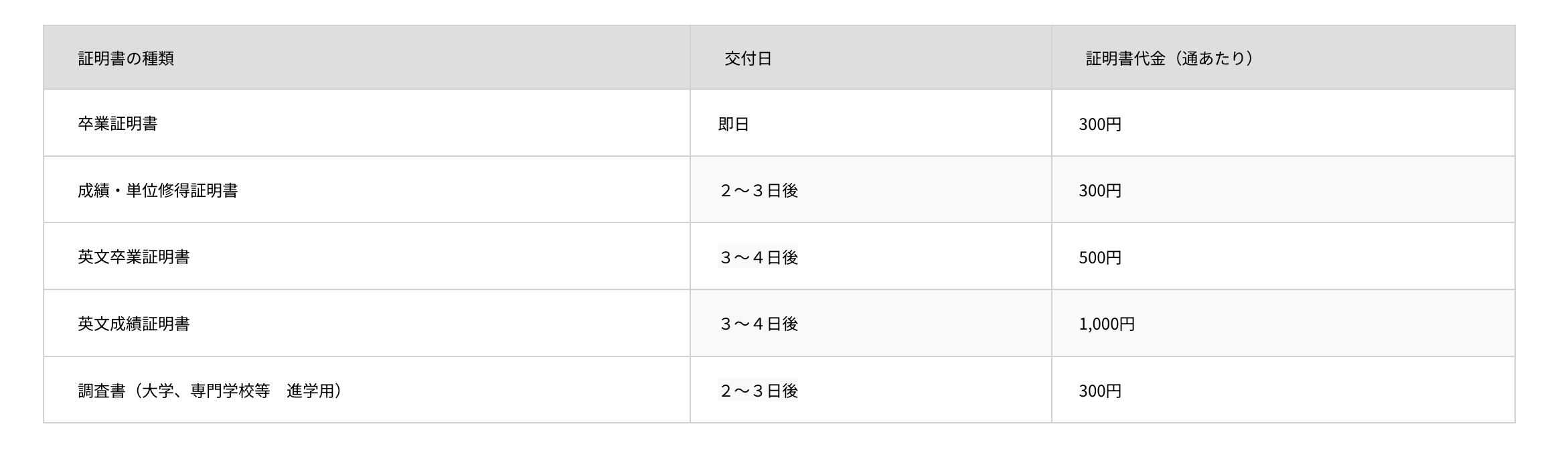
もう一点、問題があります。windowsでのedgeでは編集画面に、プレビュー画面にはない余分な文字[の]が入ります。
参考画像を添付します。
上が編集画面で、下がプレビュー画面です。
この問題はchromeでは表示されません。デバイスでEdgeの更新などは全て行いましたが改善されませんでした。
edge上でのバグを対処していただきたいです。
よろしくお願い致します。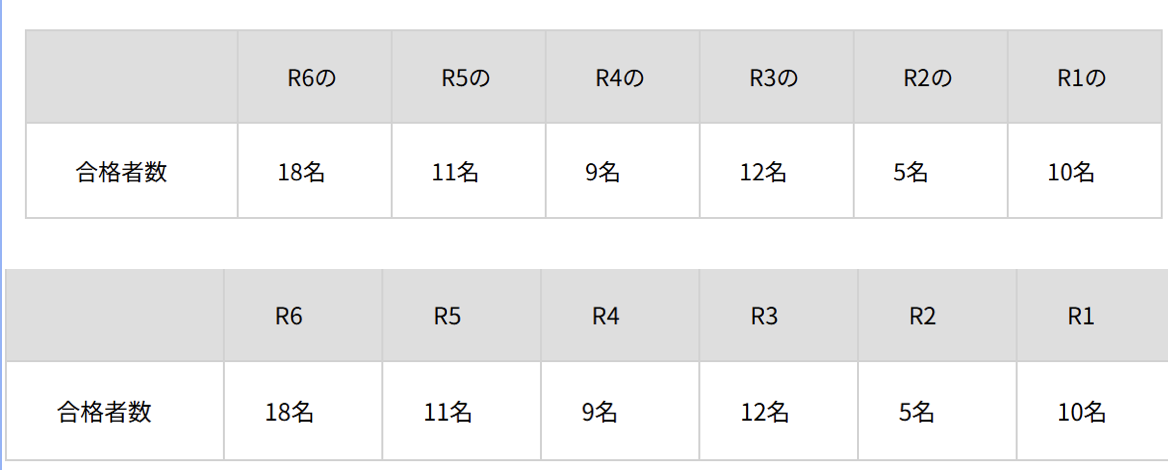 0
0 -
Hello Suzuki,
This issue may not be related to Brizy and could be specific to the Edge browser. Kindly consider these steps to fix the issue.
-
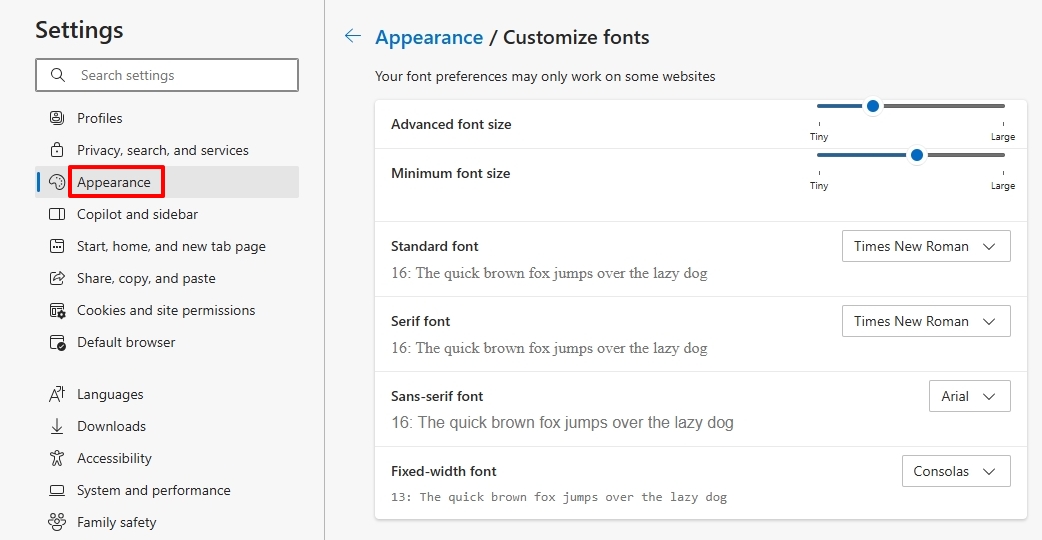
The default font: The default font in Edge may not support Japanese characters. Click on the 3 dots (...) at the top right corner - Settings - Appearance and scroll down to the "Fonts" section and select "Customize Fonts" at the bottom and check the selected font. If necessary, choose a font that supports Japanese characters like "Meiryo"
-
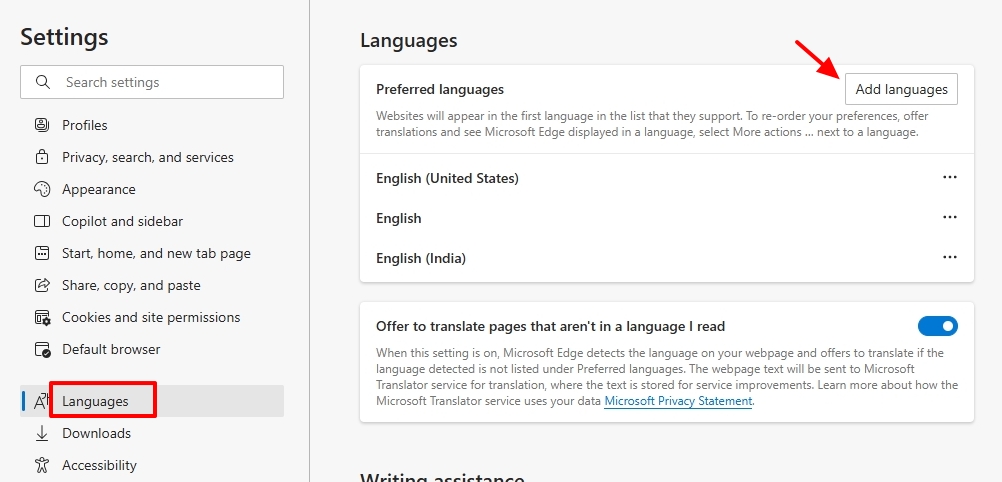
Edge Language Settings: Click on the 3 dots (...) at the top right corner - Settings - Languages - under the "Languages" heading if you do not see Japanese installed, kindly click on the "Add Languages" button to install Japanese
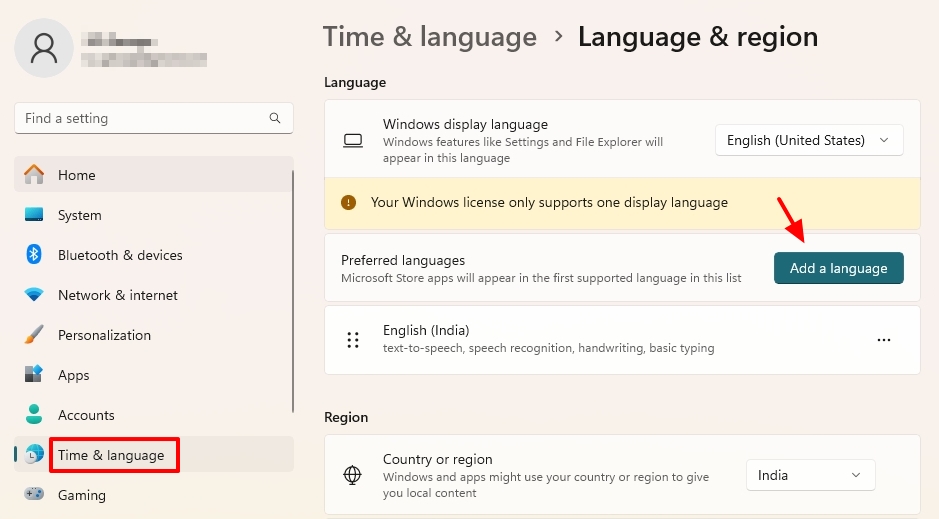
- Windows Language Settings: Go to your Windows settings (by searching for "Settings" in the search bar). Navigate to "Time & Language" > "Language and Region" and add Japanese if required by clicking on the "Add a Language" button
0 -
The default font: The default font in Edge may not support Japanese characters. Click on the 3 dots (...) at the top right corner - Settings - Appearance and scroll down to the "Fonts" section and select "Customize Fonts" at the bottom and check the selected font. If necessary, choose a font that supports Japanese characters like "Meiryo"
-
こんにちは
また問題が発生しました。
前回edgeで言語設定をしたことが関係しているか不明ですが、
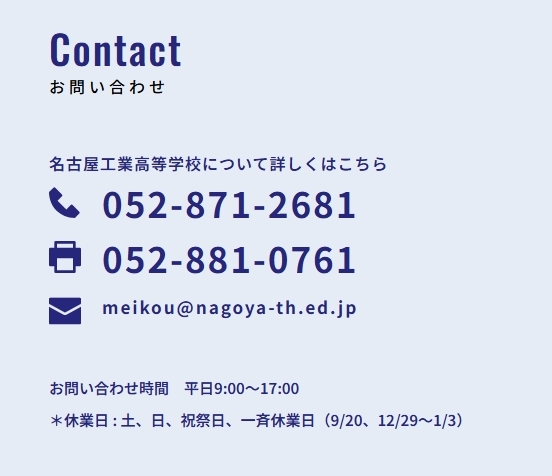
contactとmeikoの英語表記の箇所が日本語に変換されてしまいました。
添付ご確認ください。
この問題が再度起こらないようにする為には、どのような対応が必要か教えてください。
 0
0 -
Hello Suzuki,
I see this when visiting your page on Microsoft Edge, at my end. The Contact and meikou are retained in English. The issue could be due to the recent language settings changes in your browser.
 0
0
Please sign in to leave a comment.
Comments
9 comments