Meta data of website is not change

i have update but it not come in webbrowser when i seet its come diffrent that what i set
https://www.purplesmarttv.com/
Check my site
-

Hi Darshan,
Thank you for contacting us.
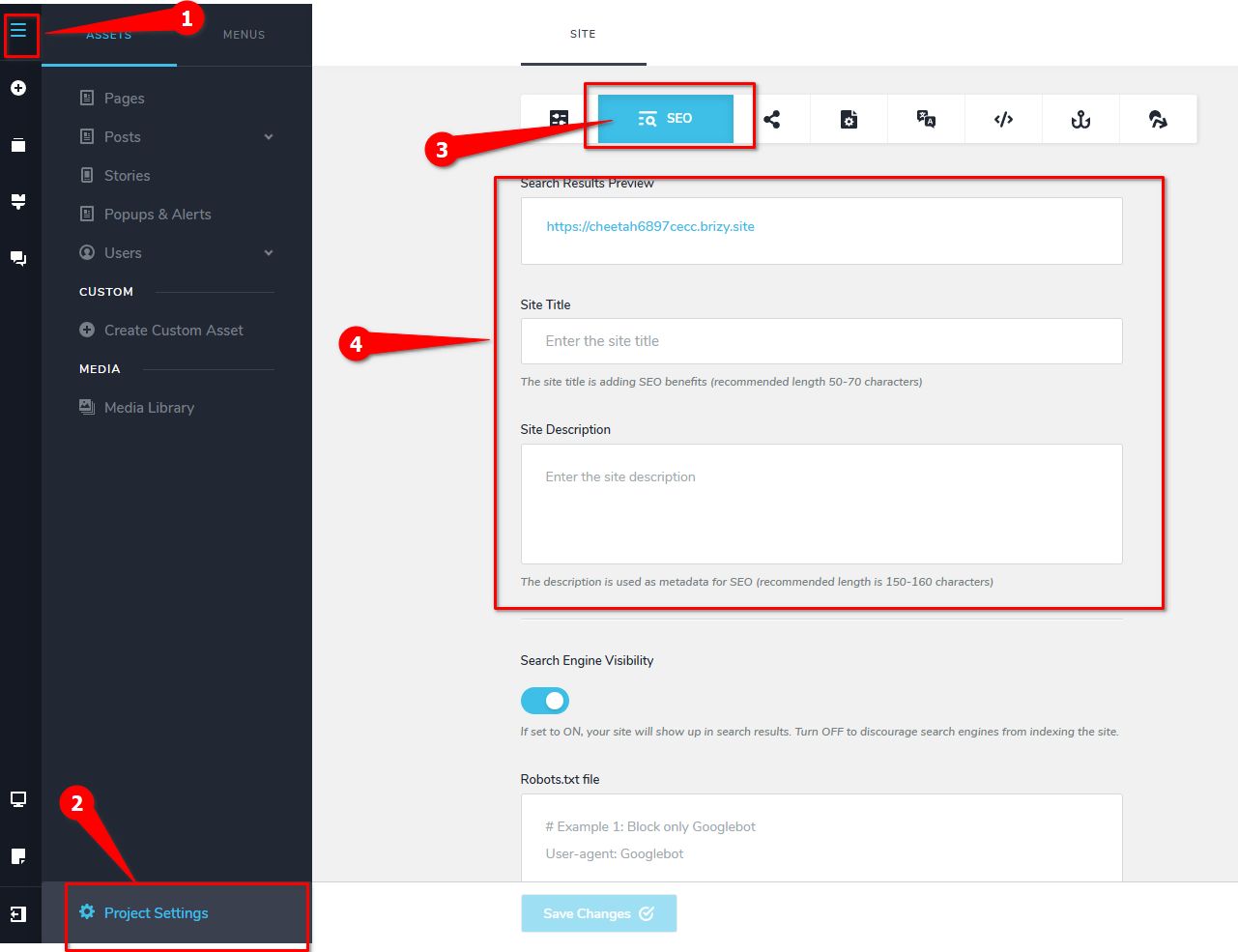
There are two ways to update your site's metadata. You can set metadata for the entire website in the Project Settings > SEO tab. This applies a consistent set of metadata across all pages.
Alternatively, you can add metadata to specific pages, such as your homepage. When you add metadata to an individual page, it overrides the metadata set in the Project Settings for that page.
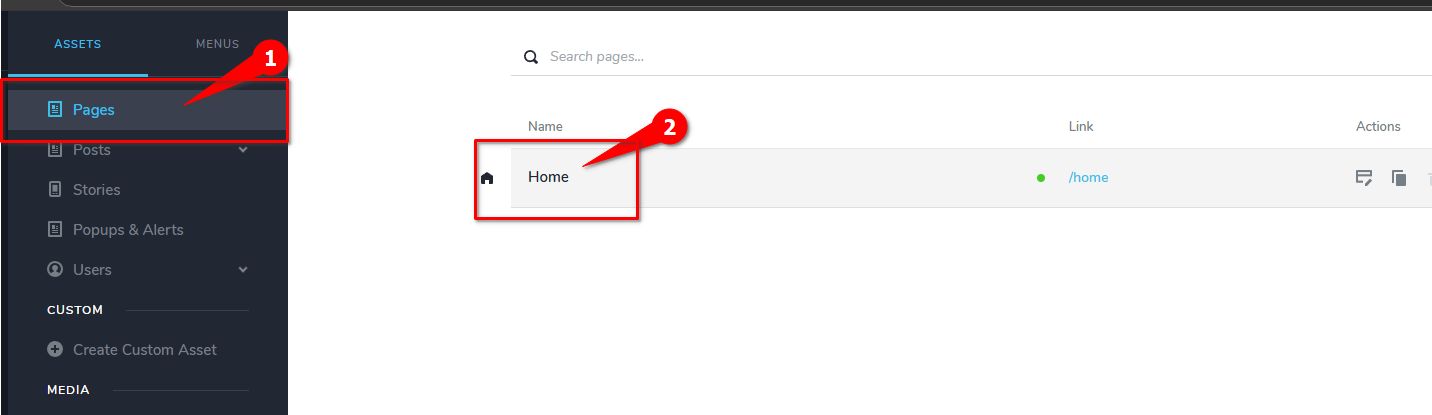
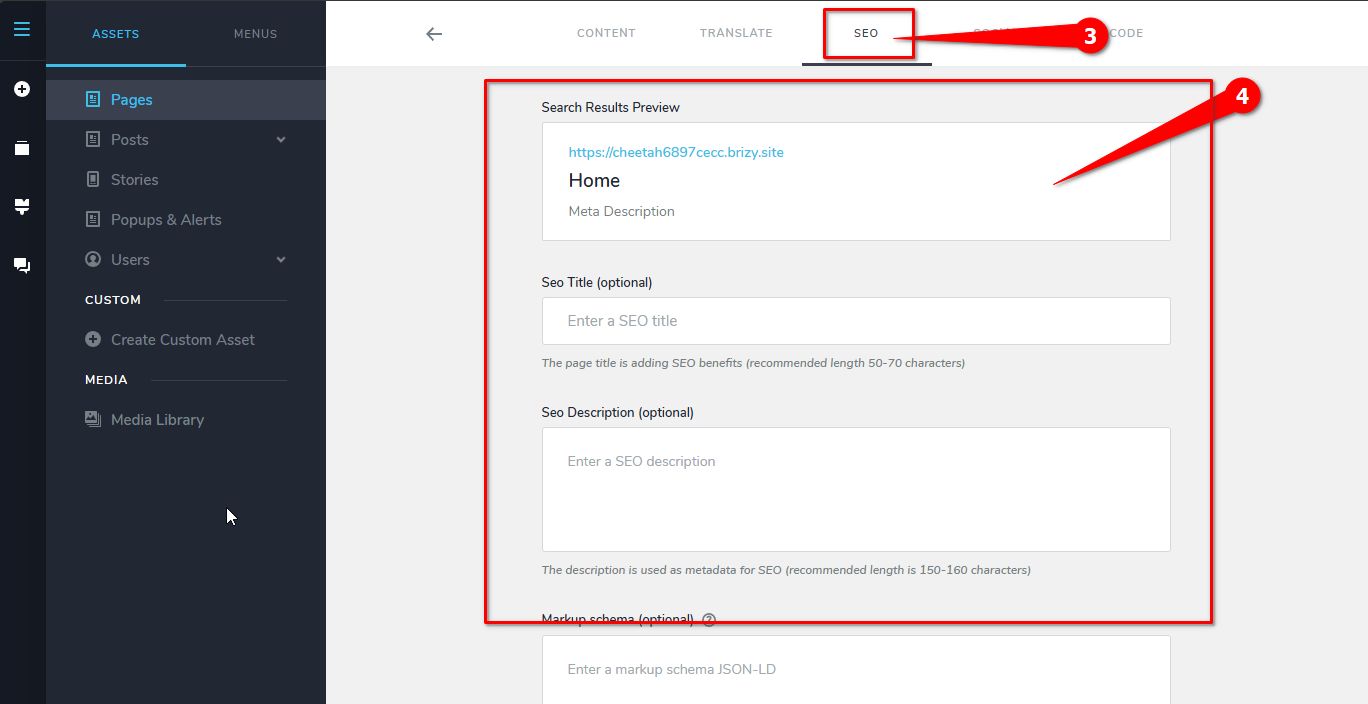
In your case, it’s possible that the metadata added to your homepage is taking precedence. To ensure the metadata from the Project Settings applies to your site, you may need to delete the metadata on your homepage.
Please give this a try and let me know how it works.
Best regards,
Ariel H.0
Please sign in to leave a comment.
Comments
1 comment