SVG not working - again...

Hi!
Since version 2.6.5, SVGs and other vector formats (e.g. hamburger menu icons) are no longer displayed if no user is logged in.
A downgrade to bb 2.6.4 / bbp 2.6.3 solves the problem.
I have tested this on several websites and the same behaviour can be observed everywhere.
bb 2.6.5 - 2.6.7:
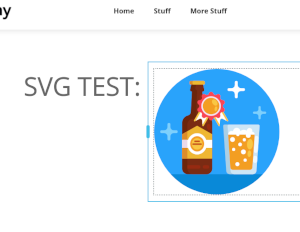
bb 2.6.5 - 2.6.7 frontend, logged in:
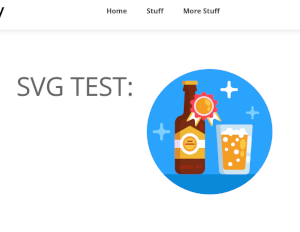
bb 2.6.5 - 2.6.7 frontend, logged out:
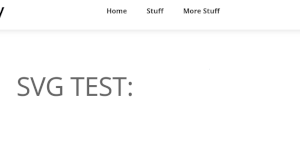
bb 2.6.4 frontend, logged in / logged out:
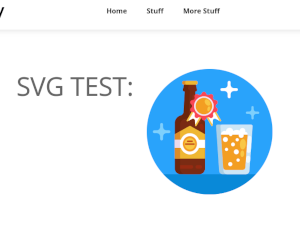
Testsite: https://tests.laendle.io/tests/ (now on bb 2.6.4 / bbp 2.6.3, php 8.4)
Regards
Karl
-

Hi Karl,
My apologies for the inconvenience. We’ve escalated this issue to our developers and they’re working on a fix as quickly as possible.
We’ll keep you updated on the progress.
Best regards,
Ariel H.0 -
Hi Ariel,
Thank you for the quick reply!
Regards
Karl0 -
Hi Karl,
We apologize for the inconvenience caused by the recent updates. Our team is actively working to resolve these issues, and we appreciate your patience.
In the meantime, please roll back to the following versions to address the issues until we are able to roll out a fix.
Brizy 2.6.4 : https://jmp.sh/hTF2g1V8
Brizy Pro 2.6.3 : https://jmp.sh/3FPsswmyFollow the below procedure to roll back.
1. Deactivate and delete Brizy Pro
2. Deactivate and delete Brizy
3. In your WordPress Dashboard under Plugins - Add New - Upload Plugin, upload Brizy 2.6.4
4. In your WordPress Dashboard under Plugins - Add New - Upload Plugin, upload Brizy Pro 2.6.3If you encounter any issues during this process, feel free to reach out for further assistance.
Thank you for your understanding and support.
Best regards,
Ariel H.0 -
Hi Karl,
We’ve recently released an update to address the issue. Please ensure you have the following versions installed and let us know if the problem persists.

Best regards,
Ariel H.0 -
Hi Ariel,
Looks good, I just tested it on my testsite, which works fine now.
Regards
Karl0 -
btw thanks for the quick fix! ;)
Regards
Karl0
Please sign in to leave a comment.
Comments
6 comments