sync script gives error

I get this error aftre uploading sync script....
Connection error: Client error: `POST https://admin.brizy.io/export/check-connection` resulted in a `400 Bad Request` response: Client error: `GET https://www.pionier-solution.pl/cloud/connect` resulted in a `404 Not Found` response:
Any suggestions?
-

Hi Piotr,
Sorry about that.
Could you please try downloading the new sync script, uploading it again, and checking if this resolves the issue? Be sure to delete the previously uploaded script before starting over.
Let me know how it goes.
Best regards,
Ariel H.0 -

Hi Ariel, same issue here on different webhosting-servers with different brizy-projects. I uploaded the scripts twice, but same error.
Best regards,
Reto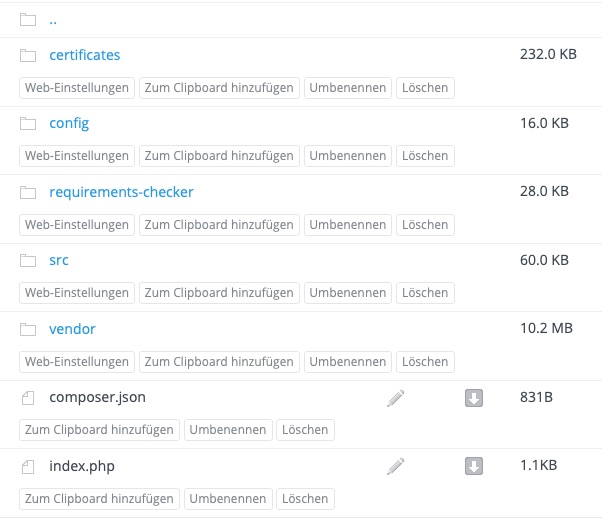 0
0 -
Hi Reto,
Thank you for contacting us.
Could you please share the Project Name and Preview URL from your Brizy Cloud Dashboard?
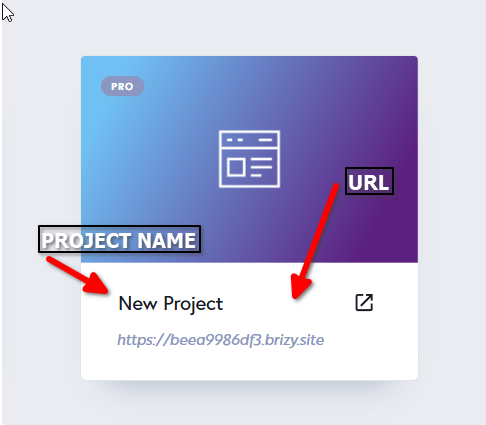
Additionally, if possible, please provide temporary access to FTP or cPanel so we can take a closer look.
Looking forward to your reply.
Best regards,
Ariel H.0 -
I have found and solved the problem: There are webhosters where you can only upload unzipped files via the Explorer / Finder. However, these do not find the htaccess file and then it is not uploaded. This causes the error.
It works via an FTP program like filezilla, captainftp...where you can see and upload the htaccess file. Or a web hosting provider to which you can upload ZIP files for unpacking.0
Please sign in to leave a comment.
Comments
4 comments