project not configured

Hi, I added a translation to my page through the video step by step with weglot
https://www.youtube.com/watch?v=RH8UTKWnxTw
and now my page is not working.. And it shows up in red when I look at the domain. How can I fix this?
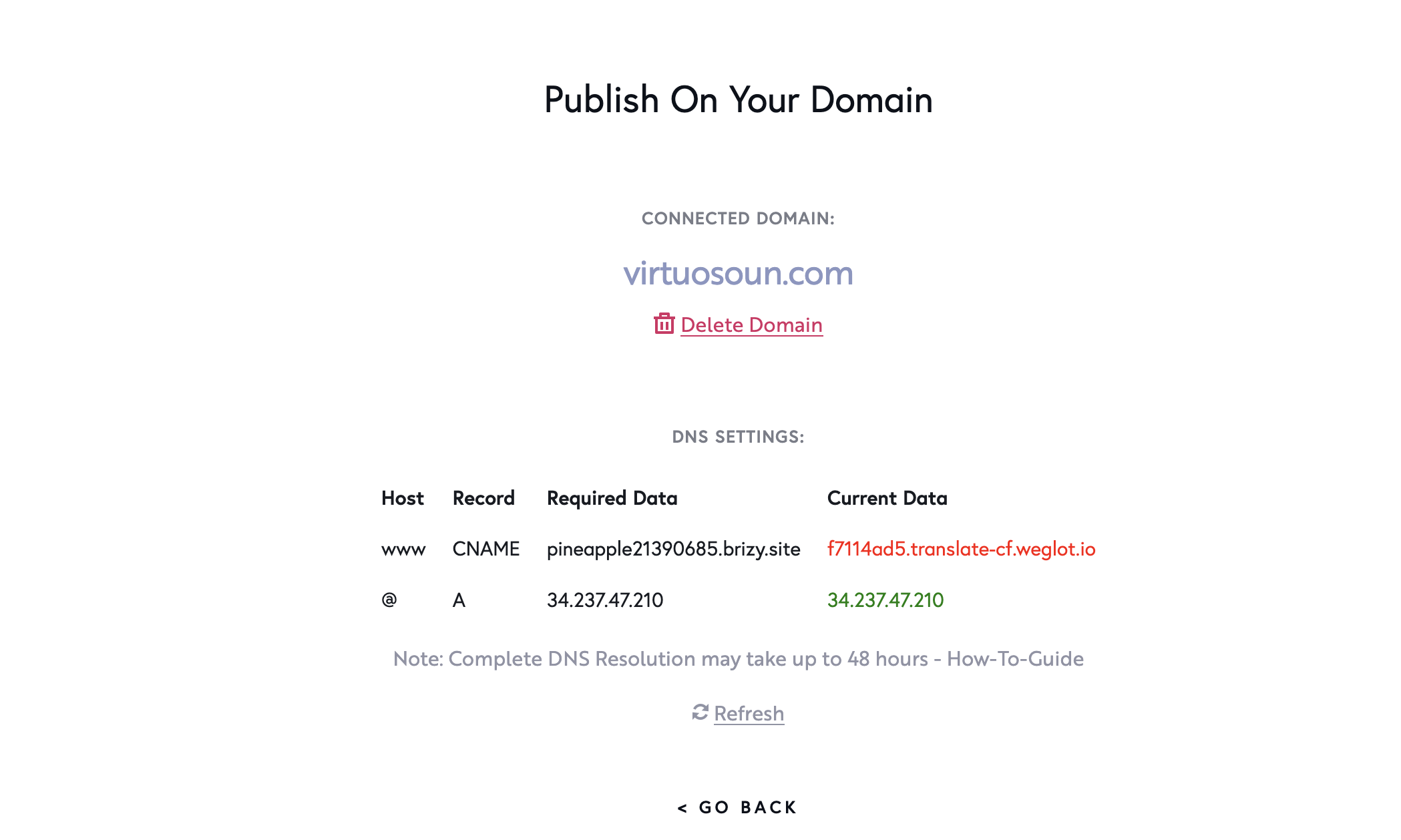
Thank you for the help
-

Hello Etya,
The Weglot tutorial mentioned above was suggested prior to adding Brizy Cloud's native multilingual feature. You may want to use the built-in multi-lingual capability of Brizy Cloud instead of translating your website using Weglot.
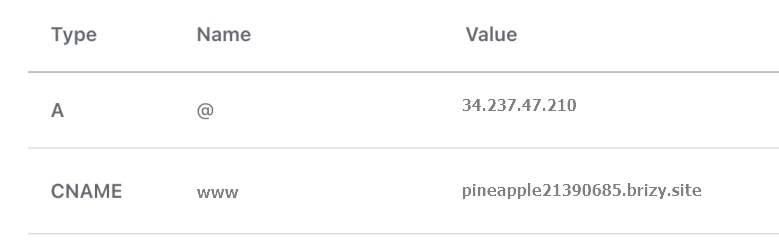
Kindly revert your CNAME value to pineapple21390685.brizy.site in your domain control panel.
In your Brizy Cloud project, under CMS- Project Settings - Translate, you can add your translations. The automatic translations are powered by Google. Kindly follow the procedure given at https://support.brizy.io/hc/en-us/articles/22465707546386 to generate Google Cloud Translation API key to initiate automatic translations for your project.
0
Please sign in to leave a comment.
Comments
1 comment