AI website Generator

Is the AI website generator feature not available with my current subscription?
0
-

Hello Chris,
The AI builder is currently available only for Brizy Cloud. Its not included with the Agency WordPress plan. However if you want to check it out, you could follow these steps
- Sign in to your Brizy account at https://www.brizy.io/account/login
- Click on the button "Start Free Trial Cloud" to start a 14 days Free Trial of Brizy Cloud Pro features.

- Visit https://ai.brizy.io/ and generate an AI website
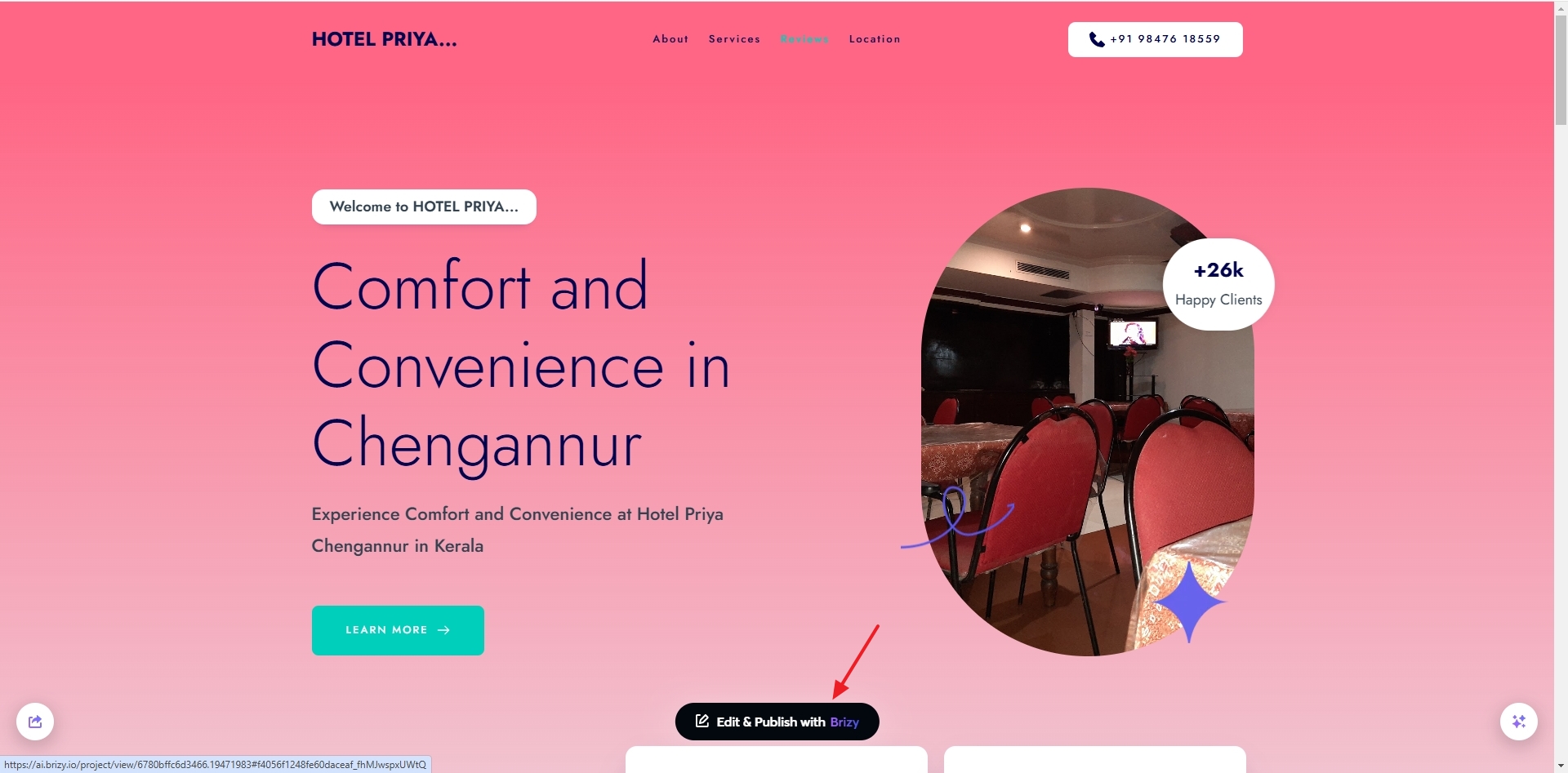
- If you are happy with the AI generated website, click on the button "Edit & Publish with Brizy".
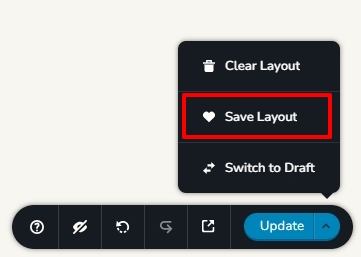
- Save the design layout by selecting the "Save Layout" option at the bottom right corner. This will save the entire page as a design layout to your "Saved Blocks and Layouts" library
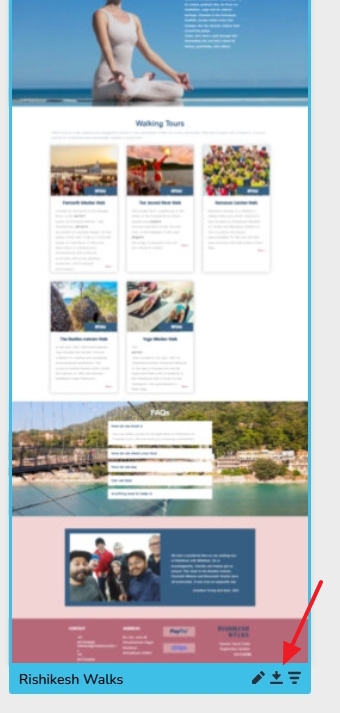
- Download the design from the "Saved Blocks and Layouts" library by hovering over the layout thumbnail and clicking on the "Download" icon. (icon with a down arrow and a line). This will download the design layout in .ZIP format.
- In your WordPress project, access the Saved Blocks and Layouts" library and select the "Layouts" section on the left sidebar and click on the "Import New Layout" button at the bottom and select the ZIP file you had downloaded in the previous step
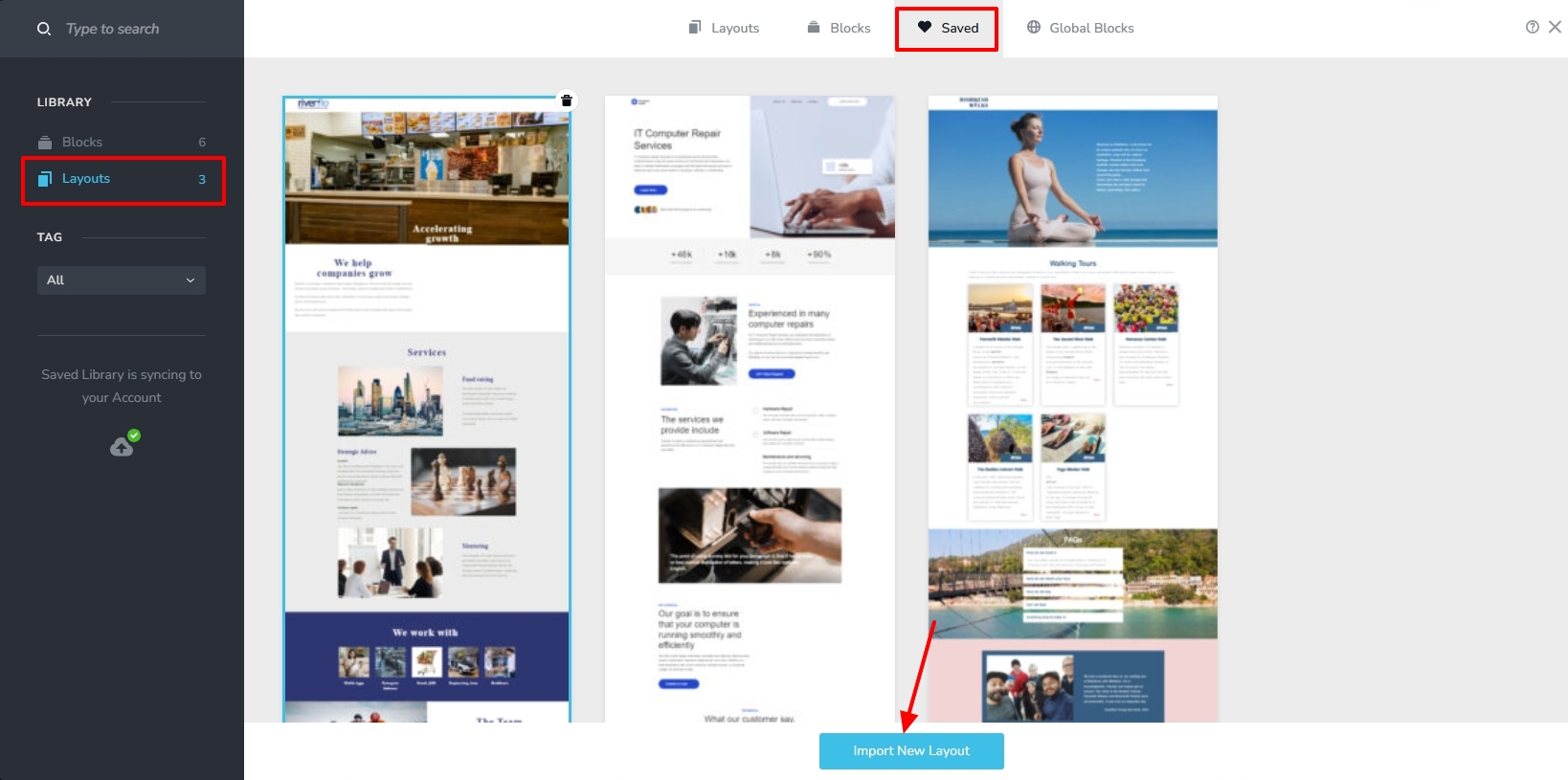
- This will add the design to your "Saved Blocks and Layouts" library. Click on the imported design to import the AI generated website to your WordPress project.
0
Please sign in to leave a comment.
Comments
1 comment