Brizy forms to webhook: latest update introduces mulitple problems

Hi, we have multiple client websites where we run a setup where brizy forms are pushed as webhooks to zapier to run various automations on. In total probably more then 25+ forms.
The latest update introduces problems, even though "something" was supposed to be fixed in the latest update: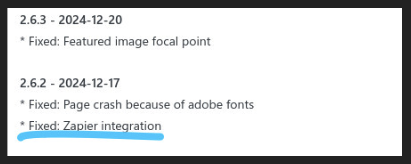
Question 1: Can you please eloborate on what is fixed so we understand better wat has changed in the latest update?
Question 2: We noticed the way fields are handled have changed, therefore breaking all current forms if we update brizy (therefore we have reverted back to an older version). Updating brizy would require us to redo 25+ forms and reconfigurering how zapier automations are handled. This would cost us a huuuuge amount of time to refactor all automations.
The way the old data was posted to Zapier: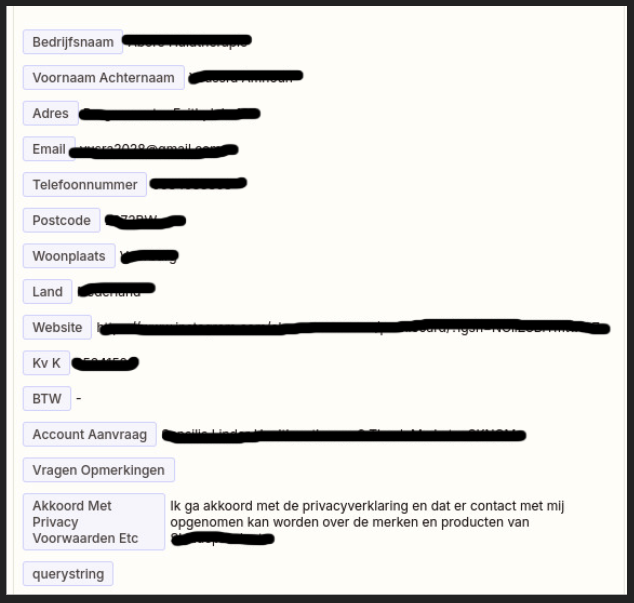
The new way how the data is posted to Zapier: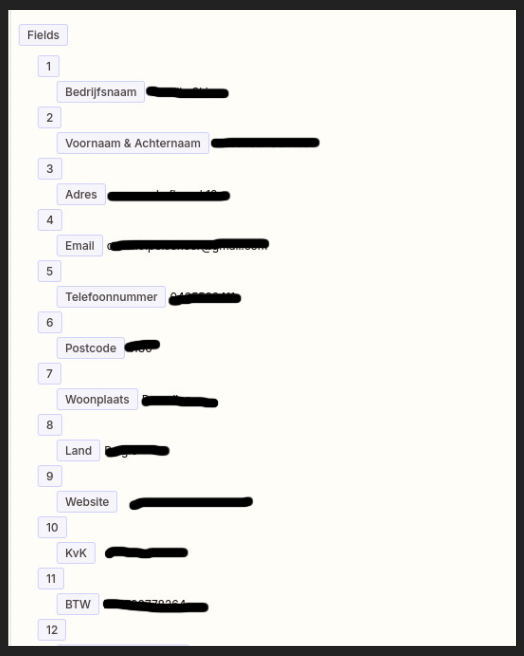
Is this by design, or will this be fixed in an update? Of course we hope for a fix, because otherwise we need to spend at least several days in refactoring all the webform-automations on all the client websites.
Question 3:
We already posted about a problem with webhooks in forms 3 months ago where updating brizy would introduce a problem with checkmark boxes (they would not be part of the webhook payload). This problem is also back with the latest update. Will this issue also be fixed soon?
-

Hello
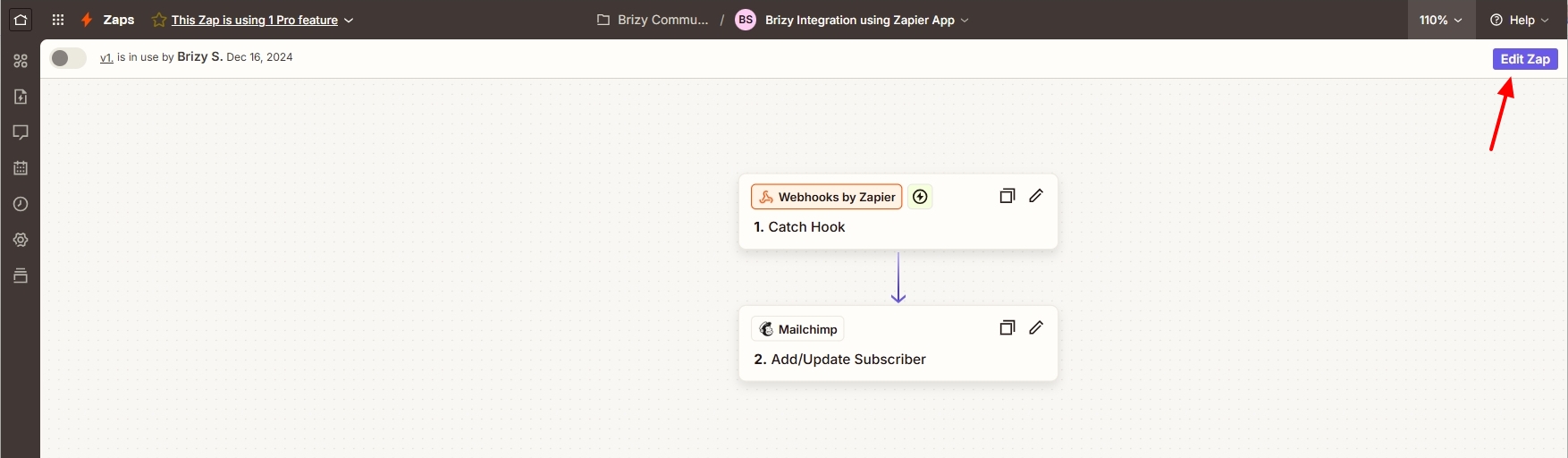
Yes; the data that was captured from the Brizy form in Zapier webhook was not in a usable format and hence subsequent steps of integration could not work with previous Brizy versions. We have fixed this issue in Brizy Pro 2.6.2 and later versions. However, for the Brizy Zapier integration to work, you must ensure that you have selected the following "Catch Hook" option in your Zap. (The Zapier integration will not work if you have selected the "Catch Raw Hook" option)
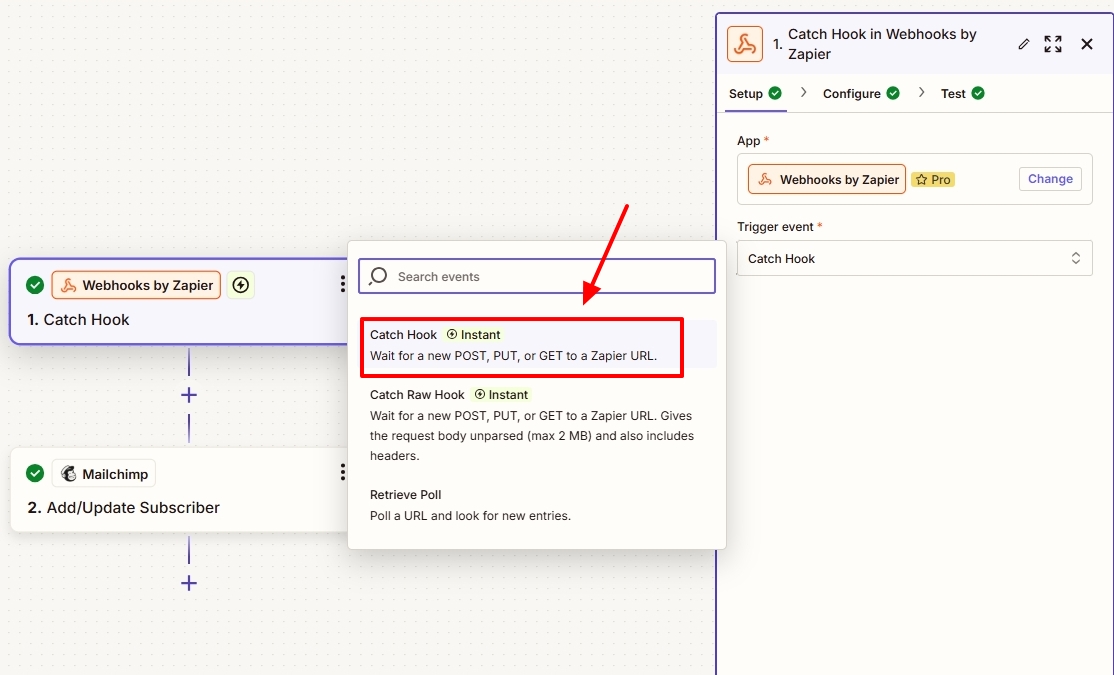
Before we released the Zapier integration fix, I had tested it (as part of our internal process) using the Brizy Zapier app and Brizy Webhooks App. You can see my tests at
- Using the Brizy Zapier App: https://jmp.sh/LJIPOvPz
- Using the Webhooks App: https://jmp.sh/7iWjxi4j
In your projects, if you have selected the "Catch Raw Hook" option, you will need to edit your Zap using the "Edit Zap" button at the top right corner, select the "Catch Hook" option instead and test your Zap after submitting the Brizy form and save your Zap. This needs to be repeated for all projects where the integration is not working.
We have a fix available for the checkbox and radio buttons not being captured when using Webhooks. The fix is not yet released.
0 -
Hi KC George,
Thank you for taking the time to look into my question and sharing the demo videos. I want to clarify that we are using the Brizy Zapier App (as shown in your first video "Using the Brizy Zapier App") with the "Catch hook" trigger - not the "Catch Raw Hook". Our setup has been working successfully with over 25 forms across multiple websites.
The recent update has changed the webhook POST payload formatting, which has consequently broken all our existing automations. This would require us to refactor all forms across all client websites that use this setup, representing a significant time investment.
Therefore, I'd like to know: Is this change in payload formatting intentional by design, or a mistake that will be addressed in an upcoming update? We're hoping for the latter, as refactoring would require several days of unpaid work across multiple client websites. I am sure we are not the only ones suffering from this problem.
Looking forward to your response and hoping this formatting issue can be resolved.
0 -
Hi
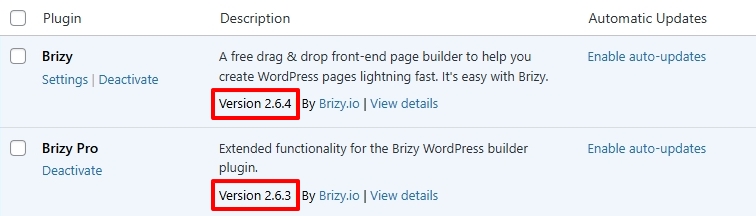
Brizy Zapier integration was initially done a few years ago. After a few years of Zapier and Brizy updates, this integration stopped working. The incorrect formatting of webhook payload confirmed this failure. We then reintegrated Brizy with Zapier and released the changes along with Brizy Pro 2.6.2 in December 2024. My test confirmed that the latest Brizy versions can integrate with the current Zapier version.
Since both Brizy and Zapier has evolved over time, even after upgrading to the below versions, previously implemented Zapier integrations may not work. In that case, you may need to repeat the Brizy Zapier integration to make use of the recent updates to Brizy Pro.
 0
0 -
Hi,
I appreciate your response, but I need to make an important correction: the problem only arose after the Brizy update in December 2024. Prior to this update, all our Zapier integrations were working flawlessly on the websites where we had it working, so we cannot agree on your statement it stopped working.
The core issue is that the December update modified the JSON structure of the webhook payload, where form fields are now being sent as subfields. This is a fundamental change that has significant consequences:
- All existing websites with Brizy forms that are processed with Brizy Zapier app need to be modified
- And then all Zapier automations need to be reconfigured based on the new payload structureFor our agency, this means several days of unpaid work to restore client websites, or never updating brizy ever again (which is an unacceptable security risk). I suspect other agencies and developers are facing the same challenge.
Could you investigate this issue with priority? Ideally, we would like to see either:
1. A restoration of the original JSON structure, or
2. An option to maintain the old formatI would appreciate the opportunity to discuss this with one of your developers to find a workable solution.
Best regards
0 -
Hi
The sequence of events at our end was different. We started receiving complaints about the Zapier form integration payload being in incorrect format by early December 2024. Towards mid December, we created this screen recording to demonstrate the Zapier integration issue https://jmp.sh/9kpu5YBq As you can see in this recording, all form fields were being included within a single webhook payload field. The incorrect payload format was not a deliberate modification on our end; rather, it was an unfortunate outcome of updates made to both Zapier and Brizy.
We then developed a fix for this issue and tested it. I shared with you the two internal screen recordings of our tests. Then the fix was released as part of Brizy Pro 2.6.2 on December 17 which fixed the webhook payload issue. However, when updating to Brizy Pro 2.6.2, it only updates Brizy files in the WordPress plugin folder. Integrations that have already been added are a part of your project data and are unaffected.
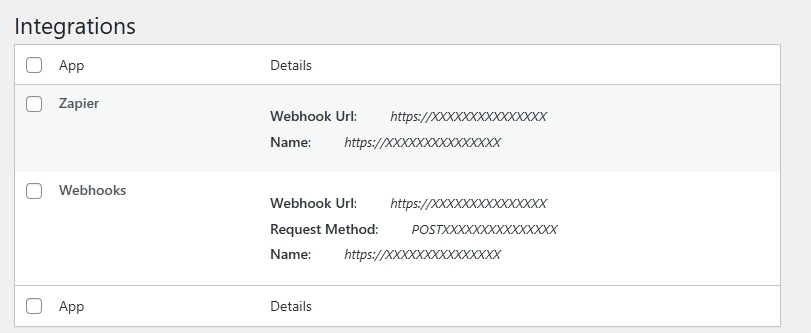
Hence you may need to delete the previous integration in your WordPress Dashboard under Brizy - Integrations and reintegrate Brizy form to Zapier to take advantage of the fix released on December 17th.
We apologize for adding to your agency's workload as a result of this problem and its resolution. We are happy to offer a helping hand in reintegrating Brizy form with Zapier if you give us access to client projects and to your Zapier account.
0
Please sign in to leave a comment.
Comments
5 comments