can not save the page

This keep happening when I try to edit page.
I dont use Modsecurity or wordfence.
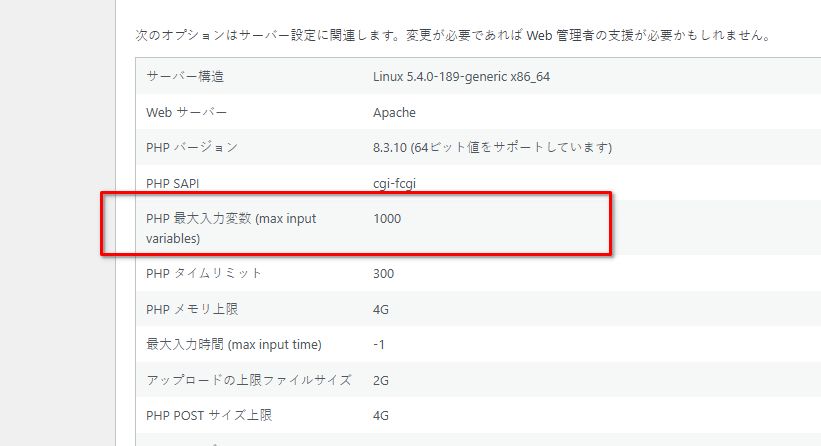
I also changed php.ini file.But it didnt change.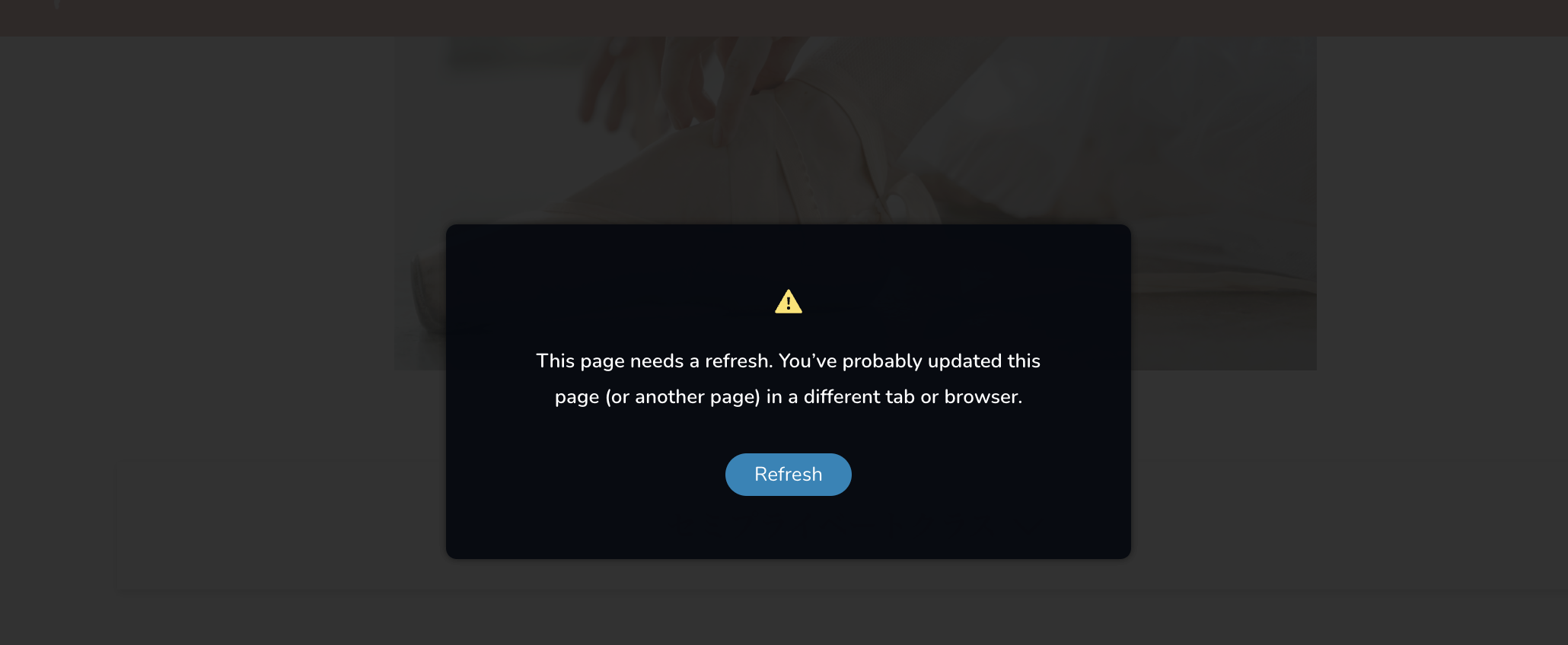
-

Hi Moe,
Thank you for contacting us
Could you please provide us with temporary access to your WP Admin page so we can inspect your site? Kindly add us as an Admin user to your WordPress Dashboard and send the following details to communitysupport@brizy.io:
Community Post link: https://support.brizy.io/hc/en-us/community/posts/23751715044498
WordPress Admin URL:
Username:
Password:Please make a full backup of your site as a precaution.
Best regards,
Ariel H.0 -
Hi Moe,
Thank you for your cooperation.
It seems that saving pages is working intermittently-https://youtu.be/p6cEybHnKKI
Could you please try increasing the Max Input Variables to 6000 or higher to resolve the issue? You can find detailed instructions here: https://wp-staging.com/increase-php-max-input-vars-limit-in-wordpress/
Best regards,
Ariel H.0 -
Thank you.I tried but it didn't work.
Other pages seem fine,but only this page.
https://martharussianballet.com/classes/SincerelyMoe0 -
Hi Moe,
Thank you for the update. Please ensure you have the following versions installed and let us know if the problem persists.
 0
0 -
Hi,
Yes I have.
But unfortunately didnt change.
0 -
Hi Moe,
Thank you for the update.
It looks like the server settings are correctly configured, but the "413 Payload Too Large" and "501 Not Implemented" errors are still appearing in the console.
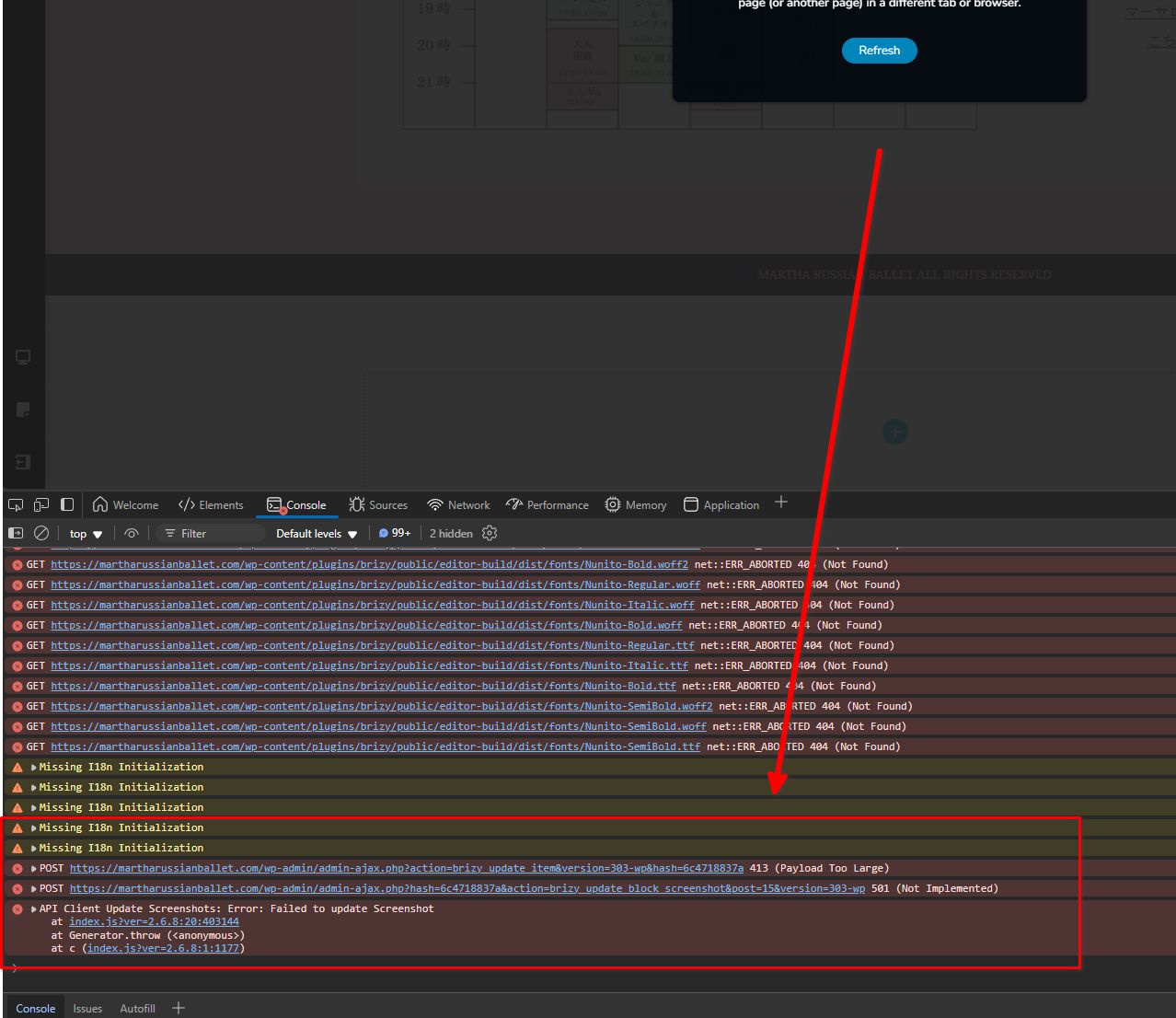
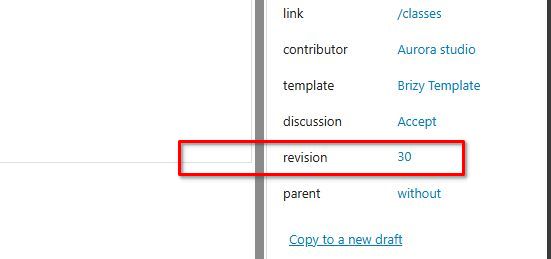
The 413 error usually happens when the data sent to the server is too large, even if the limits seem sufficient. This might be caused by excessive content or too many revisions on the page. The 501 error, on the other hand, suggests the server may not support certain required functionality, likely due to a configuration issue.
To address this, you could try reducing revisions or unnecessary content on the page to decrease its size.
For more details, please refer to this link: https://www.elegantthemes.com/blog/wordpress/how-to-manage-wordpress-revisions-to-optimize-site-performance.
This article covers manual revision management through PHPMyAdmin or the simpler WP Optimize plugin.We also recommend contacting your hosting provider about these errors so they can check and adjust the server settings as needed.
Please try this and let me know how it goes.
Best regards,
Ariel H.0 -
Hi Ariel,
Thank you,I downloaded WP Optimize plugin but still no change.
Moe
0 -
Hi Moe,
Thank you for the update.
It seems we no longer have access to your site to check it again. Have you had a chance to reach out to your hosting provider to see if they can assist with the errors mentioned in our previous reply?
Best regards,
Ariel H.0 -
Hi I will send you Admin URL via email(to communitysupport@brizy.io:)
I contacted to hosting provider,Haven't got reply yet.
0 -
Hi Moe,
Thank you for your cooperation.
We’ve temporarily rolled back Brizy and Brizy Pro to versions where the issue does not occur. Once your hosting provider updates the server settings, kindly let us know so we can resume troubleshooting your site with the latest versions of Brizy.
Below are the suggested settings:
PHP max input variables 6000
PHP time limit 30
PHP memory limit 512M (or higher)
Max input time 60
Upload max filesize 64M
PHP post max size 64MPlease share this information with your hosting provider so they can update the server accordingly.
Best regards,
Ariel H.0 -
Thank you!
Hosting provider said they can not help with this problem.I have changed the setting!Moe
0 -
Hi Moe,
Thank you for your cooporation. Could you also please provide access to FTP or cPanel so we can further investigate the issue.
Best regards,
Ariel H.0 -
Hi Ariel,
Thank you!I will send you via email.(to communitysupport@brizy.io:)
0 -
Hi Moe,
Thank you for your cooperation.
We have gone through all possible troubleshooting steps, but the issue remains unresolved. However, I created a copy of your site on my testing environment, and it seems to be working as expected, which suggests the problem may be related to some server limitations, particularly with ModSecurity.
Could you please reach out to your hosting provider and ask them to temporarily disable ModSecurity? If that’s not possible, kindly request that they add the following to your server settings:
<IfModule mod_security.c>
    SecRequestBodyLimit 4194304
    SecRequestBodyNoFilesLimit 2097152
</IfModule
Since your server seems to be running NGINX, they may need to convert the above directives to their NGINX equivalent.
Best regards,
Ariel H.0
Please sign in to leave a comment.
Comments
14 comments