How to "backup" site contect I made with brizy in WP

Hi,
I have a WP site www.martinkominek.com which I didnt maintain for some time and WP shows some errors. For such reason, I would like to do clean install of latest WP and latest plugins.
Since I can access the pages and edit them in brizy, what is the best way to "backup" the content and formatting of brizy pages and after the reinstall to bring them back so I don't need to do it manually all over again?
Thanks a lot.
Martin
-

Hello Martin,
Kindly follow these 3 steps for each page on your website to backup your content.
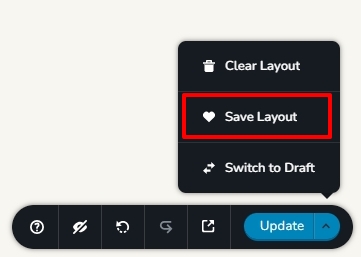
- Open the page in the Brizy editor and at the bottom right corner select the option "Save Layout". The page design will be saved to your "Saved Blocks and Layouts" library.
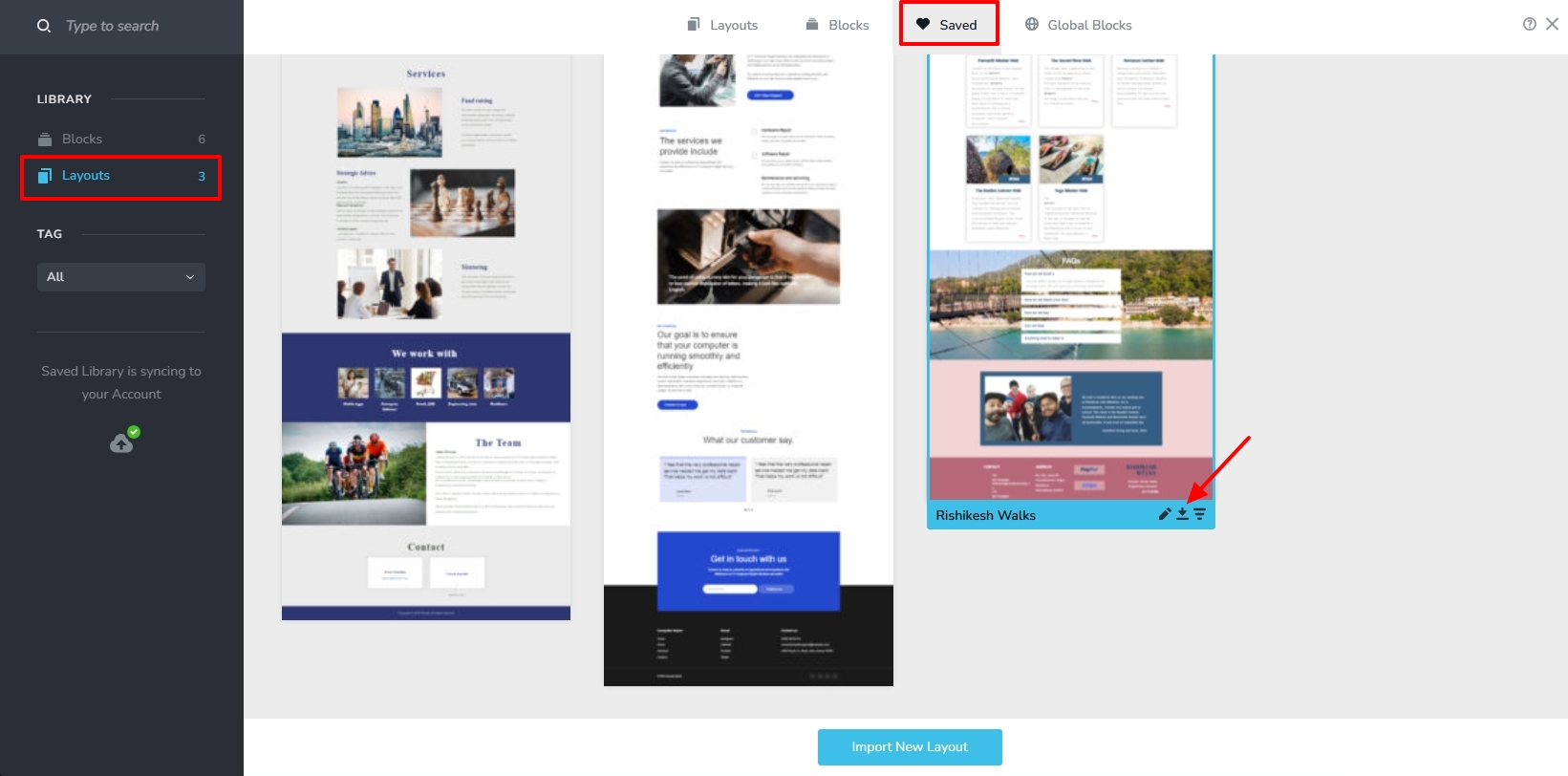
- Access your "Saved Block and Layouts" library, select the "Layouts" option in the sidebar and hover your mouse over the design layout you saved in Step 1 and click the "Download" icon (Down arrow with a line at the bottom). This will download the page design as a ZIP file
- Rename the downloaded design layout after your page name. For instance, if you downloaded the design layout for your "Services" page, rename your ZIP file Services.ZIP.
Repeat the above three steps for all your pages. If you have 10 pages, you will have 10 ZIP files.
After reinstalling WordPress, to bring the content back, follow these steps
- Add a new page, give it a name, click on the button "Edit with Brizy" and access the "Saved Blocks and Layouts" library in your new project. Click on the button "Import New Layout" and select the design layout downloaded earlier. When adding "Services" page, you must select the Services.ZIP file.

- While importing the design layout, select the option "Replace Global Styling" at the bottom if you want to reuse the Global Typography and colors set in your original design. The page design will be added to your "Saved Blocks and Layouts" library.
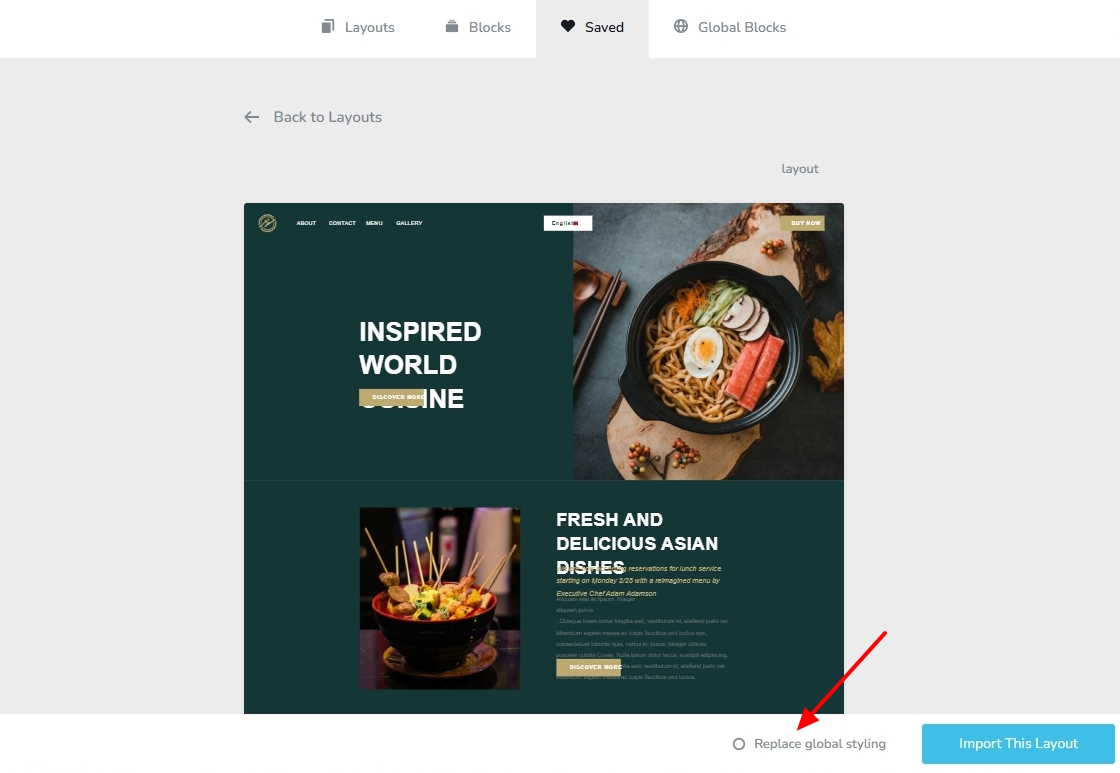
- Click in the newly added design to import it to your Brizy page. Save your work by clicking on the "Update" button at the bottom right corner.
Repeat the above steps for all the pages you want to import to your new WordPress instance. After importing all pages, kindly setup a menu and reconfigure email notifications for Brizy forms.
0 - Open the page in the Brizy editor and at the bottom right corner select the option "Save Layout". The page design will be saved to your "Saved Blocks and Layouts" library.
Please sign in to leave a comment.
Comments
1 comment