Publishing site to a custom domain - too many redirects

I am trying to publish the site to my domain and get a response "Safari can't open the page because too many redirects occurred".
-

Hello Bohdan,
I see this design when accessing your URL. Do you continue to see the above error ? Have you tried visiting the URL from different devices and computers?
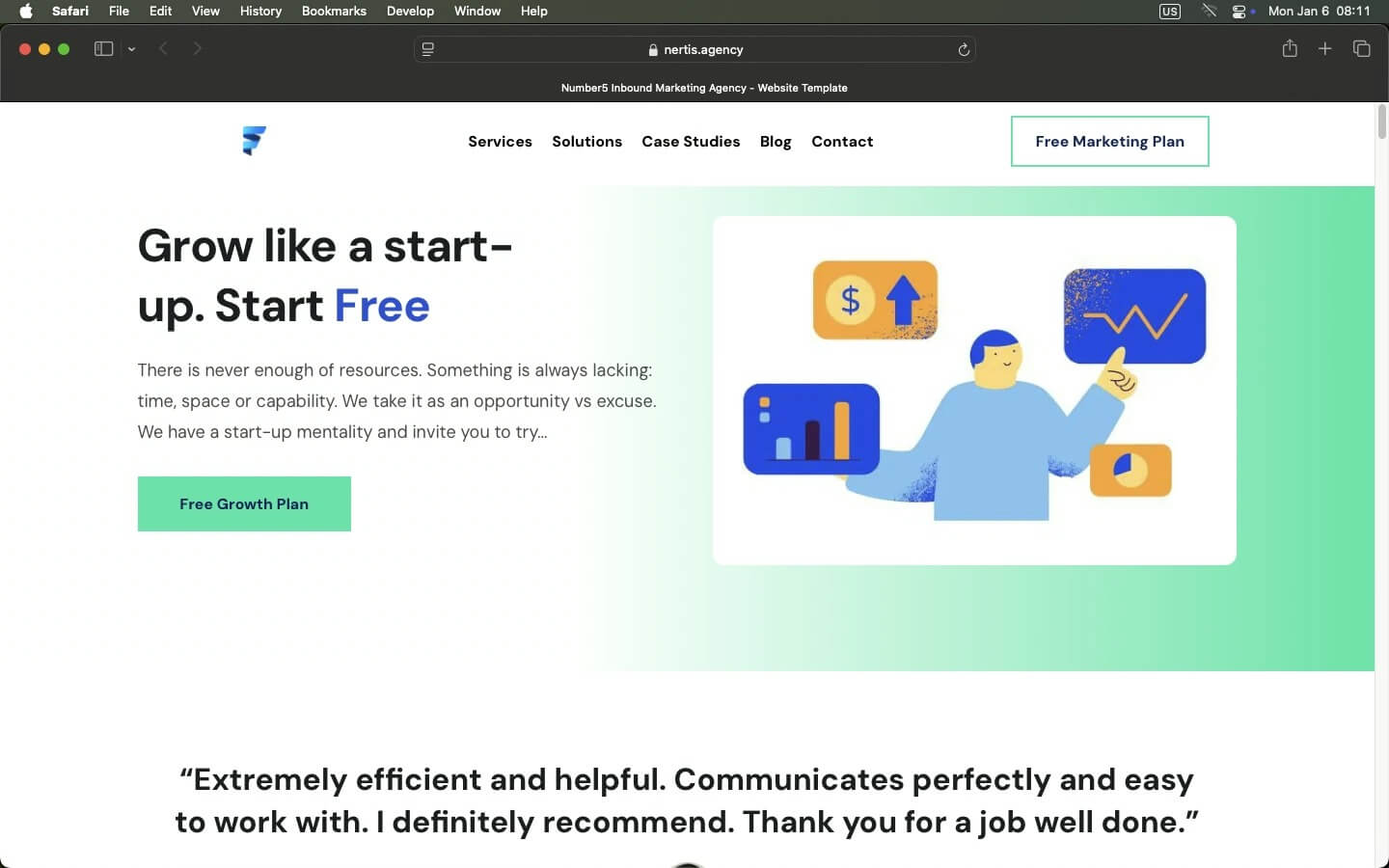 0
0 -
Hi, George. Thank you! It tried both through Cloudflare and Namecheap directly. The latter worked. I will try using Cloudflare again too (and let you now).
Do you think you can help me with this another issue: slow loading time. Here's the report https://pagespeed.web.dev/analysis/https-www-nertis-agency/m8xa1d9byr?form_factor=mobileThe biggest problem: Load delay 2,960 ms.
How do you suggest it can be helped?
0 -
Hello Bohdan,
You are right; the PageSpeed Insights score of your website is not good. However if you compare it with the Pagespeed Insights score of Google, which is a blank page with a logo and a search field, your website score looks comparable considering that your website has lot more content than Google.com. https://pagespeed.web.dev/analysis/https-www-google-com/ytf9kijgnc?form_factor=mobile
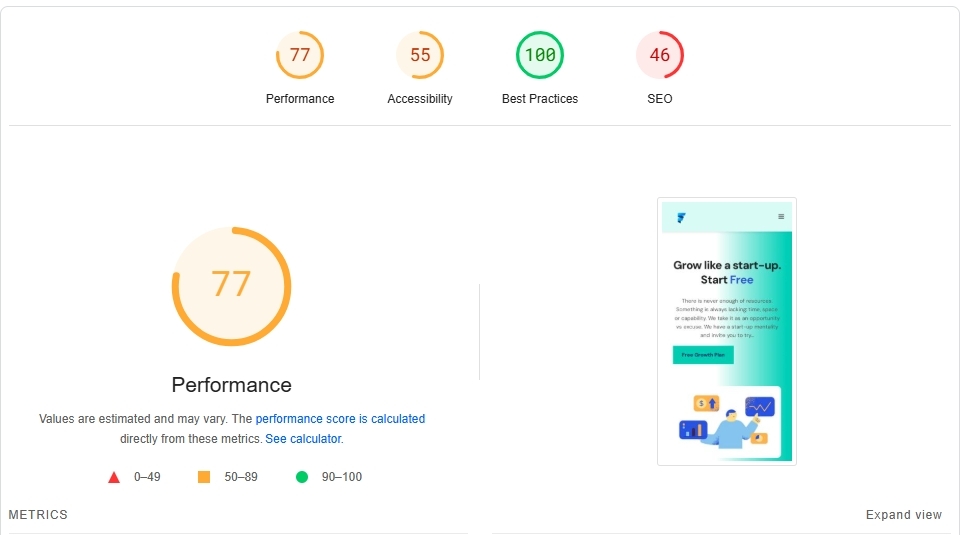
On GT Metrix, your website performance looks reasonably good. Have a look at https://gtmetrix.com/reports/www.nertis.agency/dDiFOaWz/
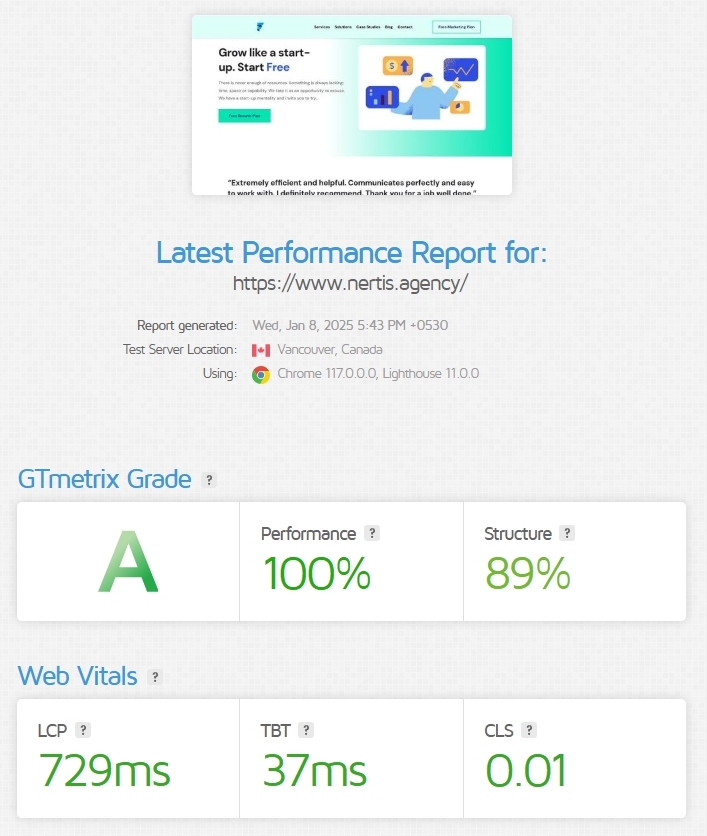
I also checked the visual loading speed of your website. Have a look at https://jmp.sh/pkGdDs1Y An acceptable loading speed for a website is generally considered to be under 2 seconds. Your website loads within a second at my end.
0 -
Hi, George. Thank you! That's exactly what I was talking about. The GT Metrix report clearly says - "Don't lazy load Largest Contentful Paint (LCP) image". This correspond to PageSpeed's Load Delay (caused by last loading of the first image). How do I remove lazy loading for the first image from CSS?
0 -

Hi Bohdan,
Thank you for the update.
Currently, there isn’t a built-in option to remove lazy loading from images, but the script below might help. To embed the script on your page:
1. Go to Project Settings and select Pages.
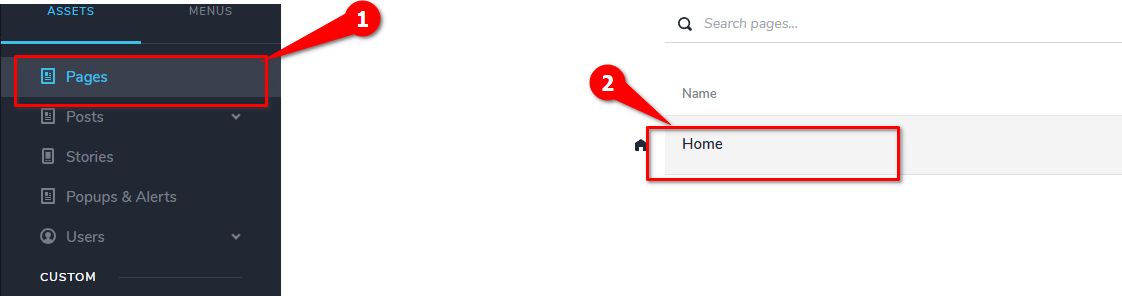
2. Click on your Home page.
3. Open the Code tab.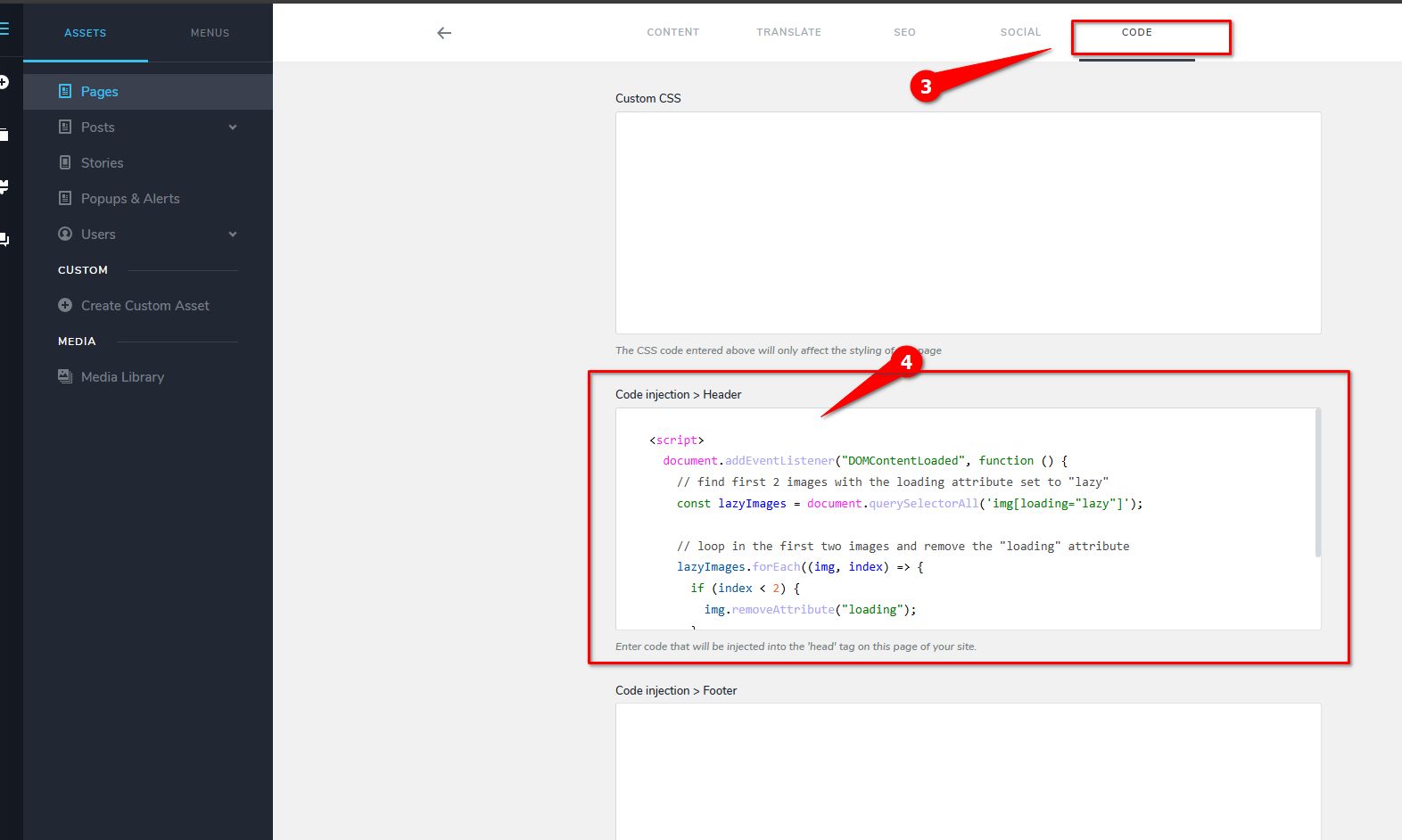
4. Copy and paste the script below into the Code Injection > Header field.<script>
document.addEventListener("DOMContentLoaded", function () {
// find first 2 images with the loading attribute set to "lazy"
const lazyImages = document.querySelectorAll('img[loading="lazy"]');
// Loop through the first two images and remove the "loading" attribute
lazyImages.forEach((img, index) => {
if (index < 2) {
img.removeAttribute("loading");
}
});
});
</script>This script will target the first two images on your home page and remove their lazy loading attribute.
Best regards,
Ariel H.0
Please sign in to leave a comment.
Comments
5 comments