Embed is not showing up on live site

I embedded a chatbot; it worked once, but then with a new embed, same code is not working anymore. I tried various things, but no chance to get the embed on the live site.
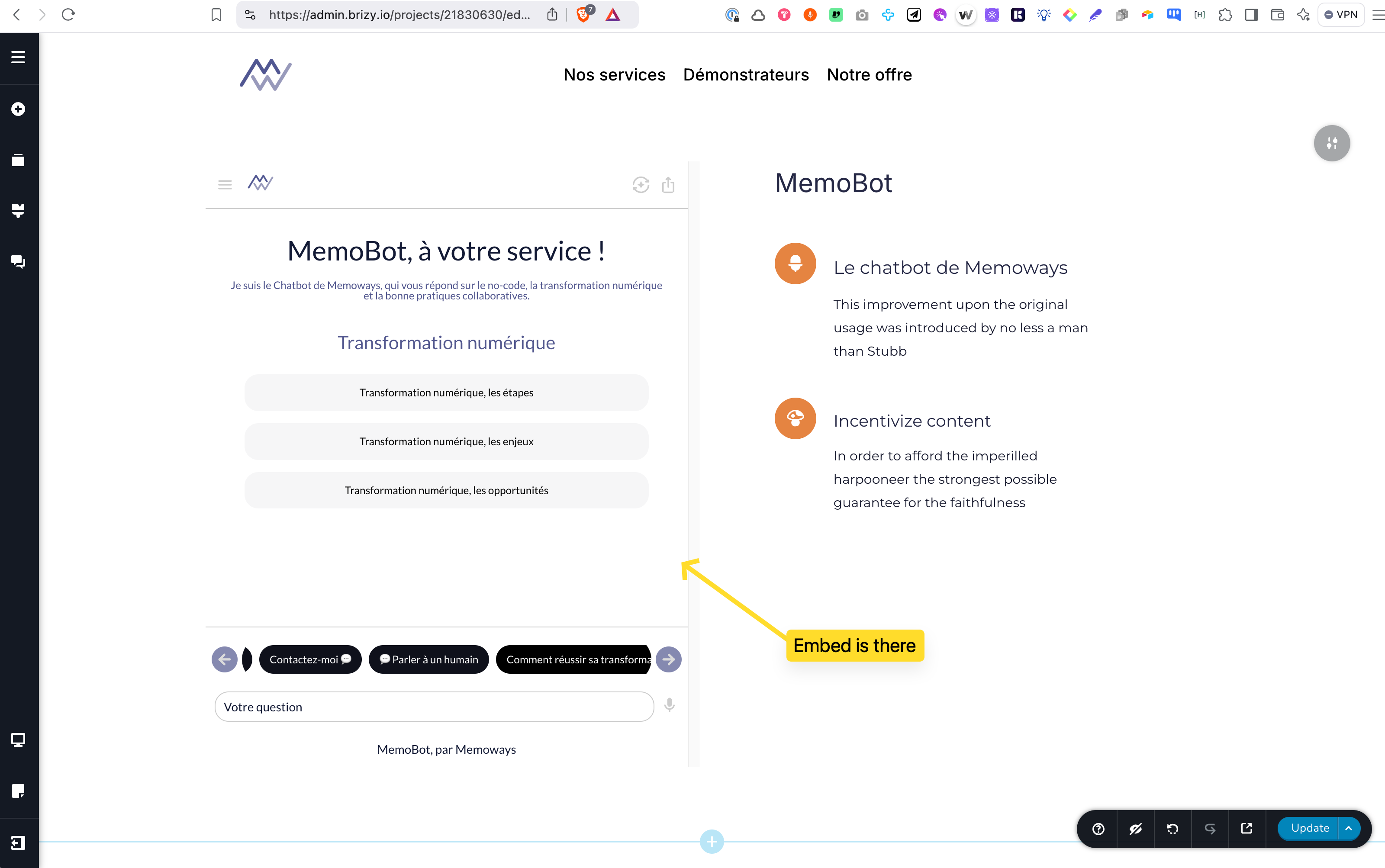
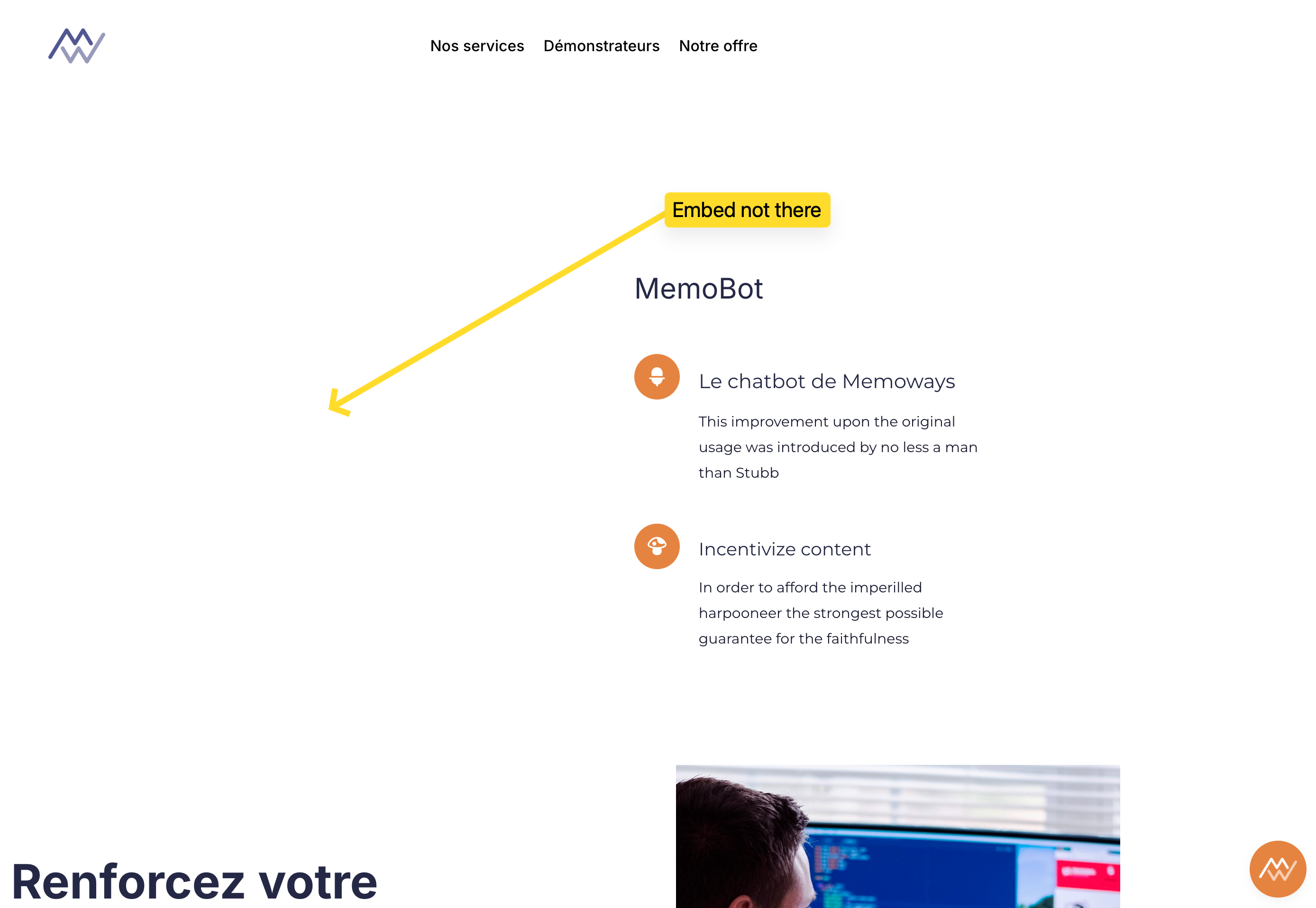
Here is the code
<iframe
allowfullscreen
title="AI Agent"
role="dialog"
id="ICG-iframe"
allow="accelerometer; autoplay; camera; display-capture; encrypted-media; fullscreen; gamepad; geolocation; gyroscope; hid; identity-credentials-get; idle-detection; local-fonts; magnetometer; microphone; midi; otp-credentials; payment; picture-in-picture; publickey-credentials-get; screen-wake-lock; serial; storage-access; usb; window-management; xr-spatial-tracking"
sandbox="allow-forms allow-modals allow-orientation-lock allow-pointer-lock allow-popups allow-popups-to-escape-sandbox allow-presentation allow-same-origin allow-scripts allow-top-navigation allow-top-navigation-by-user-activation"
src="https://app.insertchat.com/embed/03a71b13-309b-4fe6-a319-dce62e36e436"
style="display: block; border: 0; overflow: hidden; height: 700px; width: 100%; background-color: #fff;">
</iframe>
What is going wrong ?
-

Hello Ulrich,
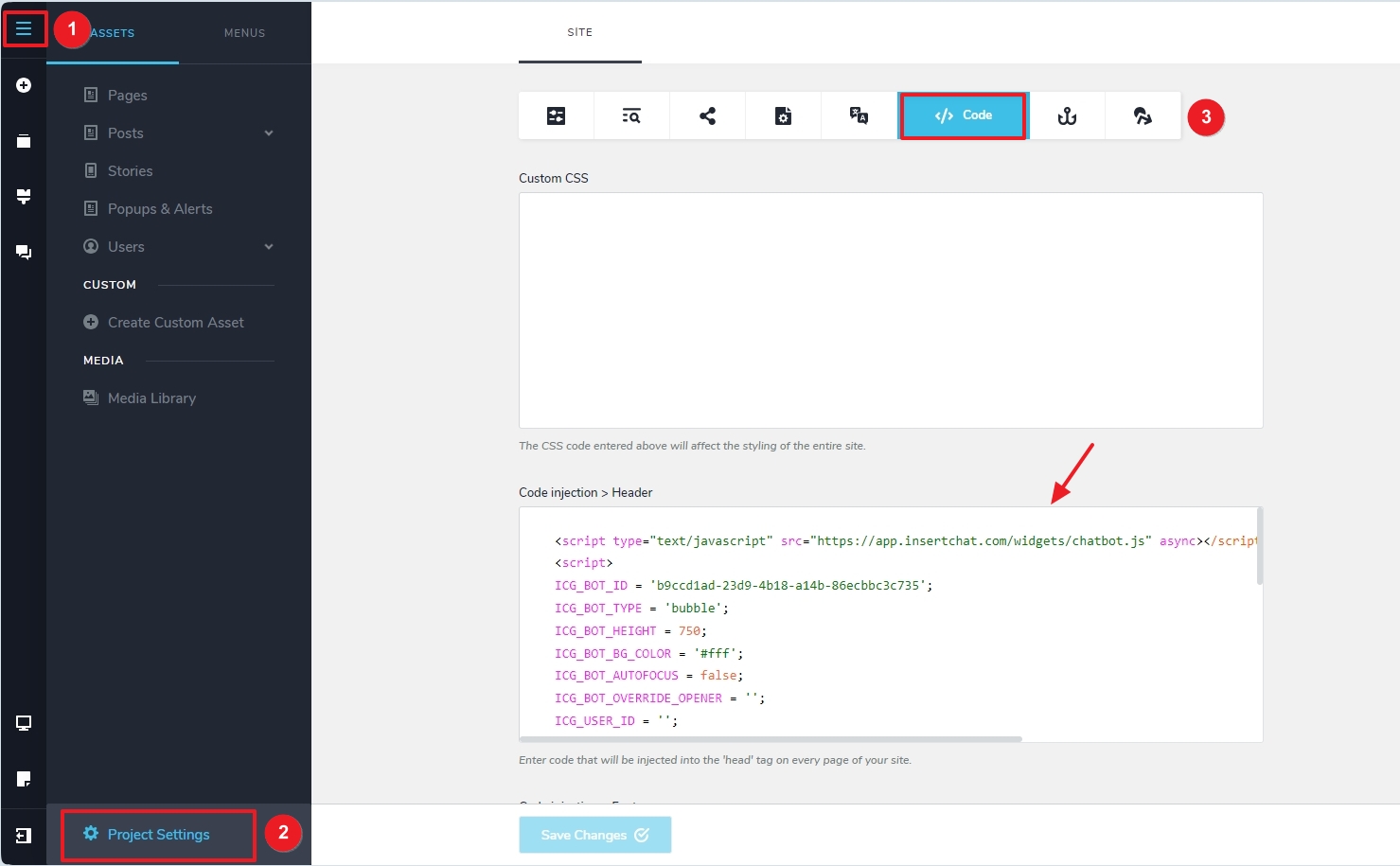
The MemoBot iframe code added to your homepage functions well if you delete the code added under CMS - Project Settings - Code - Code injection > Header. Its possible that these two codes may have some conflict with each other.
 0
0 -
Thanks, i changed the embed code for another chatbot embed, and it works.
I will look with the developers at InsertChat, because it's conflicting with each other embed code (one for popup chatbot, and the other for embed).
Thanks for your fast support !
0
Please sign in to leave a comment.
Comments
2 comments