Brizy Cloud to wordpress

Hi is the a way to export the website create with Ai bulder to wordpress?
0
-

Hi Steve,
Thank you for contacting us.
You can sync your layout from Brizy Cloud to Brizy WP. For more information, please refer to this link: https://youtu.be/iid5ZagYpuE.
I hope this helps!
Best regards,
Ariel H.0 -
Hi I have synchronize but itis not compatible!
0 -

Hello Steve,
Please try these steps to export the webpage created using AI to WordPress.
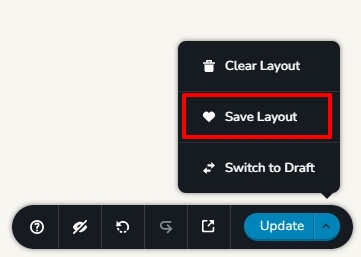
- Save your page as a layout in the Brizy Cloud project by selecting the "Save Layout" option at the bottom right corner of your page (in the editor).
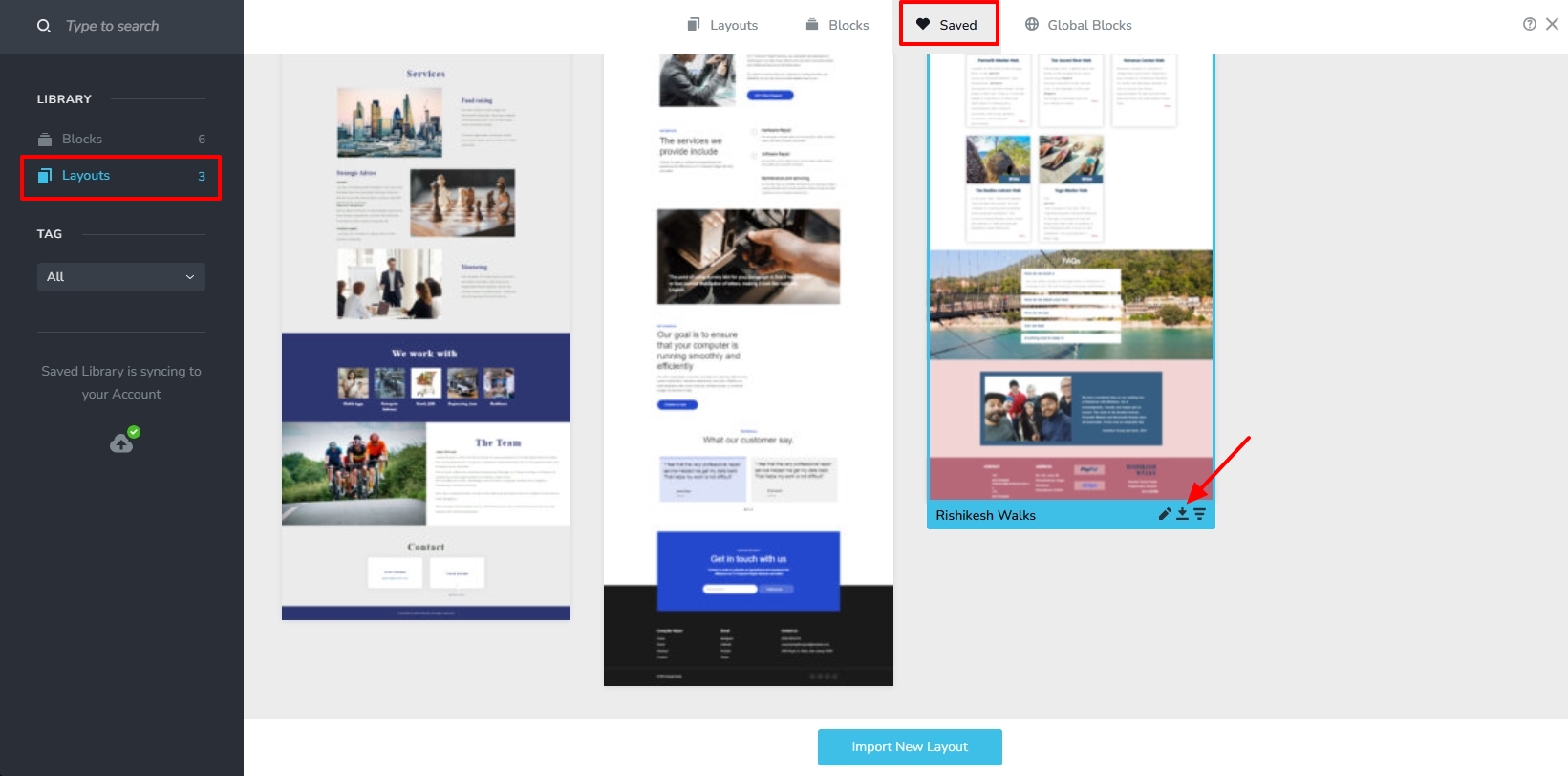
- Access your "Saved Blocks and Layouts" Library, hover over the layout you have saved in Step 1 and click on the Download (down arrow) icon to download the design layout as ZIP file.
- In your WordPress project, add a new page, click on "Edit with Brizy" button, access the "Saved Block and Layouts" library and click on the "Import New Layout" button to import the downloaded design layout
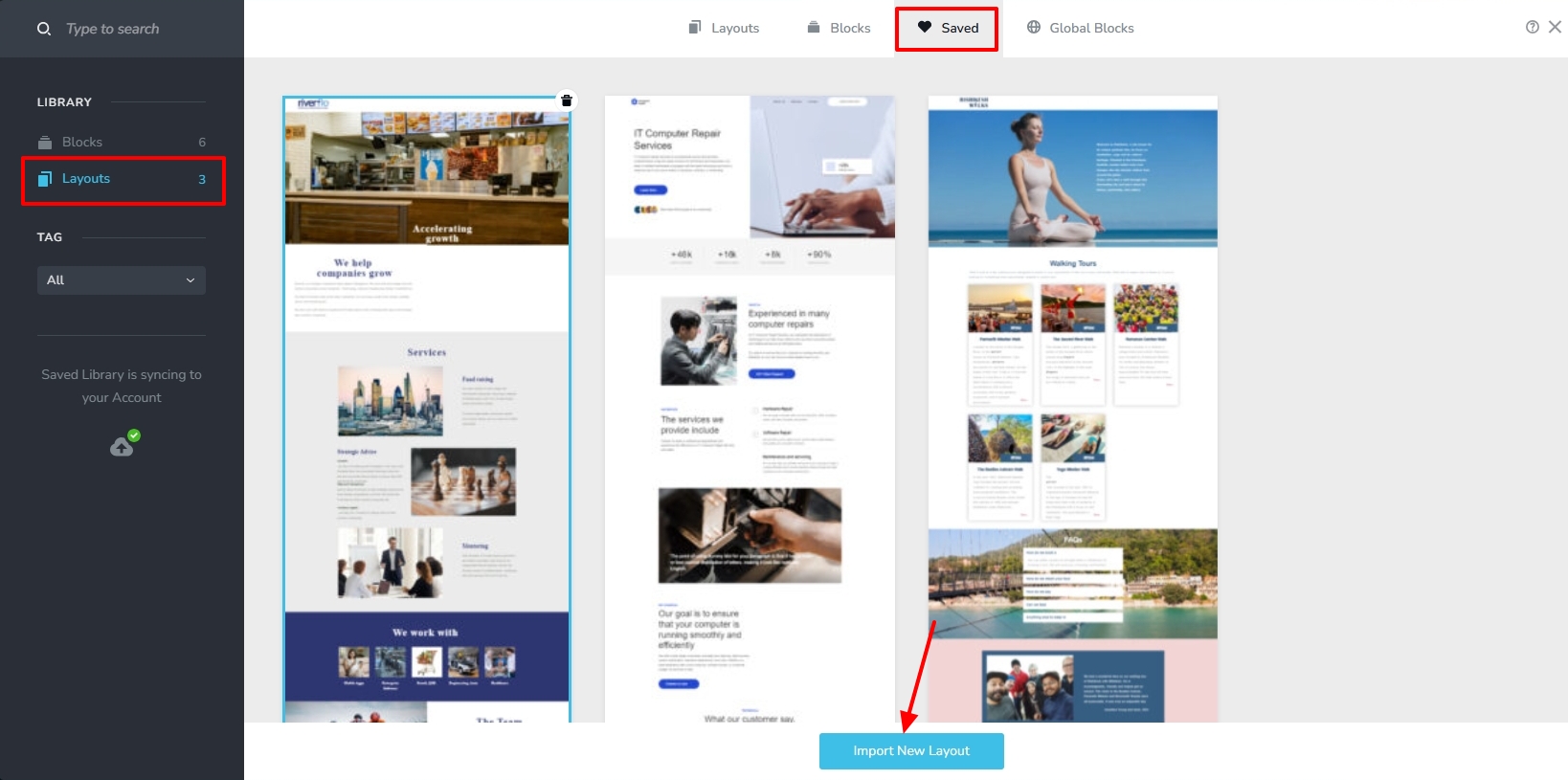
- Click on the newly added design layout to import it into your WordPress page.
If you have a form on your website, kindly re-configure email notifications in your WordPress project.
0 - Save your page as a layout in the Brizy Cloud project by selecting the "Save Layout" option at the bottom right corner of your page (in the editor).
Please sign in to leave a comment.
Comments
3 comments