Brizy Shopify - Publishing Error

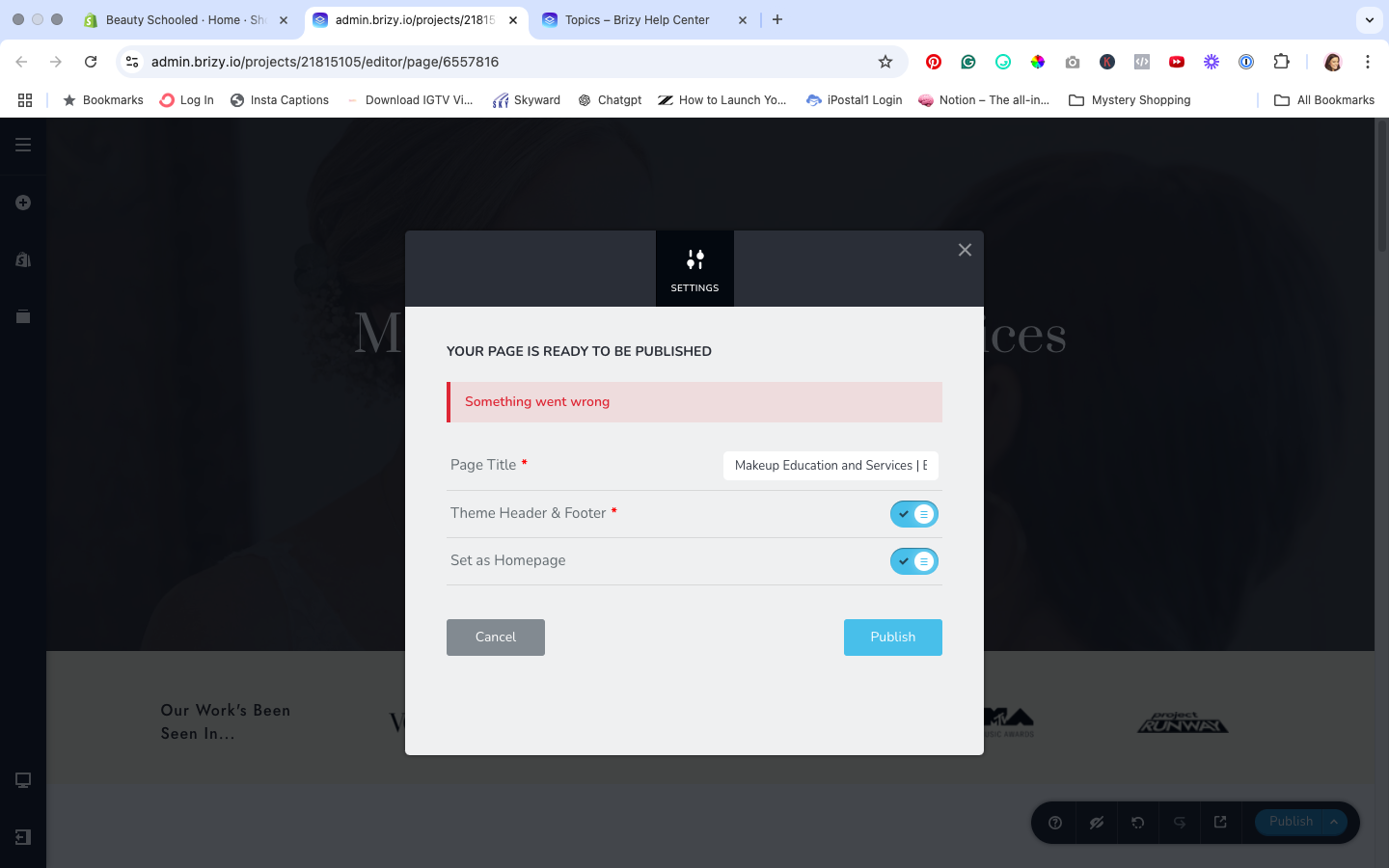
Trying out Brizy for Shopify on a client's site. I currently have 5 pages built on the free version. The 5th page (home page) will not publish. I've been getting the error since last night. I tested other pages by updating and then publishing - it works. This specific page will not publish. I also tried creating a new page and it will not publish.
-
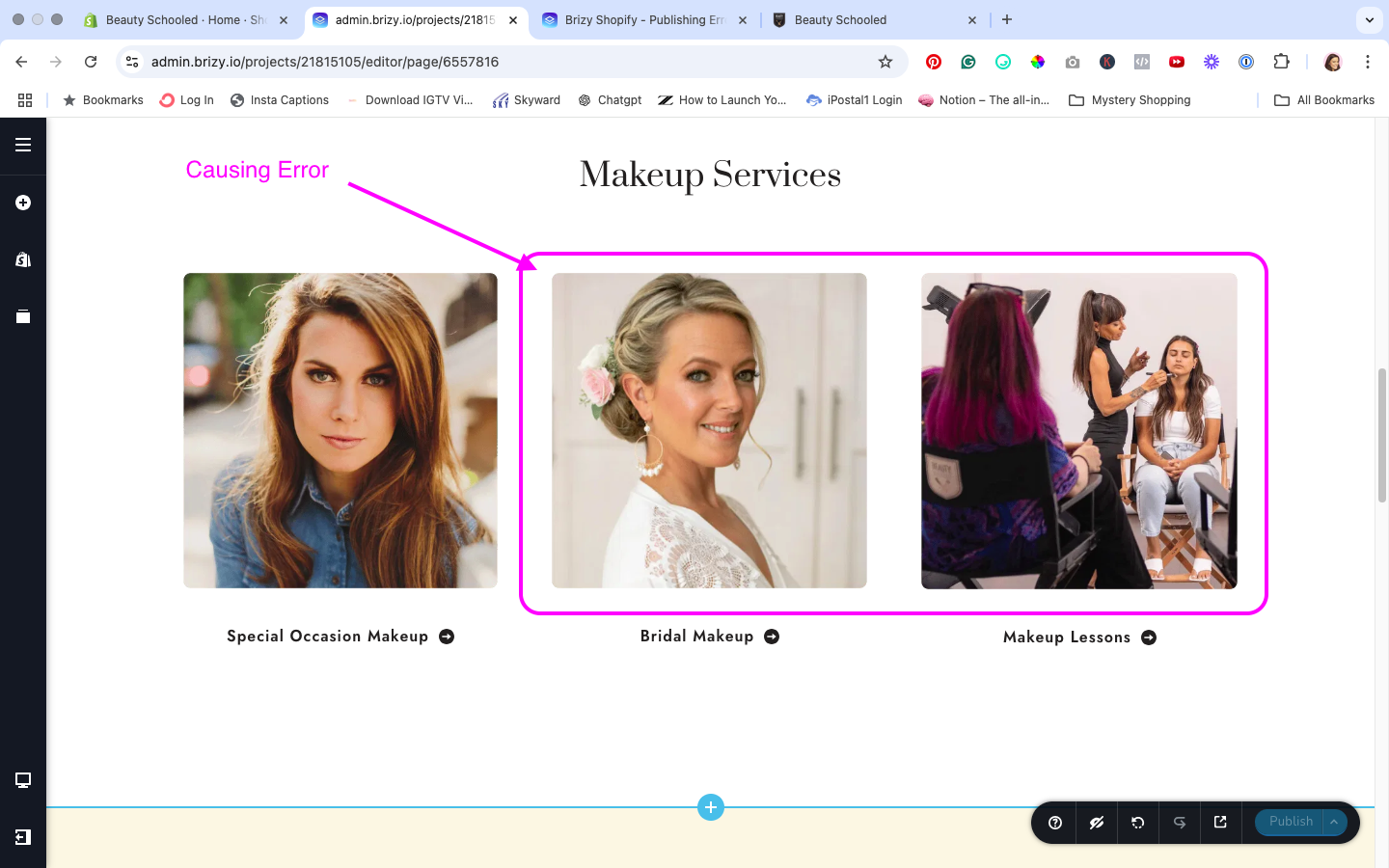
I figured out what's causing the publishing error. When I add a page link to two of my images, it throws the error. The link on the first image works fine, but for some reason when I add it to one of the other two images, it causes it. When I remove the link, it will publish again.
 0
0 -

I am having similar error and it is breaking the page. I do not know What to do. IT does not render the whole code.
0 -

Hello Fozaib,
To troubleshoot this issue, we will need access to your Shopify store. Can you add Brizy Support with email communitysupport@brizy.io as a "Staff" following the procedure at https://jmp.sh/TpoaHVTu and we will take a look.
0 -

Hello, KC George.
I'm having the same trouble, I wanted to connect the mail chimp signup module and after doing that update I got the "Something went wrong on publishing" error and now the front page is broken not loading the Brizy design for the store.
Can you please help resolve this issue? I need to let the client know that the site is ready so I can transfer to him. But now is not even loading the Brizy theme design on the home page.
The URL is: www.threadworksred.com
Pss: threadworks-verb
I have already added the brizy support email as staff to the backoffice of shopify to see if you guys can help me solve this problem.
Thanks
JLQ 0
0 -
Hello Jose,
I have replied to you at https://support.brizy.io/hc/en-us/community/posts/26687619989010. Let's continue the discussion there
0
Please sign in to leave a comment.
Comments
5 comments