Emails Received from Google: "Security alert for your reCAPTCHA key"

Hi !
On 13 December I installed reCAPTCHA V3 on 3x separate client website forms as per your instructional video. After carefully installing each one, the reCAPTCHA icons appears on each site and I tested each form and they were received successfully.
On 20 Dec (one week later), I found 3 x emails from Google saying each site form is not protected and the set up is incomplete, example email shown below:

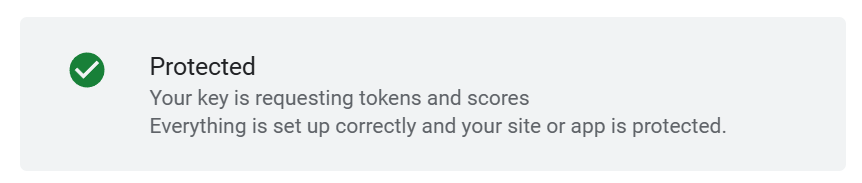
BUT when I click the button to complete set up, the message at the top of the screen states:
Protected
Your key is requesting tokens and scores
Everything is set up correctly and your site or app is protected.
Sooo what is going on please? Their "alert" says I'm not protected but their actual page says it's OK". I submitted a test on one of the forms today and received successfully both via email and recorded in the Leads section of Brizy.
But... to be safe I decided to check the key codes on the forms to be sure they are all correct but when you click the Brizy Form recapcha settings, it doesn't let you see them to check, it makes you disconnect them! is that normal?
I am worried about the so called Unprotected Events they quote in their email as there are no such emails in the Brizy Form submission records - so have my clients been missing emails from customers?
Could you advise what to do here? Obviously forms are integral part of the website and must function correctly for client to get leads - so a bit worried about this.
Thanks very much.
Eva
-

Hello Eva,
When clicking on the "Complete Setup" button, since reCAPTCHA confirms that your site is protected, I guess there is nothing to be concerned about.
To check your existing reCPATCHA settings, kindly login to your reCAPCHA account at https://www.google.com/recaptcha/about/ and follow the procedure at https://jmp.sh/Rcab0XjC
0 -
Hi KC George
Thanks for the video, but this shows me the settings in Google. What I'm trying to do is make sure those same settings are correctly copied in Brizy but when I click reCAPTCHA settings on the Brizy form to check, it doesn't let me see the codes I added before, so I can make sure that they are right. It tells me to disconnect it (as per my screenshot in my message above). Is that normal? I would think you should see the settings I pasted previously ?
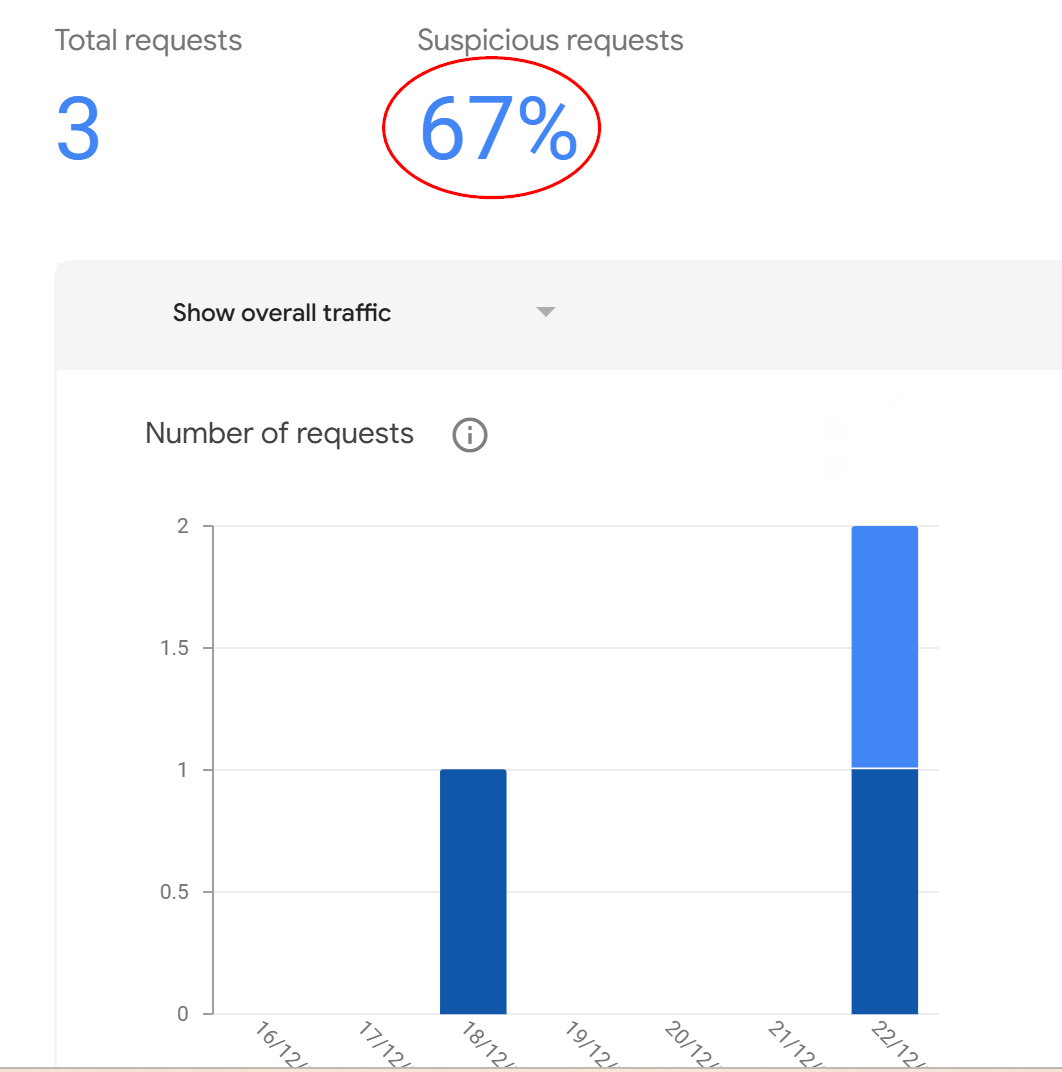
Also is it normal to have "Suspicious Requests" ?
I am new to Brizy and other CMS I've used, don't make you install reCAPTCHA yourself so I've never had to deal with these things so thanks for your patience with all my questions :)
Thanks.
0 -
Hello Eva,
You are right; there is no way to verify the reCAPTCHA Site Key or the Secret Key you previously added to the Brizy form.
Any user interaction that demonstrates traits commonly associated with automated bots, such as fast clicks, odd browsing patterns, or actions from a known malicious IP address, is referred to as a "suspicious request" in reCAPTCHA. This makes the system believe the request is not from a real human and may necessitate additional verification through a CAPTCHA challenge. ReCAPTCHA may display a classic CAPTCHA challenge, where the user must click on "I'm not a Robot" to prove their human identity, when a request is judged suspicious.
67% of "suspicious requests" looks high; a significant portion of your traffic is flagged as potentially bot-like. You may want to access your reCAPTCHA admin console to view detailed analytics on suspicious traffic, including IP addresses, geographic locations, and the types of actions triggering the "Suspicious" score. You could possibly identify patterns in the suspicious activity to pinpoint potential sources of bot traffic.
0 -
Hi KC George, Sorry for the delay in acknowledging the above, as I was away over the festive season. I'll keep an eye on the reCAPTCHA going forward.
Much appreciated.
0
Please sign in to leave a comment.
Comments
4 comments