Inserting an Image into a Custom Lead Response Email

I attempted to use basic HTML code to insert and resize an image to include in a Brizy Lead Response Form and all that would show was the outline of the image and the Alt Text. Did I do something wrong? And would it be possible to include these basic tools in that template creation block?

-

Hello Michael,
Kindly share the page URL and the HTML code you have attempted to add so that we can understand your question better
0 -
Here is the code I inserted at the top of the template to load a local image file and resize it.
<img src="<img https://clo2tablets.com/wp-content/uploads/2023/06/New-Envirotab-Logo-trimmed.png>
" alt="Envirotab Logo" width="612.5" height="142">0 -

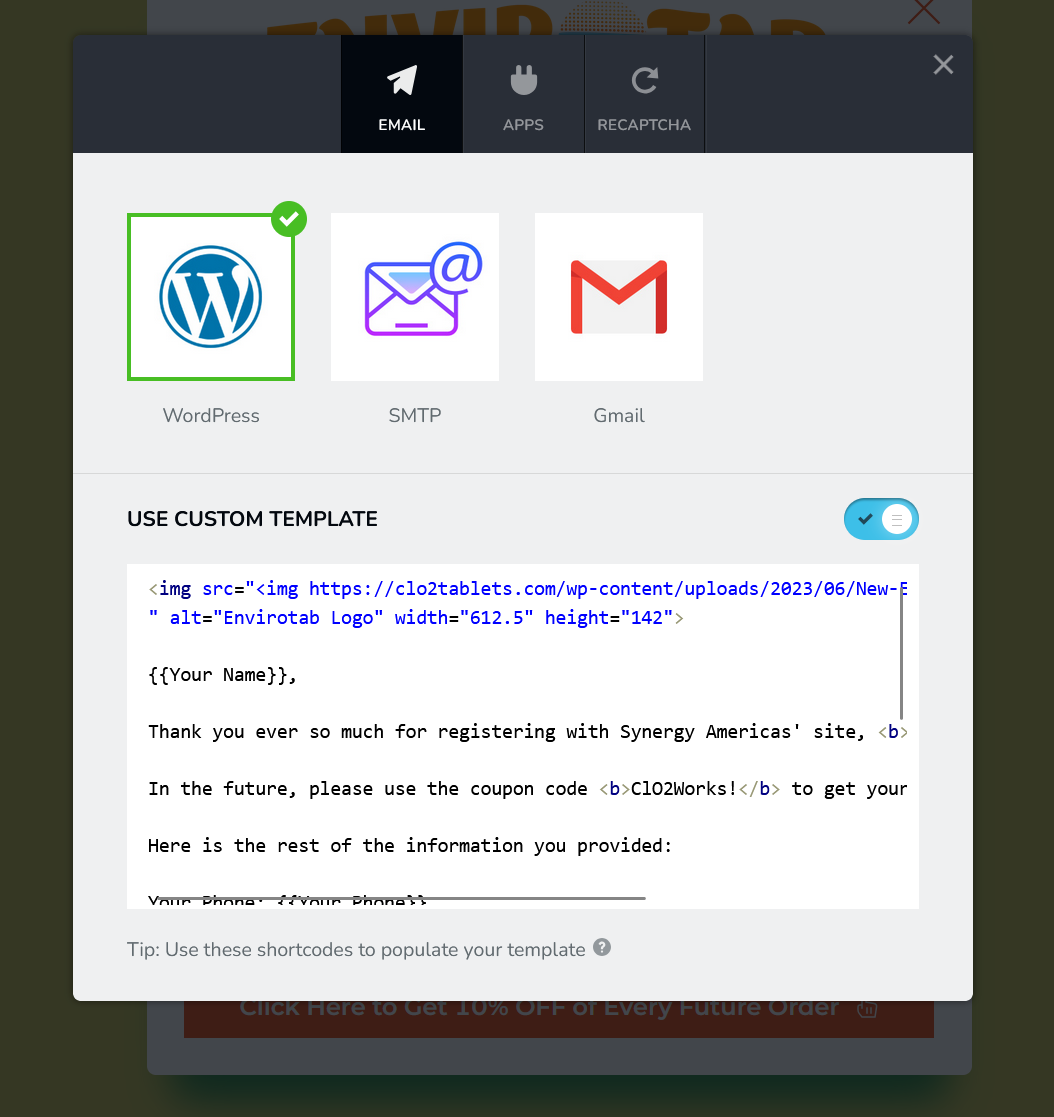 0
0 -
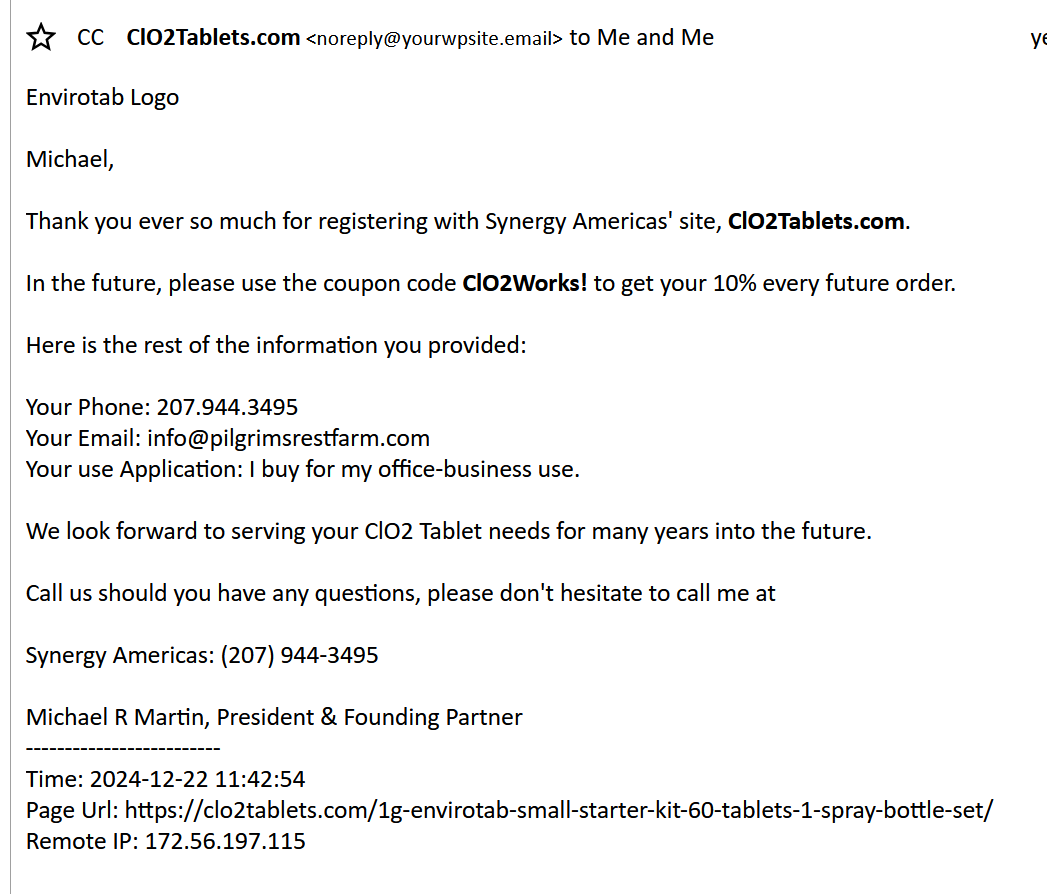 0
0 -
Hello Michael,
Unfortunately, the Custom Template editor is not designed to work with HTML inputs. This editor supports only plain texts and the permitted codes. We apologize for the inconvenience.
0 -
How do I find the list of permitted codes and do any of them include the insertion of a logo?
0 -
Hello Michael,
You can find the permitted codes by clicking on the "?"icon at the bottom of the Custom Template screen
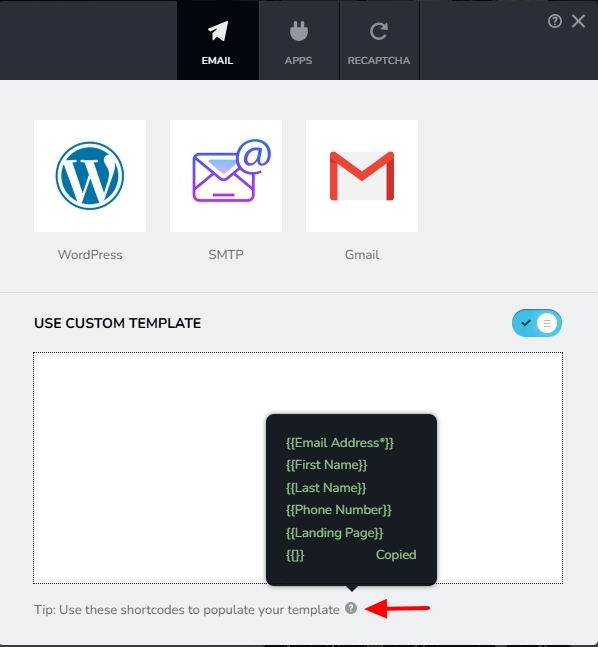 0
0

Please sign in to leave a comment.
Comments
7 comments