Infinity loading happened again in latest Brizy PRO

Hi.
i have issue infinity loading again after try to edit with Brizy at my website. I have set debug log and found this :
[20-Dec-2024 03:56:10 UTC] PHP Deprecated: Calling static trait method Brizy_Editor_Asset_StaticFileTrait::createSideLoadMedia is deprecated, it should only be called on a class using the trait in /home/iuz5o866zl9y/public_html/tcasia.guru/wp-content/plugins/brizy/editor/screenshot/manager.php on line 128
-

Hi Hafize,
Thank you for contacting us.
The error you shared is a non-critical PHP deprecated warning, which means it is related to outdated code but does not necessarily impact the functionality of your site. It’s unlikely to be directly connected to the issue you're experiencing with editing your pages.
To investigate further, please provide us with temporary access to your WP Admin page so we can inspect your site? Kindly add us as an Admin user to your WordPress Dashboard and send the following details to communitysupport@brizy.io:
Community Post link: https://support.brizy.io/hc/en-us/community/posts/23420210767506
WordPress Admin URL:
Username:
Password:Please make a full backup of your site as a precaution.
Best regards,
Ariel H.0 -
Hi.
i have email the credential. Thanks
0 -
Hi Hafize,
Thank you for your cooperation.
Please try the following to fix the issue.
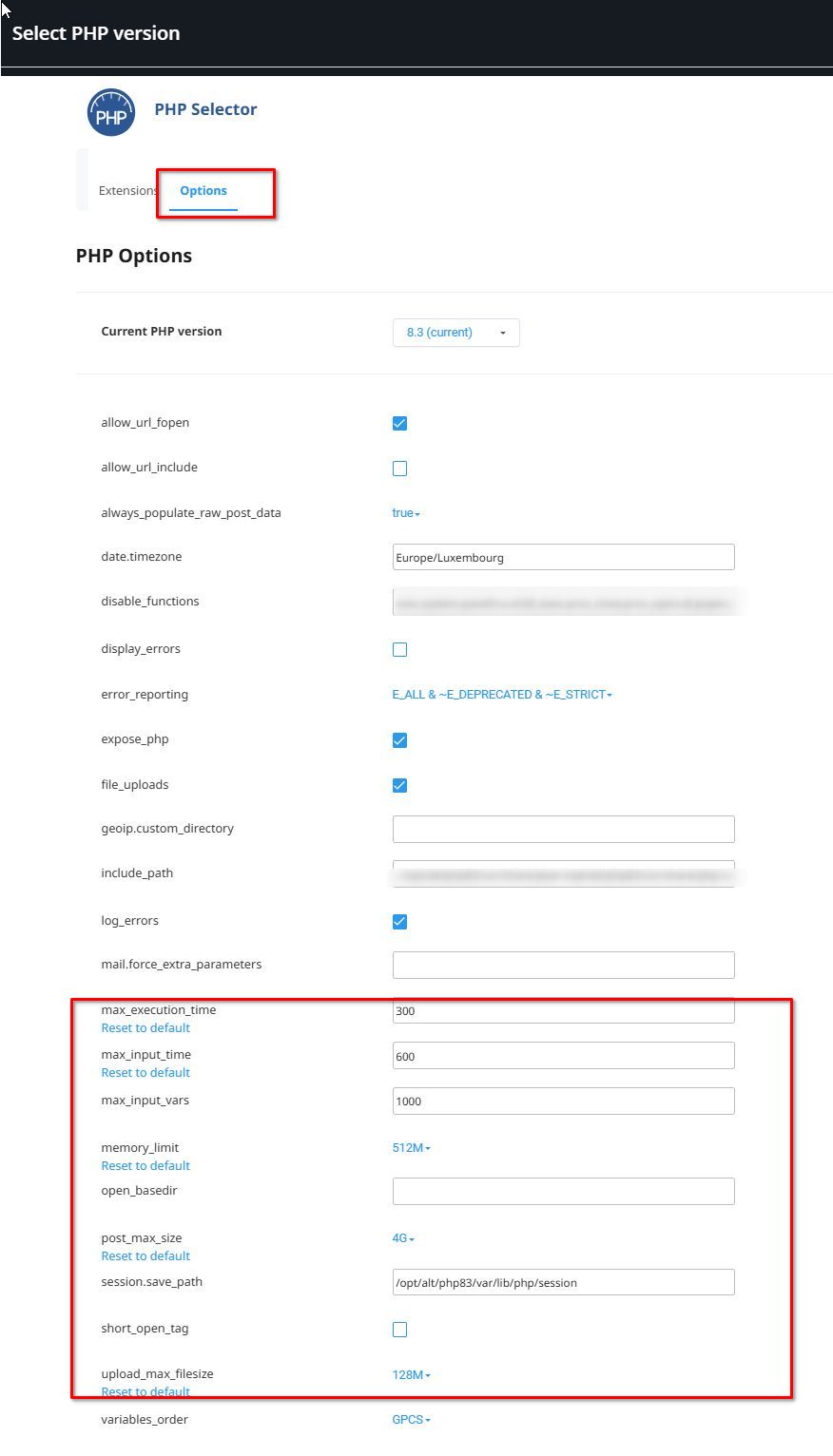
1. Please ask your hosting provider to adjust the following settings on your server and see if this will help resolve the issue?
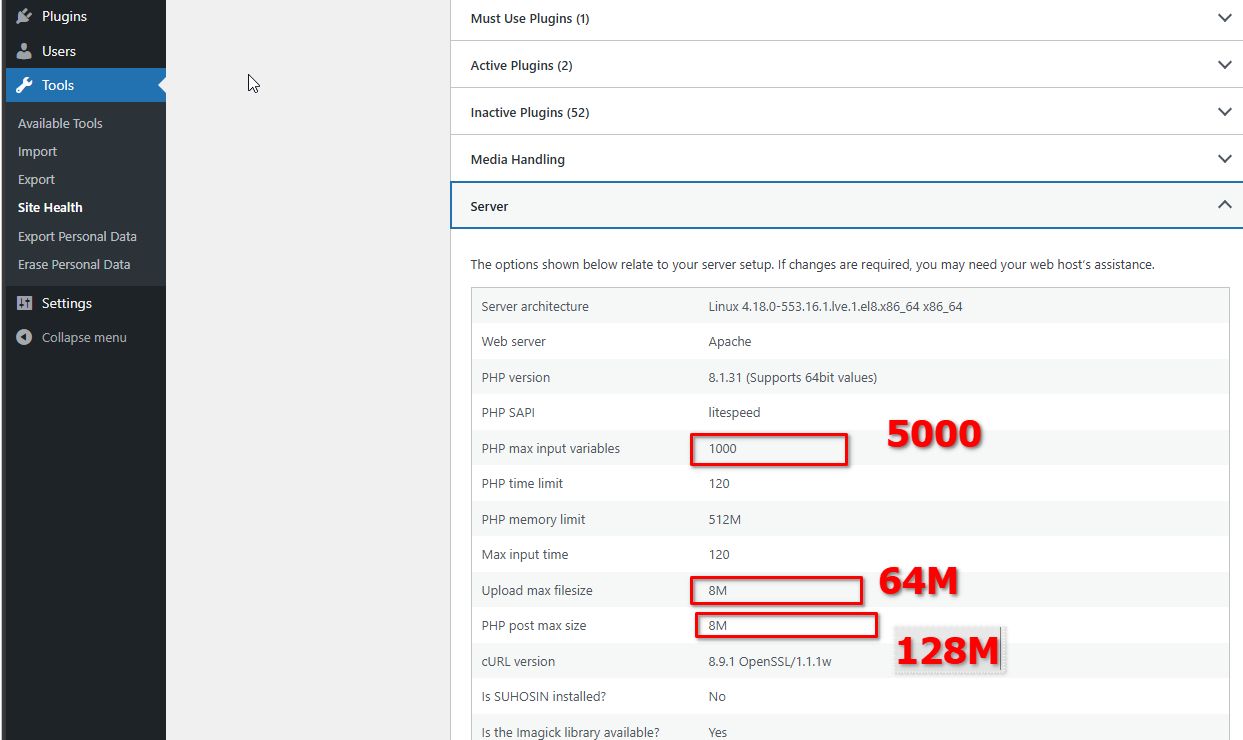
If you have access to cPanel, go to "Select PHP Version," click on the "Options" tab, and you should be able to make these changes there.
2. Another possible cause of this issue is ModSecurity. In your .htaccess file, please add the following directives and see if this makes any difference.
<IfModule mod_security.c>
SecRequestBodyLimit 4194304
SecRequestBodyNoFilesLimit 2097152
</IfModule>Once these directives are in place, test again to see if the issue is resolved.
If the issue continues, please also provide us temporary access to cPanel so we further investigate the issue.
Best regards
Ariel H.0 -
 Hi,
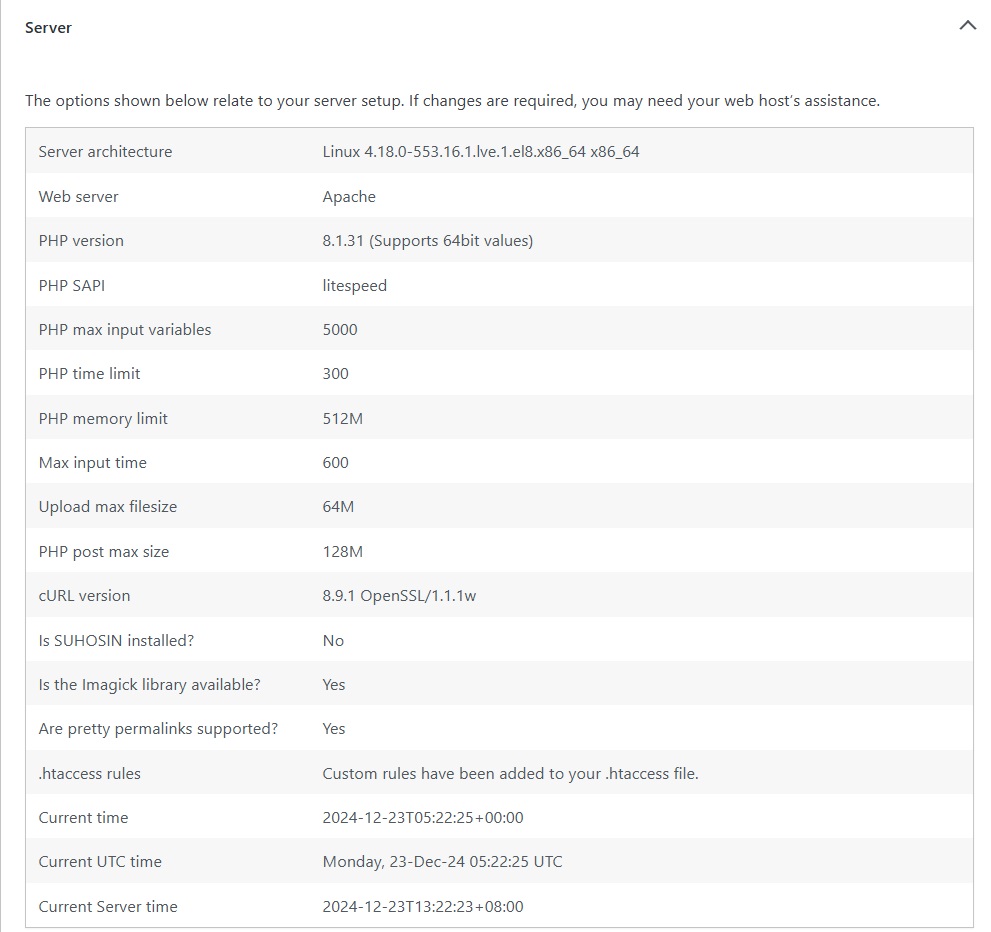
Hi,I have changed the
1. Upload max filesize : 64M
2. PHP Post max size : 128M
using PHP Selector in cPanel;
3. php_value max_input_vars 5000
4. <IfModule mod_security.c>
SecRequestBodyLimit 4194304
SecRequestBodyNoFilesLimit 2097152
</IfModule>
added in .htaccess, but the infinite loading still occurs.
I shared the cPanel Credential in email :communitysupport@brizy.io:0 -
Hi Hafize,
Thank you for your cooperation.
The issue seems to be related to WordFence Security. Even though WordFence is disabled, it still interferes with Brizy Builder, as shown in this screencast: https://youtu.be/t9Xt28KZpX0
To resolve the issue, we accessed cPanel > File Manager to remove the files WordFence had added to the root directory. Initially, we renamed these files to test if the issue was resolved. Additionally, we updated the .htaccess file and created a backup as htaccess.bk3.
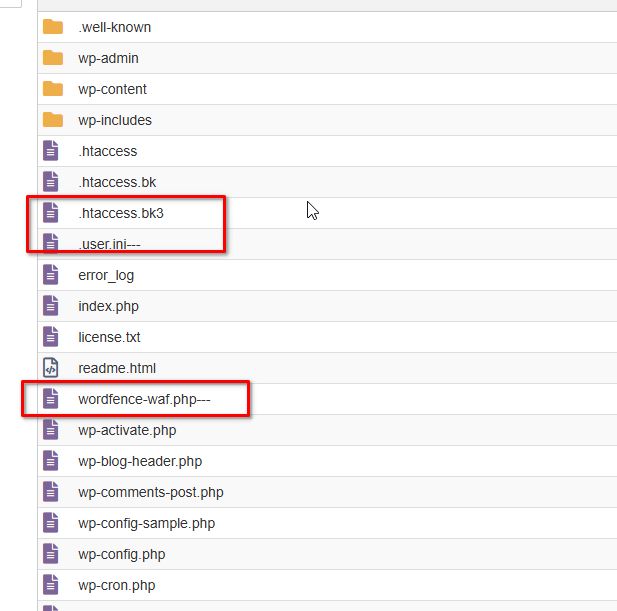
We uninstalled the WordFence plugin and removed the files it had created in the root directory of the website. Following this, updating or saving changes to a page started working properly again: https://youtu.be/BXE7RrkZGDA
If you choose to use WordFence again in the future, we recommend avoiding the Extended Security feature.
Best regards,
Ariel H.0 -
Hi,
Thanks for the countermeasure actions.
I try to edit this page https://tcasia.guru/home-traders-council-asia/
but still have infinite loading.
The wordpress credential still sama as before.
Also, please suggest other secure wordpress plugin compatible with Brizy.
0 -
Hi Hafize,
Thank you for the update.
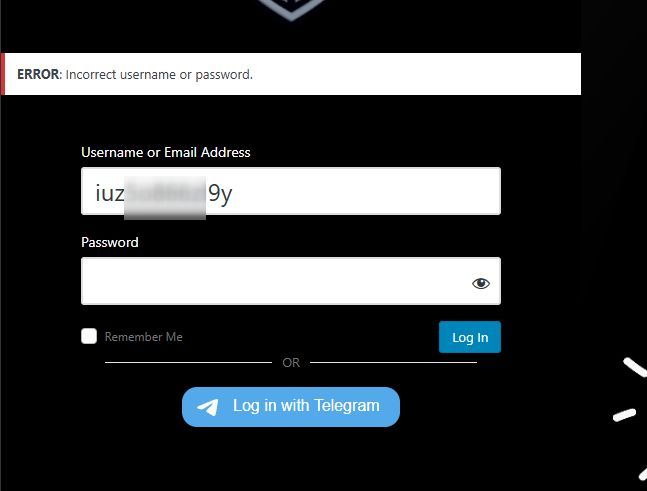
Unfortunately, I’m unable to log in to your site to inspect the page.
In the meantime, please try isolating the issue by temporarily removing any custom scripts embedded on the page to see if this resolves the problem.
For better security, there are many plugins available to choose from. You might want to consider trying NinjaFirewall.
Best regards,
Ariel H.0 -
hi,
That's username is for cPanel.
0 -
Hi Hafize,
Thank you for the update.
It seems the issue is related to ModSecurity. Could you please ask your hosting provider to temporarily disable it for troubleshooting? Unfortunately, there is no option in cPanel to disable it directly.
Best regards,
Ariel H.0 -
Hi,
Regret that GoDaddy wouldn't disable the ModSecurity.
Can you check; because i am aware that when i do an editing on Brizy header (like changing menu names on wordpress menu, or editing layout), the related page with the header (with global setting) will affected (when editing the pages with brizy, it will be infinite loading), so the older pages with the Brizy Header cannot edit.
0 -

Hello Hafize,
Based on further investigation carried out today, it appears that the "Advanced Custom Fields" plugin causes a conflict with Brizy plugin. We have requested our developers to take a closer look at this conflict.
It may take a while for a developer to look into this issue due to the festive season. Kindly give us sometime to investigate this issue in more detail.
I guess you are able to save changes to regular Brizy pages where ACF content is not being used. Please confirm.
0 -
Hi,
1. Yesterday i managed to open the previous infinite loading page https://tcasia.guru/home-traders-council-asia/ after disable Brizy Pro and remove the global header (header template in Brizy Pro feature).
below are the step i do until i manage to edit the page:
a. Deactivate all plugins
b. Change theme to Twenty-twenty
c. Resave permalinks (setting->permalinks->save changes)
d. Deleta all browser history2. For ACF matter, until now all my pages with ACF data (guru) still can do editing.
I have another post below which doesn't have ACF data but still have infinite loading with error 500:
: https://tcasia.guru/hari-malaysia-special-bonus-2024/
3. I found out another possible reason for the infinite loading is when i disable Brizy Pro and opened the affected page https://tcasia.guru/home-traders-council-asia/, the additional role "member" is not exist in the role selection. It's only display the default wordpress role.
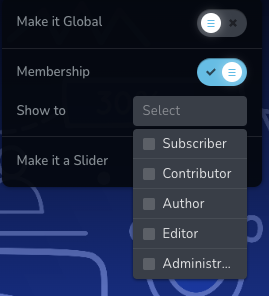
4. YES. ACF plugins affected the user role. i try to deactivate all ACF related plugins and the affected page can edit again. The 'member' role also appears again. SCF has turn back to ACF again.
0 -
Hello Hafize,
We appreciate the further insights you have provided. I've passed on to the developer the information so they can investigate. To enable our developers to investigate, kindly maintain access to your website.
0 -
hi.
any updates for this matter?
0 -
Hi Hafize,
Thank you for reaching out, and I apologize for the delay. We haven’t received an update yet, but I’ll follow up on this for you and get back to you as soon as I have more information.
Best regards,
Ariel H.0 -
Hello Hafize,
Our developer is trying to access your website using the credentials provided a few months ago. Are previously provided credentials for "brizy_support" user still active at https://tcasia.guru/?
0
Please sign in to leave a comment.
Comments
16 comments