500 server error when editing ai created websites

I have gotten 2 very good designs for a website i need and lost them thanks to this error. I cannot edit any website i need to know what is going on since i just bought this ltd license and i cannot even start using it.
Is there a way to recover those 2 projects??????
-

Hello Aron,
After generating an AI website, when trying to import it to your Brizy Cloud project, you can encounter errors like these, due to imperfections in the AI Builder (which we are working on fixing). Out of 100 AI websites, 5 websites may import with errors whereas 95 websites may import without errors.
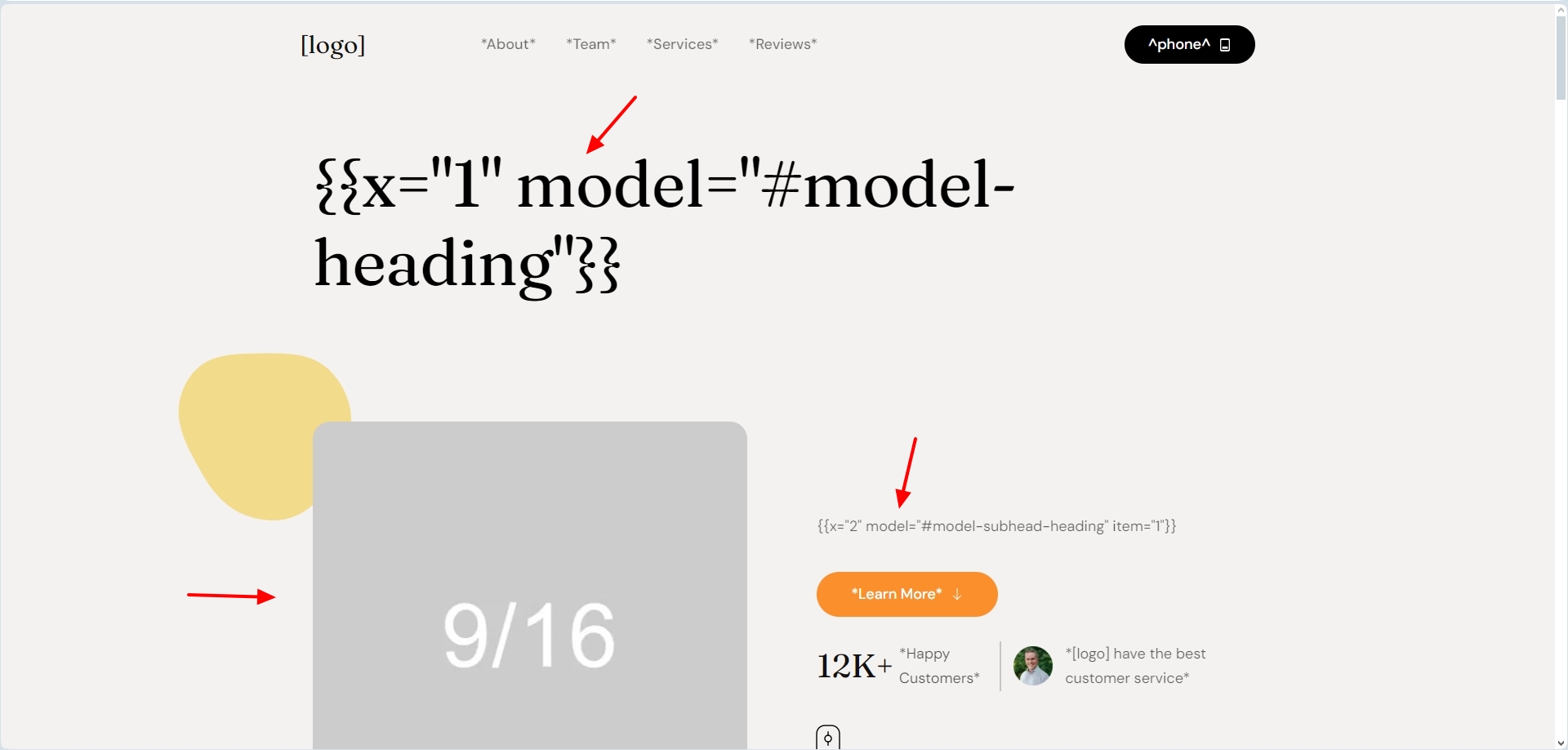
Please delete the website and use AI to regenerate the website if you run into similar issues when importing.
We will need a project reference if you would like us to retrieve a lost project. We'll try to restore it for you if you can copy and paste Brizy Cloud editor URLs from your browsing history. The editor paths for Brizy Cloud may look something like: https://admin.brizy.io/projects/20472406/editor/page/4986473
0 -

The same happened to me right now... and there are reports on appsumo happening to them too. Better investigate before this gets a real issue.
1 -
@Philipp Schweiger yes this is something to worry about. I hope it gets fixed otherwise one week before appsumos refund limit i will ask for my refund.
0 -
And so the ticket hasnt been updated and support forgot me. Really thinking on issuing a refund
0 -

Hi Aron,
Thank you for your update and we apologize for the issues you've recently encountered.
As mentioned in our previous email, if you encounter similar issues during the site creation, you can delete the website and use AI to regenerate it.
Additionally, if you’d like us to retrieve a lost project, we’ll need a project reference. You can help us by copying and pasting Brizy Cloud editor URLs from your browsing history. These URLs typically follow this format: https://admin.brizy.io/projects/20472406/editor/page/4986473. We’ll do our best to restore the project for you.
Looking forward to hearing from you.
Best regards,
Ariel H.0 -
Hi Philipp,
Thank you for contacting us.
If this happens, please try clearing your browser cache and attempt again. Additionally, you can try using a different browser to see if that resolves the issue.
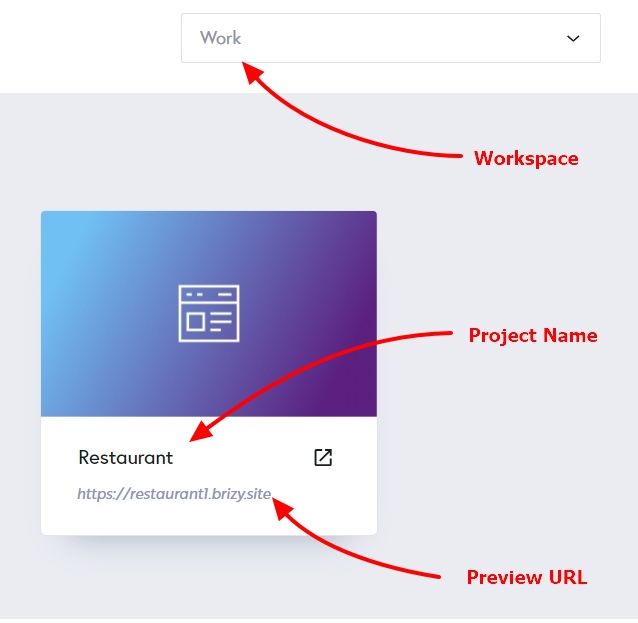
If the issue continues, please share with us the Project Name and the Preview URL of your project in the Brizy Cloud Dashboard so we can further check the issue?
Best regards,
Ariel H.0
Please sign in to leave a comment.
Comments
6 comments