Can´t edit Brizy page: "This page needs a refresh. You've probably updated the page in a different tab or browser"

Hi, I´m having problems with one of my pages, I try to save a change made in Brizy but it keeps saying
"This page needs a refresh. You've probably updated the page in a different tab or browser"
I already looked at the guide to resolve it, but we don´t have the option of ModSecurity or the plugin Wordfence Security.
-

Hi Adriana,
We're sorry to hear you're having this issue with Brizy.
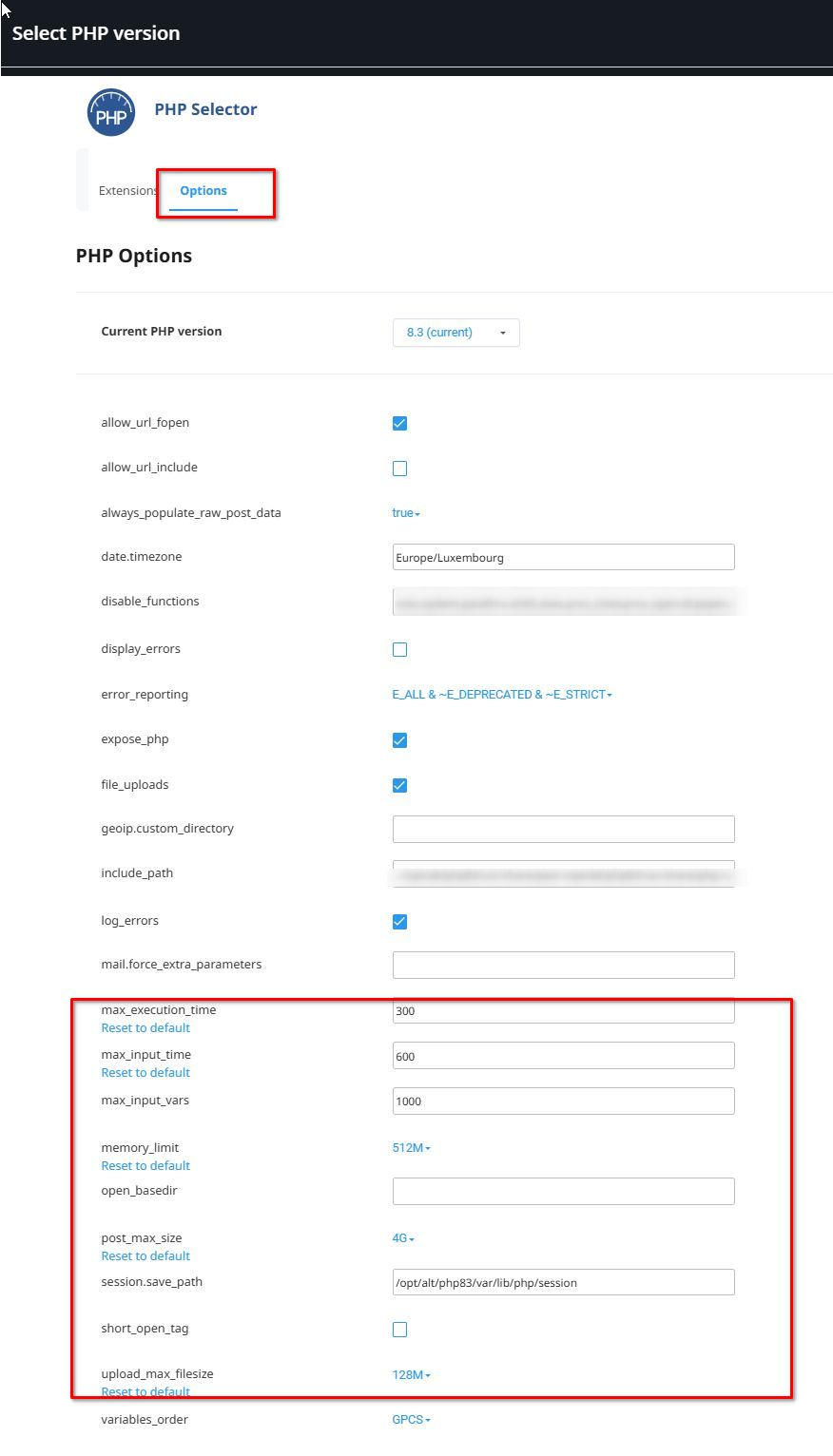
From my understanding, this issue occurs only on one specific page, correct? To address this, please ask your hosting provider to adjust the following settings on your server and see if this will help resolve the issue?
max_execution_time: 300
max_input_vars: 6000
memory_limit: 512M (or higher)
post_max_size: 128M
upload_max_filesize: 128M
If you have access to cPanel, go to "Select PHP Version," click on the "Options" tab, and you should be able to make these changes there.
If the issue continues, please provide us with temporary access to your WP Admin page so we can take a look. Please add us as an Admin user to your WordPress Dashboard and send the following details to communitysupport@brizy.io.
Community Post link: https://support.brizy.io/hc/en-us/community/posts/23366154756626
WordPress Admin URL:
Username:
Password:Additionally, we will also need temporary access to cPanel/FTP:
cPanel/FTP host address:
Username:
Password:Best regards,
Ariel H.0
Please sign in to leave a comment.
Comments
1 comment