Brizy page builder can not updated and save

Hello , I am using the brizy page builder, when edit page with brizy, add some block,or some layout, and update /save, it is always Spinning , can not updated and save, means , I can not add any block and layout, It come this message, This page needs a refresh. You’ve probably updated this page (or another page) in a different tab or browser.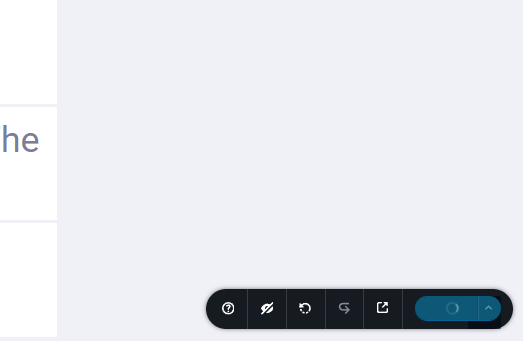
-
Hello, no anyone for feedbacks ?
0 -

Hello Owen,
We apologize for the delay in responding. Brizy Support is available only during week days. Hence a request sent on a Friday afternoon may get a response only on Monday morning.
Kindly implement the suggestions in the troubleshooting guide at How to fix the error "This page needs a refresh. You've probably updated the page in a different tab or browser" to fix the above error. If these steps do not help, kindly get back to us. We will need access to your WordPress Dashboard to offer further help.
0 -
Hello K C George,
The same problem has not been solved yet. edit page can not save/update,
check the attached.0 -
This situation lasted for a long time and was very painful, and the website was also stagnant. pls let me know , how to solve it ,
0 -

Hi Owen,
We're sorry to hear you're having this issue with Brizy.
Please provide us with temporary access to your WP Admin page so we can take a look. Please add us as an Admin user to your WordPress Dashboard and send the following details to communitysupport@brizy.io.
Community Post link: https://support.brizy.io/hc/en-us/community/posts/23267620374930
WordPress Admin URL:
Username:
Password:Additionally, we will also need temporary access to FTP/cPanel:
FTP / cPanel host address:
Username:
Password:Best regards,
Ariel H.0 -
Hi Owen,
Thank you for your cooperation.
The pages seem to be working, and changes are saving correctly. Could you let me know which page you were last working on?
Best regards,
Ariel H.0 -
Hi Owen,
Thank you for the update.
Could you check with your hosting provider about increasing the PHP max input variables to 10000? This will allow the server to process more data when saving and may help resolve the issue.
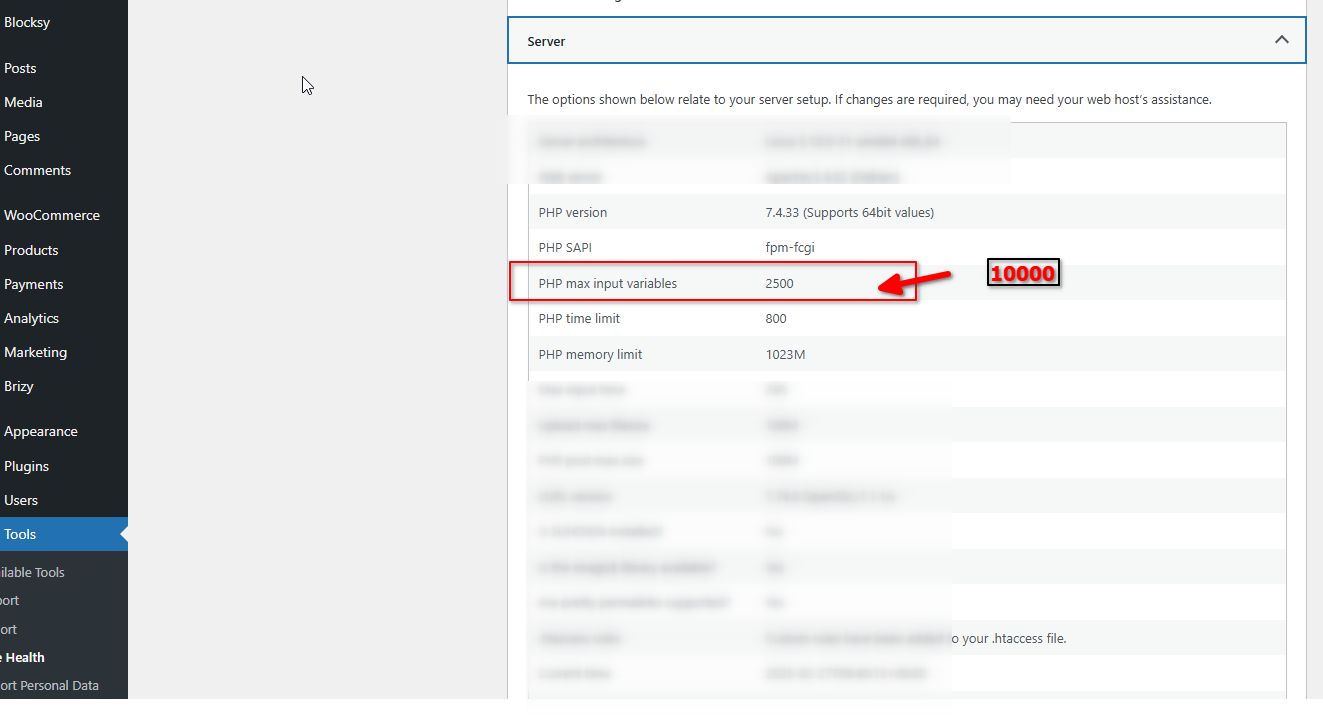
Please try this and let me know how it goes.
Best regards,
Ariel H.0 -
Hello Ariel H,
I have increased the PHP max input variables to 10000 , and seems , it does not work for me ,
Kindly Regards
0 -
Hi Owen,
Thank you for the update. After checking, it seems that the issue only occurs on large pages and does not affect those with fewer blocks.
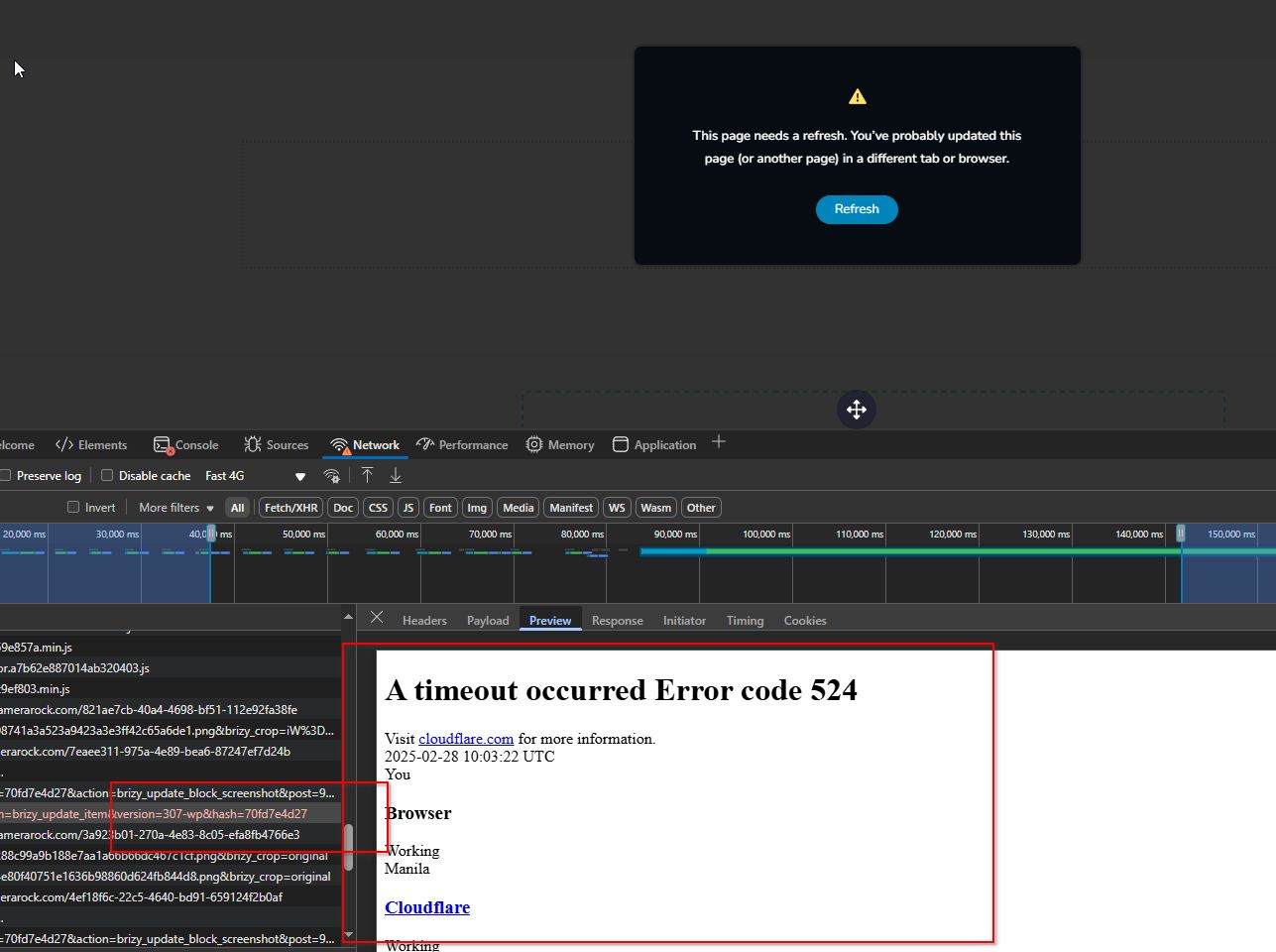
To resolve this, could you try enabling Development Mode in Cloudflare and see if it makes a difference?
Best regards,
Ariel H.0 -
Hello Ariel H,
I have enabled the developing mode in Cloudflare, and there are no changes, the problem still exists .
Kind Regards
0 -
Hi Owen,
Thank you for the update. I checked your pages again today, and they appear to be working now.
This is demonstrated on this screencast: https://youtu.be/m8cM10nnVYk
Could you try accessing them in a different browser and see if that makes a difference?
Best regards,
Ariel H.0 -
Hello Ariel H,
I noticed the problem still exist, you can check the page I provided to you before, check my last email that included the video, this page, you will see the problem,it is the same,
Kindly Regards
0 -
Hi Owen,
Thank you for the update.
Since this issue has been persistent, we recommend reaching out to your hosting provider to see if they can increase the current limits on your hosting plan. You may also want to test your site with a different hosting provider, as the problem could be related to server limitations affecting your site’s performance.
Unfortunately, we’re unable to assist with server-related issues, but testing your site on another hosting provider could help determine if hosting is the cause. If possible, consider setting up a staging site on a different server to see if the issue persists.
Best regards,
Ariel H.0 -
Hello Ariel,
Our hosting is Cloudways, it is enough for the site use, we have other site on the same hosting,it works no problem, also some of are the brizy page builder,
Kindly Regards
0 -
Hello Owen,
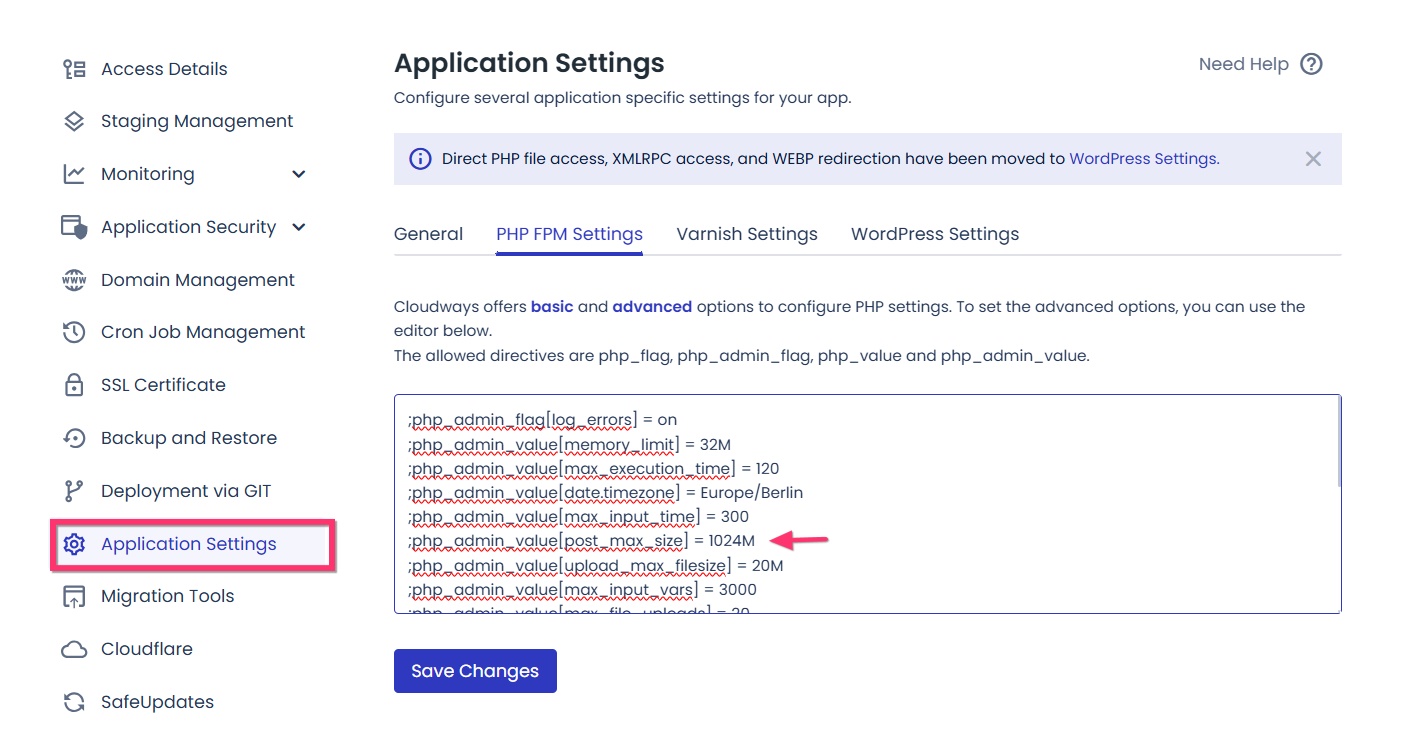
The Post Max Size is currently set to 100M in PHP settings for your website. Please revise this to 1024M in your Cloudways application and check if it helps to resolves the issue. Please follow these steps
- Sign in to your Cloudways account and on the left sidebar, select "My Applications"
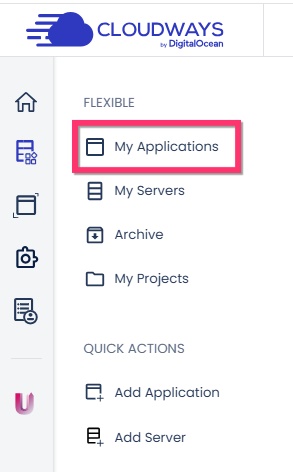
- Select your specific application and click on "Application Settings" and then the "PHP FPM Settings" and set the post_max_size to 1024M
 0
0 - Sign in to your Cloudways account and on the left sidebar, select "My Applications"
-
Hello K C George ,
I have modified the post_max_size to 1024M , the same problem, can not solve the problem.
Kindly Regards
0 -
Hello Owen,
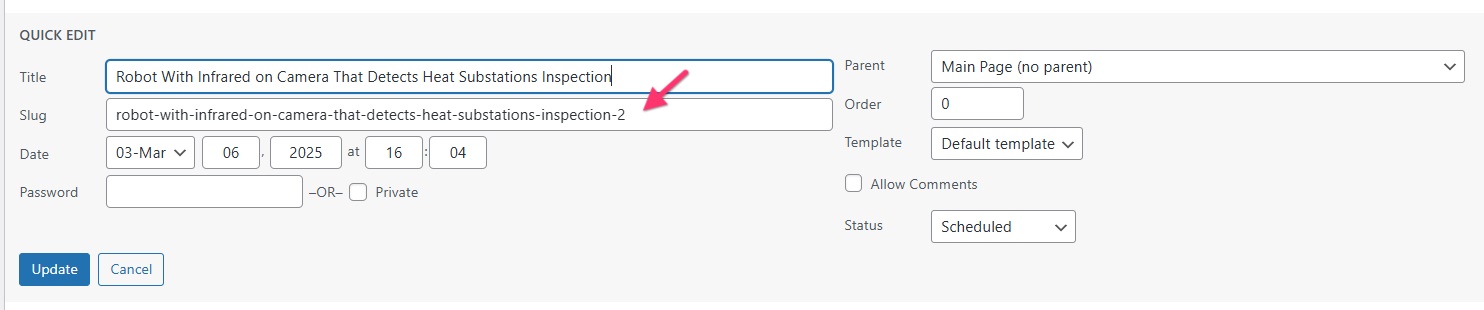
All pages of your project except one, https://www.camerarock.com/robot-with-infrared-on-camera-that-detects-heat-substations-inspection/ can be saved. To fix the issue with this specific page, I have recreated it at https://www.camerarock.com/robot-with-infrared-on-camera-that-detects-heat-substations-inspection-2/ You can save this page.
If both pages look the same, kindly
- Delete https://www.camerarock.com/robot-with-infrared-on-camera-that-detects-heat-substations-inspection/
- Change the slug of https://www.camerarock.com/robot-with-infrared-on-camera-that-detects-heat-substations-inspection-2/ to "robot-with-infrared-on-camera-that-detects-heat-substations-inspection"
0
Please sign in to leave a comment.
Comments
17 comments