Curl 28 error 5000 ms

-

Hi Timur,
Thank you for contacting us.
Please ensure that your server is not blocking outgoing requests to https://websitebuilder-demo.net/. Sometimes, firewalls or security settings on your hosting platform can block these connections.
Additionally, consider increasing the cURL timeout limit beyond 5001 milliseconds. A higher timeout (e.g., 10 seconds) may help if the connection to Brizy's server is slow. Your hosting provider can assist with these adjustments.
https://solveforce.com/understanding-phps-default_socket_timeout-configuration-and-application/Lastly, double-check your PHP settings, like max_execution_time and memory_limit, to ensure they are sufficient. Here’s an example of server settings you can request your hosting provider to update:
max_execution_time: 300
max_input_vars: 6000
memory_limit: 512M (or higher)
post_max_size: 128M
upload_max_filesize: 128MYou can find additional troubleshooting steps related to this issue on this URL:
https://www.wpkube.com/how-to-fix-wordpress-curl-error-28Please try this and let me know how it goes.
Best regards,
Ariel H.0 -
Hello
Okay, let's try to fix it. Thanks!
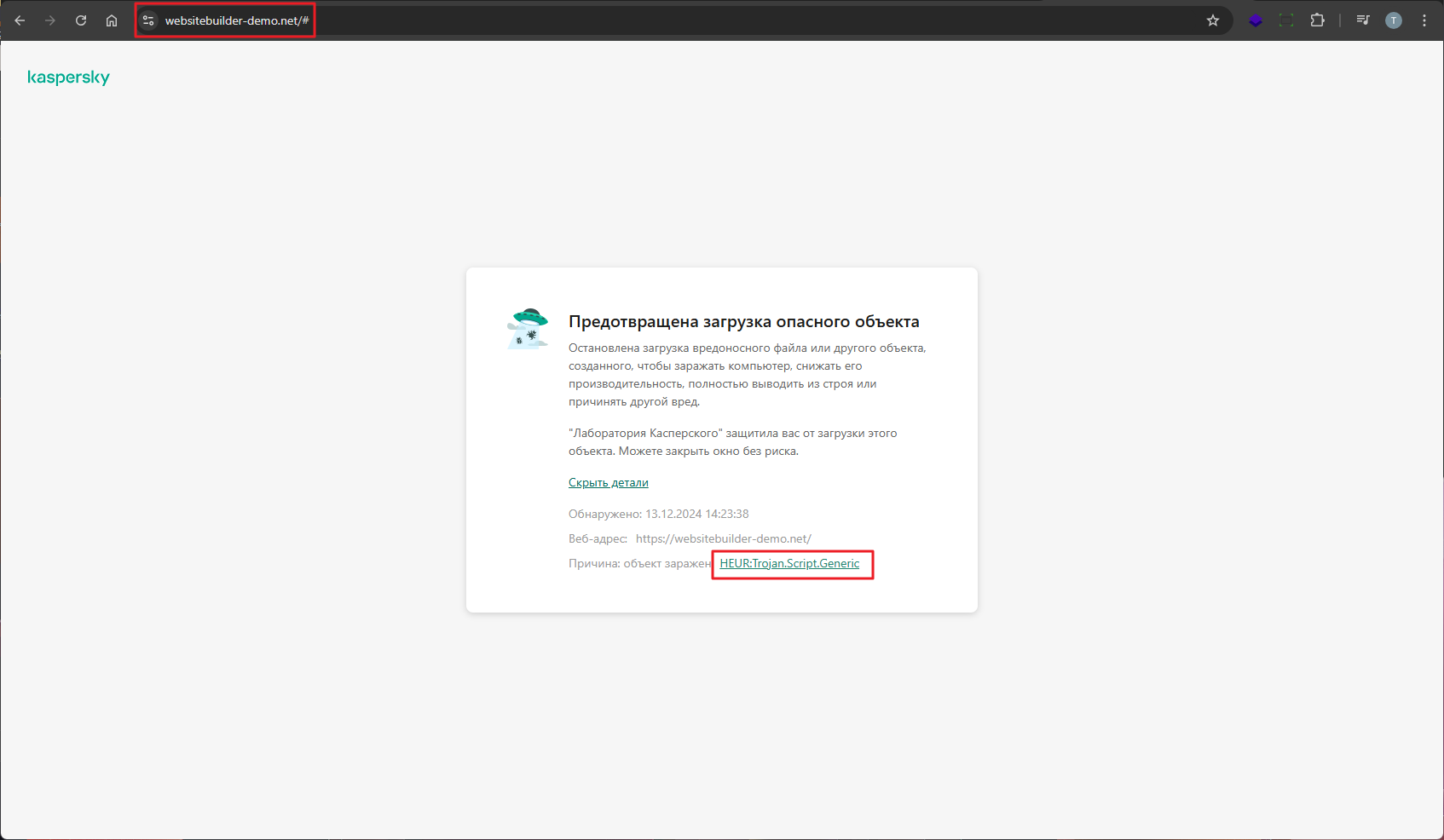
When I open the link to https://websitebuilder-demo.net/ from my browser - my antivirus reports a virus on your site. Please check this on your site.
 0
0 -
Hi Timur,
Thank you for the update. I’ll look into this and escalate it to our senior support team.
Kind regards,
Ariel H.0 -
We asked our hosting company to look into the curl issue. The hosting company told us that IP 81.177.165.50 where the site is located is blocked by your server.
Can you unblock this IP so that we can install the startup templates?
0 -
Hi Timur,
Thank you for the update. Could you please let me know how you obtained this IP address? Upon checking, it appears that this IP address is not associated with us.
Best regards,
Ariel H.0 -
On the server where brizy is installed, IP 81.177.165.50, there is no access to the start templates page from this IP.
If the hosting company changes the server IP, access to the start templates appears.
Therefore, the hosting company responded that IP 81.177.165.50 is blocked on your side.
0 -
Hi Timur,
Thank you for the update.
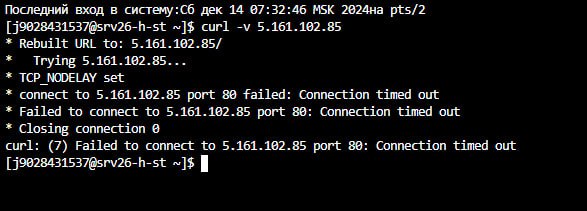
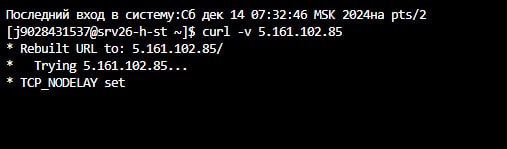
Could you ask them to run the following command from their server and share a screenshot of the output?
curl -v 5.161.102.85
Best regards,
Ariel H.0 -
Hello
 0
0 -
Here’s a refined version of your message:
Hi Timur,
Thank you for the update. I have requested that the IP address 81.177.165.50 be whitelisted and am awaiting confirmation. I will notify you as soon as I have an update.
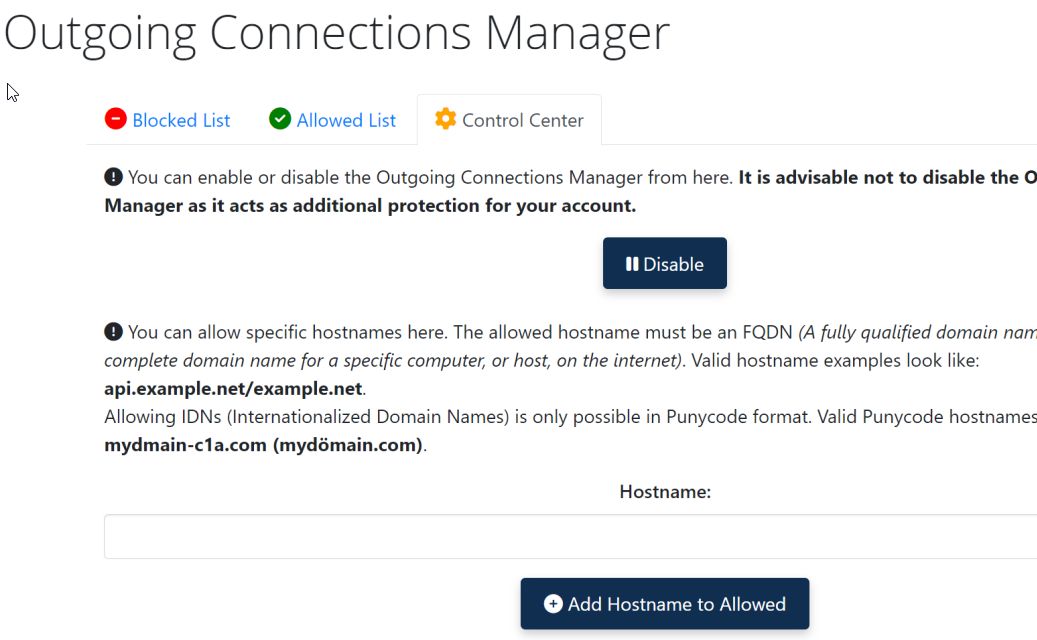
In the meantime, could you please check if it’s possible to whitelist 5.161.102.85 in your server’s security settings?
Some hosting providers offer tools to manage this, which may be available in your hosting control panel, or you can reach out to your provider for assistance.
Best regards,
Ariel H.0 -
Hello
Thanks for your help.
Have you received a response from your hosting provider? Is our IP allowed?
0 -
Hi Timur,
Apologies for the delayed response. Unfortunately, I haven’t received an update. In the meantime, could you provide us with temporary access to your site so we can take a closer look? Please send the credentials to communitysupport@brizy.io and include this reference number in the subject line: 23256188828946.
Looking forward to your response.
Best regards,
Ariel H.0 -
Sent a letter
0 -
Hi Timur,
Thank you for your cooperation.
After checking, the templates are accessible within the page via the template library, as shown in this screencast: https://youtu.be/9DYipkIzfeo
Could you please try reinstalling WordPress in a subdirectory on the same domain or server and let us know if you can replicate the issue?
Best regards,
Ariel H.0 -
Hello
In the video you show the installation of a template for a page from the Brizy constructor. There were no problems with this.
The problem is with Console > Brizy > Starter templates. If you go to this page you will see an error.
0 -
Hi Timur,
Thank you for the update. Unfortunately, we’re still waiting for the IP address to be whitelisted, as this is managed by another team. I’ll continue to follow up on this for you.
In the meantime, it’s interesting that the templates library is accessible from the Layouts tab but not directly from Brizy -> Starter Templates, as both pull data from the same server.
Could you please confirm if the IP address 5.161.102.85 has been allowed in your server’s Connections Manager?
Best regards,
Ariel H.0 -
Hello
The hosting wrote that there are no blocks on this IP.
How can this problem be solved?
0 -
Hi Timur,
Thank you for the update, and sorry for the inconvenience. I’ll double-check if the IP address is whitelisted on our side and get back to you as soon as I receive confirmation.
In the meantime, if you need access to the templates, you can find them in the layouts tab inside the editor.
Best regards,
Ariel H.0 -
Hello! Is our IP blocked on your side?
0 -
Hi Timur,
Apologies for the delay. I’ve received confirmation that your IP, 81.177.165.50, has now been whitelisted. Please give it another try and let me know if it works.
Best regards,
Ariel H.0 -
Hello
Now all the start templates are installed. Thank you!
0
Please sign in to leave a comment.
Comments
20 comments