Elfsight Review Widget not rendering font from website

Hi, I'm using the Elfsight Trip Advisor Feed widget, I've used it many times before on other websites and first time using on Brizy.
The exact widget for the same client is working properly on their existing site but I'm rebuilding on Brizy and the font isn't coming through, it's rendering in an ugly Times New Roman style. In the Elfsight widget I have it set to use the website default font style which always works with other builders.
How can I get this to work on Brizy? I can't manually select the font in Elfsight dropdown list of fonts, because they don't offer this font style in their widget builder (Poppins)
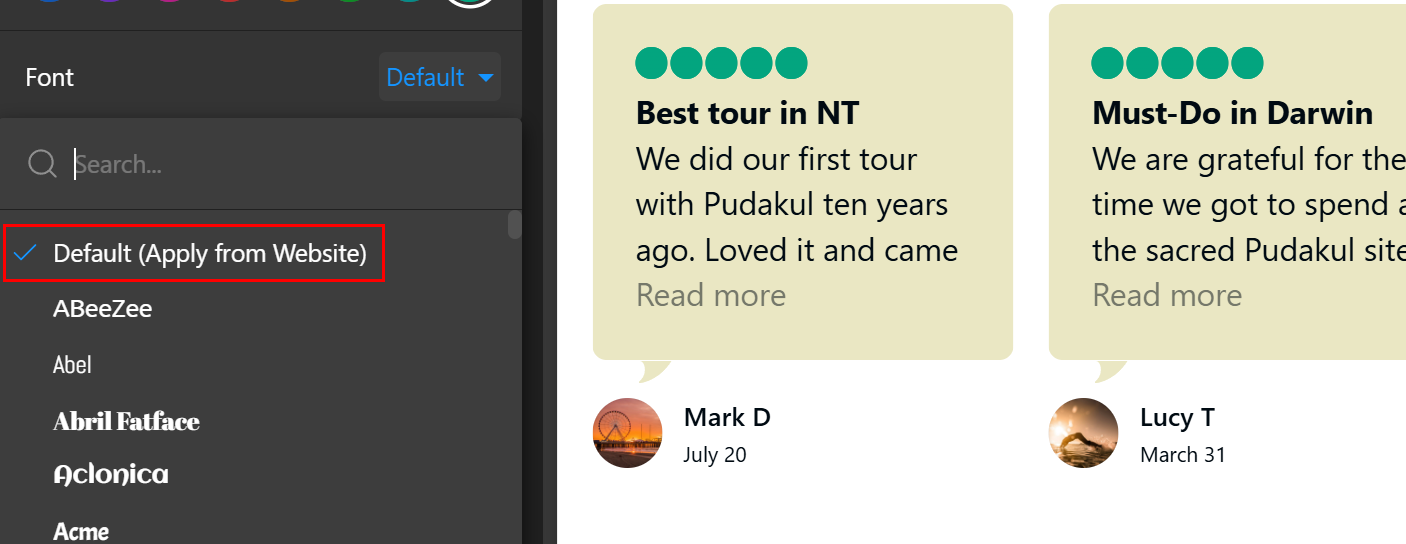
This is how it's meant to look (existing live site on other platform), scroll down to see it:
And here is the same widget embed code on Brizy (in Times New Roman):
Thanks.
-

Hi Eva,
To address the issue, please try adding the following custom CSS:
.es-review-content-text,
.es-review-content-title {
    font-family: 'Overpass';
}
Feel free to replace 'Overpass' with the font of your choice.
Here’s how you can insert the CSS:
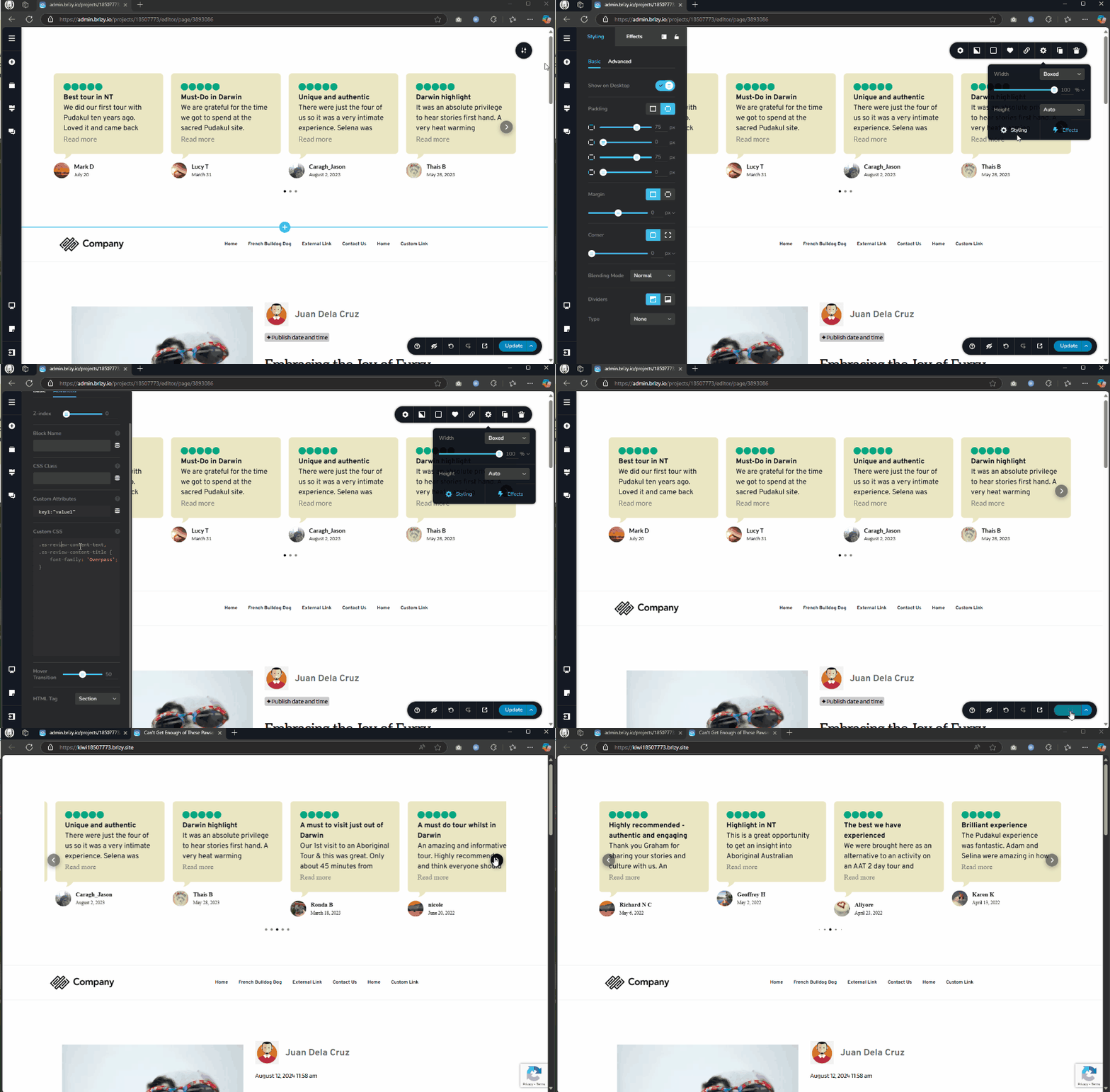
Give it a try and let me know if it resolves the issue.
Best regards,
Ariel H.0 -
Hi Ariel
Thanks for the workaround.
I ended up using one of Elfsight's installed fonts (tried to find a similar one) because I just noticed an Elfsight clause regarding custom CSS: "Please note, while these classes are intended to be static, we cannot guarantee that they will remain unchanged in future updates."
So I think it's more stable to use their built in font picker even though they don't have my font.
Don't know why it won't pick up my default font from Brizy though !
0
Please sign in to leave a comment.
Comments
2 comments