Creating a Blog

Hi I was following the video tutorial, according to the video after creating post I go edit. while I was trying to create a design for my blog, I realise I do not have the #kit 1 blocks. is it removed or check what do I need to do in order to get.
-

Hello Dixie,
Because Kit #1's designs are outdated, we have removed it. In the near future, we intend to offer a new Kit.
0 -
So where do I go to for blog layout?
0 -
Hello Dixie,
Can you share the video tutorial so that we understand what you are attempting to achieve? Please also suggest which part of the video has the detail you are discussing.
0 -
I I was looking at the video tutorial, They have this kit #1 where they have block for blogging. I would like to check what are the alternatives?
0 -
Hello Dixie,
When you say "while I was trying to create a design for my blog" are you trying to create a listing of blog posts or creating a design for a single blog post? You can find website design templates with a blog at https://www.brizy.io/templates. Once you select a template you like, import it a Brizy Cloud project and you can then save the blog design you like from the website template and reuse it in your project.
0 -
I have a the template, I would like to know the create the blog page. I know how to create a post, but the want me to design my page. Which block can I use to do up my blog page?
0 -
Hello Dixie,
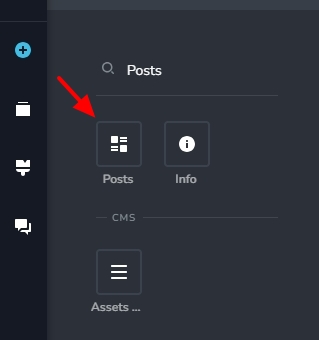
Kindly use the Posts element to create your blog page. Have a look at this tutorial on using this element https://youtu.be/BAVHm9r-r74?si=-GRcxTgCkKcRTSiN&t=1322
 0
0 -
So the youtube video you are showing me is also not updated. I would to find how to show my post. I have got the blog on my basic block. but nothing is showing. is there something I am not doing yet?
0 -
Hello Dixie,
The Posts element displays published blog posts only. Kindly check if your blog post is published. The green dot in the blog posts list indicates that its published. Orange dot indicates that its in "Draft Mode".
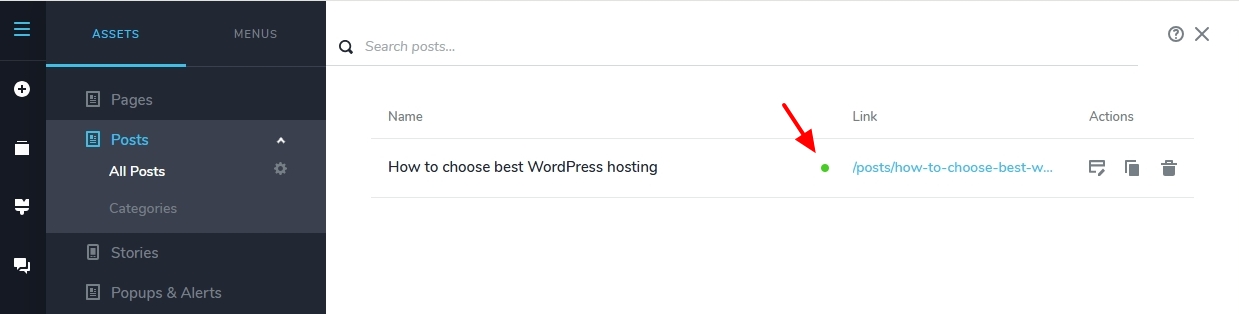
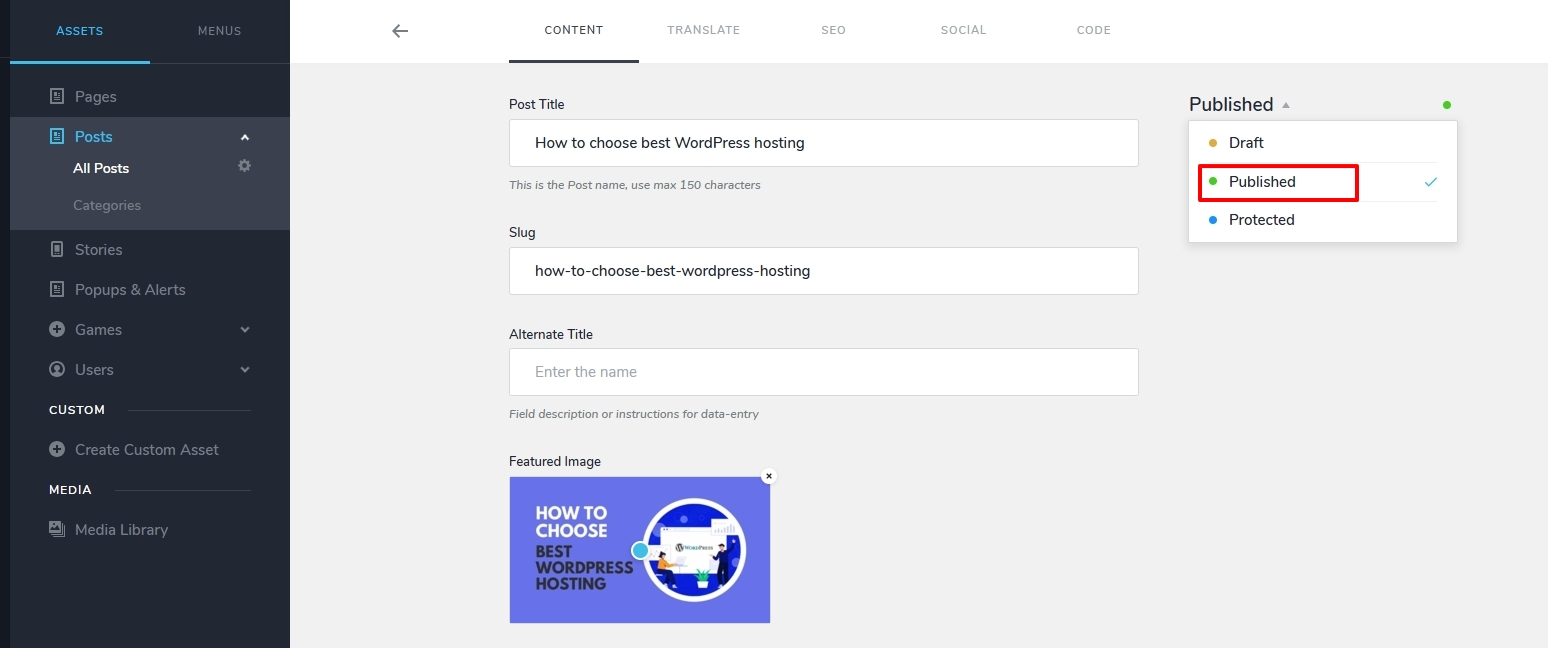
Kindly click on the name of the blog post and at the top right corner, select "Published" and save your work to publish your blog post.
 0
0
Please sign in to leave a comment.
Comments
9 comments