Brizy Cloud Server Sync sitemap

Hi there,
I've set up a website build with Brizy cloud and publish with server sync, however when browsing to the website address ie. test.com/sitemap.xml I get a 500 server internal server error, could you please advise
regards
Alex
-

Hello Alex,
Some investigation is required on your hosting server to identify the root cause. Kindly verify these with the help of hosting support.
- File permissions: Make sure your "sitemap.xml" file has appropriate read permissions for the web server
- Check server logs: Access your server's error logs to identify specific errors related to accessing your sitemap.
0 -
hi there,
this is the error found in the log file
 0
0 -
Hello Alex,
We have escalated this issue to our developers and we are looking into it and will get back to you with an update.
0 -
Hello Alex,
We have made some changes at our end and would like access to your hosting control panel to investigate this issue further. Can you add a new user to your hosting control panel and send these details to communitysupport@brizy.io
- Support Forum link: https://support.brizy.io/hc/en-us/community/posts/23051702491282
- Hosting Control panel access URL:
- Username
- Password
0 -
Hi there,
I sent the details to login into the panel last year, however, I haven't heard back from you guys, could you please advise what is the status of the ticket
Regards
Alex
0 -

Hi Alex,
Thank you for the update. Unfortunately, I couldn’t locate your hosting panel credentials. When you sent the email, did you use the format outlined by KC in our previous response?
Best regards,
Ariel H.0 -
Hi Ariel,
I've resent the details to the email provided by KC
With regards
Alex
0 -
Hi Alex,
Thank you for the update.
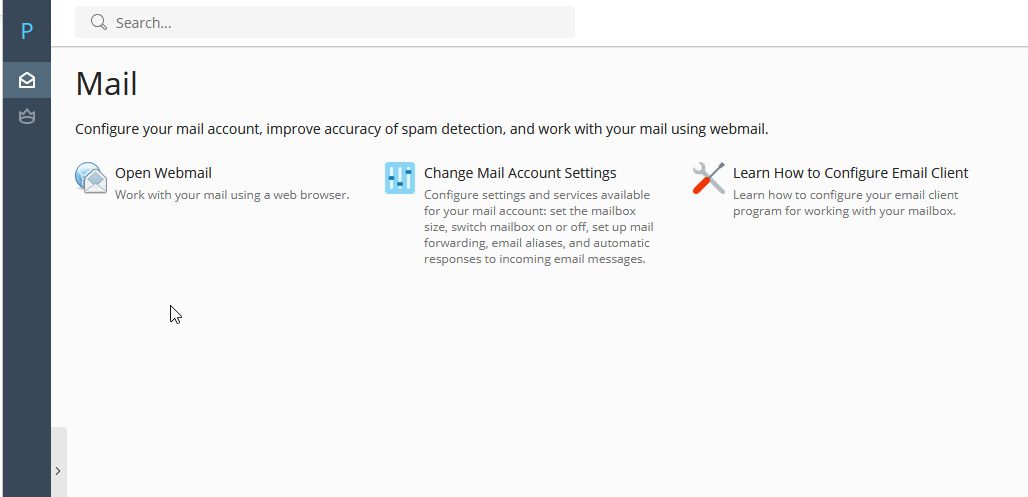
Unfortunately, this user account only has access to emails. Could you please update the account to have full access to Plesk Panel?
Kind regards,
Ariel H.0 -
Hi Ariel,
I've amended the permissions for the user, I replied to the zendesk email on the 10th of Jan but unsure whether you received it or not
With regards
Alex
0 -
Hi Alex,
Thank you for the update.
Could you please try downloading the new sync file, uploading it again, and checking if this resolves the issue? Be sure to delete all the previously synced files in your server before starting over.
Best regards,
Ariel H.0 -
Hi Ariel,
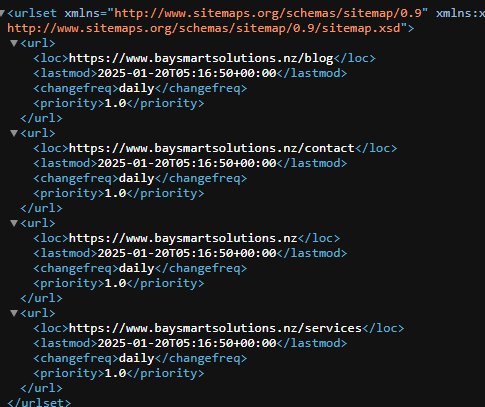
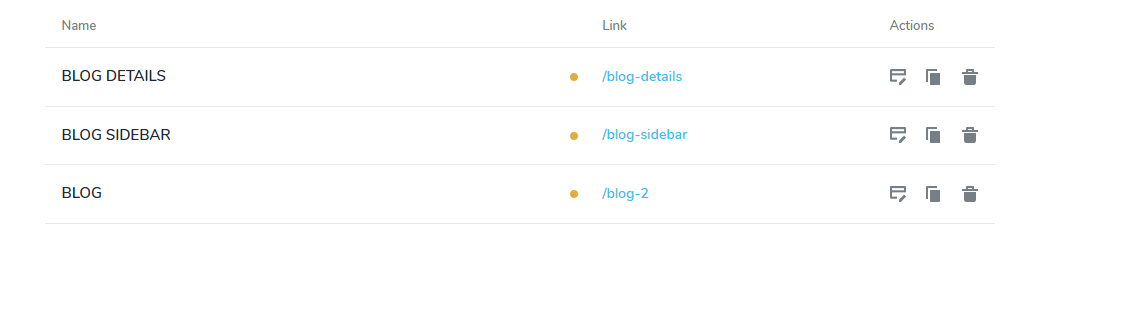
thank you for your message, I've downloaded the sync files and upload them again, the sitemap is now working, however there is an entry on the sitemap for the blog even though I'm not using the blog at this moment and I've change the pages to draft as you can see on the screenshots, could you please advise how can I turn off the blog please
with regards
Alex
 0
0 -
Hello Alexis,
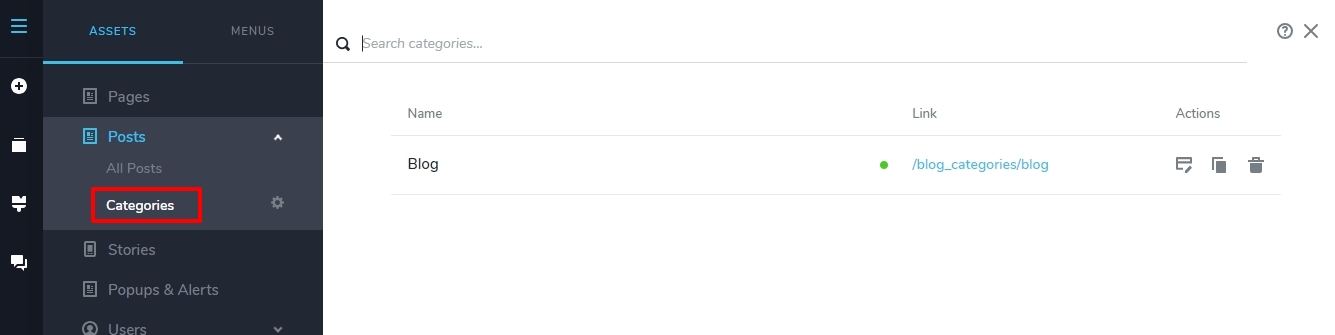
You have a Posts category called "Blog" and the URL for the category archive page is https://www.baysmartsolutions.nz/blog. Hence the URL is included in your sitemap.
 0
0 -
thank you, all sorted now, I appreciate the assistant
With regards
Alex
0
Please sign in to leave a comment.
Comments
13 comments