Failed to upload file

Hello,
Since today I can't upload images anymore. The upload is failed every time. This is happening on both of my projects and has nothing to do with my internet. Also the files are the same and I haven't done anything different.
-

Hi Henk,
Thank you for reaching out. Could you please try converting and optimizing the images to see if that helps? You can use the tool below to convert and optimize your images before uploading them again:
https://vertexshare.com/webp-converter.htmlAdditionally, WebP format is natively supported in Brizy Cloud, so I recommend using this format for your images.
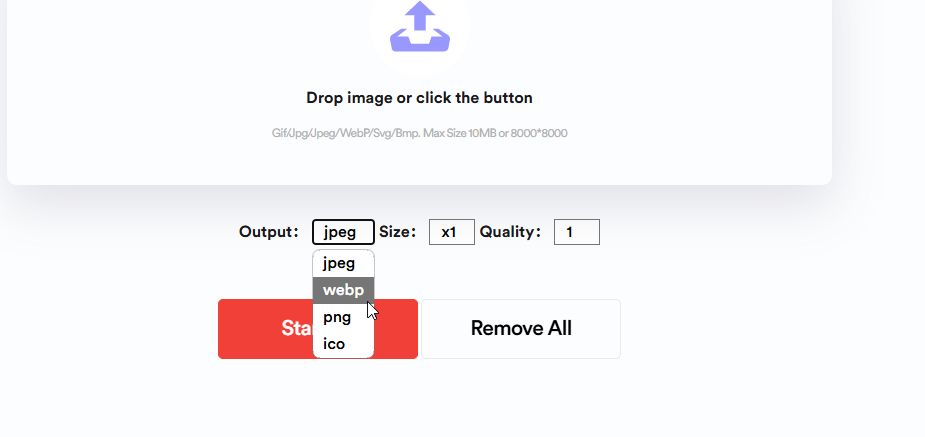
Please give this a try and let me know how it goes.
Best regards,
Ariel H.0 -
Thank you for your response.
No sadly that doesn't work either. It was always working until yesterday..
Seems like it is a server problem
0 -
Hi Henk,
Could you kindly provide us with the Project Name and Preview URL of your project in the Brizy Cloud Dashboard where this issue can be replicated?
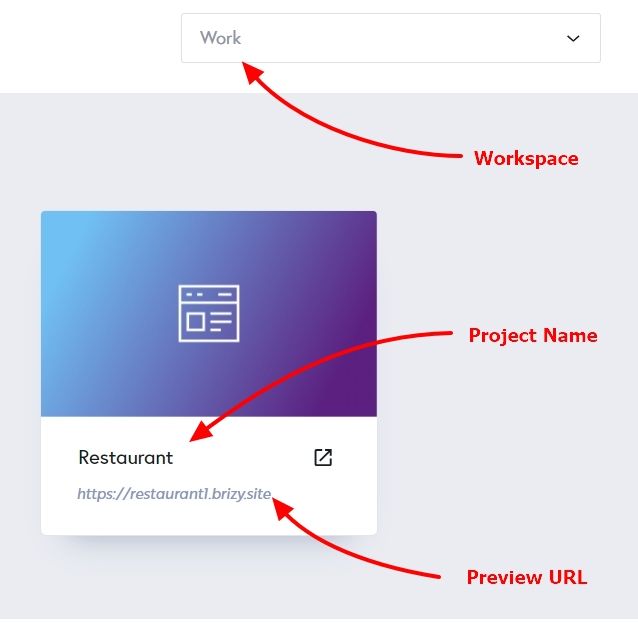
I am looking forward to your response.
Best regards,
Ariel H.0 -
Hello Ariel,
the preview url is https://kangaroocf24de09.brizy.site/
The Project name is Project #2
Looking forward to your response.
Best Henk
0 -

Hello Henk,
I could upload two images to the Media Library of your project. Kindly see my test at https://jmp.sh/RL3t8zVi Can you try these?
- Sing into the Brizy Cloud dashboard from a private (incognito) window of your browser and check if the image upload works
- Sign into Brizy Cloud dashboard from an alternate browser and check if that helps
- Sign into Brizy Cloud dashboard from another computer and using an alternate Internet Service Provider and check if it helps.
0 -
Hello,
It still doesn't work. The files are in the right format, it doesn't work on both my projects, it doesn't work on any other device, it doesn't work on another browser (safari, chrome), it doesn't work in a private window, it doesn't work with multiple internet connections.
0 -
Hello Henk,
Can you do a few more tests to troubleshoot the issue?
- Temporarily disable any antivirus software like AVG, Norton, Kaspesky and check if this helps to upload images
- Temporarily disable any Malware blocking software like MalwareBytes and check if that helps
- Temporarily disable any Firewall or another security software installed in your computer or network and check again.
- Temporarily disable ad blocker browser extensions or any software that can block another software and check if it helps to upload images.
If none of the above tests help identify the interfering software, we will schedule a Zoom call and attempt to troubleshoot this issue for you.
0 -
Hello,
Im afraid none of those tests help, since I don't have any softwares installed.
0 -
Hi Henk,
Thank you for the update.
Could you kindly share the files you were trying to upload to your website so we can replicate the issue? Please send the image files to communitysupport@brizy.io and include the reference number 23047847546642 in the subject line.
Best regards,
Ariel H.0 -
Hello Henk,
In your project https://www.henkhogerzeil.com, I see that you have uploaded around 45 images. You can also see me upload images to your Media Library at https://jmp.sh/RL3t8zVi. If the image upload issue occurs intermittently, a possible cause could be the images not following the file format accurately.
Usually images compressed by TinyPNG get uploaded without errors in Brizy Cloud. If you encounter the issue in the future, kindly compress the image using https://tinypng.com/ and upload it and check if the issue resolves.
0
Please sign in to leave a comment.
Comments
10 comments