Some styling just broke

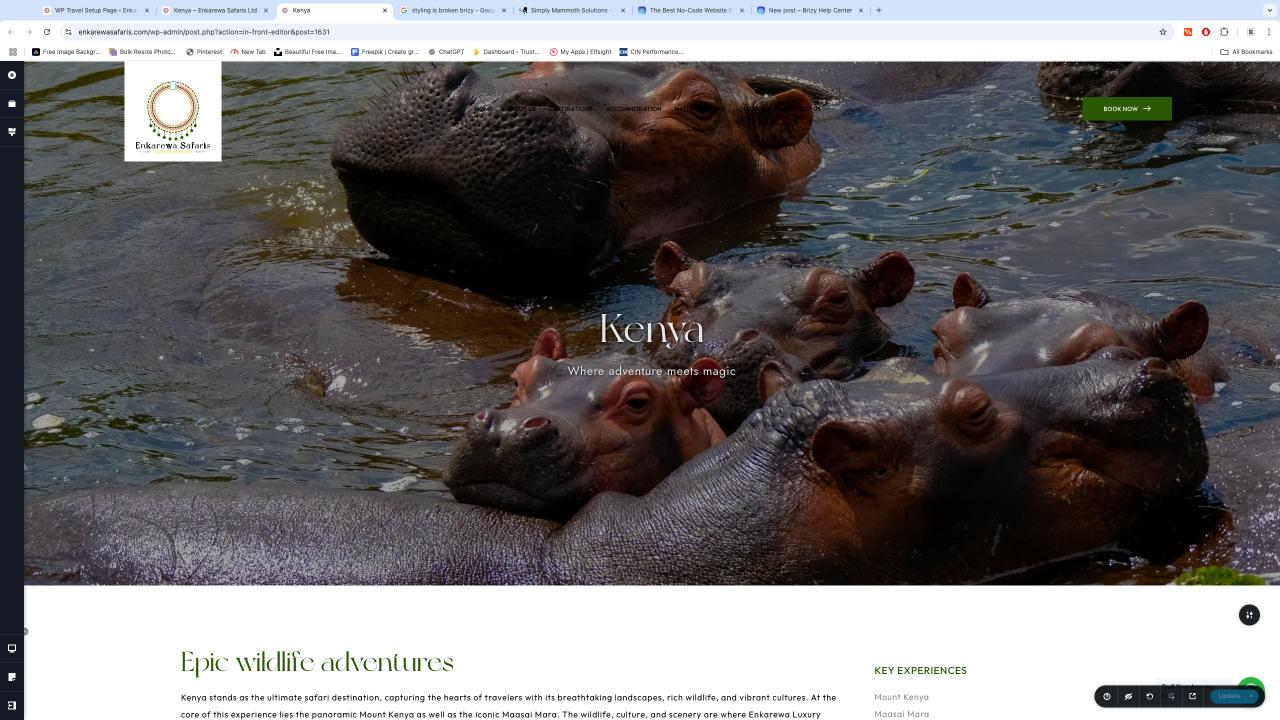
I was working on this website and when i clicked on update to save my progress and then opened a preview version the styling just broke.
Below is the editor version
This is the preview
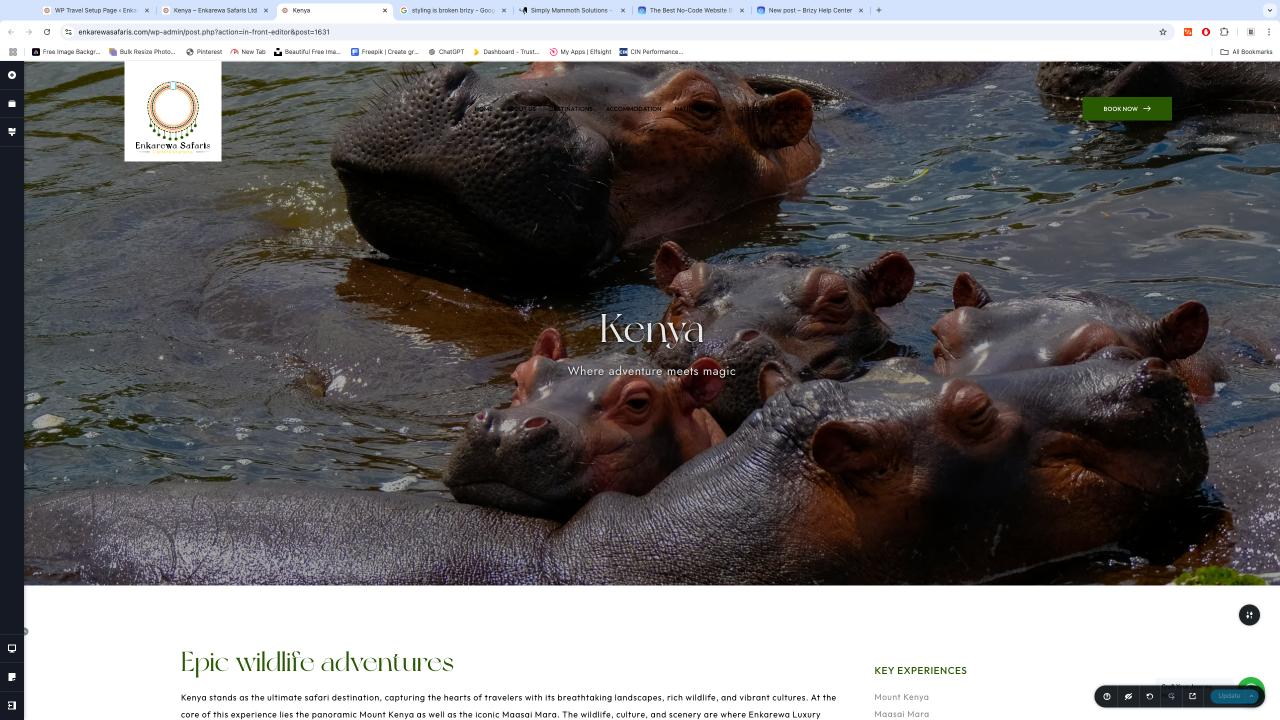
As you can see, color, font styles and sizes just don't show.
I thought it was un update issue so i updated to the latest version of Brizy i have disabled all plugins except the ones that were pertinent ie Brizy and PRO, I also disabled pods which i was using but I enabled it again since that was the not the source of the issue.
I have also tried previewing on different browsers the same result yet remains.
I can share the credentials if need be, just let me know
-

Hi Baru,
Thank you for reaching out to us. It seems you’ve shared the same screenshot for the preview. Could you please provide the URL instead, so we can take a closer look at your site? The text in your screenshot is too small for us to identify the URL.
Best regards,
Ariel H.0 -
The key thing to note is as outlined
the colors & fonts don't show up as expected
0 -
Hi,
Thank you for the update. Could you please share your sites credentials so we can take a closer look? Kindly send them to communitysupport@brizy.io and include this reference number in the subject line: 22903610293522.
I look forward to your response.
Best regards,
Ariel H.0 -
Hi Baru,
Thank you for your cooperation.
Upon checking, it appears that the browser is blocking the font resource due to an incorrect MIME type. The font is being served as HTML instead of a font file.
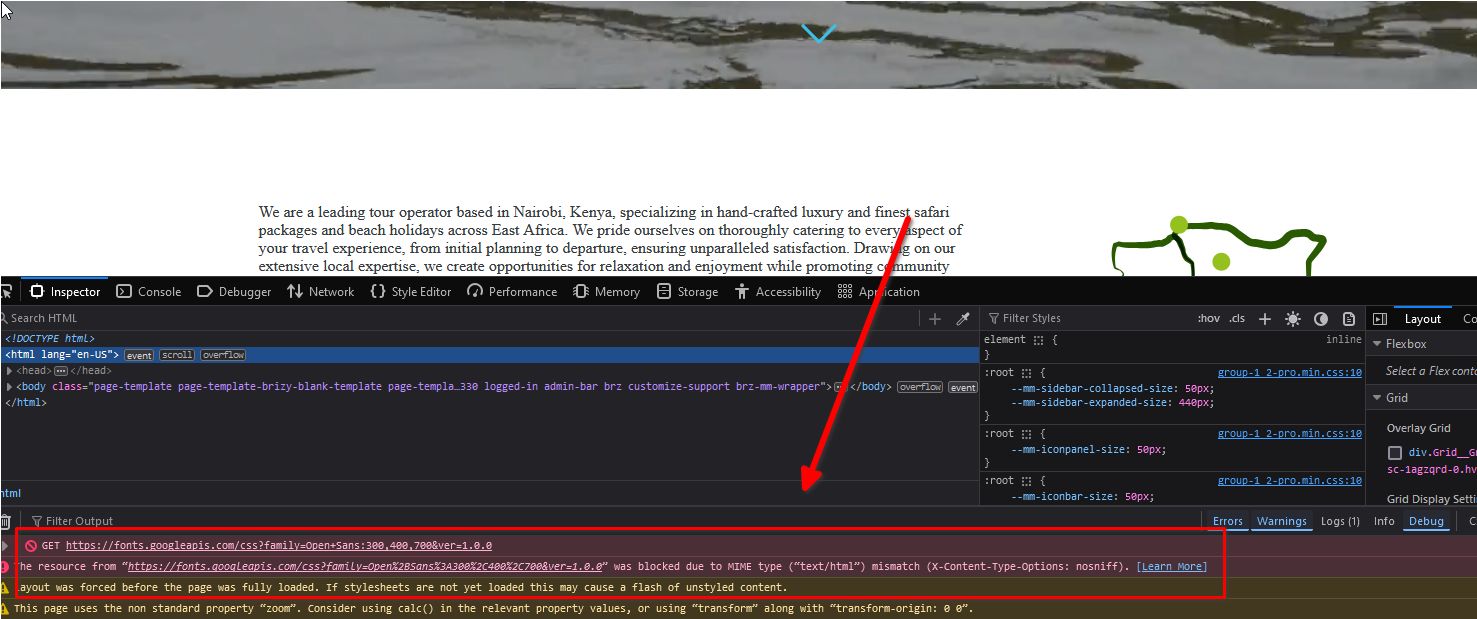
To resolve this, please contact your hosting provider and ask them to ensure the server is configured to serve font files with the correct MIME type. They should add the following directives to the .htaccess file:
AddType font/woff woff
AddType font/woff2 woff2
As an example, a similar issue was reported to the hosting provider on this page and was resolved by their hosting provider.
https://community.cloudflare.com/t/the-resource-from-https-xyz-com-was-blocked-due-to-mime-type-text-html-mismatch-x-content-type-options-nosniff/388823/4I hope this helps.
Best regards,
Ariel H.0 -
Should i contact the host if i I have edited the htaccess file to look like this (SEE BELOW)
Its still not working,I can share the Control Panel Creds as well.
# BEGIN WordPress
# The directives (lines) between "BEGIN WordPress" and "END WordPress" are
# dynamically generated, and should only be modified via WordPress filters.
# Any changes to the directives between these markers will be overwritten.
<IfModule mod_rewrite.c>
RewriteEngine On
RewriteRule .* - [E=HTTP_AUTHORIZATION:%{HTTP:Authorization}]
RewriteBase /
RewriteRule ^index\.php$ - [L]
RewriteCond %{REQUEST_FILENAME} !-f
RewriteCond %{REQUEST_FILENAME} !-d
RewriteRule . /index.php [L]
</IfModule>

# END WordPress

# php -- BEGIN cPanel-generated handler, do not edit
# Set the “ea-php74” package as the default “PHP” programming language.
<IfModule mime_module>
  AddHandler application/x-httpd-ea-php74 .php .php7 .phtml
</IfModule>
# php -- END cPanel-generated handler, do not edit

# Custom MIME types for fonts
AddType font/woff woff
AddType font/woff2 woff2
0 -
Hi Baru,
Thank you for the update.
I recommend reporting this issue to your hosting provider and providing them with the link above for reference.
The directives above ensure that the MIME types are applied to the .woff and .woff2 file extensions. They may need to check the server logs for more insight into why the MIME types are not being applied.
Best regards,
Ariel h.0
Please sign in to leave a comment.
Comments
6 comments